
DisEnchantment
Golden Member
Speculate at will
Last edited:

Based on the assumption that even going to 9999W may do nothing more than burn the CPU out. Meaning, just stop at 253W and don't burn any more power.@igor_kavinski
Why 9999W and not 256W?

I meant the power is unlimited in both cases, which could be indicated on your diagram.Based on the assumption that even going to 9999W may do nothing more than burn the CPU out. Meaning, just stop at 253W and don't burn any more power.
Hey maybe we'll see 9999W in UEFIs now instead of the boring 4096W 😛I meant the power is unlimited in both cases, which could be indicated on your diagram.
Is 9999W one watt under the fabled 1 iggawatt? 😛Hey maybe we'll see 9999W in UEFIs now instead of the boring 4096W 😛


I don't have any resources offhand but the core concept is pretty easy to understand.Does anyone have any good resources on the 1:1 and 2:1 modes and memory tuning for Zen in general? I'm completely oblivious to that topic and would like to start learning more since it seems to be coming up a lot here
In terms of latency or bandwidth?The memory controller running at lower frequency does impair performance somewhat
Can't say, I wasn't able to successfully get either of my systems to run at a higher memory clock so I haven't had any hands-on experience with it. Maybe @Det0x knows more about it.In terms of latency or bandwidth?
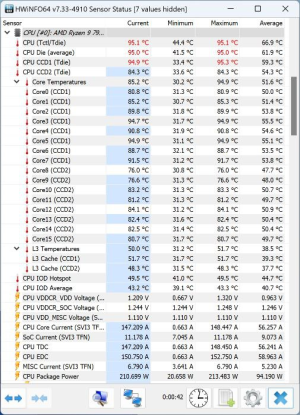
Any idea what the Zen5 temps are if more ”normal” cooling solutions are used?a very large custom cooling rig with a optimus signature v3 block together with a MO-RA3 radiator
Nope. But can't be much different than Zen 4. On air temperature during heavy AVX-512 workloads, that's an open question at this point.Any idea what the Zen5 temps are if more ”normal” cooling solutions are used?

In terms of latency or bandwidth?
Will copy my post over from from a other forum as a response:Can't say, I wasn't able to successfully get either of my systems to run at a higher memory clock so I haven't had any hands-on experience with it. Maybe @Det0x knows more about it.
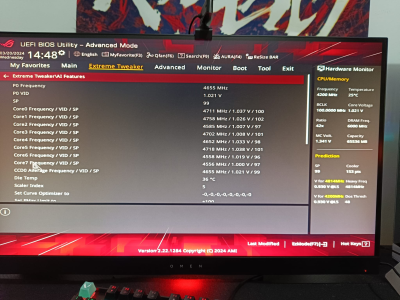
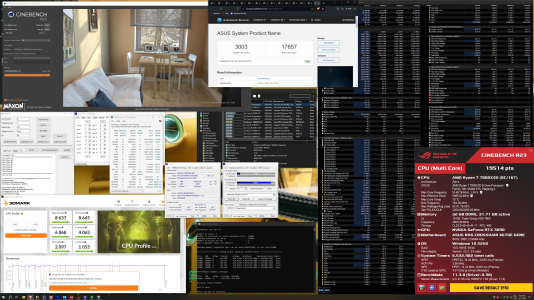
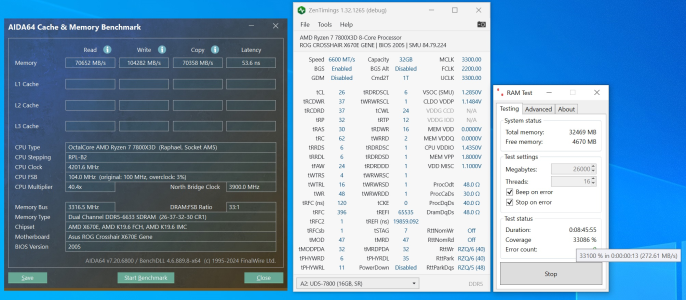
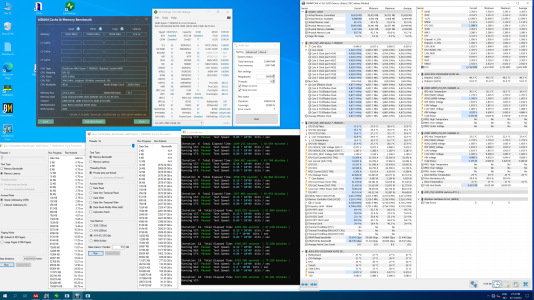
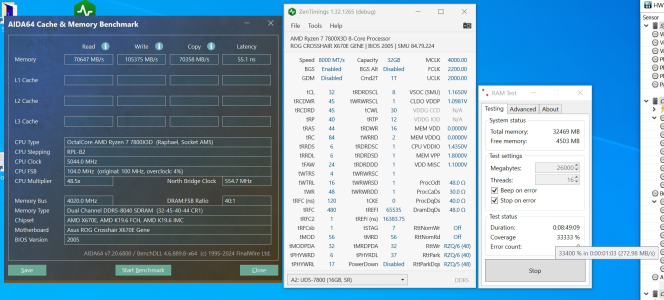
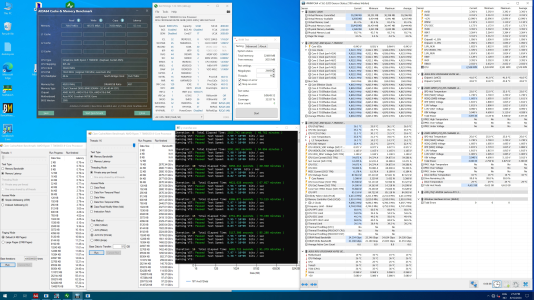
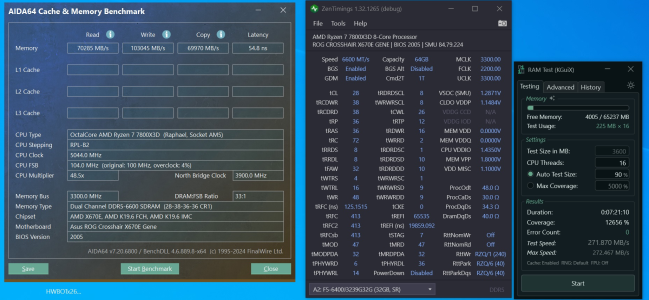
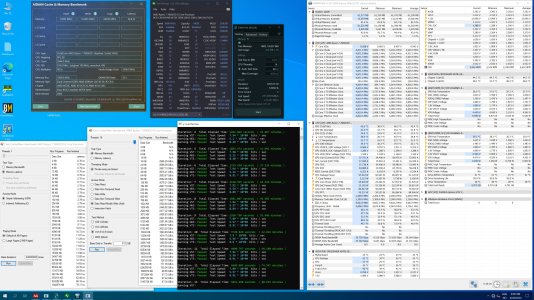
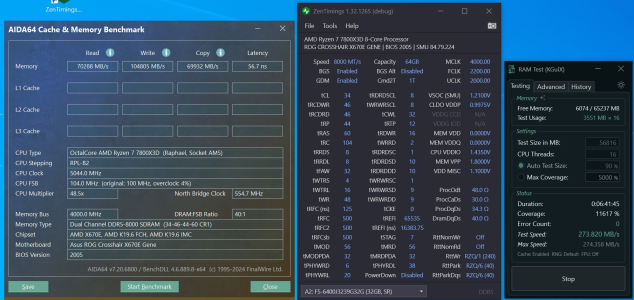
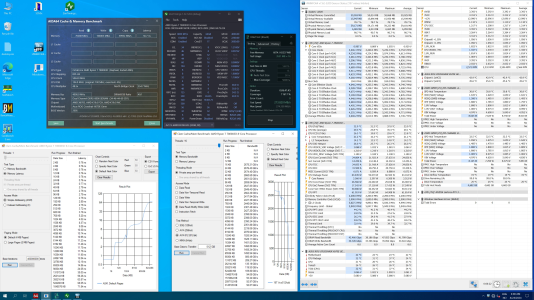
As a follow up to my post above:Will copy my post over from from a other forum as a response:
So over the last few weeks ive been working on a memory performance comparison between the following maxed out daily memory profiles
The CPU used for this purpose is my newly acquired SP99 7800X3D @ daily settings, running on the ASUS GENE motherboard
- Profile1 = SR 2x16gigs adie @ 6600MT/s CL26-37-32-30-62 + 2200mhz FCLK 1:1 mode
- Profile2 = SR 2x16gigs adie @ 8000MT/s CL32-45-40-44-84 + 2200mhz FCLK 2:1 mode
- Profile3 = DR 2x32gigs adie @ 6600MT/s CL28-38-36-36-72 + 2200mhz FCLK 1:1 mode
- Profile4 = DR 2x32gigs adie @ 8000MT/s CL34-46-44-60-104 + 2200mhz FCLK 2:1 mode
View attachment 102953View attachment 102954
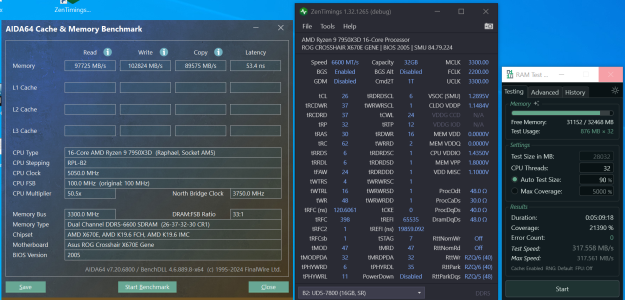
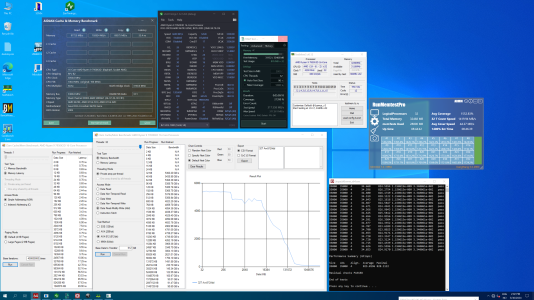
My main performance metric for this comparison have been Clam cache/memory benchmark and/or Karhu ramtest, but i have also included AIDA64 and hwinfo in my screenshots as i know people in this thread mostly like to look at them. My criteria for being a fully stable daily memory profile and being added to this performance comparison is being able to survive atleast 6 hours in karhu and over 1 hours Y-cruncher all memtests only.
With all that out of the way, we can start looking at some numbers 🙂
SR 2x16gigs adie @ 6600MT/s CL26-37-32-30-62 + 2200mhz FCLK 1:1 mode
View attachment 102955View attachment 102956
SR 2x16gigs adie @ 8000MT/s CL32-45-40-44-84 + 2200mhz FCLK 2:1 mode
View attachment 102957View attachment 102958
DR 2x32gigs adie @ 6600MT/s CL28-38-36-36-72 + 2200mhz FCLK 1:1 mode
View attachment 102959View attachment 102960
Results in Clam cache/mem benchmark:
Latency ranking:
- SR 2x16gigs @ 6600MT/s 1:1 mode= 68.75ns
- DR 2x32gigs @ 6600MT/s 1:1 mode =70.17ns
- SR 2x16gigs @ 8000MT/s 2:1 mode = 70.24ns
- DR 2x32gigs @ 8000MT/s 2:1 mode = 71.84ns
Bandwidth read-modify-write (ADD) ranking:
A few comments in random order to my findings above 🙂
- SR 2x16gigs @ 8000MT/s 2:1 mode= 97.11GB/s
- DR 2x32gigs @ 8000MT/s 2:1 mode = 92.87GB/s
- SR 2x16gigs @ 6600MT/s 1:1 mode = 91.23GB/s
- DR 2x32gigs @ 6600MT/s 1:1 mode = 87.34GB/s
A single 8core Zen4 CCD can take advantage of the higher bandwidth afforded by 2:1 mode vs 1:1 mode, even if the common misconception on many forums is that there is no benefit because they can hardly see any difference in gimmicky AIDA64 memory bench. (its also easy to double check this in other benchmarks such as y-cruncher / GB3 membench which will show the same)
The next question would naturally be what's the "best memory setup", 1:1 mode with its lower latency or 2:1 with its higher bandwidth. There is no easy answer for this as it all depends on what benchmark/game you comparing the numbers in.. Some will prefer latency while others bandwidth, so you just have to check on an individual basis. 😱
But what i can say is that i pretty much always think higher memoryspeed is better, be it in 1:1 mode or 2:1 mode... From time to time i see some limit themself to something like 6000/6200MT/s because they think its faster in games than say 6400MT/s for some reason (?)
My next observation is that i did not find any bandwidth benefit from the "dual rank" (quad) in Clam cache/mem benchmark, but karhu is seemingly showing higher mb/s. But i suspect this is because the higher memory size tested, not increased bandwidth from DR. I will do some more DR karhu runs where i limit used memorysize to same as SR and check if the numbers change. (y) edit Its also possible the forced GDM enabled with DR is eating up the bandwidth benefit compared to SR
Have also seen some complains about some ppl having a hardtime tuning memory on the 1.1.7.0 PatchA FireRangeP AGESA, i can only say that is working pretty good for me on the ASUS GENE, even if i'm using a beta bios. But be warned, stabilizing DR 64gigs @ 8000MT/s is still insanely hard, think i spent like 5x the time on this profile compared to all others combined... Its really on a razors edge, +-5 mv on some rails and you can forget about 10k karhu.
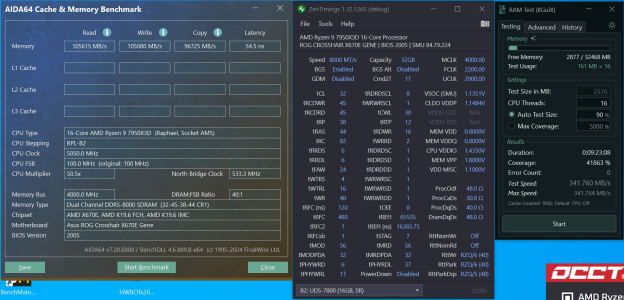
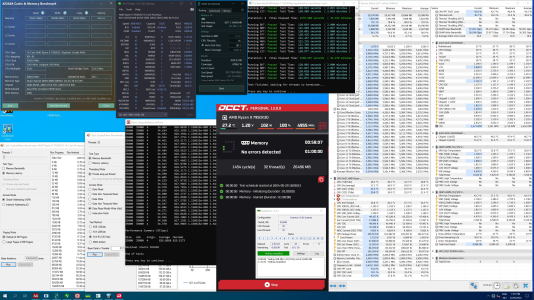

Very interesting read im still on two 5800x3d @4000cl16 since day1But what i can say is that i pretty much always think higher memoryspeed is better, be it in 1:1 mode or 2:1 mode.
High FCLK killed it?
- Completed 12 cycles Testmem5 before NVMe died
Well, if you don't believe me you welcome to do what ppl at i2hard (as well as derbauer) did, they actually have multiple CPUs and delidded them. Same stuff happens to intel cpus, sometimes the difference is even greater, like 20C or so.
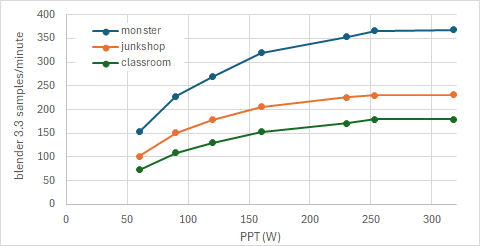
Guess classroom and junkshop are pretty heavy scenes and don't respond that well to more watts.
No it was a agesa/bios problem..NVMe simply just went on a spring break, luckly its back alive now 🙂High FCLK killed it?
Meanwhile we're leaning that 13k and 14k chips from Intel that were operating at lower (more usual) temperatures have been having stability issues or that the silicon was degrading.

In a Navier-Stokes sparse matrix calculator that I use:Can't say, I wasn't able to successfully get either of my systems to run at a higher memory clock so I haven't had any hands-on experience with it.
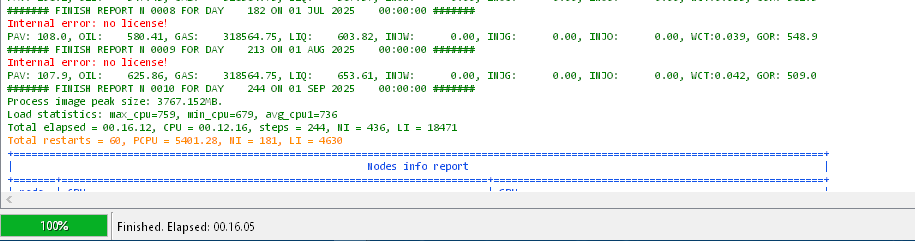
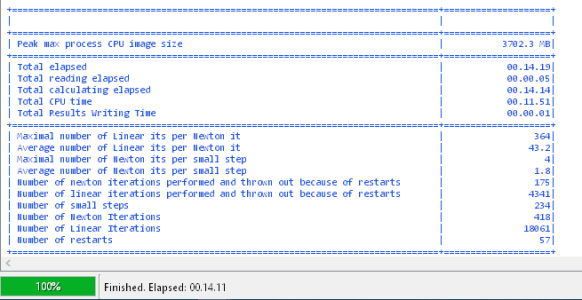
Surely the primary timings for 6400 could've been lower than for 7800?primary timings are roughly the same, just more frequency.
Same in terms of nanoseconds, numerically they are different, naturally. Like CL30 at 6400 is equivalent to CL37 at 7800 and so on.Surely the primary timings for 6400 could've been lower than for 7800?


