Discussion Intel Nova Lake in H2-2026: Discussion Threads

Page 52 - Seeking answers? Join the AnandTech community: where nearly half-a-million members share solutions and discuss the latest tech.

DrMrLordX

Lifer
Apr 27, 2000
23,183
13,270
136
So this is where fast cores are better than more cores?

Yeah, basically.

The first test was from 2018. So the MT implementation in Handbrake and the underlying codec libraries may have improved since then.

Not really, if you look at much later tests (such as a 9950X/9900X review) the scaling issue is still there.

Then regarding 9950X vs 9900X (and for the first test too), could the power constraint also not explain why performance does not scale linearly with core count in this case? I’m thinking that the 9950X cores will run at lower frequency than on 9900X, due to same TDP constraint and the former CPU having more cores so less power/core.

See below:

The 9900x has a much lower power limit than the 9950x and is just as power constrained. Video encoding just quickly hits diminishing returns once you get past 24t or so and that’s with high res (4K), modern formats. The vast majority of people will see even less benefit because they aren’t encoding that high res and are probably still using x264.

Yup, the Tom's 9950X/9900X review actually benchmarked x265 and x264 with PBO on and off, and the 9900X gained more from PBO on, showing the effect of power limits hurting the 9900X more than the 9950X:


Could it be that such video encoding is inherently MP limited (I have no knowledge of the underlying algorithms so this might just be plain stupid)?

Anyway this shows expecting nice MT speedups even for a task that looks highly parallel is a fallacy.
Yes, and sort of. There are some benchmarks, such as 3D rendering, that can be "embarassingly parallel". But video encoding does crap out at a certain thread count.

@Fjodor2001 theoretically you could splice one long video into multiple pieces and launch multiple instances of handbrake simultaneously, but that's not very common among the hobbyists that still do so.
 

Fjodor2001

Diamond Member
Feb 6, 2010
4,566
729
126
@Fjodor2001 theoretically you could splice one long video into multiple pieces and launch multiple instances of handbrake simultaneously, but that's not very common among the hobbyists that still do so.
The idea is that Handbrake can do this automatically internally. I'd be surprised if it doesn't do this already actually. E.g. for 16T, it will process 16 small video sections in parallel at the same time, where each section is e.g. 10 seconds each or whatever.

I don't know why it for x265 currently does not scale ideally beyond a certain number of threads, but I think this is something that should be possible to improve upon going forward with necessary implementation changes.
 

MS_AT

Senior member
Jul 15, 2024
928
1,848
96
The idea is that Handbrake can do this automatically internally. I'd be surprised if it doesn't do this already actually. E.g. for 16T, it will process 16 small video sections in parallel at the same time, where each section is e.g. 10 seconds each or whatever.
x265 has some internal parallelism opportunities, so first I guess it's more efficient to use those. You can read about them here https://x265.readthedocs.io/en/master/threading.html it also goes into some of the limitations from what I remember. (I never was really heavy user and I stopped some years ago, so I would need to reread this myself). They also link from there to nice visualisation here https://parabolaresearch.com/blog/2013-12-01-hevc-wavefront-animation.html. Since Handbrake is just glorified front-end I guess they trust the users will simply split the video on their own if they find they exhausted all inherent threading opportunities within the encoder.
 
  • Like
Reactions: lightmanek

Fjodor2001

Diamond Member
Feb 6, 2010
4,566
729
126
x265 has some internal parallelism opportunities, so first I guess it's more efficient to use those. You can read about them here https://x265.readthedocs.io/en/master/threading.html it also goes into some of the limitations from what I remember. (I never was really heavy user and I stopped some years ago, so I would need to reread this myself). They also link from there to nice visualisation here https://parabolaresearch.com/blog/2013-12-01-hevc-wavefront-animation.html. Since Handbrake is just glorified front-end I guess they trust the users will simply split the video on their own if they find they exhausted all inherent threading opportunities within the encoder.
If you implement the x265 codec like I described, i.e. split the video into small sections of e.g. 5-10 seconds, and transcode X such sections in parallel when using X threads, then what would stop it from scaling linearly with thread count? (Up to a certain point of course, but much higher than 32T or so.)

Are you saying some data needs to be shared between those X video sections when transcoding them (which would lead to not 100% parallelizable code), and if so what? Possibly e.g. some overall statistics which is common for the whole movie (e.g. Max Frame Average Light Level / MaxFALL for the whole movie), but that should be very limited.

The thing is that we still don't know the root cause(s) of why Handbrake with x265 does not scale ideally beyond a certain amount of threads in the tests posted in this thread. It could be lots of reasons, such as poor threading implementation in Handbrake and/or the x265 codec, resource bottleneck(s) (e.g. memory speed or slow HDD), the cores not running at same frequency when comparing X vs Y number of cores, the caches being used differently, some specific x265 codec options used, etc.
 
Last edited:

itsmydamnation

Diamond Member
Feb 6, 2011
3,122
3,974
136
If you implement the x265 codec like I described, i.e. split the video into small sections of e.g. 5-10 seconds, and transcode X such sections in parallel when using X threads, then what would stop it from scaling linearly with thread count? (Up to a certain point of course, but much higher than 32T or so.)

Are you saying some data needs to be shared between those X video sections when transcoding them (which would lead to not 100% parallelizable code), and if so what? Possibly e.g. some overall statistics which is common for the whole movie (e.g. Max Frame Average Light Level / MaxFALL for the whole movie), but that should be very limited.

The thing is that we still don't know the root cause(s) of why Handbrake with x265 does not scale ideally beyond a certain amount of threads in the tests posted in this thread. It could be lots of reasons, such as poor threading implementation in Handbrake and/or the x265 codec, resource bottleneck(s) (e.g. memory speed or slow HDD), the cores not running at same frequency when comparing X vs Y number of cores, the caches being used differently, some specific x265 codec options used, etc.
yeah no one wants to make their encode quality / bitrate worse so you can find a use case for your flock of chickens.........
 

dullard

Elite Member
May 21, 2001
26,189
4,855
126
If you implement the x265 codec like I described, i.e. split the video into small sections of e.g. 5-10 seconds, and transcode X such sections in parallel when using X threads, then what would stop it from scaling linearly with thread count? (Up to a certain point of course, but much higher than 32T or so.)
Multi-threading is just so, so much harder than you make it out to be. Suppose you have 32 employees. If they all do the exact same thing, and are all always equally efficient, then what you say is correct. Just divide your work load into 32 equal parts and divvy it up to everyone. They'll all end their tasks together at exactly 5 PM and you repeat the process tomorrow. This is great for simple things like stuffing envelopes. Just give every employee 5000 envelopes a day to stuff and have them all stuffed by 5 PM.

But, workloads usually aren't like that. You'll need one person printing addresses on the envelopes. A group of people writing the document to stuff into the envelope. A person printing the document. A group of people stuffing envelopes. Someone applying stamps. Someone else ordering paper, loading the printers, repairing the broken printers. Etc. If the raw paper order doesn't come in on time then you have 31 employees sitting around doing nothing while the 32nd is shouting on the phone at the paper supplier.

Then what happens when they aren't all equally efficient? What if the document writer has writer's block (a particular video frame is slow to process)? Then it all comes screeching to a halt (it is hard to stuff a document into an envelope if the document hasn't been written yet). What if the envelope addresser kid gets sick and needs to do other things (user moves mouse and starts doing other tasks)? What if half of your printers randomly stop functioning (Windows decides to install an update in the background)? What if half of your intended employees go part time (E cores vs P cores) and some of your employees go on vacation/return from vacation (hyperthreading is random in resource availability). Your perfectly balanced 32 tasks suddenly are out of balance and many employees just sit idle.
Are you saying some data needs to be shared between those X video sections when transcoding them (which would lead to not 100% parallelizable code), and if so what? Possibly e.g. some overall statistics which is common for the whole movie (e.g. Max Frame Average Light Level / MaxFALL for the whole movie), but that should be very limited.
Yes and it is not even close to limited--the whole transcoding of all frames depends on the whole movie. Frames are processed one at a time and the compression method depends on complexity of ALL frames. A 5 second section of all-black (Sopranos goes all black on final episode) will be quick to process and a 5 second section of intense activity will be very slow. And the way the all black section is processed depends on the content of the action scene. Meaning, they have to be done together even if one section is fast and one section is slow.
 
Last edited:

Khato

Golden Member
Jul 15, 2001
1,361
450
136
Proper allocation of bitrate is best handled by multi-pass encoding - first pass runs a light/fast analysis on the entire video to estimate scene complexity/motion which can then be used on the actual encoding pass to allocate bitrate accordingly and hit a final target bitrate across the entire video.

Breaking up the transcode into discrete blocks can certainly be done, but it would result in a minor hit to the quality at a given bitrate since each discrete block has to exist in isolation. I don't believe it would be a particularly large effect, especially if you go with larger block sizes. Basically, start of each block would require a reference frame, whereas in normal encode that could have been just a delta compared to the last frame. Now theoretically with multi-pass encoding the 'break points' between blocks could be identified where there's scene transitions that require a new reference frame regardless, at which point I don't believe there would be a downside.

Edit: I only have a basic understanding of the encode algorithms from an overview training on the media encode blocks roughly a decade ago... which I only half followed because there was a lot of annoying math that I didn't actually need to understand.
 

MangoX

Senior member
Feb 13, 2001
626
173
116
I wanted to chime in on this video encoding debate. I know I am a extreme minority here; It really interests me since it's something I hold dear, and I've been doing for a very long time, from ripping VHS tapes using a ATI All-in-wonder, to various Matrox gear, then DVD ripping and Bluray, to the modern day ripping 4K stream.

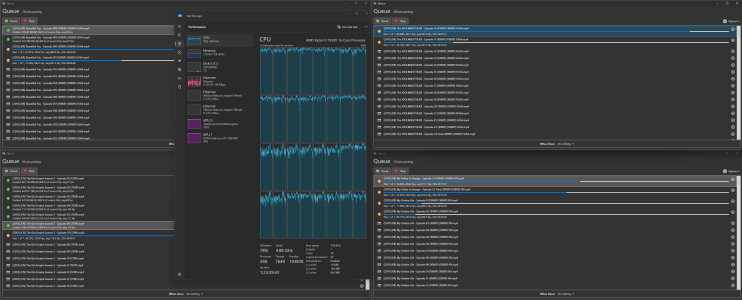
Handbrake can do multiple encodes within a single instance easily, so if you need MT maxed out, there you go. It can do whatever you want to do, just depends on your encode profile. You can mix and match CPU/GPU encoding if you so wish, with certain limitations. If you want to do mass encoding on a single machine, you're going to need a lot of RAM, surely for 4K you'll need that. A single 4K encode you're going to need something like 12-16GB per instance. Clock speed matters too (I think). I only say that because I never tested on anything higher than a 7950X. As evidenced by this thread, there are diminishing returns the more cores are added. Let me tell you cache also matters too. A 7950X3D machine I've got encodes some 15-20% faster FPS than a regular 7950X, despite a 200mhz or so clockspeed deficit. So to answer some questions, you don't need to run multiple Handbrake instances if you want to max out MT, just run more parallel encodes in the same instance. Handbrake allows you to do that.

Next comes my pure opinion. Anyone doing pure CPU video encoding is (mostly) out of their mind. We've come a long way with HW-based encoders. You can get amazing quality with GPU-based encoders. The only thing is the larger file size/bitrates. But still, it depends on your application and your intended uses. Are you doing VOD streaming and need the lowest bitrates and smallest filesizes? Maybe 5 or even 10 years ago. But these days when bandwidth and storage is so cheap, the disadvantages are non-existential. So what if I can encode a H264 to a VMAF of 93 @ 4000kbps, while a QSV can do the same at @ 6500kbps, what's the big deal? Speed is everything now. If I need to encode 4000 hours of video playback per day, guess what I'm going to choose? Definitely not the CPU. Back 20 years ago when the largest drives were 1TB, and most people had 10mbit, yeah, CPU meant a lot. Not anymore.

Now I want to end with a caveat. I still use CPU to encode all 480P/720P videos. GPUs are great, but they fail at lower resolutions. They're much more effecient at high res, like 1080P and 4K and that's what I use them for. I'll end by saying I only use Intel QSV and Nvidia NVENC. AMD is terrible, so if you're considering them, DON'T.

Just one machine with a 7950X and a Arc and NV GPU.

1764664548773.png
 
Last edited:

DrMrLordX

Lifer
Apr 27, 2000
23,183
13,270
136
How do you know this?
I ran it on my 3900X and it didn't push the CPU to 100%, which is what would have happened had it split the source file into two parts, encoded, and then merged. And it should be obvious from any benchmark that it's not doing that.
 

DavidC1

Platinum Member
Dec 29, 2023
2,123
3,255
106
The design cost difference should be mid/low double digits, and then you have to consider Intel foundries wafer cost prices solely from the process POV vs TSMC's (should be higher).
It's possible but I doubt it.
The cost comparison between Clearwater and AMD parts don't matter.

Because even if the per wafer costs are HIGHER than for an AMD part, it helps to fill Intel Foundry, which has massive benefits for Intel and the Foundry division, along with future with yield learning and what not. The alternative is that Clearwater is not on Intel and the revenue is ZERO, which is a catastrophe. There's all sorts of idiocy for Intel not using Intel.

You guys are arguing they'll lose 10-20%(profit), when they could lose 100%(revenue).
 
  • Like
Reactions: 511

Geddagod

Golden Member
Dec 28, 2021
1,667
1,697
136
The cost comparison between Clearwater and AMD parts don't matter.
No, it's just sad if your part coming more than a year later isn't at least cheaper to fab while also fabbing it internally while it performs only as well as last gen parts.
Because even if the per wafer costs are HIGHER than for an AMD part, it helps to fill Intel Foundry,
Half this forum thinks 18A won't have any volume because they are cutting capex.
So which is it, is there not enough volume for 18A that they can't use it on all their highest margin parts, or is it that they have to find products to fill out the 18A fabs?
The alternative is that Clearwater is not on Intel and the revenue is ZERO, which is a catastrophe.
Well it won't be zero, tons of other stuff is being fabbed on 18A.
But if there is one other product that should be moved externally to help competitively, it should be this product.
CLF isn't the main DC volume driver, and DC isn't even the main volume driver for wafers either (that's client).

It's understandable why Intel didn't though, it doesn't make sense to move stuff externally unless you think it's going to be competitive, and I don't think Darkmont fabbed externally will be actually be good enough to compensate for the higher costs.
You guys are arguing they'll lose 10-20%(profit), when they could lose 100%(revenue).
Who was arguing this lol
 

Fjodor2001

Diamond Member
Feb 6, 2010
4,566
729
126
Multi-threading is just so, so much harder than you make it out to be. Suppose you have 32 employees. If they all do the exact same thing, and are all always equally efficient, then what you say is correct. Just divide your work load into 32 equal parts and divvy it up to everyone. They'll all end their tasks together at exactly 5 PM and you repeat the process tomorrow. This is great for simple things like stuffing envelopes. Just give every employee 5000 envelopes a day to stuff and have them all stuffed by 5 PM.

But, workloads usually aren't like that. You'll need one person printing addresses on the envelopes. A group of people writing the document to stuff into the envelope. A person printing the document. A group of people stuffing envelopes. Someone applying stamps. Someone else ordering paper, loading the printers, repairing the broken printers. Etc. If the raw paper order doesn't come in on time then you have 31 employees sitting around doing nothing while the 32nd is shouting on the phone at the paper supplier.

Then what happens when they aren't all equally efficient? What if the document writer has writer's block (a particular video frame is slow to process)? Then it all comes screeching to a halt (it is hard to stuff a document into an envelope if the document hasn't been written yet). What if the envelope addresser kid gets sick and needs to do other things (user moves mouse and starts doing other tasks)? What if half of your printers randomly stop functioning (Windows decides to install an update in the background)? What if half of your intended employees go part time (E cores vs P cores) and some of your employees go on vacation/return from vacation (hyperthreading is random in resource availability). Your perfectly balanced 32 tasks suddenly are out of balance and many employees just sit idle.
Wall of text, and a lot of "what if's". Specify concretely what applies to x265 video transcoding, and why, if anything. If the X video sections can be processed independently, nothing should apply.
Yes and it is not even close to limited--the whole transcoding of all frames depends on the whole movie. Frames are processed one at a time and the compression method depends on complexity of ALL frames. A 5 second section of all-black (Sopranos goes all black on final episode) will be quick to process and a 5 second section of intense activity will be very slow. And the way the all black section is processed depends on the content of the action scene. Meaning, they have to be done together even if one section is fast and one section is slow
No. Not if you're encoding using CRF (Constant Rate Factor) mode. Then you aim for a certain quality level instead, and do not care about the total output file size. If a sequence of all-back is transcoded quickly, it will just progress to processing the next section quickly.
 
Last edited:

Fjodor2001

Diamond Member
Feb 6, 2010
4,566
729
126
Proper allocation of bitrate is best handled by multi-pass encoding - first pass runs a light/fast analysis on the entire video to estimate scene complexity/motion which can then be used on the actual encoding pass to allocate bitrate accordingly and hit a final target bitrate across the entire video.
Correct, if you're aiming for a certain output file size then two-pass encoding is useful.

But if using CRF (Constant Rate Factor) mode, then you aim for a certain quality level instead, and do not care about the total output file size. Then it can be done in one pass.
Breaking up the transcode into discrete blocks can certainly be done, but it would result in a minor hit to the quality at a given bitrate since each discrete block has to exist in isolation. I don't believe it would be a particularly large effect, especially if you go with larger block sizes. Basically, start of each block would require a reference frame, whereas in normal encode that could have been just a delta compared to the last frame. Now theoretically with multi-pass encoding the 'break points' between blocks could be identified where there's scene transitions that require a new reference frame regardless, at which point I don't believe there would be a downside.

Edit: I only have a basic understanding of the encode algorithms from an overview training on the media encode blocks roughly a decade ago... which I only half followed because there was a lot of annoying math that I didn't actually need to understand.
As long as the sections are broken up at GOP (Group Of Pictures) boundaries, it should not result in any quality hit. Also, each GOP should be possible to transcode in a separate thread independently, since it does not need to access data from any other thread transcoding some other GOP.

Check out the "An Exploration of Video Codecs" section in this article:


From that article, as shown here:
image


The frames within a GOP can be encoded/decoded without accessing data from any other GOP in the movie to my understanding.

Legend:
I-Frame: Key frame where all the details are fully captured.
B-Frame: Only represent the changes from the previous frame.
P-Frame: Predictive frame, which can refer to both I-frames and B-frames.
 
Last edited:
  • Like
Reactions: Kryohi and T2098

Fjodor2001

Diamond Member
Feb 6, 2010
4,566
729
126
ran it on my 3900X and it didn't push the CPU to 100%, which is what would have happened had it split the source file into two parts, encoded, and then merged. And it should be obvious from any benchmark that it's not doing that.
Ok, interesting. Good point.

There are these x265 codec options:

E.g. this option:

"--frame-threads
Number of concurrently encoded frames. Using a single frame thread gives a slight improvement in compression, since the entire reference frames are always available for motion compensation, but it has severe performance implications. Default is an autodetected count based on the number of CPU cores and whether WPP is enabled or not.

Over-allocation of frame threads will not improve performance, it will generally just increase memory use.

Values: any value between 0 and 16. Default is 0, auto-detect"


But since encoding of frames can depend on previous and subsequent frames (see my previous post about frames in a GOP), there can still be inter-thread dependencies.

So I'm missing some option to select how many GOPs (Group Of Pictures) should be transcoded in parallel. If you could select to transcode X number of GOPs in parallel on an X thread CPU, then the core/thread count scaling ought to be (almost) linear, unless e.g. running into some resource bottleneck like read/write disk speed.
 

dullard

Elite Member
May 21, 2001
26,189
4,855
126
Wall of text, and a lot of "what if's". Specify concretely what applies to x265 video transcoding, and why, if anything. If the X video sections can be processed independently, nothing should apply.
Specifically x265 is processed one frame at a time with the frames divided into each thread ahead of time. Either you slow down and pre-process or you have a bunch of frame sections that complete quickly and have those threads sit idle until the complex parts complete.
No. Not if you're encoding using CRF (Constant Rate Factor) mode. Then you aim for a certain quality level instead, and do not care about the total output file size. If a sequence of all-back is transcoded quickly, it will just progress to processing the next section quickly.
Not many people ignore file size. We usually want fast to transfer videos (i.e. small) and cheap to store videos (i.e. small). So x265 by default does stop the quick threads until the slowest thread finishes.
 

Fjodor2001

Diamond Member
Feb 6, 2010
4,566
729
126
Specifically x265 is processed one frame at a time with the frames divided into each thread ahead of time. Either you slow down and pre-process or you have a bunch of frame sections that complete quickly and have those threads sit idle until the complex parts complete.
Check out the --frame-threads option mentioned in my previous post. And also the comment about missing option for processing X number of GOPs in parallel.
Not many people ignore file size. We usually want fast to transfer videos (i.e. small) and cheap to store videos (i.e. small). So x265 by default does stop the quick threads until the slowest thread finishes.
I would say most people aim for a certain quality and do not care about the exact file size. We're not putting the transcoded videos on recordable CDs or DVDs anymore where there is a hard file size limit. 🤣

Instead we put the output files on HDDs and desire a certain quality level. And the output file size will vary a lot depending on video content. Typically movies with e.g. a lot of grain/noise or movement will require much more data to preserve a certain quality level.
 
Last edited:

dullard

Elite Member
May 21, 2001
26,189
4,855
126
Check out the --frame-threads option mentioned in my previous post. And also the comment about missing option for processing X number of GOP frames in parallel.
That isn't how programming generally works. You don't have a different threading system for every single option. Once you have more than a couple of options, you'd quickly get exponentially high numbers of totally different threading systems needed to be programmed and then optimized. Possible, yes. But who is going to pay for that?
Instead we put the output files on HDDs and desire a certain quality level. And the output file size will vary a lot depending on video content. Typically movies with e.g. a lot of grain/noise or movement will require much more data to preserve a certain quality level.
Again, the compression depends on the content which varies throughout a frame and from frame-to-frame. Until the content has been processed, the exact compression is unknown. Chicken and egg. Even if you put it to a set quality level, the code still doesn't yet know what it will work on when it divides the work into chunks.

And then please tell online streaming services that they shouldn't care about file size or transfer size.
 

Fjodor2001

Diamond Member
Feb 6, 2010
4,566
729
126
That isn't how programming generally works. You don't have a different threading system for every single option. Once you have more than a couple of options, you'd quickly get exponentially high numbers of totally different threading systems needed to be programmed and then optimized. Possible, yes. But who is going to pay for that?
No need for a different threading system. It's very easy to implement.
Again, the compression depends on the content which varies throughout a frame and from frame-to-frame. Until the content has been processed, the exact compression is unknown. Chicken and egg. Even if you put it to a set quality level, the code still doesn't yet know what it will work on when it divides the work into chunks.

And then please tell online streaming services that they shouldn't care about file size or transfer size.

CRF aims to achieve a consistent level of perceived quality across all frames, not a constant bitrate. It works by dynamically adjusting the quantization parameter (QP) for each frame.

Each thread can processes its own frame (or even better it's own GOP if x265 would support that). So then the problem of knowing the compressability within a frame until all of it is processed does not depend on core/thread count.

Regarding streaming services they usually do not target a specific total file size. Instead they target a certain quality level (CRF), with a cap on max bitrate. Also, the streaming service companies are a very limited number of companies anyway. The rest-of-the-world doing transcoding is much bigger, since even if it's a small percentage of that 8 billion world population the total number of users is still much bigger.
 
Last edited:

QuickyDuck

Member
Nov 6, 2023
69
78
61
The cost comparison between Clearwater and AMD parts don't matter.

Because even if the per wafer costs are HIGHER than for an AMD part, it helps to fill Intel Foundry, which has massive benefits for Intel and the Foundry division, along with future with yield learning and what not. The alternative is that Clearwater is not on Intel and the revenue is ZERO, which is a catastrophe. There's all sorts of idiocy for Intel not using Intel.

You guys are arguing they'll lose 10-20%(profit), when they could lose 100%(revenue).
By going TSMC, Clearwater would be on time, not delayed. It'll be 1Q-2Q early and have better ramp up.
How much will the delay cost? Who knows...
But yeah, intel has gone so deep in foundry that make it have no choice.
 

511

Diamond Member
Jul 12, 2024
5,364
4,770
106
By going TSMC, Clearwater would be on time, not delayed. It'll be 1Q-2Q early and have better ramp up.
How much will the delay cost? Who knows...
But yeah, intel has gone so deep in foundry that make it have no choice.
Yeah nope delay for Clearwater forest was packing and they could have messed up packing also foundry is money glitch if used correctly look at LBR Cancelling 14A and how everything turned around.
 

Joe NYC

Diamond Member
Jun 26, 2021
4,150
5,703
136
Yeah nope delay for Clearwater forest was packing and they could have messed up packing also foundry is money glitch if used correctly look at LBR Cancelling 14A and how everything turned around.

This is just a speculation on my part, but I think there was more to the delay than a packaging issue.

It seems to me that from an array of excuses Intel narrowed down to one that would result in the least PR damage, and it is packaging.

People might think of it like Santa having this phenomenal present in the sled, but he can't deliver it because Santa is out of the red ribbons to tie around the package.
 
  • Like
Reactions: Geddagod