igor_kavinski
Lifer
I would seriously consider it if they stop being greedy and let us have it for $999 with 16GB RAM and 512GB SSD.The M2 Macbook Pro is hitting 18 hours of battery life in real-world testing. Bonkers!

I would seriously consider it if they stop being greedy and let us have it for $999 with 16GB RAM and 512GB SSD.The M2 Macbook Pro is hitting 18 hours of battery life in real-world testing. Bonkers!

I would seriously consider it if they stop being greedy and let us have it for $999 with 16GB RAM and 512GB SSD.


Wow that is nuts. Hopefully you can find a way to activate, may have to try phone or cmd activation or something. I myself don't use an MS account generally, so this is concerning.Remember those who predicted that not receiving a real product key for this 'digital entitlement license' may be a risk in the future if MS decides not to honor them anymore? It appears MS may even be pulling the rug or purging previously activated systems that have not been used (i.e. phoned home) in a while from the activation databases.
I have mobo and CPU combo (from OEM system that came with W7 Pro OA activation), onto which I know for certain I applied the W7 to W10 upgrade back in 2017/1018, activated using 'digital entitlement' license. I used it as a test PC for about a week before mothballing it, reused the SSD for other things but did not create any backup/image.
Tried installing W10 on it, but no activation after 10 hours. I believe my aversion to using MS or Windows Live accounts and linking my devices has come back to bite me. If I had linked this mb 'device' to my account, I probably would still have use of W10 on it.
Remember those who predicted that not receiving a real product key for this 'digital entitlement license' may be a risk in the future if MS decides not to honor them anymore? It appears MS may even be pulling the rug or purging previously activated systems that have not been used (i.e. phoned home) in a while from the activation databases.
I have mobo and CPU combo (from OEM system that came with W7 Pro OA activation), onto which I know for certain I applied the W7 to W10 upgrade back in 2017/1018, activated using 'digital entitlement' license. I used it as a test PC for about a week before mothballing it, reused the SSD for other things but did not create any backup/image.
Tried installing W10 on it, but no activation after 10 hours. I believe my aversion to using MS or Windows Live accounts and linking my devices has come back to bite me. If I had linked this mb 'device' to my account, I probably would still have use of W10 on it.

Remember those who predicted that not receiving a real product key for this 'digital entitlement license' may be a risk in the future if MS decides not to honor them anymore? It appears MS may even be pulling the rug or purging previously activated systems that have not been used (i.e. phoned home) in a while from the activation databases.
I have mobo and CPU combo (from OEM system that came with W7 Pro OA activation), onto which I know for certain I applied the W7 to W10 upgrade back in 2017/1018, activated using 'digital entitlement' license. I used it as a test PC for about a week before mothballing it, reused the SSD for other things but did not create any backup/image.
Tried installing W10 on it, but no activation after 10 hours. I believe my aversion to using MS or Windows Live accounts and linking my devices has come back to bite me. If I had linked this mb 'device' to my account, I probably would still have use of W10 on it.
 support.microsoft.com
Before you begin
Make sure Windows 11 is activated
You’ll need to link your Microsoft account to your digital license before you reinstall Windows
In Windows 11, you must link your Microsoft account to the Windows 11 digital license on your PC before you can reactivate Windows. For more info, see "Associate your Windows license with your Microsoft account" in Reactivating Windows after a hardware change.

I've just been doing the link with a MS account on my latest assemblies. In 2 systems, part of it was because it's a retail license, so easier to keep track of it should I move or misplaced the original box. Then there is also the annoyance things of not having it linked. And lastly, I got myself an office subscription, so needed to be signed in anyway to use my OneDrive 1 TB allocation.Remember those who predicted that not receiving a real product key for this 'digital entitlement license' may be a risk in the future if MS decides not to honor them anymore? It appears MS may even be pulling the rug or purging previously activated systems that have not been used (i.e. phoned home) in a while from the activation databases.
I have mobo and CPU combo (from OEM system that came with W7 Pro OA activation), onto which I know for certain I applied the W7 to W10 upgrade back in 2017/1018, activated using 'digital entitlement' license. I used it as a test PC for about a week before mothballing it, reused the SSD for other things but did not create any backup/image.
Tried installing W10 on it, but no activation after 10 hours. I believe my aversion to using MS or Windows Live accounts and linking my devices has come back to bite me. If I had linked this mb 'device' to my account, I probably would still have use of W10 on it.
Perhaps they have an aging mechanism for systems that haven't pinged in awhile. Using a new SSD on that system would probably trigger it to re-arm since it has a new UUID on a core piece of hardware, so if it purged an aged-out previously-activated digital entitlement, it may have blocked it because it wasn't in their "active" database. Hmm...
I have two more surplus PCs to test this theory: HP EliteDesk 800 G1 SFF that I acquired in the spring this year. They were sold as 'No OS, RAM, or disk drive'. I had both running with Windows 10 activated via digital entitlement in June, to test upon receipt. But after thorough testing to confirm everything is working, similarly pulled the SSD and have repurposed it, no system backup/image (assuming that I would just be able to install Windows again).
Well I lucked out here. Though I did pull the SSD used to test the 800G1 units, I had not yet repurposed it or reformatted, was still in my small stack of SSDs ready to be reused. Only question was now, which of the two units did the drive LAST come out of? I couldn't remember so I imaged the SSD to file in case my first pick was wrong. Windows 10 loaded and was still activated on #1. Interestingly, I restored that image to a 2nd SSD and installed it in #2, it loaded and remained activated as well!
Both systems were identical enough same BIOS version, CPU, and graphics, only exception being one had 16GB vs. 8GB RAM, and the different SSD drive make and models (same capacity though).
Per the post by Kaido citing the Microsoft article on activation, in order to get Windows to report the needed "Windows is activated with a digital license linked to your Microsoft account" in order to preserve activation after a reinstall of Windows, it is NOT sufficient to add a Microsoft account to the PC to be used for things like email. e.g. as displayed in Settings -> Accounts -> Email & Accounts. When a Microsoft account is added here, it will be shown as one of your devices in the online Microsoft Account (profile), but will NOT be reported as 'linked to' in the Activation section of Windows Settings.
You have to go the full monty and enable signing into the PC with your Microsoft account as well. i.e. NO local account. Will be testing some other scenarios this weekend.
Whoohoo, fortune has smiled upon you! I wonder what the activation limit is, i.e. if I make a generic Microsoft account, register computers, then sign out. Or if you sign in to activate, then do a system reset & a fresh install, if it would activate. I tend to do a few older computers on the side on a weekly basis, I'll have to play with this concept...

My parents' old laptop has a Win81 Pro retail licence which has never been used for a Win10 upgrade. When I've got a moment, I'll try to do a win10 upgrade on it to see whether the recent claim about 'virgin licences' is accurate.
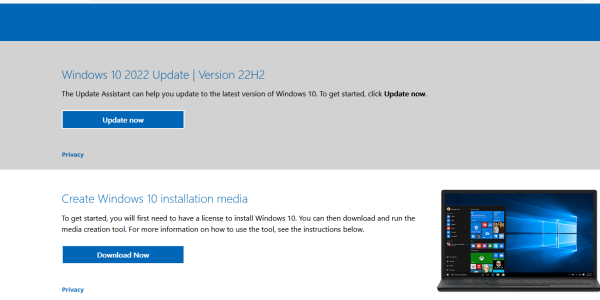
Well looks like it the reports are true. I've even tried with an older version of that windows10upgrade.exe download from 2016 that installed build 1607. The W7 free upgrade path really is eighty-sixed, even for OA/OEM activated installs of Windows 7.
Have moved through denial, anger, bargaining, depression and finally arriving at acceptance

With a Rufus created bootable USB and local account option selected, yes.Can we still bypass the MS account log-in for Windows 10 and 11 installs?
Just a follow up. I was able to install a rufus tweaked Windows 11 pro and the install looked really clean. I also bypassed the need for a MS account which was excellent. The Windows 10 pro retail key I used did activate the new Windows 11 pro install.I purchased a Windows 10 PRO Professional License - RETAIL DIGITAL Instant product key. It is an "Activation Key" meant to activate currently installed, or fresh installs of Windows 10 Pro. It's not an "upgrade" key.
I want that key or activation to install Windows 11 either via the Windows 10 key (if possible) or via upgrade from 10 pro to 11 pro. Do I need to go through the motions of installing and activating Windows 10 first and then perform a clean Windows 11 install and hopefully the key gets automagically picked up during 11's install? Or can I just clean install 11 Pro via usb stick and use the Windows 10 Pro key to activate 11 pro?
Edit: If I need to install Windows 10, do I need to log into a MS account so the key is bound to my account or can it just be bound to the hardware? I really don't want to go online during the installs except for license activation.
Can we still bypass the MS account log-in for Windows 10 and 11 installs?


