Tech Junky
Diamond Member
Because Google wants more data. Others do it as well. It's something they started doing -2 years ago to bypass network dns settings.Chrome have its own DNS settings lol.

Because Google wants more data. Others do it as well. It's something they started doing -2 years ago to bypass network dns settings.Chrome have its own DNS settings lol.

C:\Windows\system32>nslookup
Default Server:  one.one.one.one
Address:  1.1.1.1

> server ns-1496.awsdns-59.org
Default Server:  ns-1496.awsdns-59.org
Addresses:  2600:9000:5305:d800::1
          205.251.197.216

> www.anandtech.com
Server:  ns-1496.awsdns-59.org
Addresses:  2600:9000:5305:d800::1
          205.251.197.216

*** ns-1496.awsdns-59.org can't find www.anandtech.com: No response from server
> forums.anandtech.com
Server:  ns-1496.awsdns-59.org
Addresses:  2600:9000:5305:d800::1
          205.251.197.216

*** ns-1496.awsdns-59.org can't find forums.anandtech.com: No response from server

> server ns-534.awsdns-02.net
*** Can't find address for server ns-534.awsdns-02.net: No response from serverC:\Windows\system32>nslookup
Default Server: one.one.one.one
Address: 1.1.1.1
> server ns-1685.awsdns-18.co.uk
Default Server: ns-1685.awsdns-18.co.uk
Addresses: 2600:9000:5306:9500::1
205.251.198.149
> www.anandtech.com
Server: ns-1685.awsdns-18.co.uk
Addresses: 2600:9000:5306:9500::1
205.251.198.149
*** ns-1685.awsdns-18.co.uk can't find www.anandtech.com: No response from server
> forums.anandtech.com
Server: ns-1685.awsdns-18.co.uk
Addresses: 2600:9000:5306:9500::1
205.251.198.149
*** ns-1685.awsdns-18.co.uk can't find forums.anandtech.com: No response from server
Switching to good DNS resolvers is sound advice, but some folks seem content to recommend a "nuke and repave" option. 😛
OP, how old is your router? How often are you resetting it? If often, or your router is older than say WiFi 5, then it could be time to replace it.
Isn't that the caching nameserver on the router? (AT's TTL is fairly short, but not relevant.)
WTH, why does Chrome have its own DNS settings lol.

Your IP addresses for www.anandtech.com were different from mine and @Tech Junkyit's 192.168.1.1, so default SOHO config for DNS requests. But that's pointed at whatever the WAN DNS is for the ISP's config. 95ms seems very high for a response, even for wifi. I would definitely be getting some testing via LAN and with manual DNS on the wifi dev's. Could just be the router is getting flaky.
since were posting dns request results 🙂 :
nslookup forums.anandtech.com
Server: pi.hole
Address: 192.168.1.31
Non-authoritative answer:
Name: forums.anandtech.com
Address: 45.32.83.182
nslookup www.anandtech.com
Server: pi.hole
Address: 192.168.1.31
Non-authoritative answer:
Name: www.anandtech.com
Addresses: 65.8.20.2
65.8.20.79
65.8.20.6
65.8.20.111
my upstream is set to quad9 for my pihole's, no IPv6 selected
View attachment 99004
Most likely due to our location(s) and path to the destination (and how the hosting company is balancing the load). I can point directly at google DNS and receive the same resultsYour IP addresses for www.anandtech.com were different from mine and @Tech Junky
C:\Windows\system32>nslookup
Default Server: one.one.one.one
Address: 1.1.1.1
> www.anandtech.com
Server: one.one.one.one
Address: 1.1.1.1
Non-authoritative answer:
Name: www.anandtech.com
Addresses: 18.164.154.27
18.164.154.86
18.164.154.43
18.164.154.108
> server 9.9.9.9
Default Server: dns9.quad9.net
Address: 9.9.9.9
> www.anandtech.com
Server: dns9.quad9.net
Address: 9.9.9.9
Non-authoritative answer:
Name: www.anandtech.com
Addresses: 18.164.154.43
18.164.154.27
18.164.154.108
18.164.154.86

id 22915
opcode QUERY
rcode NOERROR
flags QR RD RA
;QUESTION
www.anandtech.com. IN A
;ANSWER
www.anandtech.com. 60 IN A 3.161.163.6
www.anandtech.com. 60 IN A 3.161.163.62
www.anandtech.com. 60 IN A 3.161.163.68
www.anandtech.com. 60 IN A 3.161.163.98
;AUTHORITY
;ADDITIONAL(On Linux) I queried the four AWS authoritative nameservers earlier and they all worked for www dot anandtech.com. You can rest assured if there was an issue with AWS DNS, a LOT of people would have noticed by now.So www.anandtech.com at least has 8 IP addresses.
18.164.154.x are on west coast and 65.8.20.x are on east coast, all hosted on Cloudfront (Amazon AWS)
My question still remains why anandtech.com name servers won't return IP addresses of www.anandtech.com & forums.anandtech.com ?

make and model #'s in the post above.Ok, so I will now require the make and model of your modem and configuration (in bridge mode? Regular mode?), and ip configurations of both routers.
Screenshots are fine
Ip configs from devices while you play with it will help
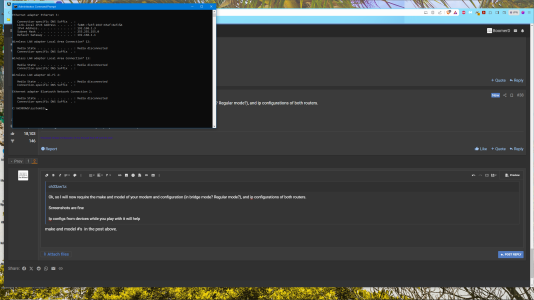
That would be my first guess (do any home cable modems have 2 LAN ports, and why?). But doesn't explain why just two Web properties don't work (the Forums are hosted on Vultr, not AWS).Sure you are not doing double nat?


Cable into a Netgear modem with 2 ethernet outputs. One to the R8000 for wifi. One to the R7600 for an ethernet switch. Wifi has been turned off on that one for almost 2 years.Is the problem double NAT? I thought that only happened when you run from one router to another...with wifi turned on in both.
NONE of this explains why rhe problem started about 10:00 am yesterday. Everything has been hunky-dory until then.
That will kill my ethernet connections…and the various cables aren’t long enough to reach the R8000…yeah, I know…I could just move the R8000…but, dammit, I’m lazy.so unplug the 7600 and see how it goes.
That will kill my ethernet connections…and the various cables aren’t long enough to reach the R8000…yeah, I know…I could just move the R8000…but, dammit, I’m lazy.
Yeah, I know...but if I had the wifi turned off on the R6700, how would that interfere with the R8000?err it's to test, you can move it once...
logic doesn't apply in your situation, so don't even try. Some routers don't have an AP mode. But it might be serving out dhcp nonetheless. Some even disable AP mode when the WiFi is turned off.Yeah, I know...but if I had the wifi turned off on the R6700, how would that interfere with the R8000?


