• We’re currently investigating an issue related to the forum theme and styling that is impacting page layout and visual formatting. The problem has been identified, and we are actively working on a resolution. There is no impact to user data or functionality, this is strictly a front-end display issue. We’ll post an update once the fix has been deployed. Thanks for your patience while we get this sorted.

AMD Ryzen 3000 Builders Thread

Page 101 - Seeking answers? Join the AnandTech community: where nearly half-a-million members share solutions and discuss the latest tech.
Have anyone tried playing around with Bclk overclocking on ryzen 3000 series?

I think was thinking about upping my baseclock to 102mhz. That should net me a maximum +94mhz on single thread boost in theory, while still keeping default downclocking on cores while idle.
I'm a little reluctant on trying this on my 570x with pci gen4 m.2 drives so i'm wondering if any of you guys have any experience with this ?
 
View attachment 16232

Currently I'm seeing if tFAW at 24 will prove stable. Termination Impedances are all on auto and so are the tertiary timings. V2 basically raises tRCDRD to 20 and tightens the other primaries to 16. I read that tRCDRD needs to be rather loose on these ICs; I figured 18 was loose as it is at 3,400 with 1.385v but maybe not.

Well, there seems to be enough variation between CPUs/Mobos and individual ram sticks to make dialing in good settings a tricky proposition for some of us. Like me, you may be playing around for a bit to you get something you like.
 
Have anyone tried playing around with Bclk overclocking on ryzen 3000 series?

I think was thinking about upping my baseclock to 102mhz. That should net me a maximum +94mhz on single thread boost in theory, while still keeping default downclocking on cores while idle.
I'm a little reluctant on trying this on my 570x with pci gen4 m.2 drives so i'm wondering if any of you guys have any experience with this ?

I am unable to boot over 101.6
Stable at 101.4375

There are some BLCK topics if you search. I found none recent. ( older CPUs )
If your are manually OCing, you will need time to test new multiplier ( if needed )
My AUTO everything ( even voltage ) is providing a boost over 4.6ghz occasionally, but usually ~4590

I'm able to manually get over 4.6, but unable to find the settings the AUTO settings are using for stability.

Be aware of exceeding PCI requirements. ( M2 sockets and PCI 3.0 ... etc )
 
Meh, messing around with memory settings apparently hosed my saved OC profiles (probably when I tried 3800MHz with FCLK @ 1900). Performance declined on one setting and the other generates errors in OCCT. Deleted one profile, now I see the other one is screwed up. I may just reflash to be safe. For now on, I'm going to save the Profiles to a USB stick. Guess I'll be twiddling with this on and off for a bit, till I get tired of messing around. I wish MSI's Dragon software allowed me to at least set the fan profiles in from Windows. With the BIOS being laggy, it's annoying to do using the UEFI UI.
 
Meh, messing around with memory settings apparently hosed my saved OC profiles (probably when I tried 3800MHz with FCLK @ 1900). Performance declined on one setting and the other generates errors in OCCT. Deleted one profile, now I see the other one is screwed up. I may just reflash to be safe. For now on, I'm going to save the Profiles to a USB stick. Guess I'll be twiddling with this on and off for a bit, till I get tired of messing around. I wish MSI's Dragon software allowed me to at least set the fan profiles in from Windows. With the BIOS being laggy, it's annoying to do using the UEFI UI.
Don't feel bad, last night in one of those "This is working pretty well, but what if I just try this..." moments, I thought I had somehow managed to brick the 3900X system. In an attempt to eek out a bit more performance, I went too tight with the memory timings I guess. It failed to post, no big deal, auto recovery will kick in after a few attempts....Nope. Ok, I'll just clear clear the CMOS....Ahh, back in business....wait a minute, why can't I get past the press F2 or DEL to enter UEFI screen? Try again over and over, same thing...Oh crap, Oh crap! Pull the CMOS battery this time, no help, still stuck. Finally resorted to unhooking all drives and removing the M.2, to my relief that did the trick and I was able to get back into UEFI setup.
 
Sometimes AM4 systems need to have the UEFI reflashed to bring them back around. UEFI corruption. Eww.

^Wow, that sounded a bit scary! Hmm, these x570 boards sure can be temperamental when pushed.

That's why you get boards with dual UEFI when possible.
 
....wait a minute, why can't I get past the press F2 or DEL to enter UEFI screen? Try again over and over, same thing...Oh crap, Oh crap! Pull the CMOS battery this time, no help, still stuck. Finally resorted to unhooking all drives and removing the M.2, to my relief that did the trick and I was able to get back into UEFI setup.

1. Make a Backup-Image
--- ( my M2 drive can restore in 3 minutes from windows image )
2. Save your good BIOS boots in each profile in steps.
--- ( then you can back-up in your testing to re-try if needed )

BIOS freeze ?
Shutdown - Unplug power cord - press power button to clear.
Use clear CMOS jumper.
Remove RAM.
( or swapping sticks if you have another )
Reboot. ( hit DEL )
Shutdown.
Replace RAM.
Reboot. ( hit DEL )
Reload BIOS profile.
Reboot.
 
Last edited:
BIOS freeze ?
Shutdown - Unplug power cord - press power button to clear.
Use clear CMOS jumper.

I usually just turn off the power supply switch and then hold down the power and my reset switch for a little while.

My MB does't have a cmos reset on the IO panel. I had to strip a reset switch out of a old case and have it just dangling behind the front panel in times of need.

I've found on my MB that cmos reset doesn't always work. If it hard locks again I've found ctr/alt/del sometimes will snap it out of what I call a uEFI brainfart.

I remember having a Gigabyte MB back in the 4790k era that had dual bios option that would sometimes get into a hard lock and never switch over to the other bios. Holding the reset cmos while the rig was running until it rebooted was the only way to revive it. I wouldn't really suggest doing it, but it might be a last shot if one's already determined a RMA is needed. It didn't hurt the MB, but like I said it should be a last ditch effort for a revival method.
 
Sometimes AM4 systems need to have the UEFI reflashed to bring them back around. UEFI corruption. Eww.


That's why you get boards with dual UEFI when possible.

Sometimes the latest uEFI isn't also the greatest to run. Having a MB with USB flashback is the savior in times of need. I doubt I'll ever buy a MB again that doesn't have the option. I've ran into a uEFI version or possibly 2 that didn't even like my b-die.
 
^Wow, that sounded a bit scary! Hmm, these x570 boards sure can be temperamental when pushed.

Does your MB have the Try it option for the memory? The only way I can get my b-die to run or be stable at 3900/1900 is to use the Try it 3900/1900 option and then tighten the timings up. I haven't figured out all the switches the mode flips, but in the end I just let it do it's thing. I have the MSI MPG Gaming Plus x570 so I figure I don't have access to some hidden options in the uEFI.
 
^Wow, that sounded a bit scary! Hmm, these x570 boards sure can be temperamental when pushed.

That is the reason i've stopped tweaking for moment. I have Raid 0 setup and i'm not trying to corrupt my array. When I have moment to backup that data then I will continue but for now. Losing a 2TB array and possibly having to reflash my bios is a no no right now.
 
That is the reason i've stopped tweaking for moment. I have Raid 0 setup and i'm not trying to corrupt my array. When I have moment to backup that data then I will continue but for now. Losing a 2TB array and possibly having to reflash my bios is a no no right now.
I use to do RAID 0 arrays for years. Including on SSD's. Never lost one. I don't have a X570 board but I thought they all had the CMOS flash jumper. The new motherboards do not include a jumper but they should have the pins for it.
 
I use to do RAID 0 arrays for years. Including on SSD's. Never lost one.

I'm also done them for years but that was prior to Uefi bios which i've seen can become corrupted. This array is on dual SSD's but I will would prefer to back up that data before I continue.
 
I'm also done them for years but that was prior to Uefi bios which i've seen can become corrupted. This array is on dual SSD's but I will would prefer to back up that data before I continue.

Yeah, given my OC profiles (or BIOS) were corrupted when I overclocked my RAM too much, I'd be a bit worried about hosing that Raid array.
 
Sometimes the latest uEFI isn't also the greatest to run. Having a MB with USB flashback is the savior in times of need. I doubt I'll ever buy a MB again that doesn't have the option. I've ran into a uEFI version or possibly 2 that didn't even like my b-die.
Yeah, checked that out, it sets my memory to 1.7 volts! Nuts!
 
That Corsair DDR4 5000 review up to day show very little improvement due to 1:2 (UCLK:MEMCLK).

I would have loved to see the latency numbers of that kit.
 
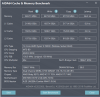
So, I tried the 3800MHz preset - no go. I think my CPU just doesn't like a 1900MHz FCLK (I've read of settings to fix this, but not going to do it). 3733 is my Max with more relaxed setting than the DRAM calculator suggests (I used the preset as @Kenmitch suggested). I get about the same results as 3600MHz CL14, except on latency. I'm going to stick here for a while.

DDR3733CL16.png

Doing overclocking using cpu offset voltages and low LLC settings seems to cause me to have errors in OCCT stability tests. So I'm going to leave that alone for a few days - seems like AGESA 1004 doesn't like this as much as 1003ABB. Next time I get time, I may try some manual overclocking, though that will almost assuredly increase my temps. Right now CR20 is stuck at 7000 points, lower than my max of 7330. Meh. Unfortunately, my system, as configured, isn't a rock star, still, it's many miles ahead of my old x58/i7 970 system. I think I should complain less!
 
So, I tried the 3800MHz preset - no go. I think my CPU just doesn't like a 1900MHz FCLK (I've read of settings to fix this, but not going to do it). 3733 is my Max with more relaxed setting than the DRAM calculator suggests (I used the preset as @Kenmitch suggested). I get about the same results as 3600MHz CL14, except on latency. I'm going to stick here for a while.

View attachment 16312

Doing overclocking using cpu offset voltages and low LLC settings seems to cause me to have errors in OCCT stability tests. So I'm going to leave that alone for a few days - seems like AGESA 1004 doesn't like this as much as 1003ABB. Next time I get time, I may try some manual overclocking, though that will almost assuredly increase my temps. Right now CR20 is stuck at 7000 points, lower than my max of 7330. Meh. Unfortunately, my system, as configured, isn't a rock star, still, it's many miles ahead of my old x58/i7 970 system. I think I should complain less!

From what i've read so far its easier to hit 1900 FCLK on single CCD processors than dual.
 
Back
Top