• We’re currently investigating an issue related to the forum theme and styling that is impacting page layout and visual formatting. The problem has been identified, and we are actively working on a resolution. There is no impact to user data or functionality, this is strictly a front-end display issue. We’ll post an update once the fix has been deployed. Thanks for your patience while we get this sorted.

Question Monitor in device manage, but no signal?

CU

Platinum Member
I have an old AOC e2243fw I was planning to connect to a laptop. The montior only supports VGA and DVI-D with a max resolution of 1080p@60hz. No problem I have a HDMI to DVI converter, or so I thought. HDMI to DVI works fine with an older Dell with an Intel 8th gen cpu with integrated graphics. But, on a newer Lenovo running a 5500U it shows up in the device manager, but not in the display settings and the montior doesn't see a signal. I tried it on a new Dell G16 with an RTX 4060 and the monitor doesn't see a signal either. The fact it works on the old Dell tells me the monitor, HDMI cable, and HDMI to DVI converter work. But for some reason the 5500U integrated graphics and RTX 4060 will not detect it. Any clue what could cause this?
 
Last edited:
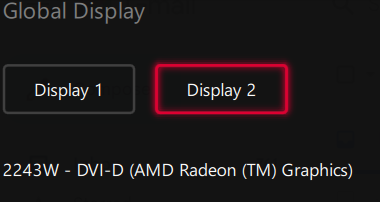
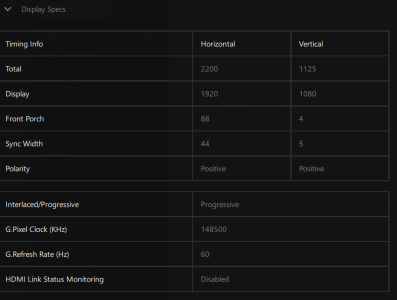
I took some screenshots from the AMD software on the 5500U laptop. It sees the monitor, but the monitor doesn't get a signal. HDMI to DVI should be 100% compatible, so I am confused as to why this doesn't work on the two newer laptops.

image.png
image (1).png
 
I just tried the old Dell 8th gen and Lenovo 5500U on a Acer H234HL that has DVI and HDMI. Through the HDMI to DVI converter only the older 8th gen worked just as before. The Lenovo 5500U would not even show the monitor in the device manager or AMD drivers. When I went straight HDMI it worked with no issues. So, I am still not sure how it works fine on the 8th gen, but not the newer laptops. I am going to see if I have another converter to test.
 
Perhaps the newer laptop is looking for some kind of feedback from the monitor that the converter doesn't provide?
 
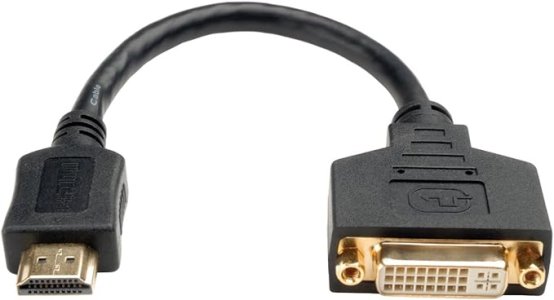
I got it to work. But, I don't know why it works. Looking through all my cables, I found a short male hdmi to female DVI-I (not DVI-D) cable like the one pictured below. I then used a DVI-D single link cable to connect that cable to the monitor. It came right on without any issue. As these are completely passive connectors, the only thing I can think of is the other converter must not have something connected right that the newer laptops were trying to use.

61yo-eZ7lBL._AC_SX679_.jpg
 
Last edited:
Never did figure out exacly what was the problem with the other one. But, I did manually try setting resolution and refresh rate without any luck. Probably about the only time I every need to use that old DVI monitor, so I guess it doesn't matter.
 
Back
Top