• We’re currently investigating an issue related to the forum theme and styling that is impacting page layout and visual formatting. The problem has been identified, and we are actively working on a resolution. There is no impact to user data or functionality, this is strictly a front-end display issue. We’ll post an update once the fix has been deployed. Thanks for your patience while we get this sorted.

Draw Call Performance In Fallout 4

Page 3 - Seeking answers? Join the AnandTech community: where nearly half-a-million members share solutions and discuss the latest tech.
Look what I've found, maybe this thing will help identifying hardware performance issues.
https://docs.unity3d.com/uploads/Ex...rformance_using_Event_Tracing_for_Windows.pdf

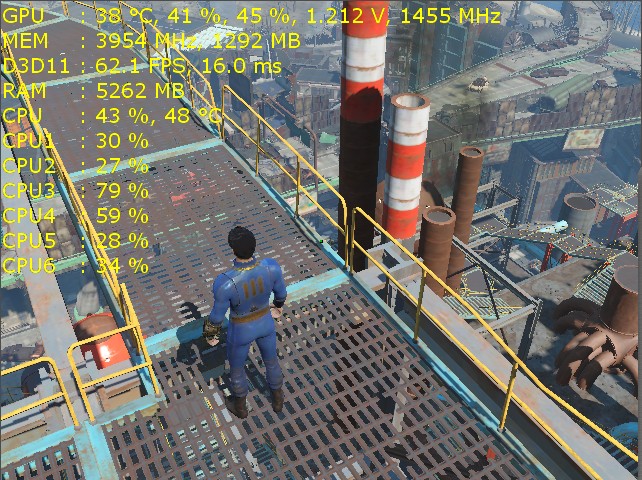
We know what the main performance problem is, actually; it's the time spent processing draw calls. If you launch Process Hacker and point it to Fallout4.exe, it's the driver thread that eats up CPU time when in draw call intensive scenarios (i.e, Corvega, Diamond City).

Still waiting for someone with Ryzen to give it a run on one CCX, so we can see the real-world performance hit by CCX intercommunication. Would be interesting if we see the Corvega results reach 60fps.
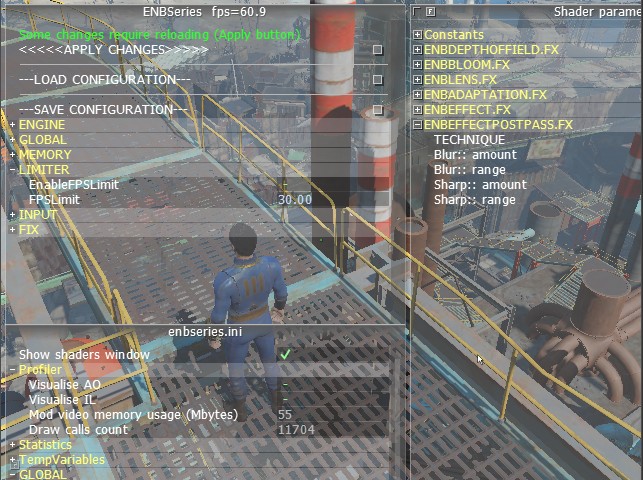
 
I think it's the best benchmark I'v ever seen for FO4 🙂

OS: Win7 x64
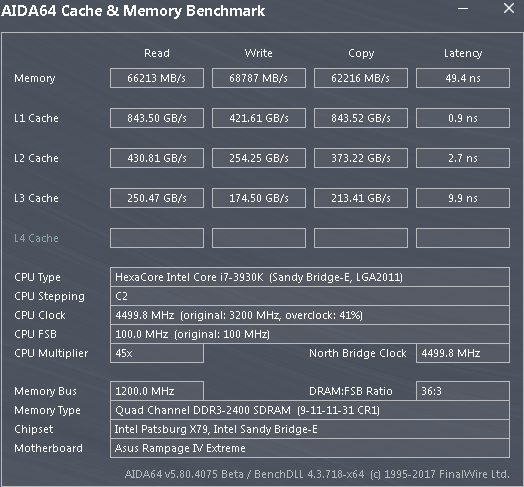
CPU: i7-3930K @ 4.5 GHz (HT off)
RAM: 4x4 GB DDR3 @ 2400 MHz (9-11-11-31-1T)
GPU: GTX 980 Ti @ 1455/7900 MHz
GPU Driver: 385.41

First Save (Corvega)
Draw Calls: 11704
FPS: 60.9

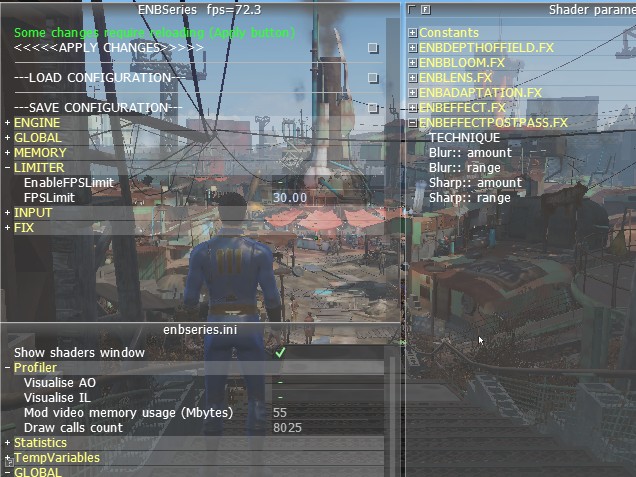
Second Save (Diamond City)
Draw Calls: 8025
FPS: 72.3

fo4enb001.jpg

fo4enb004.jpg

fo4enb002.jpg


My system is pretty old (except video) :expressionless::
fo4enb003.gif
 
Last edited:
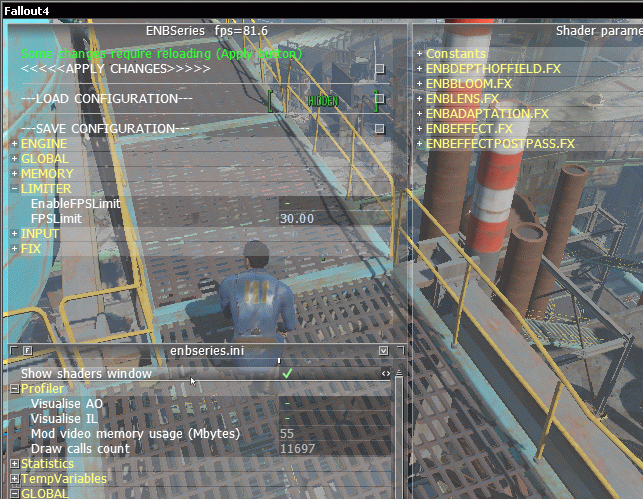
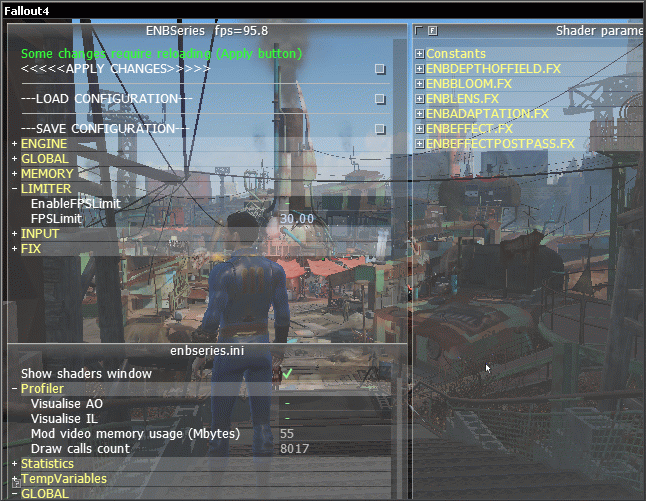
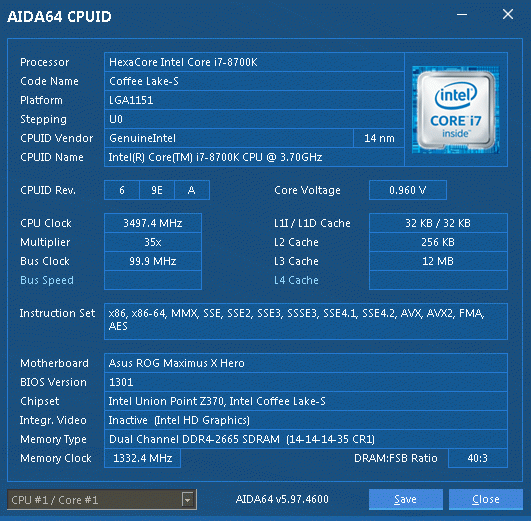
8700K @ 4.8 GHz / 3000-14-15-15-30-T1
Corvega 81.6 FPS
Diamond 95.8 FPS
g82sghy55.gif


j91shhn3k7.gif

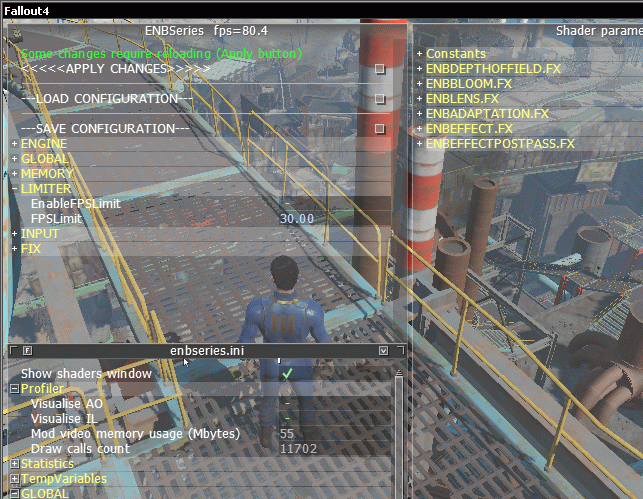
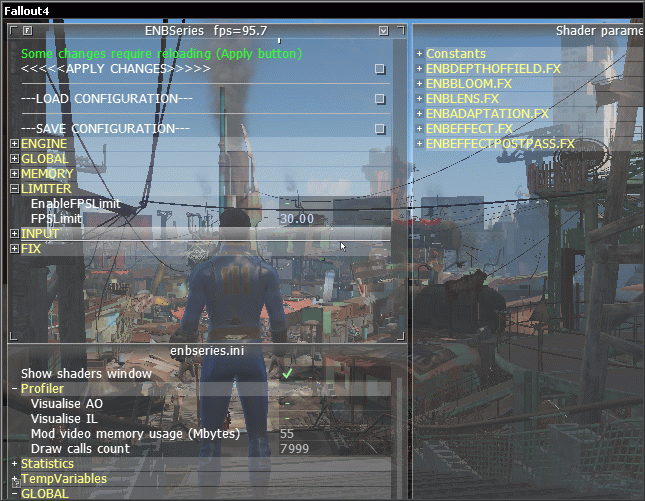
8700K @ 4.8 GHz / 3500-17-17-17-35-T2
Corvega 80.4 FPS
Diamond 95.7 FPS
g711d8trfdd.gif


8s2euu3dvg.gif

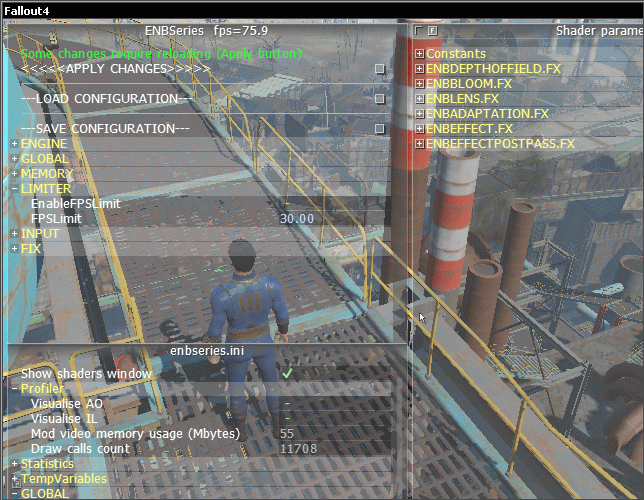
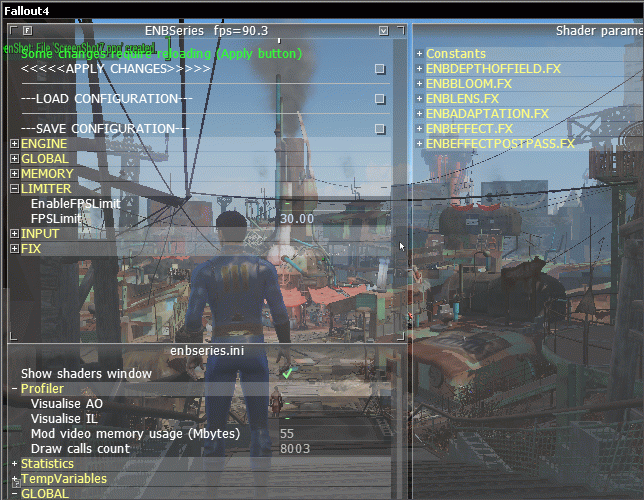
8700K @ 4.8 GHz / DDR4 3000-17-17-17-35-T2
Corvega 75.9 FPS
Diamond 90.3 FPS
h91ss34j76.gif


j81sse8fd.gif

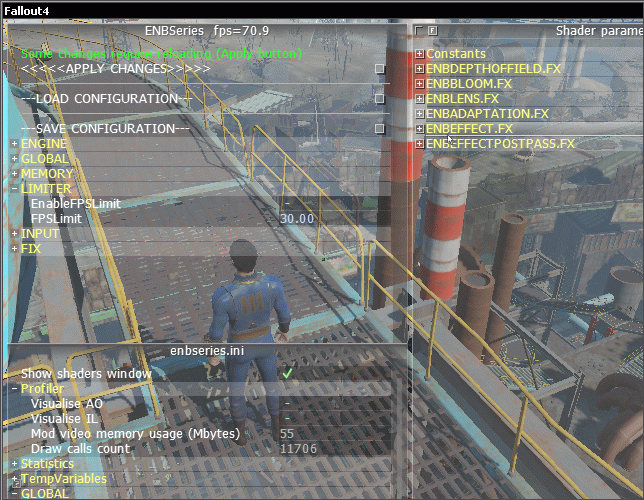
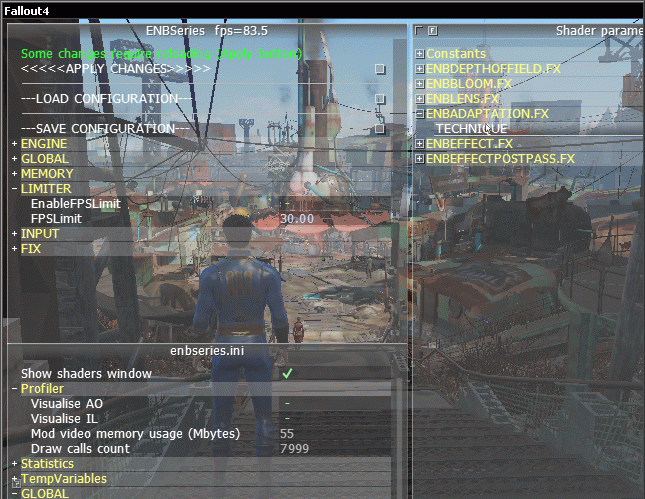
8700K @ 4 GHz / 3500-17-17-17-35-T2
Corvega 70.9 FPS
Diamond 83.5 FPS
7s2h9fee3f.gif


k9wdd4hu77.gif
 
Last edited:
8700K @ 4.8 GHz / 3000-14-15-15-30-T1
Corvega 81.6 FPS
Diamond 95.8 FPS
g82sghy55.gif


j91shhn3k7.gif

8700K @ 4.8 GHz / 3500-17-17-17-35-T2
Corvega 80.4 FPS
Diamond 95.7 FPS
g711d8trfdd.gif


8s2euu3dvg.gif

8700K @ 4.8 GHz / DDR4 3000-17-17-17-35-T2
Corvega 75.9 FPS
Diamond 90.3 FPS
h91ss34j76.gif


j81sse8fd.gif

8700K @ 4 GHz / 3500-17-17-17-35-T2
Corvega 70.9 FPS
Diamond 83.5 FPS
7s2h9fee3f.gif


k9wdd4hu77.gif

What's your GPU and OS? Those are some very nice FPS scores for Fallout 4.
 
Come on folks, this is labeled as a Ryzen w/AMD Gpu thread. Some of you are getting off topic with nothing but Intel/Nvidia benchmarks.

Keep to the subject please.
 
Come on folks, this is labeled as a Ryzen w/AMD Gpu thread. Some of you are getting off topic with nothing but Intel/Nvidia benchmarks.

Keep to the subject please.

We also need results from users with Intel CPUs, to get a clear picture of where it stands. According to that draw call benchmark thread, Ryzen is better than Core 2 Duo, but worse than Sandybridge at draw calls. Intel's later architectures only get better with them, too.

Well then the topic starter got off topic on his topic....
Don't just try to shut down any kind of conversation just out of fear.

If you have an issue with moderation,
you create a post in moderator discussions.
You DO NOT do this.

AT Mod Usandthem
 
Last edited by a moderator:
OS: Win10 Home
CPU: Ryzen 1600 @ 3.5Ghz
RAM: 4x16GB DDR4 2666MHz 14-14-14-35
GPU: Gtx 1080Ti aorus waterforce
GPU Driver:391.35

First Save (Corvega)
Draw Calls:11700
FPS:47

Second Save (Diamond City)
Draw Calls: 8100
FPS: 55

Will put in Vega one of these days to check how well it does.
 
OS: Win10 Home
CPU: Ryzen 1600 @ 3.5Ghz
RAM: 4x16GB DDR4 2666MHz 14-14-14-35
GPU: Gtx 1080Ti aorus waterforce
GPU Driver:391.35

First Save (Corvega)
Draw Calls:11700
FPS:47

Second Save (Diamond City)
Draw Calls: 8100
FPS: 55

Will put in Vega one of these days to check how well it does.
wow!! it's pretty damn bad compare to 8700K at 4Ghz

Edit : I noticed you used DDR4 2666.How about at 3200 Cl 14 ?
 
Last edited:
Ryzen 2 has some good improvements in the game.

14687


Some benchmarks from a system with a Ryzen 2 CPU would be useful.
But what memory did they use ?? 3466 CL14 might make a huge difference. I was going to try this when my motherboard cam in, but I don't have this game.

But I DO have 3600 CL15, that I am sure will run 3466 CL14 on my 2700x@4.(something) ghz
 
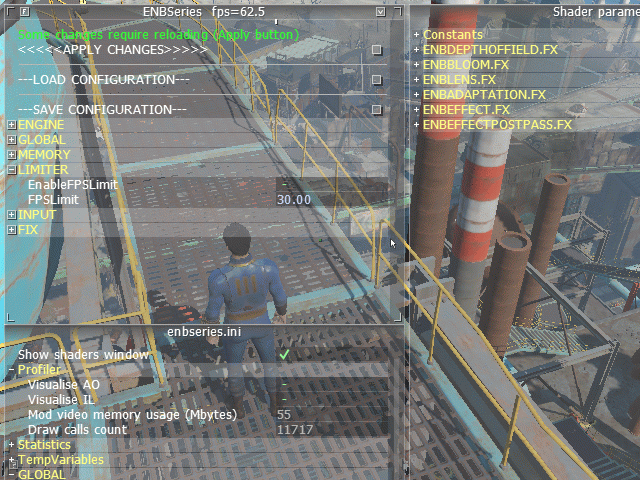
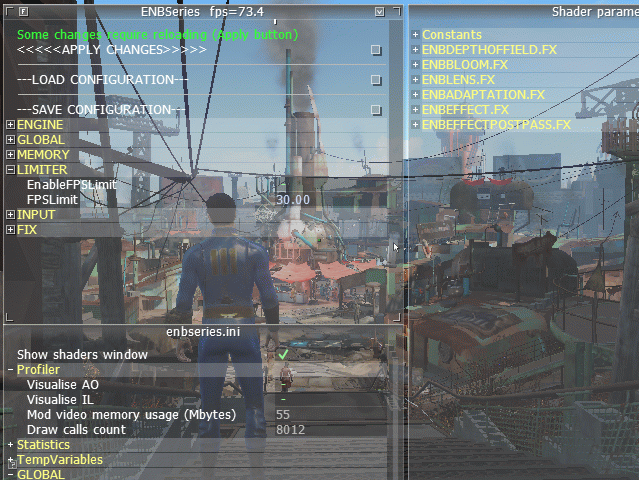
OS: Win7 x64
CPU: 8700K @ 3.5 Ghz (cache 3.5 GHz)
RAM: 2x8GB DDR4 2666MHz 14-14-14-35
GPU: GTX 980 Ti
GPU Driver: 390.65

First Save (Corvega)
Draw Calls: 11717
FPS: 62.5

Second Save (Diamond City)
Draw Calls: 8012
FPS: 73.4

748a0dcqwk.gif

0gokjhh28n.gif

kzxvcqghoh.gif

To be honest, I don't think that anything can help Ryzen in this situation. Also, I doubt that the graphics card plays any role here.
 
OS: Windows 10 Pro 1803 (17134.1) x64
CPU: Ryzen 7 1700, relaxed EDC on, performance bias on (CB15), Ryzen Balanced power profile
RAM: 2x8GB DDR4-3466 + Stilt's 15-15-15-35 1T profile with proper subtimings
GPU: R9 290 @ 1100/1375 + Stilt's MLU BIOS
GPU Driver: 18.3.4
Motherboard: ASUS C6H + BIOS 6101 (Pinnacle-PI 1.0.0.2)

3800MHz

First Save (Corvega)
Draw Calls: ~11693
FPS: ~44.6

Second Save (Diamond City)
Draw Calls: ~7995
FPS: ~57.5


3950MHz

First Save (Corvega)
Draw Calls: ~11680
FPS: ~46.8

Second Save (Diamond City)
Draw Calls: ~7990
FPS: ~59.9


GPU clock speed would stay at ~900MHz in Corvega and ~950MHz in DC, not 1100MHz, so these tests are CPU limited. 4% clock speed increase, 4-5% FPS increase as expected from a CPU limited test.

Limiting fallout4.exe to CCX0 or CCX1 (affinity set to CPU 0-7 and 8-15 in task manager) didn't change anything. No changes in FPS value in both cases.

Looking away to the ground/sky shot FPS up to 200-250 FPS.

------------------------------------------------------------------------------------

Let's see how it performs in a 4+0 configuration, completely disabling CCX1 and 8MB of L3 in the BIOS:

3800MHz

First Save (Corvega)
Draw Calls: ~11696
FPS: ~47.1

Second Save (Diamond City)
Draw Calls: ~7990
FPS: ~58.7


3950MHz

First Save (Corvega)
Draw Calls: ~11688
FPS: ~48.4

Second Save (Diamond City)
Draw Calls: ~8005
FPS: ~59.7

Hard limiting everything to one CCX, at 3800MHz nets me that 150MHz increase, and at 3950MHz there's an expected performance bump. Interesting, at >3200MHz and especially 3466MHz memclk, latency between CCXes is brought down to non issue levels, but still.

------------------------------------------------------------------------------------

It would be nice if someone with a 2700x could chime in and test. That juicy 4.35GHz single threaded turbo and all the latency improvements should make a noticeable difference here.
 
Last edited:
OS: Win7 x64
CPU: 8700K @ 3.5 Ghz (cache 3.5 GHz)
RAM: 2x8GB DDR4 2666MHz 14-14-14-35
GPU: GTX 980 Ti
GPU Driver: 390.65

First Save (Corvega)
Draw Calls: 11717
FPS: 62.5

Second Save (Diamond City)
Draw Calls: 8012
FPS: 73.4
To be honest, I don't think that anything can help Ryzen in this situation. Also, I doubt that the graphics card plays any role here.

So according to my post , Ryzen 1600x gets 47 , 55 ==> 62.5/47 = 32.9% , 73.4/55 = 33.4% , this huge different can not come from memory latency.something deeper than those

Edit : What's your latency at DDR4 2666 ?
 
OS: Win10 Home
CPU: Ryzen 1600 @ 3.5Ghz
RAM: 4x16GB DDR4 2666MHz 14-14-14-35
GPU: Gtx 1080Ti aorus waterforce
GPU Driver:391.35

First Save (Corvega)
Draw Calls:11700
FPS:47

Second Save (Diamond City)
Draw Calls: 8100
FPS: 55

Will put in Vega one of these days to check how well it does.

Vega56 results:

First Save (Corvega)
Draw Calls:11700
FPS:39

Second Save (Diamond City)
Draw Calls: 8100
FPS: 40
 
Vega56 results:

First Save (Corvega)
Draw Calls:11700
FPS:39

Second Save (Diamond City)
Draw Calls: 8100
FPS: 40

Damn, Vega doesn't have a good showing there. I wonder if the driver performs differently on Vega than it does on Polaris, and the older 300 series. Earlier results showed that AMD was pretty close to NVidia for draw calls, but your result shows differently.
 
I will try this once the 2700X / 1080 Ti setup is back to working 🙁

But it can only run the 32GB RAM CL14 3000 stable, not 3200.
 
Well, my 2700x is running 3466 cl14 stable, but I had to back off the subtimings, as one setting (I don't know which one) was causing lockups.

Also, I would test this, except I don't have the game.
 
(I am not good at English, so I apologize in advance)

OS: Windows 10 Professional 64 Bit ver.1803(17134.112)
CPU: Ryzen 7 2700X@stock clock(with 0.1v undervolting and Customized Power Plan)
RAM: 16GB (2 x 8GB) Gskill Flare-X, DDR4-3200, 14-14-14-28
GPU: GeForce GTX1080FE(Stock core clock, MemClock +200MHz)
GPU Driver: 398.11

First Save (Corvega)
Draw Calls: 11045
FPS: 66.1
1528913171_61213ebb91db3471fba5f79d07d7e5b73ee15b76.jpg

Second Save (Diamond City)
Draw Calls: 7858
FPS: 78.7
1528913171_f3d0b789d04b02dd94565a4b9d6ee5cca5bbc5a2.jpg

[Other data]
A:My Settlement (WQHD+ MajinCry's ENB Presets+bunch of mods including SIM Settlements)
Draw Calls: 19198

FPS: 53.7(push @ and move cursor to outside of window and press Print Screen.)
1528913171_917ba9dd4af7a459d5995a4fda982d65c0bf3338.jpg
FPS: 56.3(with my phone cam.Actual IN GAME FPS)
1528913171_1a005cdebb0a78223df803f6d7428ef9c3dcd6f6.jpg

B:My Settlement (WQHD+My Reshade Presets+bunch of mods including SIM Settlements)
Draw Calls: Unknown(same save data&location as A:My Settlement. So arround 18500-19500 I guess)

FPS: 59(push @ and move cursor to outside of window and press Print Screen.)
1528913171_1a46e8443d81209b6f54161a7aee6f533b30ba12.jpg
FPS: 60(with my phone cam.Actual IN GAME FPS.)
1528913171_ea1631a9452e40d0fee59f5e49d48b41ba3dae59.jpg

Exchange ENB to Reshade=better FPS
Use @ and Print Screen = lower FPS
(I don't know why)
[Other data] was VSYNC ON setting. I forgot to turn off.
 
Last edited:
Back
Top