Hope you're getting better temps! 🙂Lol, I noticed this last night when I looked inside to see what I needed to do to swap a 1TB SSD for a 2TB NVMe.

-
We’re currently investigating an issue related to the forum theme and styling that is impacting page layout and visual formatting. The problem has been identified, and we are actively working on a resolution. There is no impact to user data or functionality, this is strictly a front-end display issue. We’ll post an update once the fix has been deployed. Thanks for your patience while we get this sorted.
You are using an out of date browser. It may not display this or other websites correctly.
You should upgrade or use an alternative browser.
You should upgrade or use an alternative browser.
Anandtech Member Case Gallery!
Page 26 - Seeking answers? Join the AnandTech community: where nearly half-a-million members share solutions and discuss the latest tech.

WhiteNoise
Golden Member
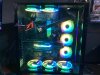
@WhiteNoise you sure like your RGB bling.
I like to keep my simple looking most of the time....I do have some blingy profiles saved for showing off. Softer white theme is nicer at night.
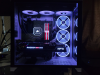
I like to keep my simple looking most of the time....I do have some blingy profiles saved for showing off. Softer white theme is nicer at night.
WhiteNoise
Golden Member
@Kenmitch First computer with all the RGB and though I was never a big fan when it first became popular, I have to admit, its grown on me and if done right looks pretty cool. I suppose I wanted a change too. I dig it. Like you said though, "profiles". I have several and I too have a night profile. The one above is my Rainbow puke profile.
@Kenmitch First computer with all the RGB and though I was never a big fan when it first became popular, I have to admit, its grown on me and if done right looks pretty cool. I suppose I wanted a change too. I dig it.
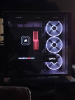
It does kind of grow on you. I like the simple look myself, but am working on some more flashy profiles. I finally got around to redoing the memory profile. I wanted it to match the RX on the 6800. Still needs a little work, but it's close enough for now. It's a much closer match in real life, trying to photo the rgb is challenging!

Jalapeno
Senior member
Would you mind telling me where you got those right angle power cable adapters? I have a tight situation going on with my current build...Lol, I noticed this last night when I looked inside to see what I needed to do to swap a 1TB SSD for a 2TB NVMe.

@WhiteNoise 's username checks out

Golgatha
Lifer
Would you mind telling me where you got those right angle power cable adapters? I have a tight situation going on with my current build...
Amazon.com: Cablecc ATX 6Pin Female to 6pin Male 180 Degree Angled Power Adapter for Desktops Graphics Card: Computers & Accessories
Amazon.com: Cablecc ATX 6Pin Female to 6pin Male 180 Degree Angled Power Adapter for Desktops Graphics Card: Computers & Accessories
www.amazon.com
Golgatha
Lifer
Sweet!
The first link is what will work for me. Thank you very much.
No problem and you're welcome. You'll need to buy 2 to get a pair of the ones you need, as the packages come with one of each possible plug orientation.
Golgatha
Lifer
Hope you're getting better temps! 🙂
About 5-7°C improvement on the CPU. Up to 10°C if I'm running something like Prime95. Who'd have thought blowing hot air right back at the CPU would be an issue? 😉
chrisjames61
Senior member
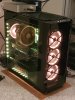
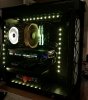
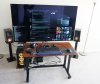
Well, here's mine! 🙂
View attachment 9760
Aaaand, the back:
View attachment 9761
View attachment 9762
Messy room, got kids. 😀
Nice rig. Way too nice to put on the floor dude. Really defeats the purpose hiding it like that.
Thank you. 🙂Nice rig. Way too nice to put on the floor dude. Really defeats the purpose hiding it like that.
But it stands in the living room so I have to compromise a bit.
I really want a very furniture looking feeling, why aren't cases made to look more like wooden cabinets or something? 🙂
I've actually hidden the case away more since that pic! Main selling point is sleek looking and room for 4 easily interchangeable 3,5s. That's not an easy task today. In mesh-compact-rgb hell... 😉

kwikgta
Member
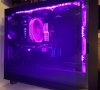
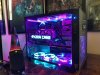
Finally my rig is finished and I've named it Ryzen Cane. Lots of planning and work to get her to this level and I'm very proud of my creation!
Tower: Thermaltake Core X5
Cpu: Ryzen 5950x
Cooler: Noctua DH-15 Chromax Black
Motherboard: MSI Tomahawk X570
Memory: 32 gigs of G.Skill Trident Z Royal Series 3600.
Graphics: AMD Sapphie 6900XT
System Drive: 1tb Sabrent Rocket plus4 m.2
Storage Drive: 8tb Seagate Barracuda
System Cooling fans: 4/200mm, 2/120mm, 1/140mm
Fan Controller: Lamptron cm430 LCD display
Interior lighting: UV led strips
Tower: Thermaltake Core X5
Cpu: Ryzen 5950x
Cooler: Noctua DH-15 Chromax Black
Motherboard: MSI Tomahawk X570
Memory: 32 gigs of G.Skill Trident Z Royal Series 3600.
Graphics: AMD Sapphie 6900XT
System Drive: 1tb Sabrent Rocket plus4 m.2
Storage Drive: 8tb Seagate Barracuda
System Cooling fans: 4/200mm, 2/120mm, 1/140mm
Fan Controller: Lamptron cm430 LCD display
Interior lighting: UV led strips
Attachments
Golgatha
Lifer
Nice! But looks like your top fan is pulling air inside the case! 🙂
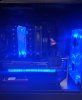
Fixed the fan, added right angle plugs, an aluminum pillar to stabilize the chonky video card, and a new 3090 video card!
Moved my outdated 3080 to my son's computer, replacing a GTX 1080 🙂
Attachments

Last edited:

AntonioHG
Senior member
Pretty sure I posted a picture of my case here, but anyway, I guess I removed it. After years of regular, long, sleeved cables, I got a custom length set done by Cablemod in alternating grey, white, black. Saves a lot effort managing cables.
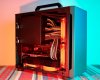
Sliger Cerberus mATX
Z370M GAMING PRO AC Motherboard
Intel 8700K
Titan xP with Raijintek aftermarket heatsink
CM 240mm AIO
Corsair 16GB DDR4 @ 3000MHz
Noctua NF-A12x25 x 4 @ 1200RPM (max)
Seasonic Prime 850W Gold PSU
~5TB solid state storage NVME, PCIE, SATA drives
Sliger Cerberus mATX
Z370M GAMING PRO AC Motherboard
Intel 8700K
Titan xP with Raijintek aftermarket heatsink
CM 240mm AIO
Corsair 16GB DDR4 @ 3000MHz
Noctua NF-A12x25 x 4 @ 1200RPM (max)
Seasonic Prime 850W Gold PSU
~5TB solid state storage NVME, PCIE, SATA drives

Fanatical Meat
Lifer
@WhiteNoise you sure like your RGB bling.
I like to keep my simple looking most of the time....I do have some blingy profiles saved for showing off. Softer white theme is nicer at night.
View attachment 35798
RGB is not my thing however if I were to do it I would aspire to something like you have.
5950x / MSI 3090 Gaming X Trio
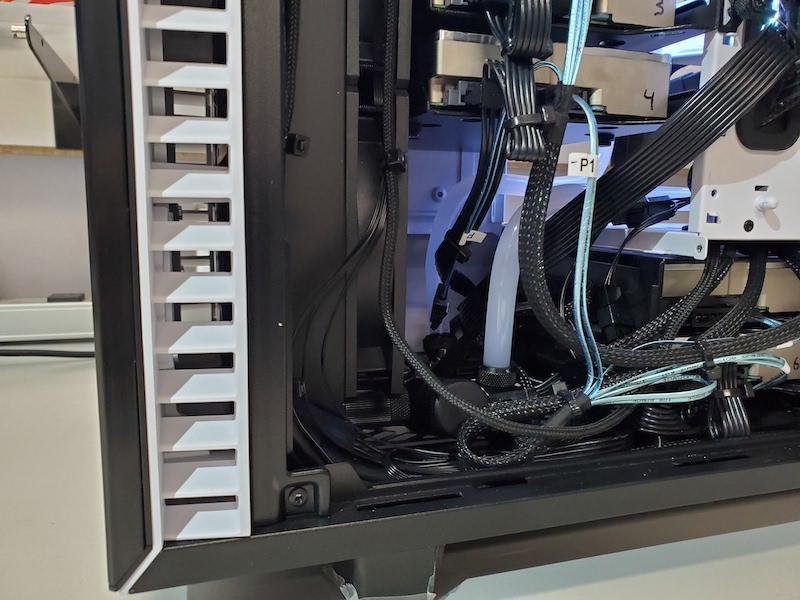
My first hardline build, second PC build in 10 years, but my job is Apple Repair/Consulting/Management, so every day I tear into hardware, even after work.
Used for Davinci Resolve, WebODM 3d Drone mapping, Plex, RetroArch VM w Parsec for local and remote gaming with friends/family, Steam VM with Parsec for more game sharing (I don't game much myself), VPN in for files, VMs for the BMW community (they shut down newtis.info !), cloud syncing with Amazon S3, Syncthing. Just stuff, and enough cores that many can remote in and get what they need whether it be files, movies or games.
Specs:
Fractal Define 7 Case
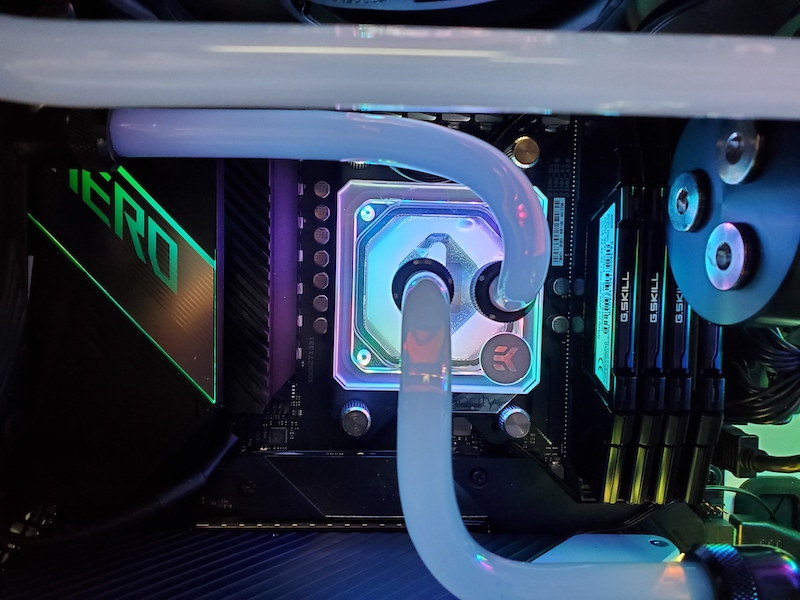
Asus ROG Crosshair VIII Hero X570
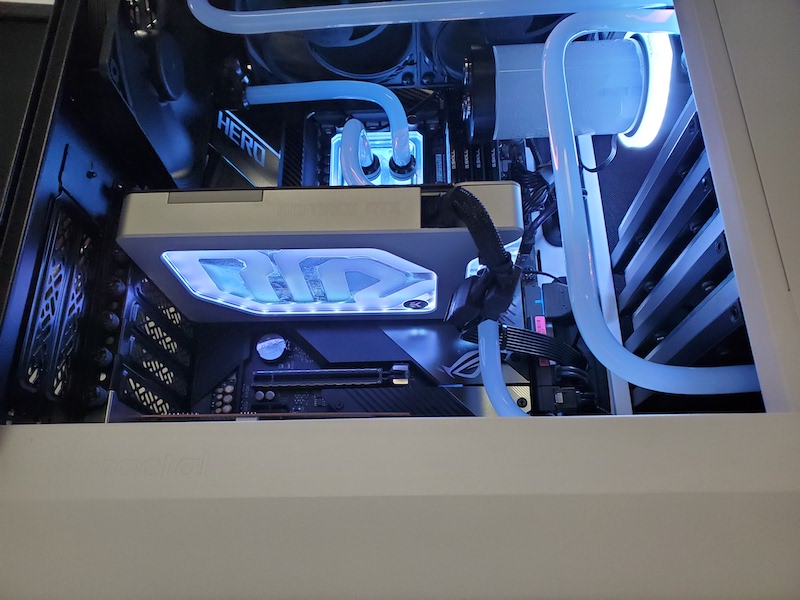
5950X AMD AM4 (EKWB Quantum Velocity CPU Waterblock
Nvidia 3090 FE (EKWB Waterblock, waiting for the active backplate)
Samsung 980 Pro 1TB Boot Drive
Sabrent Rocket 4 Plus 2TB Working Files/cache
3x Samsung 970 Evo/Plus 500 GB SSDs Raid 0 for Games (I do unfortunately partake from time to time)
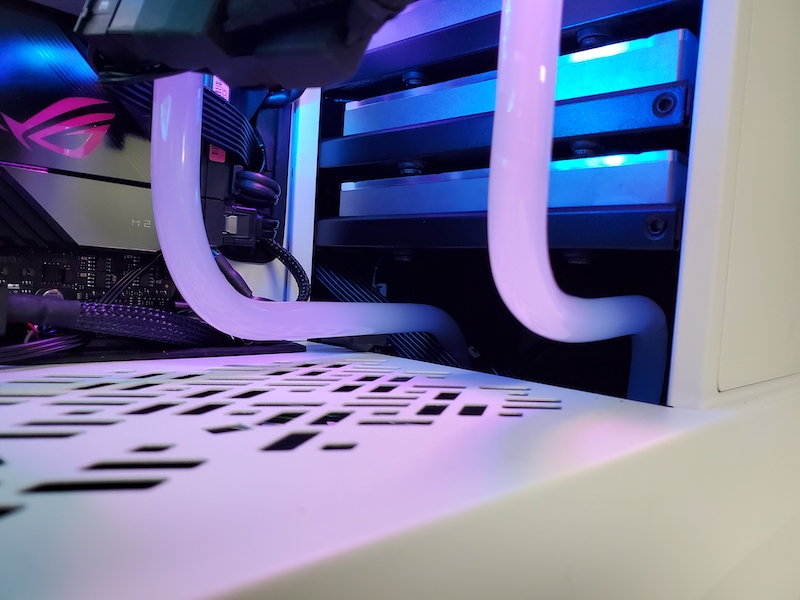
6x10TB Seagate Exos X10 HDDs in Raid 10 (~27TB usable storage) via RocketRaid 3720a HBA (This is backed up on Backblaze and locally as well $$$)
EKWB 360 PE Front Radiator (Should have used another HWLabs 360GTS instead)
Hardware Labs 360 GTS top radiator (really does not fit, but I made it work, it's too wide for the case storage config)
EKWB Quantum Kinetic 200mm D5 Pump
10mm ID / 12mm OD PETG tubing with inserts to relieve deforming, Bitspower and Barrow fittings (meant to use only barrow due to the 3 orings, but got confused while ordering)


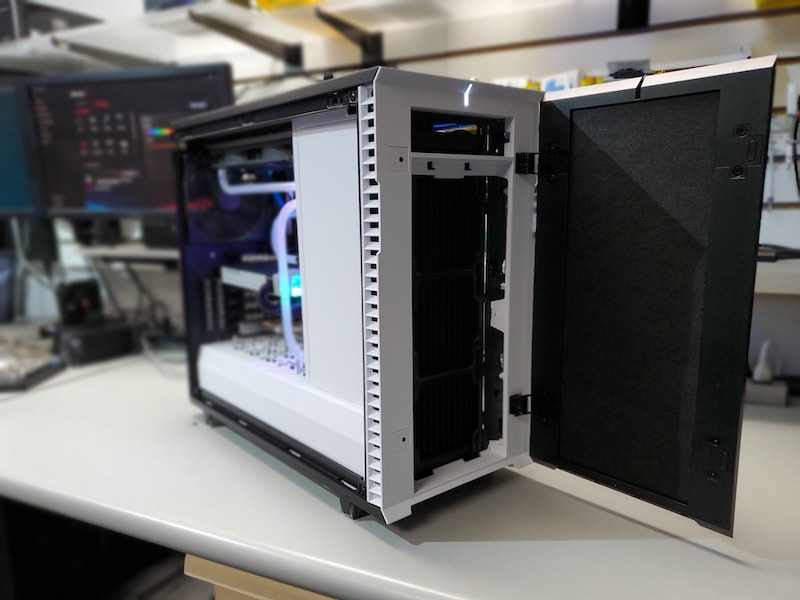

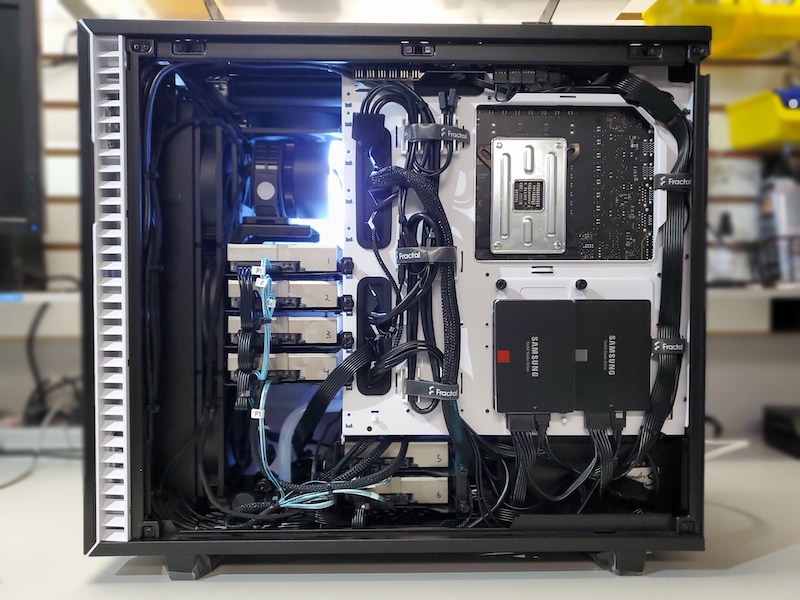
EKWB drain plug and piping under the HDDs, which is also used for pressure testing the loop.

Used for Davinci Resolve, WebODM 3d Drone mapping, Plex, RetroArch VM w Parsec for local and remote gaming with friends/family, Steam VM with Parsec for more game sharing (I don't game much myself), VPN in for files, VMs for the BMW community (they shut down newtis.info !), cloud syncing with Amazon S3, Syncthing. Just stuff, and enough cores that many can remote in and get what they need whether it be files, movies or games.
Specs:
Fractal Define 7 Case
Asus ROG Crosshair VIII Hero X570
5950X AMD AM4 (EKWB Quantum Velocity CPU Waterblock
Nvidia 3090 FE (EKWB Waterblock, waiting for the active backplate)
Samsung 980 Pro 1TB Boot Drive
Sabrent Rocket 4 Plus 2TB Working Files/cache
3x Samsung 970 Evo/Plus 500 GB SSDs Raid 0 for Games (I do unfortunately partake from time to time)
6x10TB Seagate Exos X10 HDDs in Raid 10 (~27TB usable storage) via RocketRaid 3720a HBA (This is backed up on Backblaze and locally as well $$$)
EKWB 360 PE Front Radiator (Should have used another HWLabs 360GTS instead)
Hardware Labs 360 GTS top radiator (really does not fit, but I made it work, it's too wide for the case storage config)
EKWB Quantum Kinetic 200mm D5 Pump
10mm ID / 12mm OD PETG tubing with inserts to relieve deforming, Bitspower and Barrow fittings (meant to use only barrow due to the 3 orings, but got confused while ordering)
EKWB drain plug and piping under the HDDs, which is also used for pressure testing the loop.
Last edited:
Storm-Chaser
Senior member
980mm of radiator in this case
Last edited:
TRENDING THREADS
-
 Discussion Zen 5 Speculation (EPYC Turin and Strix Point/Granite Ridge - Ryzen 9000)
- Started by DisEnchantment
- Replies: 25K
-
Discussion Intel Meteor, Arrow, Lunar & Panther Lakes + WCL Discussion Threads
- Started by Tigerick
- Replies: 25K
-
 Discussion Intel current and future Lakes & Rapids thread
- Started by TheF34RChannel
- Replies: 24K
-

-
