• We’re currently investigating an issue related to the forum theme and styling that is impacting page layout and visual formatting. The problem has been identified, and we are actively working on a resolution. There is no impact to user data or functionality, this is strictly a front-end display issue. We’ll post an update once the fix has been deployed. Thanks for your patience while we get this sorted.

AMD Ryzen 3000 Builders Thread

Page 78 - Seeking answers? Join the AnandTech community: where nearly half-a-million members share solutions and discuss the latest tech.
Gamers Nexus argues that both the Gigabyte Aorus Elite and Asus Tuf Gaming Plus are so good, unless you spend more than $300 there is nothing else worth buying. I personally got the Asus Tuf Gaming Plus (Wifi) for the bluetooth and Q LED's. I am sure the Gigabyte is solid as well. Personally i think all motherboards should have boot up/ Q LEDS. It should not be a premium feature.

go to the 21:02 mark on this video:

I know this is more of a preview / feature assessment rather than a review, but what ended up happening that most of the MSI boards are rated so much higher?
 
I know this is more of a preview / feature assessment rather than a review, but what ended up happening that most of the MSI boards are rated so much higher?
Since I am deaf and have to read the CC, this video is hard to understand with him scrollig all over and pointing at stuff that I can't see along with reading the cc.

So at $200 the ASUS TUF gaming wifi has the best VRM's under $300 ? and is the best value ? Could help summarize for me please ? (I hate being deaf, only for a year now)
 
I know this is more of a preview / feature assessment rather than a review, but what ended up happening that most of the MSI boards are rated so much higher?

sorry please elaborate, rated higher in what?

Since I am deaf and have to read the CC, this video is hard to understand with him scrollig all over and pointing at stuff that I can't see along with reading the cc.

So at $200 the ASUS TUF gaming wifi has the best VRM's under $300 ? and is the best value ? Could help summarize for me please ? (I hate being deaf, only for a year now)

He is saying the VRM's and features of the $200 ASUS Tuf and the equivalent Gigabyte do not warrant spending more until you go above $300.
 
sorry please elaborate, rated higher in what?


He is saying the VRM's and features of the $200 ASUS Tuf and the equivalent Gigabyte do not warrant spending more until you go above $300.
Thanks. I hope they are good, since my ASUS tuf gaming will be hosting a 3950x as soon as they are out. MINIMUM overclocking, but I want no problems with power delivery,.
 
sorry please elaborate, rated higher in what?
Avg rating and number of Newegg reviews. I know that's not entirely reliable but found the strong tilt toward MSI odd and wondered if there was any particular advantage to them. Note I'm speaking overall, not just compared to the 2 $200 boards you're discussing. Especially interesting on the lowest end parts, where it's been more consistently commented the MSI is an inferior board due to VRMs.

EDIT: lol, just noticed: "This review is for the MSI Review Rebate Program"
 
Avg rating and number of Newegg reviews. I know that's not entirely reliable but found the strong tilt toward MSI odd and wondered if there was any particular advantage to them. Note I'm speaking overall, not just compared to the 2 $200 boards you're discussing. Especially interesting on the lowest end parts, where it's been more consistently commented the MSI is an inferior board due to VRMs.

EDIT: lol, just noticed: "This review is for the MSI Review Rebate Program"
I don't have any experience with MSI boards I have only bought there GPU's before. But aren't they supposed to be the best with RAM compatibility for Ryzen? I would have considered them but that review and my cheap price range let me to Asus TUF Gaming X570 Plus (wifi)
 
MSI had some RAM OC records on Pinnacle Ridge. With things being the way they are for Matisse, you don't win many medals shooting for DDR4-5000 when DDR4-3800 winds up being faster.
 
My Asus TUF Gaming X570-plus (wifi) has worked a charm. Not experienced any issues with it. I like the boot LEDs that reassure you that everything is working correctly. I purchased a boot-up speaker for around £1.50 to go with it.
The board is for simple to re-flash using EZ-flash, and ASUS have been pretty quick with BIOS updates. Boot times are acceptable. Very easy to see where to enable XMP/DOCP. Chipset fan gets covered by the 5700XT, but it causes no problems. Temperatures are good.
I'd initially purchased an MSI MPG X570 Gaming Edge Wifi, but it had a dead CPU socket, and took ages to diagnose. This is probably why I find the ASUS board so reassuring on booting.
 
My Asus TUF Gaming X570-plus (wifi) has worked a charm. Not experienced any issues with it. I like the boot LEDs that reassure you that everything is working correctly. I purchased a boot-up speaker for around £1.50 to go with it.
The board is for simple to re-flash using EZ-flash, and ASUS have been pretty quick with BIOS updates. Boot times are acceptable. Very easy to see where to enable XMP/DOCP. Chipset fan gets covered by the 5700XT, but it causes no problems. Temperatures are good.
I'd initially purchased an MSI MPG X570 Gaming Edge Wifi, but it had a dead CPU socket, and took ages to diagnose. This is probably why I find the ASUS board so reassuring on booting.

You are right the fan placement for the mobo chipset is horrible but i too have not seen any temperature spikes because of it. Every motherboard should have boot LED's!
 
You are right the fan placement for the mobo chipset is horrible but i too have not seen any temperature spikes because of it. Every motherboard should have boot LED's!

Isn't it NVME RAID that causes temperature spikes on the chipset and the reason for the inclusion of the fan on X570? If this is the case then you need not worry about covering the fan unless you a using NVME RAID.
 
Isn't it NVME RAID that causes temperature spikes on the chipset and the reason for the inclusion of the fan on X570? If this is the case then you need not worry about covering the fan unless you a using NVME RAID.

I was not aware of that and I am definitely not going to take advantage of that.
 
@Chicken76


I know very little about Ceramique 2, but if that is correct, it is close to Ceramique in performance, which means MX4 would outperform it in conventional duty on a CPU IHS.
 
Having an issue:

PC running fine, 3600, 5700, 2x4GB Kingston HyperX 3200 CL16 RAM on a DS3H B450 Gigabyte board.

My RMA'd G.skill Trident 2x8GB 3200 CL16 came in. Replaced the HyperX set. Turn on. Everything is lit up, all the fans running, the 5700 fan is on but not blowing like crazy. Nothing on the screen. I long-hold the power button on the front of my case, eventually the trace LED on the DS3H board flashes but even if I long hold longer, does nothing. I have to power down the PSU to restart. After 10 cycles of trying this, and reseating the RAM and 5700, and putting the HyperX kit back in, still nothing.

Any ideas how to go about solving this problem? What happened?!
 
Last edited:
Having an issue:

PC running fine, 3600, 5700, 2x4GB Kingston HyperX 3200 CL16 RAM on a DS3H B450 Gigabyte board.

My RMA'd G.skill Trident 2x8GB 3200 CL16 came in. Replaced the HyperX set. Turn on. Everything is lit up, all the fans running, the 5700 fan is on but not blowing like crazy. Nothing on the screen. I long-hold the power button on the front of my case, eventually the trace LED on the DS3H board flashes but even if I long hold longer, does nothing. I have to power down the PSU to restart. After 10 cycles of trying this, and reseating the RAM and 5700, still nothing.

Any ideas how to go about solving this problem? What happened?!

I'd try clearing CMOS and try again. Sounds like the training the board did for the HyperX doesn't work well with the Trident DDR4.
 
I would say DooKey is right, that ram RMA'ed or not is either bad, or will not run at the speed the bios is set to. Good thing the default is 2133. If a BIOS reset fixes this, go very slowly back to the ram rated speed.
 
I'd try clearing CMOS and try again. Sounds like the training the board did for the HyperX doesn't work well with the Trident DDR4.
Thank you - was hoping it would not be an issue with same MT and CL ratings... but will try this when I get home.
I would say DooKey is right, that ram RMA'ed or not is either bad, or will not run at the speed the bios is set to. Good thing the default is 2133. If a BIOS reset fixes this, go very slowly back to the ram rated speed.
This is only my second kit of G.skill but if it turns out to be the kit again, that's somewhat dismaying given how popular they are. BTW, I'm looking forward to throwing the above rig plus my first TR rig (once Zen2 TR is released) into the DC realm here soon. Just want to get it up and stable first 🙂
 
This is only my second kit of G.skill but if it turns out to be the kit again, that's somewhat dismaying given how popular they are.
The odds of getting a bad RAM kit are very low. The odds of getting two defective kits in a row is minuscule.

Is the RAM on the QVL list (motherboard or memory manufacturer)?
 
1usmus custom power plan for Ryzen 3000.


Edit: Installed and setup my BIOS as much as possible. I'm missing the CPPC Preferred Cores option in my BIOS. Single core benchmarks aren't any faster than before.
 
Last edited:
The odds of getting a bad RAM kit are very low. The odds of getting two defective kits in a row is minuscule.

Is the RAM on the QVL list (motherboard or memory manufacturer)?
According to G.skill, yes. According to Gigabyte, many models with same voltage, timings, same kit size and MT/s, but not the exact kit.
 
The odds of getting a bad RAM kit are very low. The odds of getting two defective kits in a row is minuscule.

Is the RAM on the QVL list (motherboard or memory manufacturer)?
Well, this is just seeming abysmal on G.skill's part. Reset CMOS. Latest BIOS 42h from Gigabyte. Boots at 2133 MHz but refuses to boot with XMP auto enabled (actually have to reset CMOS every time I try it).

Reinstalled my cheap HyperX 2x4GB kit and works fine with XMP enabled.

This is very, very odd.

At this point, if it can't even boot with XMP enabled, RMA x 2 and I'm just asking for my money back. If G.skill make me pay for shipping again, I'm going to plaster this issue all over Reddit and this board. If the B450 DS3H with Zen2 is on their QVL, it better work. But it doesn't.
 
Last edited:
Well, this is just seeming abysmal on G.skill's part. Reset CMOS. Latest BIOS 42h from Gigabyte. Boots at 2133 MHz but refuses to boot with XMP auto enabled (actually have to reset CMOS every time I try it).

Reinstalled my cheap HyperX 2x4GB kit and works fine with XMP enabled.

This is very, very odd.

At this point, if it can't even boot with XMP enabled, RMA x 2 and I'm just asking for my money back. If G.skill make me pay for shipping again, I'm going to plaster this issue all over Reddit and this board. If the B450 DS3H with Zen2 is on their QVL, it better work. But it doesn't.
Are you able to enable XMP but select the ram speed ? Is the voltage 1.35 ? I had a problem where the speed was as rated, but it was still at 1.2 volts. Make sure its 1.35, and try to set the ram speed WITH XMP at lower than rated.
 
Go into BIOS and manually set DDR4 voltage to 1.35 then reboot. After it comes back up manually set to appropriate 3200 and timings. Reboot.
 
1usmus custom power plan for Ryzen 3000.


Edit: Installed and setup my BIOS as much as possible. I'm missing the CPPC Preferred Cores option in my BIOS. Single core benchmarks aren't any faster than before.

My MSI had all the settings that needed to be altered, but it doesn't really look like it did anything on my 3700x as far as performance goes. Haven't done a whole lot of testing yet as I just updated the uEFI to 1.0.0.4 patch B and did a clean install of the OS.

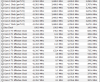
The new version of HWiNFO can identify all the cores as far as the pecking order goes and added the effective clock speeds monitoring also.


1572966299698.png
 
Last edited:
My MSI had all the settings that needed to be altered, but it doesn't really look like it did anything on my 3700x as far as performance goes. Haven't done a whole lot of testing yet as I just updated the uEFI to 1.0.0.4 patch B and did a clean install of the OS.

The new version of HWiNFO can identify all the cores as far as the pecking order goes and added the effective clock speeds monitoring also.


View attachment 12886
Where do i see this info in your screenshot within HWiNFO?
 
Back
Top