• We’re currently investigating an issue related to the forum theme and styling that is impacting page layout and visual formatting. The problem has been identified, and we are actively working on a resolution. There is no impact to user data or functionality, this is strictly a front-end display issue. We’ll post an update once the fix has been deployed. Thanks for your patience while we get this sorted.

Question Zen 4 builders thread

Page 42 - Seeking answers? Join the AnandTech community: where nearly half-a-million members share solutions and discuss the latest tech.
Upgrade complete.

This thing runs a bit hot for my liking at 142W PPT, think I will do the usual and cap it out at somewhere between 75-105W PPT for efficiency. And maybe fiddle with CO for non-prime cores (not C2/C4).

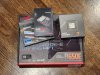
Also, I won the silicon lottery on my DDR5-5600 CL36 32GB kit. It was $129.99 and it has Hynix chips. Loaded DOCP profile for 5600 CL36, rebooted, increased volts from 1.2V to 1.3V and frequency to 6000 and it's memtesting okay for now.
 
Upgrade complete.

This thing runs a bit hot for my liking at 142W PPT, think I will do the usual and cap it out at somewhere between 75-105W PPT for efficiency. And maybe fiddle with CO for non-prime cores (not C2/C4).

Also, I won the silicon lottery on my DDR5-5600 CL36 32GB kit. It was $129.99 and it has Hynix chips. Loaded DOCP profile for 5600 CL36, rebooted, increased volts from 1.2V to 1.3V and frequency to 6000 and it's memtesting okay for now.
I use 90c on my 420 aio, and 85c on my air cooled. This new one I am having problems getting something installed. (old sata drive)
 
Upgrade complete.

This thing runs a bit hot for my liking at 142W PPT, think I will do the usual and cap it out at somewhere between 75-105W PPT for efficiency. And maybe fiddle with CO for non-prime cores (not C2/C4).

Also, I won the silicon lottery on my DDR5-5600 CL36 32GB kit. It was $129.99 and it has Hynix chips. Loaded DOCP profile for 5600 CL36, rebooted, increased volts from 1.2V to 1.3V and frequency to 6000 and it's memtesting okay for now.
Did you try undervolting the CPU or just setting the 142W limit? Is that the T-Force RAM kit?
 
I did the -25 CO thing, and it just happened to end up 142, so maybe thats what he did ? the temp you can set. He may have needed to update his bios like mine for the temp to show up. Number 3 installing linux drivers now.
 
Turns out my water cooling pump gave up the ghost. I swapped in a 92mm 4-heatpipe mini tower cooler (ID Cooling SE-914-XT) for the time being and manually set PPT to 90W.


Not bad:
1669507100359.png

Torture testing:
1669507348442.png
 
Mine sits at what I set it to in bios, but thats with all 32 threads at 100%. But at that 142 watts, it still beats my 5950x's my like 30% at what I do.

Looking good on your end @IEC !!
 
TDP headroom but not much cooling headroom with that super thick IHS.
It's not like the current IHS is set in stone for all eternity now. Since we are talking about a theoretical Ryzen KS model AMD could theoretically redesign that IHS along with it (like including a vapor chamber etc.).
 
I took out the eVGA CLC 280mm (Asetek design) cooler from my backup rig and put it in my main (swapped out fans for Thermalright 140s since eVGA stock fans are horrible).

Previous post showed low-end air cooler with 92mm mini tower heatsink (marginally better than Wraith Prism of AM4 fame).

Compare to eVGA CLC 280mm at same settings (PBO/90W PPT, 6000 CL36 memory), full AIDA64 stress test CPU/FPU/Cache/Memory:

Almost 11°C lower at full load, about 30MHz higher sustained all core clocks. My ambient temp is 79F/26C so most could do better.
1669578409548.png

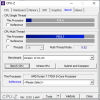
7531 --> 7654 in MT performance at 90W PPT. Guru3D review showed 771 ST / 7893 MT in CPU-Z. This means I am achieving 100% ST performance and 97% MT performance at max 90W PPT versus stock 142W PPT. That's a massive 37% CPU power savings at full tilt. I haven't even messed with CO yet.

1669578446999.png
 
Under light loads (memory test only in AIDA64) I hit 5500+ on all cores per Ryzen Master:
1669579065907.png

I suppose I could spend some time with CO and a PBO offset of +100 to +200 MHz boost to see how far I could go if I was so inclined. But it's likely at the exponential end of the v/f curve so I'd rather get the efficiency and bulletproof stability of the stock v/f curve with a PPT limit. Efficiency is stellar at these settings. AMD stretched too far out on the v/f curve to compete with MT performance of Raptor Lake.
 
Mark what motherboards are you using with Zen 4 and which one gave you the smoothest experience? I keep checking out at Microcenter free memory offer. One of these days I might pull the trigger.
 
Mark what motherboards are you using with Zen 4 and which one gave you the smoothest experience? I keep checking out at Microcenter free memory offer. One of these days I might pull the trigger.
Well, all 3 are ASRock. 2 are the Taichi, and one is the steel legend. I had the best experience with the Taichi, but that could be that I was trying to upgrade a win 10 regular ssd, and that failed on the steel legend. After I went from scratch, it all went pretty smoothly.
 
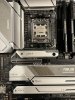
Ended up picking an ASUS B650E-E. Forgot that Taichis are eATX. They won't fit in the case for this build. The ASUS board seems feature complete, albeit overpriced. Only things it's missing are USB4 and 10 Gbit LAN, which I would have expected at this price range in the past but apparently not today.
 

Attachments

  • AM5.jpg
    AM5.jpg
    537.6 KB · Views: 17
Some motherboards have newer UEFIs updating the comboAM5 AGESA from 1.0.0.3A to 1.0.0.3D

I tried UEFI F7a for Gigabyte X670 Aorus Elite AX.
It cannot even POST after enabling EXPO.
Flashback to F6c 🙁

I might try the one for the B650 Aorus elite AX, but not promising based on what I saw on the X670.
 
Microsoft released KB5020044 yesterday, which fixes game performance issues that were noticed with the latest version of Windows 11. Apparently GPU debugging features for certain apps were left on, causing degradation. I am installing it as we speak. Also note that if you are a gamer, take a look at this article: https://www.theverge.com/2022/10/6/...-security-features-improve-gaming-performance

Disabling virtualization and core integrity features may help improve performance.
 
Back
Top