
-
We’re currently investigating an issue related to the forum theme and styling that is impacting page layout and visual formatting. The problem has been identified, and we are actively working on a resolution. There is no impact to user data or functionality, this is strictly a front-end display issue. We’ll post an update once the fix has been deployed. Thanks for your patience while we get this sorted.
You are using an out of date browser. It may not display this or other websites correctly.
You should upgrade or use an alternative browser.
You should upgrade or use an alternative browser.
The cheap SSDs thread
Page 35 - Seeking answers? Join the AnandTech community: where nearly half-a-million members share solutions and discuss the latest tech.

Eug
Lifer
I got the Crucial 120 GB BX500 yesterday. It's seems lighter than average, and I think the housing may be made of plastic, or at least it feels like it. Is that a thing now? Maybe they're cutting cost not just on the innards, but also the shell.
It doesn't feel barn burning fast, but it's more than adequate, and is a significant improvement in performance over the hard drive not surprisingly. OS navigation speed is fine. From that perspective, I'd be fine using this as a daily machine at work if that's they gave to me. Is it as fast as my 500 GB Samsung 850 EVO? Probably not, but good enough for this type of use. I do think I can notice occasional short pauses but it's hard to compare since I've never had another SSD in this machine, and I've noticed short pauses with other faster drives and computers too on occasion.
Put it this way... I'd say that the BX500 as a boot drive for general usage is probably fine for 90% of the population. Only us geeks might notice some differences. But even for a geek like me, the performance loss isn't big enough for me to sacrifice my 500 GB Evo for this machine. I'd rather pay the US$22 and use a slow BX500 in this machine and keep the Evo for something else. I also don't know how much of what I'm noticing is related to the storage size. 120 GB isn't very much, and as you know, drives of this size are often slower than the bigger capacity SSDs.
Tom's did a review here and compared it to the 860 Evo among others:
 www.tomshardware.com
The BX500 is clearly slower where it matters (like game loading time and bulk transfers of lots of various sizes), but the speed is still adequate. In the review they have this drive doing way slower than the 860 EVO for 4K random reads:

However, that is still way faster than a lot of drives of yesteryear. For example, it is clearly faster than my ancient Kingston V+100 in real world usage. This is not surprising though, since the V+100 got dismal scores for 4K transfers in comparison:
 www.anandtech.com
So, all in all, I think for average users, this BX500 is fine, and I also think it's fine even for some geeks in their secondary machines, esp. if you're on a budget. I'd probably stick with a higher end drive for my primary personal machine though if possible.

2017 Core i5-7600 5K iMac on the right, and 2010 Core i7-870 2.5K iMac on the left that's just being used as a monitor for the other one.
From the back and sides, they look different, but from the front it's basically impossible to tell them apart on first glance, unless you look closer at the screen. (The one on the right is 5120x2880 and on the left it's 2560x1440.)
It doesn't feel barn burning fast, but it's more than adequate, and is a significant improvement in performance over the hard drive not surprisingly. OS navigation speed is fine. From that perspective, I'd be fine using this as a daily machine at work if that's they gave to me. Is it as fast as my 500 GB Samsung 850 EVO? Probably not, but good enough for this type of use. I do think I can notice occasional short pauses but it's hard to compare since I've never had another SSD in this machine, and I've noticed short pauses with other faster drives and computers too on occasion.
Put it this way... I'd say that the BX500 as a boot drive for general usage is probably fine for 90% of the population. Only us geeks might notice some differences. But even for a geek like me, the performance loss isn't big enough for me to sacrifice my 500 GB Evo for this machine. I'd rather pay the US$22 and use a slow BX500 in this machine and keep the Evo for something else. I also don't know how much of what I'm noticing is related to the storage size. 120 GB isn't very much, and as you know, drives of this size are often slower than the bigger capacity SSDs.
Tom's did a review here and compared it to the 860 Evo among others:
Crucial BX500 SSD Review: The DRAMless Invasion Continues (Updated)
Crucial's BX500 is designed to bring blazing SSD throughput to your PC at a low price, but it has a few caveats.
www.tomshardware.com
The BX500 is clearly slower where it matters (like game loading time and bulk transfers of lots of various sizes), but the speed is still adequate. In the review they have this drive doing way slower than the 860 EVO for 4K random reads:
However, that is still way faster than a lot of drives of yesteryear. For example, it is clearly faster than my ancient Kingston V+100 in real world usage. This is not surprising though, since the V+100 got dismal scores for 4K transfers in comparison:
AnandTech Forums: Technology, Hardware, Software, and Deals
Seeking answers? Join the AnandTech community: where nearly half-a-million members share solutions and discuss the latest tech.
www.anandtech.com
So, all in all, I think for average users, this BX500 is fine, and I also think it's fine even for some geeks in their secondary machines, esp. if you're on a budget. I'd probably stick with a higher end drive for my primary personal machine though if possible.
Since you brought this up... This is the setup I actually use. I think it looks OK. 😉is it really bad if i say mac's look pretty turned off and on the wall like Eug posted, then it being in a real working environment situation?
2017 Core i5-7600 5K iMac on the right, and 2010 Core i7-870 2.5K iMac on the left that's just being used as a monitor for the other one.
From the back and sides, they look different, but from the front it's basically impossible to tell them apart on first glance, unless you look closer at the screen. (The one on the right is 5120x2880 and on the left it's 2560x1440.)
Last edited:
I got the Crucial 120 GB BX500 yesterday. It's seems lighter than average, and I think the housing may be made of plastic, or at least it feels like it. Is that a thing now? Maybe they're cutting cost not just on the innards, but also the shell.
Yes, they cut costs by using cheaper materials, just as you cut costs by using cheaper components. 🙂
I'm not an SSD expert; I've only owned a few. I have an Intel 545S that I bought at a Black Friday sale two or three years ago, and it has an aluminum shell. I wish I could buy another one but it seems to be discontinued. The Western Digital Green SSD has a metal skeleton, if you will, where the screws go in, and a plastic shell, just as I would expect. To be honest, I didn't even notice the materials used in the Crucial MX500 I bought recently (it's silver in color) but I seem to recall that the shell is aluminum. I doubt there's any need for electrostatic shielding. Memory modules and hard drive controller circuit boards don't need shielding.
A few years ago all SSDs cost hundreds of dollars, but now that they have come down to $22, switching from metal to plastic was probably an economic necessity. You can make the same comparison with laptop computers. I have a Dell Latitude manufactured in 2013 that has a magnesium alloy frame, and it feels solid. It cost nearly a thousand dollars when it was new. I bought it used for less than $200 so I didn't have to worry about sticker shock. I've bought a few brand new laptop computers for less than $400 over the last few years and it's no surprise that they're made of plastic and they feel flimsy. You get what you pay for. I didn't feel like spending hundreds of dollars more for better quality.

VirtualLarry
No Lifer
Yeah, it's honestly no big deal if a 2.5" SSD's shell is plastic, really. Just cheaper and more lightweight. If there's some danger of it snapping in half somehow, then secure it better, with some double-sided sticky tape or velcro or (gasp!) use screws to attach it to something.
N.B. I was installing a Team Group GX1/GX2 256GB 2.5" SATA SSD, and I was attaching it flat vertically to a spot next to the mobo tray, using screws from the back to attach it using the screw mounts on the bottom of the SSD. Unfortunately, the metal threads are just pressed into the plastic, and after an unfortunate "levering" of the SSD, the screw popped out of the SSD, and then I had to use pliers to remove the threading part from the screw. I used the two opposite corners instead, and was more careful the second time around.
But, generally-speaking, there's no real drawback to a plastic shell being used.
N.B. I was installing a Team Group GX1/GX2 256GB 2.5" SATA SSD, and I was attaching it flat vertically to a spot next to the mobo tray, using screws from the back to attach it using the screw mounts on the bottom of the SSD. Unfortunately, the metal threads are just pressed into the plastic, and after an unfortunate "levering" of the SSD, the screw popped out of the SSD, and then I had to use pliers to remove the threading part from the screw. I used the two opposite corners instead, and was more careful the second time around.
But, generally-speaking, there's no real drawback to a plastic shell being used.
VirtualLarry
No Lifer
Team Group GX1 2.5" 120GB SATA III Internal Solid State Drive (SSD) T253X1120G0C101 $18.99
 www.newegg.com
120GB SATA 2.5" SSD for under $20, not too bad. Still, I much prefer 240/256GB-class SATA SSDs for even budget builds. You could/can get the GX1 240GB or GX2 256GB for $26.99, and that's not that much more than $18.99, for TWICE the space. To say nothing of the speed improvement from more channels, and less overall percentage filled with the same amount of stuff on both, also resulting in higher speeds.
So yeah, I pretty-much reserve the 120GB SSDs for browser-only builds, that I'm practically (or actually) giving away. Any paid-for builds, anything for gaming, gets a 240GB or larger SSD.
Are you a human?
120GB SATA 2.5" SSD for under $20, not too bad. Still, I much prefer 240/256GB-class SATA SSDs for even budget builds. You could/can get the GX1 240GB or GX2 256GB for $26.99, and that's not that much more than $18.99, for TWICE the space. To say nothing of the speed improvement from more channels, and less overall percentage filled with the same amount of stuff on both, also resulting in higher speeds.
So yeah, I pretty-much reserve the 120GB SSDs for browser-only builds, that I'm practically (or actually) giving away. Any paid-for builds, anything for gaming, gets a 240GB or larger SSD.
VirtualLarry
No Lifer
XPG SX6000 Lite M.2 2280 128GB PCI-Express 3.0 x4 3D NAND Internal Solid State Drive (SSD) ASX6000LNP-128GT-C $26.99
Limited Time Offer by ADATA Technology (USA) CO., Ltd
www.newegg.com
Not a bad price for a DRAM-less entry-level NVMe SSD. I think it may have a RealTek controller on it.
XPG SX8100 Series: 256GB PCIe Gen3x4 M.2 2280 Solid State Drive $36.99
Limited Time Offer by ADATA Technology (USA) CO., Ltd
www.newegg.com
Maybe this one has the RealTek controller? Maybe both of them?
Well, 128GB for $26.99, or 256GB for $36.99, both I think DRAM-less.
Limited Time Offer by ADATA Technology (USA) CO., Ltd
Are you a human?
Not a bad price for a DRAM-less entry-level NVMe SSD. I think it may have a RealTek controller on it.
XPG SX8100 Series: 256GB PCIe Gen3x4 M.2 2280 Solid State Drive $36.99
Limited Time Offer by ADATA Technology (USA) CO., Ltd
Are you a human?
Maybe this one has the RealTek controller? Maybe both of them?
Well, 128GB for $26.99, or 256GB for $36.99, both I think DRAM-less.
Last edited:
Eug
Lifer
Those Team Group ones are not available at Amazon.ca. Good that Newegg.com offers you free shipping. However, the plastic screw threads turn me off. The BX500 screw threads are metal at least.Team Group GX1 2.5" 120GB SATA III Internal Solid State Drive (SSD) T253X1120G0C101 $18.99
Are you a human?
120GB SATA 2.5" SSD for under $20, not too bad. Still, I much prefer 240/256GB-class SATA SSDs for even budget builds. You could/can get the GX1 240GB or GX2 256GB for $26.99, and that's not that much more than $18.99, for TWICE the space. To say nothing of the speed improvement from more channels, and less overall percentage filled with the same amount of stuff on both, also resulting in higher speeds.
So yeah, I pretty-much reserve the 120GB SSDs for browser-only builds, that I'm practically (or actually) giving away. Any paid-for builds, anything for gaming, gets a 240GB or larger SSD.
The BX500 240 GB was US$41, but there was an Adata Ultimate SU635 240 GB for US$30. However, I’ve read some bad reviews about its performance and reliability.
BTW, at US$11 and change, the 2.5” to 3.5” drive adapter I bought cost half as much as the drive. I bought it because it was aluminum. Some of the cheaper ones are plastic and can flex or also get stripped threads, and not all of them have all the screw holes. I needed it to mount onto the Mac Pro’s 3.5” drive sled, which attaches to 3.5” drives using the bottom screw holes.
Sabrent BK-PCBS 2.5” to 3.5” SATA bay converter

2.5" SSD & SATA Hard Drive to Desktop 3.5" SATA Bay Converter Mounting Kit
Compatible with any 2.5" SATA hard drive or SSD Compatible with backplane trays such as those found in Apple Mac Pro silver tower models Fully SATA 3.0 Revision (6Gb/s) compatible and backward compatible with SATA 2.0 Revision (3Gb/s) and 1.0 Revision (1.5Gb/s) drives Open design allows for full...
 www.sabrent.com

I’m pleased. It’s very well made.
VirtualLarry
No Lifer
Team Group GX1 2.5" 480GB SATA III Internal Solid State Drive (SSD) T253X1480G0C101 $43.99
www.newegg.com
Will these 480GB SATA SSDS soon drop to $39.99? I hope so! They will become standard in my builds if so.
BTW, the DDR4-3200 16GB kit Team Group Vulcan (Z?) grey memory kits are $52.99 right now until Sunday as well.
Edit: I seem to be repeating myself. 🙁
Are you a human?
Will these 480GB SATA SSDS soon drop to $39.99? I hope so! They will become standard in my builds if so.
BTW, the DDR4-3200 16GB kit Team Group Vulcan (Z?) grey memory kits are $52.99 right now until Sunday as well.
Edit: I seem to be repeating myself. 🙁
Team Group GX1 480GB SATA 2.5" SSD $43.99. Cheapest yet for this model. Hopefully, they will go down to $40, and I can make them standard equipment in my builds (if I don't use NVMe).

yottabit
Golden Member
Some of the Inland (Microcenter) drives are available on Amazon now if you don't have a Microcenter near you
Inland Premium 1 TB NVMe SSD $129.99:
"Premium" drives are 3D TLC NAND with Phison controller, basically rebranded Sabrent Rocket. ~3500 MB/s
Inland Professional 1 TB NVMe SSD $94.99:
"Professional" drives are 3D QLC NAND with Phison controller, rebranded Sabrent Rocket Q. ~3200 MB/s with worse IOPS
If you need more of a selection you can also order these off Microcenter web store. There are also PCIe 4 variants that will do 5000 MB/s
I'm really happy with the "Inland Premium" drives. I put a 2 TB in a Ryzen build that's been going a while now and just got another 1 TB for my laptop. Very nice to not have to worry about space and still have a super fast drive.
One thing worth mentioning is I don't believe it comes with cloning software (that I've found) like the Sabrent Rocket does.
Inland Premium 1 TB NVMe SSD $129.99:
Amazon.com: Inland Premium 1TB SSD 3D NAND M.2 2280 PCIe NVMe 3.0 x4 Internal Solid State Drive, Read/Write Speed up to 3100MB/s and 2800MB/s: Computers & Accessories
Buy Inland Premium 1TB SSD 3D NAND M.2 2280 PCIe NVMe 3.0 x4 Internal Solid State Drive, Read/Write Speed up to 3100MB/s and 2800MB/s: Internal Solid State Drives - Amazon.com ✓ FREE DELIVERY possible on eligible purchases
www.amazon.com
"Premium" drives are 3D TLC NAND with Phison controller, basically rebranded Sabrent Rocket. ~3500 MB/s
Inland Professional 1 TB NVMe SSD $94.99:
"Professional" drives are 3D QLC NAND with Phison controller, rebranded Sabrent Rocket Q. ~3200 MB/s with worse IOPS
If you need more of a selection you can also order these off Microcenter web store. There are also PCIe 4 variants that will do 5000 MB/s
I'm really happy with the "Inland Premium" drives. I put a 2 TB in a Ryzen build that's been going a while now and just got another 1 TB for my laptop. Very nice to not have to worry about space and still have a super fast drive.
One thing worth mentioning is I don't believe it comes with cloning software (that I've found) like the Sabrent Rocket does.
Macgyversite
Golden Member
512gb is good at $49. Not sure of all the specs but I have used more than a few of these without trouble.

UsandThem
Elite Member
I swear some people should be prevented from leaving reviews (especially the 2nd person). From the Inland Premium SSD in the first link:Some of the Inland (Microcenter) drives are available on Amazon now if you don't have a Microcenter near you
Inland Premium 1 TB NVMe SSD $129.99:
Amazon.com: Inland Premium 1TB SSD 3D NAND M.2 2280 PCIe NVMe 3.0 x4 Internal Solid State Drive, Read/Write Speed up to 3100MB/s and 2800MB/s: Computers & Accessories
Buy Inland Premium 1TB SSD 3D NAND M.2 2280 PCIe NVMe 3.0 x4 Internal Solid State Drive, Read/Write Speed up to 3100MB/s and 2800MB/s: Internal Solid State Drives - Amazon.com ✓ FREE DELIVERY possible on eligible purchaseswww.amazon.com
"Premium" drives are 3D TLC NAND with Phison controller, basically rebranded Sabrent Rocket. ~3500 MB/s
Inland Professional 1 TB NVMe SSD $94.99:
"Professional" drives are 3D QLC NAND with Phison controller, rebranded Sabrent Rocket Q. ~3200 MB/s with worse IOPS
If you need more of a selection you can also order these off Microcenter web store. There are also PCIe 4 variants that will do 5000 MB/s
I'm really happy with the "Inland Premium" drives. I put a 2 TB in a Ryzen build that's been going a while now and just got another 1 TB for my laptop. Very nice to not have to worry about space and still have a super fast drive.
One thing worth mentioning is I don't believe it comes with cloning software (that I've found) like the Sabrent Rocket does.

MisterE
Golden Member
Silicon Power 256GB SSD 3D NAND A55 SLC Cache Performance Boost SATA III 2.5" 7mm (0.28") Internal Solid State Drive (SP256GBSS3A55S25)
You guys have posted this drive before for $28 shipped, but Amazon has a $2 coupon checkbox making it $26 shipped...
https://www.amazon.com/Silicon-Power-Performance-Internal-SP256GBSS3A55S25/dp/B075RJS55D
You guys have posted this drive before for $28 shipped, but Amazon has a $2 coupon checkbox making it $26 shipped...
https://www.amazon.com/Silicon-Power-Performance-Internal-SP256GBSS3A55S25/dp/B075RJS55D
VirtualLarry
No Lifer
Too bad Amazon coupons only apply to the first item out of a qty, or I'd order some. At least, with Newegg, when you order qty and apply a promo code, it applies to ALL of the items in the group.
Edit: For that matter, I don't even see a $2 coupon listed on that page at all. Are they account-specific when they pop up?
Edit: For that matter, I don't even see a $2 coupon listed on that page at all. Are they account-specific when they pop up?
Last edited:
Macgyversite
Golden Member
Too bad Amazon coupons only apply to the first item out of a qty, or I'd order some. At least, with Newegg, when you order qty and apply a promo code, it applies to ALL of the items in the group.
Edit: For that matter, I don't even see a $2 coupon listed on that page at all. Are they account-specific when they pop up?
The coupon check box is there for me.
The 512gb is at a good price too.

BTW, at US$11 and change, the 2.5” to 3.5” drive adapter I bought cost half as much as the drive. I bought it because it was aluminum. Some of the cheaper ones are plastic and can flex or also get stripped threads, and not all of them have all the screw holes. I needed it to mount onto the Mac Pro’s 3.5” drive sled, which attaches to 3.5” drives using the bottom screw holes.
Sabrent BK-PCBS 2.5” to 3.5” SATA bay converter
I’m pleased. It’s very well made.
Eug are these compatible with 3.5inch hotswap bays?
MisterE
Golden Member
Too bad Amazon coupons only apply to the first item out of a qty, or I'd order some...
That's not always the case. They had a coupon deal on an amplified ATSC antenna a couple of weeks ago. I bought 2 and the coupon applied to both items on the order. It was a code that I typed in at checkout and not a coupon checkbox, though. I did not try multiples with the coupon for the SSD and the checkbox no longer shows up when I look at the item's page at Amazon.
Eug
Lifer
Sorry I dunno, since I don't use hot swap bays.Eug are these compatible with 3.5inch hotswap bays?

at least it's not a bot.I swear some people should be prevented from leaving reviews (especially the 2nd person). From the Inland Premium SSD in the first link:
View attachment 27463
UsandThem
Elite Member
Maybe it was and the generic Microsoft NVMe driver caused it to malfunction, causing it to leave a negative review. 😉 😛at least it's not a bot.
Eug
Lifer
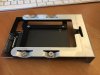
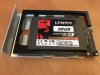
I got another one so I took some pictures for you. This is not a hot swap bay but maybe this might help you. It's a drive sled for the Mac Pro. There are screw holes both on the bottom of the adapter and on the sides, just like a hard drive. (I've noticed some of the other adapters out there do not include bottom screw holes.) In the top pic I have the drive sled attached to the bottom screw holes. In the bottom pic you can see the side screw holes.Eug are these compatible with 3.5inch hotswap bays?
MisterE
Golden Member
ADATA SU635 240GB 3D-NAND SATA 2.5 Inch Internal SSD (ASU635SS-240GQ-R)
$26.99 before a $2 coupon checkbox at Amazon, or $24.99 after coupon. Perhaps a bit low-end, I don't need one today so I'm not buying.
https://www.amazon.com/Lector-ADATA-SU630-SSD-Version/dp/B07PLNNDL2
$26.99 before a $2 coupon checkbox at Amazon, or $24.99 after coupon. Perhaps a bit low-end, I don't need one today so I'm not buying.
https://www.amazon.com/Lector-ADATA-SU630-SSD-Version/dp/B07PLNNDL2
Last edited:
VirtualLarry
No Lifer
If the 480GB-class SATA 2.5" SSDs drop to $40 or less (and aren't dog-slow), I would make them standard in my builds. That said, for most builds that are either semi-budget or have a HDD in addition, I use a 256GB-class SSD. (And I try to use an nvme on platforms that support it.)
VirtualLarry
No Lifer
Team Group CX1 2.5" 240GB SATA III Internal Solid State Drive (SSD) T253X5240G0C101 $30.99
www.newegg.com
Team Group CX2 2.5" 512GB SATA III Internal Solid State Drive (SSD) T253X6512G0C101 $50.99
www.newegg.com
Two new families of Team Group SSDs. Strangely, they say "Classic" on the label. Not sure what exactly they are referring to as "classic", as they are a new model series. (Kind of hard to be "classic", when your "new", I think?)
These prices are basically just list, not anything really special.
If anyone has any more info on these particular series, and why they're labeled "classic", I would love to know.
(Return to an SMI controller, perchance? MLC NAND? Doubtful... But if that did happen, I'd buy a few!)
Are you a human?
Team Group CX2 2.5" 512GB SATA III Internal Solid State Drive (SSD) T253X6512G0C101 $50.99
Are you a human?
Two new families of Team Group SSDs. Strangely, they say "Classic" on the label. Not sure what exactly they are referring to as "classic", as they are a new model series. (Kind of hard to be "classic", when your "new", I think?)
These prices are basically just list, not anything really special.
If anyone has any more info on these particular series, and why they're labeled "classic", I would love to know.
(Return to an SMI controller, perchance? MLC NAND? Doubtful... But if that did happen, I'd buy a few!)
TRENDING THREADS
-
 Discussion Zen 5 Speculation (EPYC Turin and Strix Point/Granite Ridge - Ryzen 9000)
- Started by DisEnchantment
- Replies: 25K
-
Discussion Intel Meteor, Arrow, Lunar & Panther Lakes + WCL Discussion Threads
- Started by Tigerick
- Replies: 25K
-
 Discussion Intel current and future Lakes & Rapids thread
- Started by TheF34RChannel
- Replies: 24K
-

-
