• We’re currently investigating an issue related to the forum theme and styling that is impacting page layout and visual formatting. The problem has been identified, and we are actively working on a resolution. There is no impact to user data or functionality, this is strictly a front-end display issue. We’ll post an update once the fix has been deployed. Thanks for your patience while we get this sorted.

Question So, Win 11 ....

Page 2 - Seeking answers? Join the AnandTech community: where nearly half-a-million members share solutions and discuss the latest tech.
^^^ Doesn't work. Oh well.

Powershell doesn't seem to work either.


I have an older device that I can only log in to in IE 11. None of the other browsers work, including Edge.

I can't seem to find a version of IE 11 to load on Win 11.

Ideas?
VMware Workstation is now free; if necessary you could run Win7 in a VM.
 
You can use Winaero Tweaker to get back a number of 'classic' behaviors such as the ribbon in Explorer, context menus, move the start/taskbar menu button to the left (or right) side of the task bar instead of the middle. It's a great utility. See:

 
Last edited:
VMware Workstation is now free; if necessary you could run Win7 in a VM.
Tell me about this.


I managed to find an installer for IE11 on my old unit. It will not install on 11 because a 'newer version is already installed'.

Will this VM thing allow me to install it?
 

There are registry tweaks I believe to get rid of pretty picture. I would just disable the search box in taskbar settings.

There's also a registry tweak to disable Bing searches in Windows search results which I'm happy to share if you want it. I disable it mainly because Bing had an outage once and it stopped the Windows search function working *completely* until Bing was back up again. It's just mind-bogglingly stupid design.
 
Is that a web search box or a PC search box? If it's web, I don't need it.

And yeah, I'll kill the Binger.

It's both, just like the search box on the Start menu.

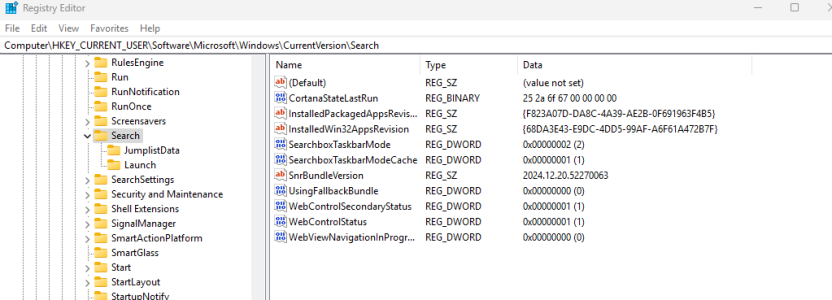
Here's the reg file data to kill web searches from Start / search box:

Code:
Windows Registry Editor Version 5.00

; Disable web searching on Start menu
[HKEY_CURRENT_USER\Software\Microsoft\Windows\CurrentVersion\Search]
"CortanaConsent"=dword:00000000
"BingSearchEnabled"=dword:00000000

The Cortana bit probably doesn't do anything on Win11.
 
Much easier to copy paste mikeymike's code, paste it in a textfile and rename it as "magic.reg" and then simply import into the registry by double clicking.

DISCLAIMER: That's what I would do but I take zero responsibility for any issues 🙂
 
I just unpinned the Search Box from the Task Bar.


I was led to believe win 11 was a terrible abomination. It isn't. I find it very similar to 7 and XP.

Was it 10 that was terrible?

Like whatever was between XP and 7? Vista? Me? And 8? Whatever happened to 9?
 
I just unpinned the Search Box from the Task Bar.


I was led to believe win 11 was a terrible abomination. It isn't. I find it very similar to 7 and XP.

Was it 10 that was terrible?
By most accounts it was 8x that was terrible. I personally think it had shortcomings but at least Microsoft hadn't fully embraced YOLO OS development during 8x's era.

Like whatever was between XP and 7? Vista?
Yup

And 8? Whatever happened to 9?

Because 7 8 9.
 
There's something wrong, but I don't know what it is or how to explain it.

Adobe Reader won't open. Not by its own link or by double clicking any pdf document. It will show in Task Manager, but that's all.

I can open pdfs in Brave, or another browser, or in LibreOffice.

Deleted and reinstalled Abobe Reader with no change.
 
Back
Top