
• We’re currently investigating an issue related to the forum theme and styling that is impacting page layout and visual formatting. The problem has been identified, and we are actively working on a resolution. There is no impact to user data or functionality, this is strictly a front-end display issue. We’ll post an update once the fix has been deployed. Thanks for your patience while we get this sorted.

Question Second SSD

Shades

Junior Member
Ok first off i know nothing about setting this up, or even if i've made the right moves so far lol, i thought i could just plug the second SSD into the slot and all would be well, apparently not, so the top AHCI 480GB is my drive, but even though the NVME 1TB drive is showing up here, it's not visible as a useable drive in the file manager. I was trying/hoping to make the NVME TB drive the "slave" to my present drive. Help with solving this would be greatly appreciated. Thanks.
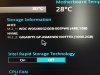
IMG_7825.JPG
 
Last edited:
In Win10, right-click on the "Start Menu Flag" in the lower-left corner, and select "Disk Management". You need to initialize (GPT), and create/format a volume (NTFS) on the disk in order for a fresh new internal HDD/SSD to show up in Windows File Explorer as a drive letter.
 
Hi Larry, thanks for that, in the specify volume size panel, i have a high figure of 953852mb, and a low of 8mb, i'm not sure as to which end, high or low i should be setting the volume size at to allow the full space of the SSD to be available as free storage, thanks again 🙂
 
Hi Larry, followed everything you said here and it worked out perfect. Thanks so much for your speedy replies and help with that, take care 🙂
 
Back
Top