• We’re currently investigating an issue related to the forum theme and styling that is impacting page layout and visual formatting. The problem has been identified, and we are actively working on a resolution. There is no impact to user data or functionality, this is strictly a front-end display issue. We’ll post an update once the fix has been deployed. Thanks for your patience while we get this sorted.

Is it just me or is redpocket.com down?

Muse

Lifer
I haven't been able to hit www.redpocket.com for several days. Their phone support has been useless.

I've tried Chrome, Brave and Edge on my Windows 10 laptop. Chrome on a 2nd Windows 10 laptop has the same result. The phone that IS ACIVATED can't hit the site either. Some internet functionality I have been able to hit says my phone number and account don't exist. It's crazy.

When I try to hit www.redpocket.com (using Google first, or however), in Chrome I get this:
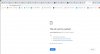
Redpocket.com cannot be reached.jpg
 
fIVejPm.png
 
I have no issue going to that web site... For information if you are using a VPN you may want to refresh the IP Address as sometimes the IP is banned from some sites.

I use a VPN and have no problems going to the site.
 
Site is working fine with and without Symantec VPN turned on in Firefox and Chrome.

Sign out of all accounts on one device and delete all cookies. THEN try signing in.

It's also remotely possible it's somehow based on your IP so you could try doing the above deleting all saved login/account data thing on your active smartphone and connect again using cellular data only. (wifi off)
 
Last edited:
I got to it fine with SeaMonkey. Read through quite a bit. Not sure I understand it though. I'm getting better rates with TracFone.

I'd still like to find an on demand service for when my regular goes down. Something I can use for a day or two at a time. Hotspot or at least tethering.


----------

Try changing your DNS numbers if you can.
 
I'd still like to find an on demand service for when my regular goes down. Something I can use for a day or two at a time. Hotspot or at least tethering.

Unsurprisingly there's nothing really "free" where your personal information isn't in reality paying the price of entry.

Having said that the closest I've found to a "free" service with minimally intrusive advertising for Android is called "Text Now". Note that it's only phone/SMS (plus their ads lol) no data included wifi only.

I actually have one of their SIMS on my backup Motorola phone and it works fine for what I use it to do.... emergency backup only. Be advised that "privacy" cannot be assumed with their SIM installed.
 
I don't care about free. I just need to be able to turn it on and off at will without having to wait several hours or days for activation to kick in.

I might be able to do it with this place or TF and pay for a month ($5-10) even if I only use it for a day or two. Problem with TF is that you lose any unused time or data if service runs out and you don't add to it in X days. Plus they restrict tethering.
 
I'm getting better rates with TracFone.

I'd still like to find an on demand service for when my regular goes down. Something I can use for a day or two at a time. Hotspot or at least tethering.
hsn tracphone specials (1500min/txt/data so basically 1500 combined bucket), good for 1 year:

$20 off if 1st time user.
hotspotting depends on the phone you buy.

free ship if $75+

look on slickdeals for more ways to hack the hsn tf deals
 
Last edited:
Are you using any kind of custom dns server, or something else network related?
I don't believe so. I have gigabit internet by virtue of fiber. A modem supplied signal for my Asus wifi router. That goes via ethernet to my Synology DS2014play NAS, but that should have nothing to do with my computers' (and Galaxy S9 Android cell phone) wifi internet connection. Computers all run Windows, the two laptops I've tested this problem with running 64bit Windows 10.
 
Have you tried clearing browser history and cache?
I did on one computer in Chrome. Well, what I cleared was the 1/2 dozen cookies for the site.

But this is happening in 3 browsers on that machine, Chrome, Edge and Brave. Also the Android cell phone, in fact also on a different unactivated Android phone, which is on wifi in the house's network.

Is it possible the site sees it's me regardless of the device I use and is blocking me?
 
I have no issue going to that web site... For information if you are using a VPN you may want to refresh the IP Address as sometimes the IP is banned from some sites.

I use a VPN and have no problems going to the site.
I don't have a VPN set up. Well, if I do, I don't realize it.
 
... Sign out of all accounts on one device and delete all cookies. THEN try signing in.

It's also remotely possible it's somehow based on your IP so you could try doing the above deleting all saved login/account data thing on your active smartphone and connect again using cellular data only. (wifi off)
Yeah, I had the idea to try to connect using cellular data... I will be at my volunteer gig tomorrow, will bring the cell phone and could try there. Or, as you say, disable wifi on the phone and try here. "... deleting all saved login/account data..." I'd have to hunt for that, don't have experience doing that. I'm actually pretty weak in Android, my first 4 or so cell phones were Windows Phones.
 
This should work with Chrome (Android's default browser)


Clear all cookies
  1. On your Android phone or tablet, open the Chrome app .
  2. To the right of the address bar, tap More. Settings.
  3. Tap Privacy and security. Clear browsing data.
  4. Choose a time range, like Last hour or All time. *(choose "all-time")
  5. Check Cookies and site data and uncheck all other items.
  6. Tap Clear data. Clear.
 
Have you tried clearing browser history and cache?
I hear about that frequently from support people (who don't seem to know their ass from a hole in the ground) using my land line (I seldom use my cell phone for calls, certainly at home... my ISP provides free nation-wide calling with their gigabit, so yeah I use my landline, my cell reception here kinda sucks). I've done it a time or two but figure it's usually overkill and don't do it, look for a different solution and generally find it. For example, I delete info (cookies, at least) for a specific website instead.
 
This should work with Chrome (Android's default browser)


Clear all cookies
  1. On your Android phone or tablet, open the Chrome app .
  2. To the right of the address bar, tap More. Settings.
  3. Tap Privacy and security. Clear browsing data.
  4. Choose a time range, like Last hour or All time. *(choose "all-time")
  5. Check Cookies and site data and uncheck all other items.
  6. Tap Clear data. Clear.
Can I do this on one of my unactivated (wifi connected) Android phones instead of my activated one? I'd prefer that so I don't lose the benefits of that data on the activated S9.
 
My Galaxy S9's Redpocket plan is their 360 day $99 plan:

$8.25/Mo Red Pocket Prepaid Wireless Phone Plan+Kit:1000 Talk Unlimited Text 1GB

It's a lot more data than I use but I figure it's better than finding I don't have enough at some point. I actually failed to buy a new plan a couple weeks ago and found I had no service. They didn't email me like they did before and just texted me. I don't regularly check my texts! I bitched but it did no good. Seems they won't email you, will only text you now. I couldn't believe it. They said just buy a new plan and I can keep my number, which I did. I wondered if that is involved with my being unable to access the website. I can't get a CSR to hand me over to a network engineer, I went off on a couple of them already. I rarely yell at a CSR, but these guys have been trying my patience.
 
Back
Top