• We’re currently investigating an issue related to the forum theme and styling that is impacting page layout and visual formatting. The problem has been identified, and we are actively working on a resolution. There is no impact to user data or functionality, this is strictly a front-end display issue. We’ll post an update once the fix has been deployed. Thanks for your patience while we get this sorted.

I7 9700K / Overclock

sioux

Member
I upgraded the motherboard, CPU and RAM, and i'd like to OC the CPU, but not sure if the cooler - Noctua NH-D15 would be good enough for this
I'd be more than happy with 4,9 GHz OC
What do you think guys ? I could replace the cooler with some better AiO cooling, if necessary

RoG Maximus XI Hero
I7 9700K
32 GB DDR4 ( 3200 MHz )

GTX 1080Ti
The power supply is Corsair RM 750
Case : Thermaltake Chaser MK-I
If i OC the CPU, do I have to disable the Turbo, first ?!
Any advices are welcome, thank you very much, in advance
 
My guess would be fine, I am not a fan of AIO so would also go HS if had your system.
I personally was thinking NH-U14S.
As long as you don't have to go real high on Vcore I think you are fine, but why not run quick test with prime95 (or whatever you like) I would go older versions with not so much AVX in them as that is just not real life load IMO (unless you use apps that use it)
You can always set it 1-2 lower multiplier in bios for AVX loads
 
NH+D15 is better than the NH-U14S.
Source: my own review on Overclockers. I tested them on an i7 8700K at 5 GHz, all heatsinks tested in 2018. Same MB, CPU, OC, Vcore, everything. Stressing software was LinX 0.6.5, which is a frontend for Linpack+AVX2 and with no allowance for reducing OC. You can read the chart for yourself. I think you will agree that the D15 from 2013 still can beat the U14S in 2018.
 
NH+D15 is better than the NH-U14S.
Source: my own review on Overclockers. I tested them on an i7 8700K at 5 GHz, all heatsinks tested in 2018. Same MB, CPU, OC, Vcore, everything. Stressing software was LinX 0.6.5, which is a frontend for Linpack+AVX2 and with no allowance for reducing OC. You can read the chart for yourself. I think you will agree that the D15 from 2013 still can beat the U14S in 2018.
I was not saying the NH-U14S is better or even same as the dual tower NH-D14/15. I was just saying that is what I was going to pick.
IMO the dual tower is just to much weight for my taste and the U14S does come almost same as an NH-D15S.
I will check out your review, sadly HS have not reviewed so much anymore.
 
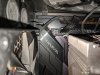
I asked ehume ( PM ) if it's safe to OC the CPU, because i did not connect the 4 pins cable, to the mainboard

Only the 24 pins ( to the right side of the mainboard ) and the 8 pins, on top of the mainboard
There is another free slot, 4 pins.
Could i try to OC, without this ?
 

Attachments

  • 1.jpg
    1.jpg
    581.8 KB · Views: 13
I asked ehume ( PM ) if it's safe to OC the CPU, because i did not connect the 4 pins cable, to the mainboard

Only the 24 pins ( to the right side of the mainboard ) and the 8 pins, on top of the mainboard
There is another free slot, 4 pins.
Could i try to OC, without this ?
You don't need to use those, especially if your working with air and will not go above 5ghz or so.
That plug is optional for extreme OC.
 
Okay, thank you, guys.
As I said, if I could OC to 4,9 GHz, i'd be more than happy ( for X-Plane 11 flight simulator, CPU bound )
 
I tried to OC to 4,9 GHz
CPUZ shows 4,9 GHz, and as soon I start the test ( OCCT ) the clock drops to 3 - 2, 8 GHz
Am I doing something wrong ?
The temps are fine when the clock drops
Thank you

LE :
I tested some CPU bound flight sims ( X-Plane, P3D ) with MSI Afterburner.
The average temps are 55-60 C and the OC is 4,9 ( i tried with 5.0 GHz, too ) so i didn't see any issues, so far.
Only when i do the stress test with OCCT, the clock went down
 
Last edited:
Maximus Hero is set to default 95W on the CPU. Any overclock will easily get you over 140W. The only way to get there is to remove all power limits. I was current limit throttling hard until I did that. Once I did I was able to run up to 5200 pretty quickly.
 
Does the Z390 Maximus Hero have VRM temp monitoring?

I am curious if any high temps with 5ghz OC or stability issues.
 
Does the Z390 Maximus Hero have VRM temp monitoring?

I am curious if any high temps with 5ghz OC or stability issues.

It's certainly not the best VRM you can get for that much money, but it won't get crazy hot either, even with an overclocked 9900K.
 
I believe that over-engineered VRMs like in the Gigabyte boards are designed specifically for producing good review numbers during system stress testing, and not for actual daily use. Maybe if you are mining and running at 80-100% CPU all day that is a factor. For gaming and productivity not an issue. The ASUS boards offer value in other areas that I think makes a reasonable (maybe superior) tradeoff regarding the better UEFI and sound system.
 
I fixed it, thank you
This CPU its amazing

What voltage are u using for 5.0 all coreS? And what was your idle/load max temps on tests with the Noctua? Just got a 9700k with a z390 aorus pro planning to OC to 5.0 with a Dark Rock Pro 4. Also i only have the 8 pin CPU connector, dont have the aditional 4.
 
Back
Top