Question Home network shares and other devices on the network

Page 2 - Seeking answers? Join the AnandTech community: where nearly half-a-million members share solutions and discuss the latest tech.

tinpanalley

Golden Member
Jul 13, 2011
1,474
22
81
I've got my desktop sharing specific folders. This is mostly to access video and audio from tablets and cell phones on the home network. But I'd like my laptop, on Wifi, to see the document network shares just to avoid using onedrive all the time. The shares are there and active on the desktop with no password, I don't see why I can't use them.
What have I not got set up right, do you think?
 

In2Photos

Golden Member
Mar 21, 2007
1,997
2,023
136
Any chance we can back up and start at the beginning?

What version of Windows is on the desktop and laptop?

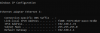
Can you run the following command in command prompt (by pressing the Windows key + r, then enter), type cmd then enter. Once the command prompt opens type ipconfig and press enter. Do this for each computer and share the results here.
 

tinpanalley

Golden Member
Jul 13, 2011
1,474
22
81
What version of Windows is on the desktop and laptop?
10 Pro on both.
Can you run the following command in command prompt (by pressing the Windows key + r, then enter), type cmd then enter. Once the command prompt opens type ipconfig and press enter. Do this for each computer and share the results here.
I could but is there nothing sensitive there at all? (Well, I guess I could ask that and someone could tell me there isn't anyway, so pointless question.)
 

Tech Junky

Diamond Member
Jan 27, 2022
3,721
1,282
106
Well one obvious issue is they're on different subnets. That would be an issue I'd you don't allow the two subnets to speak to wash other. How do you have DHCP setup? One router or more? Would seem like it's more than one device issuing DHCP.
 
  • Like
Reactions: lakedude

JackMDS

Elite Member
Super Moderator
Oct 25, 1999
29,485
391
126
Take temporary all the Gizmos (not real computers) off the Network and leave only the Desktop and the Laptop connected to the Router.

Go over all the variety of network setting/parameters as mentioned in some of above posts and see what would be the result.


:cool:
 

tinpanalley

Golden Member
Jul 13, 2011
1,474
22
81
How do you have DHCP setup?
I have to be honest with you and I know this will probably just annoy people, but I have no idea. I know a decent amount about computers, I'm the person people ask to help them with theirs, but network has always been something I've strived to know more about.

I have my FTTH connection coming into my ISP's modem/router, from there the signal goes from the 10G ethernet port to my desktop's 10G ethernet card.
The WiFi on the modem/router is disabled, because I send another ethernet port signal to a tplink Mesh device which then replicates that signal to two other ports in the mesh network.
 

lakedude

Platinum Member
Mar 14, 2009
2,686
485
126
When your mask is 255 255 255 0 the first 3 numbers in each machine's IP must be the same or they are on different networks.

I suspect the mesh is causing some issues...
 

JackMDS

Elite Member
Super Moderator
Oct 25, 1999
29,485
391
126
Get the portable version of this software (It is freeware up to 10 Devices).


Run it, and see what your Network looks like in real Networking terms (as oppose to Marketing Baloney variables).

:cool:


Tech Junky

Diamond Member
Jan 27, 2022
3,721
1,282
106
I suspect the mesh is causing some issues...
@tinpanalley

This is my suspect as well being the TPL issuing an IP itself.

FTTH <> 10G <> PC
FTTH <> Ethernet <> TPL

Correct?

If so, login to the TPL and check to see if it's DHCP enabled / NAT and disable both and let devices connect to it pull from the FTTH box for DHCP. Then everything should get a 192.168.2.x/24 and should be able to share info since they'll all be on the same subnet.
 

tinpanalley

Golden Member
Jul 13, 2011
1,474
22
81
@tinpanalley

This is my suspect as well being the TPL issuing an IP itself.

FTTH <> 10G <> PC
FTTH <> Ethernet <> TPL

Correct?

If so, login to the TPL and check to see if it's DHCP enabled / NAT and disable both and let devices connect to it pull from the FTTH box for DHCP. Then everything should get a 192.168.2.x/24 and should be able to share info since they'll all be on the same subnet.
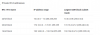
Would this option/setting be of any use?
9e89ccefac29897395925933e5150a82.jpg
 

tinpanalley

Golden Member
Jul 13, 2011
1,474
22
81
Switch it to AP and reboot. This should clear things up and make it work as you want it to.
Ok so I'm learning something... :flushed:
I would really like, though, to properly learn home networking specifically to avoid Marketing baloney as @JackMDS said and understand via the right terms and technologies. If anyone could recommend a good thorough but easy to understand way of educating myself, I'd appreciate it.
 

Tech Junky

Diamond Member
Jan 27, 2022
3,721
1,282
106

.


lakedude

Platinum Member
Mar 14, 2009
2,686
485
126
If monkeying with the mesh does not fix the issue maybe try changing the masks on both machines to 255 255 0 0 which will put them both on the same network without the need to figure out the real problem...
 

Tech Junky

Diamond Member
Jan 27, 2022
3,721
1,282
106
changing the masks on both machines to 255 255 0 0
1648843019515.png
the /16 would work but, so would a route between the 2 subnets. Keeping a /24 to reduce network chatter if there's a ton of devices would be more ideal. Fixing the AP vs WAP // WIFI Router setting is the proper way for a small network / home network.

KISS works better in all instances. Path to least amount of issues.
 

lakedude

Platinum Member
Mar 14, 2009
2,686
485
126
View attachment 59428
the /16 would work but, so would a route between the 2 subnets. Keeping a /24 to reduce network chatter if there's a ton of devices would be more ideal. Fixing the AP vs WAP // WIFI Router setting is the proper way for a small network / home network.

KISS works better in all instances. Path to least amount of issues.
Yes, yes, but at this point I'm just trying to prove that the network/mesh/subnet is the problem, and only if it isn't already fixed by messing with the mesh setting...

It can get set back to /24 once we learn if /16 fixes anything...
 

tinpanalley

Golden Member
Jul 13, 2011
1,474
22
81
Switch it to AP and reboot. This should clear things up and make it work as you want it to.
Ok, worked automatically.
I have never, in 10 years of owning this laptop been able to do this. It would only ever work if I connected to the router via ethernet and I'm understanding now why. But there is so much I'm thinking one could do and customise if one took the time to learn proper home networking.
(Now... my laptop is having keyboard issues but that's another thing altogether. )
 

lakedude

Platinum Member
Mar 14, 2009
2,686
485
126
So what you did when you had the problem was split your home network into 2 parts, a 192.168.68.x network and a separate 192.168.2.x network. Even though the devices were on the same physical network they could not communicate properly because they were on different logical subnets.
 
Last edited:
  • Like
Reactions: tinpanalley

tinpanalley

Golden Member
Jul 13, 2011
1,474
22
81
So what you did when you had the problem was split you home network into 2 parts, a 192.168.68.x network and a separate 192.168.2.x network. Even though the devices were on the same physical network they could not communicate properly because they were on different logical subnets.
Thanks for that because that's gonna help me learn as well. Some great links there @Tech Junky .
 

JackMDS

Elite Member
Super Moderator
Oct 25, 1999
29,485
391
126
I learnt something too. Never assume home users' devices are on the same network. 😁

That exactly what the Free Portable NetScan that I posted 12 post above does.

You put in the IP number of the main Router and it will show exactly what computers/devices are on this IP range.

What ever is not coming up is either not alive, or ir is on another IP range.

Mesh is really a problem since it is much less adhering and Network agreed upon standards.

Because it is like multiple Routers it is actually good for installations that deliberately want to isolate the users.

Popular in student dorms, and public places.

Home users and business that need real Sharing of LAN would do better without it, uless they are willing to pay for Pro help/support

That said, it is hard for common users to understand anything anymore from Ads since Twerking and cute dogs do not provide any useful info. You know like LOL, OMG, you know, like, like.:eek:-:p-:D

:cool:
 
  • Like
Reactions: mxnerd