• We’re currently investigating an issue related to the forum theme and styling that is impacting page layout and visual formatting. The problem has been identified, and we are actively working on a resolution. There is no impact to user data or functionality, this is strictly a front-end display issue. We’ll post an update once the fix has been deployed. Thanks for your patience while we get this sorted.

Ethereum GPU mining?

Page 216 - Seeking answers? Join the AnandTech community: where nearly half-a-million members share solutions and discuss the latest tech.
@Red Squirrel

Probably not a bad time to drop out of the mining game. Sorry you didn't get more out of it. You could try running something closer to what @VirtualLarry does but again, tax implications. I won't comment on the CRA since I do not know their specific rules.

I do know that if you mine to a wallet and let it sit ad nauseam, nobody really much cares since you aren't spending it anyway.
 
Yeah I got in late anyway so was not expecting to strike it rich. The only real loss is 1GPU, because I only have 2 GPUs mining, and the other is basically just going to be a gaming upgrade. And the whole system can just be repurposed.

I do need to learn metal fab though, the case is built out of wood and motherboard is just sitting loosely on standoffs so don't really want to use that for a production server haha. But probably leave it as is for now. I got 6U of front space to play with, could make a nice storage pod if I find some SAS expander cards for cheap. Might need to learn how to use a tap and die and I can at very least line it with metal and have some proper holes for motherboard standoffs.
 
I mined around 2.4eth so far since I started which is worth around $679.72 as I type this.

The tax implications for crypto here in Canada are also super complicated so I don't even know what to do with it.

Simple. Add $679.72 as capital gains. You'll be taxed as if you earned half that. It's same as with stocks.

Actually its capital gains = total - recurring costs.

Recurring costs. The space the rig takes up relative to the cost of your house, the power bill(the portion that your rig took not the whole thing), the depreciation rate of all the hardware involved. There's a formula for depreciation of computer hardware at the CRA site.

If you trade later and you lose a bit, you can also use that as a deduction against your earnings. If you mined for over a year, make sure you fill out every year so your deductions are done properly. Forgetting a year is unnecessarily losing out on the possible deductions.

Can also do an ethereum node. If I go that route would it be viable to use spinner disks in raid 5 or 0? I don't really want to use SSDs given how fast they wear out and the cost per TB. I'd have to check how many sata ports the motherboard has, but I'd get that many drives, maybe 2-3TB ones. How big is the chain now days a couple TB or is it much larger?

Node sync is related to small file performance so no HDDs will work. Granted HDDs are so slow at that RAID will actually improve performance in that regard but it won't be enough.

Full Sync is all you need. Probably need 200-300GB.

The worry about durability is why I thought of getting the 480GB 900P Optane SSDs once PoS is out, so I can count as an investment.
 
Last edited:
HDDs can work if you have a large enough RAM cache. At least geth lets you do that. You need an enormous cache though . . .

Yea, based on my experience it should be in the 64GB or more. The Optane SSDs start making sense just on price.

The super fast low random performance means it should sync blisteringly fast too.
 
An update to Geth may help with syncing:
https://medium.com/blockchain-studio/ethereum-client-geth-v1-9-0-released-whats-new-2b3de043ee16

"Before detailing what Freezer do, let’s see what the whole storage is made of. Basically, blocks. The question now is does my node need all the blocks ? Yes, but no. It needs them but with different usage over time. The last blocks are important and will be accessed way more often than last month blocks. And that’s where Freezer comes in place. Now geth will separate those two types of blocks and moves those old ones into another folder. You can configure the path of this folder, and for example let’s say put it on a HDD.

That way you can use a cheap and small SSD to sync and use a big and cheap HDD to store the data."

Good idea. Might have to give that a try...Optane for the new blocks and HDD for the old blocks maybe?
 
Last edited:
Yea, based on my experience it should be in the 64GB or more. The Optane SSDs start making sense just on price.

The super fast low random performance means it should sync blisteringly fast too.
Have you tried running a geth node with Optane cache? Which model did you use and which flags do you use to tell geth to use the Optane "cache" (or was it seamless for Geth)?
 
Last edited:
Yea, based on my experience it should be in the 64GB or more. The Optane SSDs start making sense just on price.

Never said it was overly practical. Used to be I could cut geth traffic to my SSD pretty significantly with a 10 GB cache (actually took up 12GB or so from memory). 64GB might not be necessary, I would want at least 16-20 GB though. Getting a system with 64GB is actually getting pretty cheap too, so that nets you a lot of options.
 
Have you tried running a geth node with Optane cache? Which model did you use and which flags do you use to tell geth to use the Optane "cache" (or was it seamless for Geth)?

No the Optane application does it by itself. It's the one in the sig. I tried parity too. You can find my posts in this thread. It was several months back.

64GB might not be necessary, I would want at least 16-20 GB though. Getting a system with 64GB is actually getting pretty cheap too, so that nets you a lot of options.

I know this based on when the slowdown happened, and that's when it moved from Optane and started running on the HDD. Still had quite a bit to go.

I wouldn't do it with the cache models because the rated lifespan is quite low compared to the full-blown 900P/905P SSDs.
 
No the Optane application does it by itself. It's the one in the sig. I tried parity too. You can find my posts in this thread. It was several months back.

I wouldn't do it with the cache models because the rated lifespan is quite low compared to the full-blown 900P/905P SSDs.
I read somewhere that you can use the 900P as a cache drive as well, so maybe the amount of writes won't be an issue.

Anyway, would be a nice solution but I think getting a 900p just to try and run an eth node is not worth it at this point. I'll see how the 2 nodes I have currently fare for now.
 
Last edited:
I read somewhere that you can use the 900P as a cache drive as well, so maybe the amount of writes won't be an issue.

The issue with using the Optane application for the 900P is that there's no way to set a specific portion, so the entire drive gets allocated. Of course for the 900P the support is not official even though it works.

With the Freezer function mentioned above though, you could just do it yourself manually.

I would probably get a dedicated node for it, like a low power Pentium Silver one along with the 900P SSD.
 
The issue with using the Optane application for the 900P is that there's no way to set a specific portion, so the entire drive gets allocated. Of course for the 900P the support is not official even though it works.

With the Freezer function mentioned above though, you could just do it yourself manually.
In my case that's what I would do, allocate the whole drive (280GB version) as cache in front of a 4TB(?) HDD. I think using the Freezer function may not be good in this case because at some point the "new" blocks will outgrow the size of the SSD.

Having said that I'm not willing to shell out the $350CAD for a 900p drive at this point though lol. I've already shelled out about $650 total for the other 2 nodes.
 
Anyone know of any updates to miners for the RDNA cards?
 
So syncing with parity used about 7TB of host writes on my Crucial MX500 1TB SATA SSD with 5GB of cache dedicated to the program and the "db-compaction ssd" flag. Took about 5 days to fully sync. Seems to add about 100GB of writes per day and chain data size is ~200GB.

Meanwhile my NanoPC-T4 node with an Adata NVME 512gb drive has yet to fully sync parity after about 2 weeks. Seems to get stuck every once in a while, and I think the slow CPU may be affecting results too.
 
Its clear that ppl behind ETH don`t care for decentralization, they never have
Their nodes are designed only by run by corporations

Just look at BTC recovery and ETH doom, even congress man called all altcoin and eth how? 😀
 
Its clear that ppl behind ETH don`t care for decentralization, they never have
Their nodes are designed only by run by corporations

So other nodes by different cryptos which I'm assuming you are promoting(by insulting anything that has to do with eth) are run by what? The chips in Terminators?
 
Its clear that ppl behind ETH don`t care for decentralization, they never have
Their nodes are designed only by run by corporations

That's absolute nonsense.

https://www.ebay.com/itm/HP-Z420-Wo...988661?hash=item23c35515f5:g:jmoAAOSwok1dRHTA

For $180 + shipping and a power cord you have a 64 GB machine. Install a platter-based HDD and you can run geth or Parity under a light Linux flavor and use a ~56GB cache for syncing. No muss, no fuss. Major corporation my buttocks.
 
Its clear that ppl behind ETH don`t care for decentralization, they never have
Their nodes are designed only by run by corporations
You can easily set up a node for ~$250-300, as I have done twice now. And I'm certainly no "corporation".

If you mean mining, then yes PoW tends to go towards corporations, but that's true for most relevant cryptos.
 
A small PSA about drive writes running a parity node:

Firstly a NVME SSD is not required, it has synced fine with a SATA SSD.
Secondly, on a SATA SSD (Crucial MX500 1TB), the drive writes have been about 100GB per day for 1 month so far and the total chain folder data is ~200GB. This is with 5GB (of 8GB) dram dedicated to the Parity process.

This to me isn't bad (better than I expected), and AFAIK there is an effort to reduce the drive write numbers, so hopefully this gets even better.
 
Last edited:
Just got my RX 5700 reference blower card (XFX, BB special for $290+tax!), showing 49.xx Mh/s in NH, using ClaymoreDual 14 (or 15?). Newest version of NH.

So, not too shabby. Hopefully, it will be supported soon by more than just Claymore.


Found out that currently, one of the few miners that supports the RX 5700 currently, ClaymoreDual, only uses half of the CUs (18 out of 36) on the RX 5700, being that it mostly uses memory bandwidth and not the cores so much.

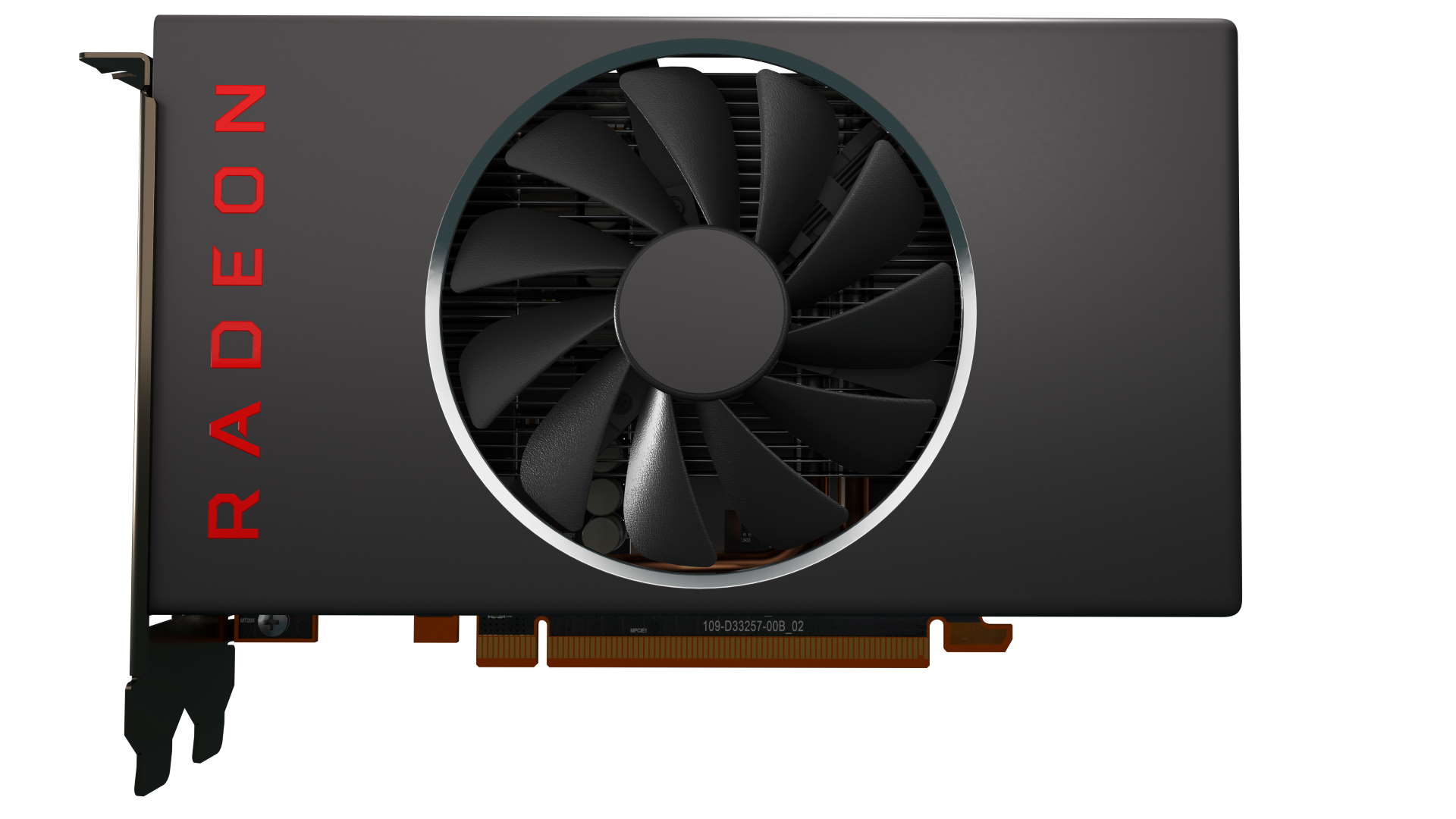
If the RX 5500, has the same 14Ghz GDDR6, only 128-bit, and half the CUs (22 or 24), it could also be a potent ETH miner.

Well, possibly until ProgPow, which I don't know all that much about yet.
 
Last edited:
That's pretty good. My VegaFE struggled to stay over 40 MH/s. Getting 52.6 MH/s with a ~$290 card is definitely a better deal. It's also more cost-effective than hunting down a $700 Radeon VII for 90 MH/s.
 
Phoenixminer should also work with the Navi cards.
 
Just got my RX 5700 reference blower card (XFX, BB special for $290+tax!), showing 49.xx Mh/s in NH, using ClaymoreDual 14 (or 15?). Newest version of NH.

So, not too shabby. Hopefully, it will be supported soon by more than just Claymore.


Found out that currently, one of the few miners that supports the RX 5700 currently, ClaymoreDual, only uses half of the CUs (18 out of 36) on the RX 5700, being that it mostly uses memory bandwidth and not the cores so much.

If the RX 5500, has the same 14Ghz GDDR6, only 128-bit, and half the CUs (22 or 24), it could also be a potent ETH miner.

Well, possibly until ProgPow, which I don't know all that much about yet.
What's the power consumption you're seeing, when mining vs. idle?
 
Back
Top