Hi All
I upgraded my laptop HP CPU from Intel Pentium P6100 to Intel Core i5 460M.
Laptop model - HP G62
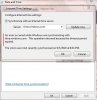
Though I was able to boot the Laptop without any issues, the clock is showing incorrect time. I manually reset / sync ed with internet time server, which fixed the issue for the moment.
Exactly after 1 hour the clock resets to the time before the manual reset. This keeps happening every 1 hour. Any thoughts ?
Other important thing is the wi-fi does not work after an hour also. I need to restart. When I restart , the internet works.Is this some hardware fault (wifi cable fitment issue) when I repacked the laptop ?
Note - The BIOS is latest. Though I did not update the BIOS before the CPU upgrade.
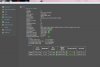
Refer the attached spec
Please let me know your thoughts.
I upgraded my laptop HP CPU from Intel Pentium P6100 to Intel Core i5 460M.
Laptop model - HP G62
Though I was able to boot the Laptop without any issues, the clock is showing incorrect time. I manually reset / sync ed with internet time server, which fixed the issue for the moment.
Exactly after 1 hour the clock resets to the time before the manual reset. This keeps happening every 1 hour. Any thoughts ?
Other important thing is the wi-fi does not work after an hour also. I need to restart. When I restart , the internet works.Is this some hardware fault (wifi cable fitment issue) when I repacked the laptop ?
Note - The BIOS is latest. Though I did not update the BIOS before the CPU upgrade.
Refer the attached spec
Please let me know your thoughts.