• We’re currently investigating an issue related to the forum theme and styling that is impacting page layout and visual formatting. The problem has been identified, and we are actively working on a resolution. There is no impact to user data or functionality, this is strictly a front-end display issue. We’ll post an update once the fix has been deployed. Thanks for your patience while we get this sorted.

Question cannot update my Bios

HuNTeR-

Member
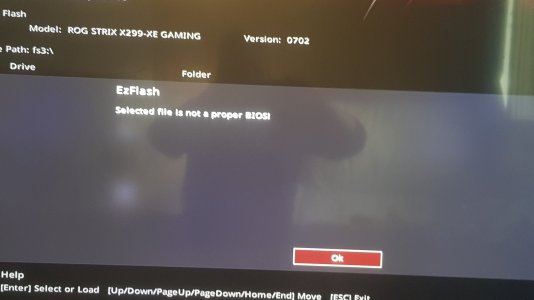
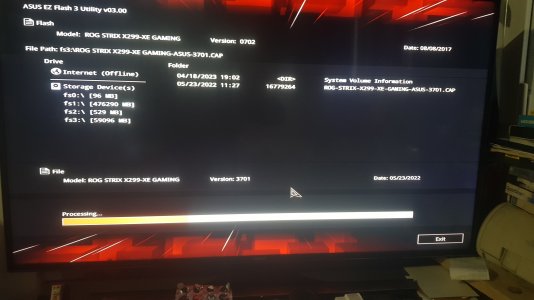
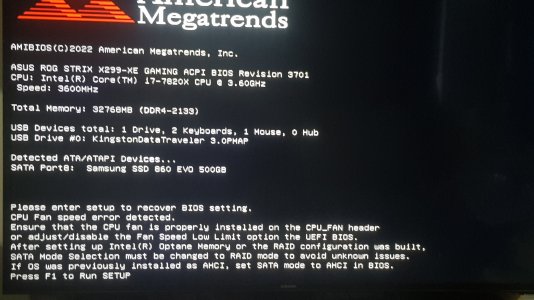
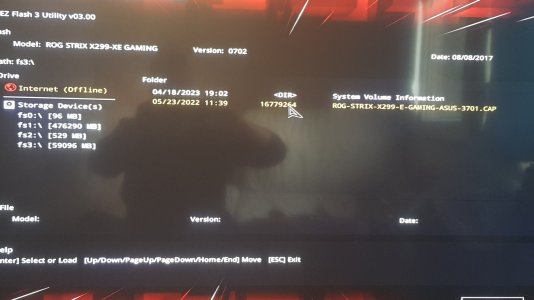
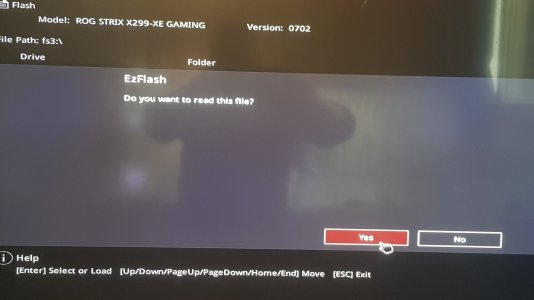
I cannot flash my BIOS to the latest version,and i don't know why.I have an Asus Strix x299 E-Gaming model,i downloaded the latest flash from Asus site,but when i try to read the file and try flash the Bios i encountered the next message: Selected file is not a proper BIOS....
What is wrong and what can i do?The stick is formatted to FAT32.My current version of Bios is from 2017/8/8,and the latest i downloaded is from 2022
 

Attachments

  • 20230418_190810.jpg
    20230418_190810.jpg
    739.9 KB · Views: 9
  • 20230418_190820.jpg
    20230418_190820.jpg
    693.3 KB · Views: 7
  • 20230418_190830.jpg
    20230418_190830.jpg
    692.5 KB · Views: 9
I cannot flash my BIOS to the latest version,and i don't know why.I have an Asus Strix x299 E-Gaming model,i downloaded the latest flash from Asus site,but when i try to read the file and try flash the Bios i encountered the next message: Selected file is not a proper BIOS....
What is wrong and what can i do?The stick is formatted to FAT32.My current version of Bios is from 2017/8/8,and the latest i downloaded is from 2022
It sounds like the same problem I had earlier this year. The BIOS was so old, I had to upgrade it in steps, so I ended up having to do like 4 upgrades to get the newest one to "take"
 
It sounds like the same problem I had earlier this year. The BIOS was so old, I had to upgrade it in steps, so I ended up having to do like 4 upgrades to get the newest one to "take"
Yeah, I'd try this. I've seen with some Gigabyte ones that you have to update to Bios X before being able to jump to anything after that.
 
Back
Top