
-
We’re currently investigating an issue related to the forum theme and styling that is impacting page layout and visual formatting. The problem has been identified, and we are actively working on a resolution. There is no impact to user data or functionality, this is strictly a front-end display issue. We’ll post an update once the fix has been deployed. Thanks for your patience while we get this sorted.
You are using an out of date browser. It may not display this or other websites correctly.
You should upgrade or use an alternative browser.
You should upgrade or use an alternative browser.
2019 Formula Boinc Sprints
Page 15 - Seeking answers? Join the AnandTech community: where nearly half-a-million members share solutions and discuss the latest tech.

Howdy
Senior member
I am also getting these error messages:
Your app_config.xml file refers to an unknown application 'acemdlong'. Known applications: 'acemdshort'
Your app_config.xml file refers to an unknown application 'acemd'. Known applications: 'acemdshort'
Nothing to worry about, it's because it hasn't seen any of those projects to crunch.

TennesseeTony
Elite Member
Thanks for helping, Mark. But as Stefan has noted in the past, SUSA only really Sprints after business hours. I had forgotten that, and saw a ray of hope for us back on Friday, but now I am making popcorn and seeing if CNT can keep from being steam-rolled! 🙂
Howdy
Senior member
So I only have 2 1000 series cards left, one on linux, and one windows, The linux one won't get WU's. So I only have one card to help with.,
Yeah, Linux and RTX are not supported by GPU Grid as of yet (hopefully will come soon)
This is exactly what has/is happened/ing as O.K. states:
Our quest to stay efficient and current with software and hardware has seemed to cripple us in this sprint.

Orange Kid
Elite Member
GPUGrid final.
Fifth it is. Great sprint all!
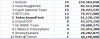
From FreeDC.

...and from the wet German Grand Prix
Fifth it is. Great sprint all!
From FreeDC.
...and from the wet German Grand Prix
- Max Verstappen 1:44:31.275
- Sebastian Vettel +7.333
- Daniil Kvyat +8.305

Markfw
Moderator Emeritus, Elite Member
I am sorry, I don't know where my stats went, but I have 969,900 . Not that it would have gotten us a place, but I tried.
Here
http://www.gpugrid.net/show_user.php?userid=546482
Here
http://www.gpugrid.net/show_user.php?userid=546482

biodoc
Diamond Member
I am sorry, I don't know where my stats went, but I have 969,900 . Not that it would have gotten us a place, but I tried.
Here
http://www.gpugrid.net/show_user.php?userid=546482
Thanks for joining in @Markfw , Formula Boinc grabs their stats directly from the project so I'm sure your points were including in the Sprint. You have points at FreeDC now too.
TennesseeTony
Elite Member
I'm not there either Mark 🙁
I am not on the TeAm's stats for GPUGrid either/either, or either(3rd)....but I know why.....Shenanigan's, TomFoolerie's, I've been a reprobate-rapscallion-miscreant, at least to some other teams. I like to think of myself as a freedom fighter though, along with a few naughty pals. 😉

Orange Kid
Elite Member
Hee, hee, the next project is SETI@Home! 🙂
I guess this will be a good warmup for the WOW event. We can get things ironed out for the piling up of excessive work.

crashtech
Lifer
Yes, there is an app_config, but the contents may vary somewhat depending on the CPU. Also you might want to check out the Lunatics custom app, it helps tremendously with speed, at least in Windows. I think I read somewhere that the new stock Linux app is fastest of all...?
http://lunatics.kwsn.info/
http://lunatics.kwsn.info/
Thanks Crash - I've got it up and running on a few boxes now for testing. One thing I noticed is that my Windows PC has downloaded 8 threads (i7 4770k) and is also running an nVidia CUDA thread, so 9 total. The nVidia thread is taking 30 minutes on this box, while it's only taking about 7 minutes to run on my Linux box. I'm guessing it's because the CPU is pegged and it's using 9 threads when the processor only has 8? Is there a way to limit the number of threads that run on CPU while also running a GPU WU?
biodoc
Diamond Member
I'm not sure if <max_concurrent>N</max_concurrent> where N is the number of tasks that you want to run will work in an app_info.xml file. It certainly works in an app_config.xml file. Try it in the appropriate app section of the app_info.xml file in your boinc seti directory.
<app>
<name>setiathome_v8</name>
<max_concurrent>7</max_concurrent>
</app>
If that doesn't work then it may be worth trying to create an app_config.xml file in the seti directory with this:
<app_config>
<project_max_concurrent>8</project_max_concurrent>
</app_config>
Hopefully this will drop one of the CPU tasks and not the GPU task.
<app>
<name>setiathome_v8</name>
<max_concurrent>7</max_concurrent>
</app>
If that doesn't work then it may be worth trying to create an app_config.xml file in the seti directory with this:
<app_config>
<project_max_concurrent>8</project_max_concurrent>
</app_config>
Hopefully this will drop one of the CPU tasks and not the GPU task.
crashtech
Lifer
In Boinc Manager Options>Computing Preferences, just lower the CPU usage limit until your GPU utilization comes back up. I don't run the CPU app because I thought it really wasn't worth it, especially on machines with few cores. But I might be wrong.
Edit: I see biodoc beat me to it! His way sounds better, maybe.
Edit: I see biodoc beat me to it! His way sounds better, maybe.
TRENDING THREADS
-
 Discussion Zen 5 Speculation (EPYC Turin and Strix Point/Granite Ridge - Ryzen 9000)
- Started by DisEnchantment
- Replies: 25K
-
Discussion Intel Meteor, Arrow, Lunar & Panther Lakes + WCL Discussion Threads
- Started by Tigerick
- Replies: 25K
-

-

-
