EMET? Short for Enhanced Mitigation Experience Toolkit.
http://www.microsoft.com/download/en/details.aspx?id=1677
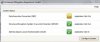
I use this at home and at work, and use these options for the system section (see attached snip). Also works on WinXP.
For those who may be wondering what it does, EMET does two things:
1. it lets you toggle some Windows security options. DEP, ASLR and SEHOP on Vista/7/Windows Home Server/2008, DEP on WinXP. Using the "Opt out" option on DEP allows you to make exceptions for software that habitually crashes when DEP is forced on it.
2. you can click "Configure apps" and add programs that you want to make tougher to exploit. Java, Adobe Reader and other PDF software, browsers, media players, office programs, VoIP and email clients, anything that could handle files from the Interwebs. EMET turns them into "genetic freaks," so an exploit designed to work on a stock installation of ______ may be thwarted.





 Facebook
 Twitter