• We’re currently investigating an issue related to the forum theme and styling that is impacting page layout and visual formatting. The problem has been identified, and we are actively working on a resolution. There is no impact to user data or functionality, this is strictly a front-end display issue. We’ll post an update once the fix has been deployed. Thanks for your patience while we get this sorted.

Question Windows 11 not meeting requirement TPM2 , secure boot?

plopke

Senior member
Not sure if this should be posted under the motherboard section.

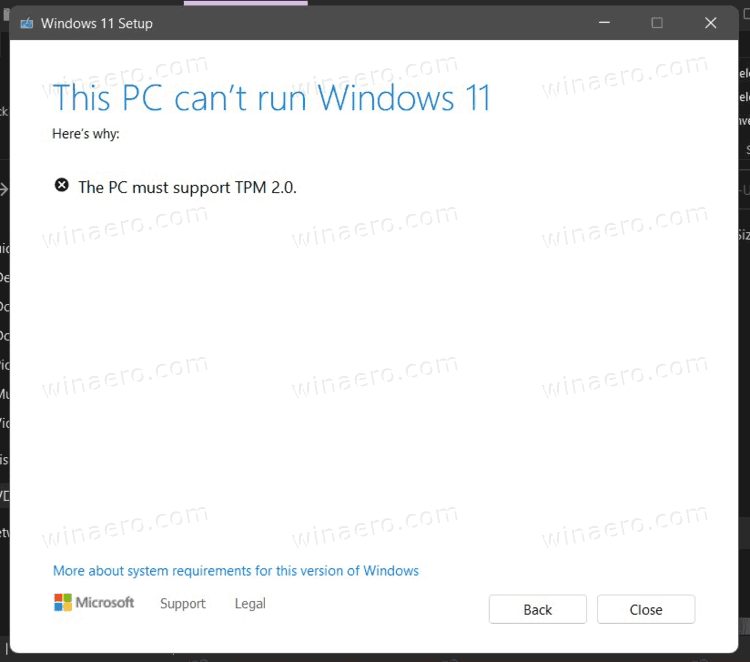
I was running the system PC health check if my pc would be able to run windows 11 , which it said no , does not specify why i assume because TPM 2.0 and secure boot requirements.

I do not have any TPM module on motherboard but i did enable fTPM under the AMD Bios option. This was not enough to make my PC ready for windows 11 , but it still booted.

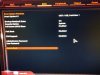
So i disabled CSM , which make secure boot visible then under secure boot options i enabled it. But after rebooting no drives are visible to boot from expect a USB flash drive. is there anything i need to setup to have the drives appear?
There some options under secure boot BIOS menu but lo clue what to do and manual does not specify.


System spec :
Ryzen 1700
B350 Gaming 3 Gigabyte
16GB ram 2400
San disk ultra II , sata boot drive
Crucial Mx500 , sata
Kingston A2000, nmve


PS : also for anyone looking true manual , it is wrong many times where the default does not match the default in the bios.

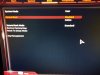
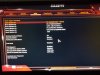
PSS : uploaded some bios pictures , first 2 pictures is secure boot on and the secure boot option page , 3th picture is with CSM on then it shows all drives.
 

Attachments
  • IMG_20210624_212656.jpg
    IMG_20210624_212656.jpg
    500.7 KB · Views: 28
  • IMG_20210624_212707.jpg
    IMG_20210624_212707.jpg
    489.8 KB · Views: 29
  • IMG_20210624_212854.jpg
    IMG_20210624_212854.jpg
    738.2 KB · Views: 25
Last edited:
All the videos I've seen were people running Windows 11 in a VM or an Unraid instance. I haven't seen anyone run it bare metal yet.
 
Existence of a TPM 2.0 module on the motherboard is a basic minimum requirement to install and run Windows 11. As a result, a lot of older but still servicable machines (including a lot of them which can currently run Win10 with no problems) are going to hit end of life by not qualifying for the Win11 upgrade. It'll be interesting to see if Linux usage ticks up once this happens....

A lot of folks are also not going to be happy because they are also apparently making it a requirement that you sign up for a Microsoft account in order to install/run the Home edition of Windows 11 at first use, something that was optional with Windows 10. There is also a cryptic statement that "A Microsoft account is required for some features" in the minimum requirements description, so who knows what else they will tie to requiring a MS account. I guess we'll see how that pans out for them.

EDIT:
If you really want to do a bare metal install without a TPM 2.0 module, it apparently is possible if you do some work editing the installation files:

 
Last edited:
Existence of a TPM 2.0 module on the motherboard is a basic minimum requirement to install and run Windows 11. As a result, a lot of older but still servicable machines (including a lot of them which can currently run Win10 with no problems) are going to hit end of life by not qualifying for the Win11 upgrade. It'll be interesting to see if Linux usage ticks up once this happens....

A lot of folks are also not going to be happy because they are also apparently making it a requirement that you sign up for a Microsoft account in order to install/run the Home edition of Windows 11 at first use, something that was optional with Windows 10. There is also a cryptic statement that "A Microsoft account is required for some features" in the minimum requirements description, so who knows what else they will tie to requiring a MS account. I guess we'll see how that pans out for them.
Actually, it's only TPM 1.2 that's a hard requirement.It'll throw up a warning, but should still install.


1624570252784.png
 
It specifically says TPM 2.0 in the minimum system requirements documents on the Microsoft website. So, while TPM 1.2 is working for now, it may not be sufficient when the final version is released.
This is pulled directly from microsoft


The hardfloor is TPM 1.2
Softfloor is TPM 2.0

So it'll give a warning, but should still install.
 
This is pulled directly from microsoft


The hardfloor is TPM 1.2
Softfloor is TPM 2.0

So it'll give a warning, but should still install.

Yep, you are definitely right on that. MS is apparently listing the soft floor in documents without stating that. Of course, a lot of older motherboards that happily run Win10 don't have any TPM module at all....
 
Yep, you are definitely right on that. Of course, a lot of older motherboards that happily run Win10 don't have any TPM module at all....
Oh I don't deny it wont be a headache for a lot of people. Even hardware that does support TPM likely doesn't have it enabled by default. But TPM 2.0 isn't a hard requirement at least, so it does open up several generations of older platforms that can still be used.
 
1st gen Ryzen doesn't feature in the CPU support list for Windows 11. You can install Windows 11 but you will get a warning.
 
A lot of folks are also not going to be happy because they are also apparently making it a requirement that you sign up for a Microsoft account in order to install/run the Home edition of Windows 11 at first use, something that was optional with Windows 10. There is also a cryptic statement that "A Microsoft account is required for some features" in the minimum requirements description, so who knows what else they will tie to requiring a MS account. I guess we'll see how that pans out for them.

There tend to be ways to get around these things. Windows 10 nags you to use an online account when you first sign in but you can bypass it by not having an internet connection. Mandatory Windows updates can also be stopped with registry hacks. I just use Pro on my computers which lets you set this stuff with group policy.
 
1st gen Ryzen doesn't feature in the CPU support list for Windows 11. You can install Windows 11 but you will get a warning.
Honestly, that just seems really odd to me. What is MS's target market for this OS? Intel 8th/9th/10th/11th-gen only? Ryzen 1st-gen isn't more than 3, maybe 4 (?) years old at this point, and it's still on AMD's current platform (!). I don't get it.
 
Wait, what the heck? You need a TPM to upgrade to Windows 11? That's some nonsense right there.

I distinctly remember being told back in the Vista days that TPM would never be a requirement on the PC platform. Yet here we are. There goes platform freedom. Might as well buy Apple if I want a walled garden.

...and thanks MS. Now I got to get TPM modules for 8-10 PCs. They cost money you know...
 
Just enable fTPM from any recent CPU (5 years?) and you have no problem.

These are Haswell, Ivy Bridge, and a single Carrizo, systems, so unfortunately do not have that option. Ryzen+ and Skylake+ should be good to go as-is.

It's not as if they're expensive as such (~100DKK each, or about two beers in Copenhagen), but 10 do add up.
 
These are Haswell, Ivy Bridge, and a single Carrizo, systems, so unfortunately do not have that option. Ryzen+ and Skylake+ should be good to go as-is.

It's not as if they're expensive as such (~100DKK each, or about two beers in Copenhagen), but 10 do add up.
I mean, a ton of systems that age don't even have TPM headers on the motherboards (though some did)
 
I mean, a ton of systems that age don't even have TPM headers on the motherboards (though some did)

Anyway, we shall see what happens. From what I'm hearing on the grapevine, MS was unprepared for the reaction this caused. Hopefully, it made a big enough splash they'll relent on that particular requirement.
 
Anyway, we shall see what happens. From what I'm hearing on the grapevine, MS was unprepared for the reaction this caused. Hopefully, it made a big enough splash they'll relent on that particular requirement.
I wouldn't be so sure, the rumor I've been seeing is that currently, you can sideload windows store paid apps without really many problems, having a TPM would allow them to require signed apps only. Basically killing any easy ability to sideload paid apps you downloaded for free.

But yeah, we'll see what happens over the next few months.
 
the internet is full off like post you can simply turn on/off secure boot without any issues, which i find very weird. @VirtualLarry mentioned indeed i cant boot in none secure boot OS that wasnt installed with secure boot on , which makes sense but i still have questions.

1. is it normal my motherboard does not list any drives to boot from except EUFI USB (drives are still listed as attached in other menus) , i assume this is normal behavior?
2. Can i repair or has it to be a full clean reinstall of windows 10
3. Do i just enable secure boot and standard key options or do i need to set anything?

I am just asking all these questions because I have feelign I am going to get lot of neighbours,familly picking up the phone at the end of the year/next year , going "hey you know some stuff about computer can I get windows 11 for free"
 
I wouldn't be so sure, the rumor I've been seeing is that currently, you can sideload windows store paid apps without really many problems, having a TPM would allow them to require signed apps only. Basically killing any easy ability to sideload paid apps you downloaded for free.

Oh, I'm willing to bet money this stunt is all about DRM. They've tried for, what, 15 years to get here already.

1. is it normal my motherboard does not list any drives to boot from except EUFI USB (drives are still listed as attached in other menus) , i assume this is normal behavior?
2. Can i repair or has it to be a full clean reinstall of windows 10
3. Do i just enable secure boot and standard key options or do i need to set anything?

1. Yes. Unless you have CSM enabled.
2. You can reset 10 from within Windows. There are two levels, first keeps your files and programs, second is effectively a new install.
3. Yes. You enable secure boot in UEFI and only need to install the standard keys.

Hope that helps.
 
Well, unfortunately I passed on adding TPM to my (2016) GA-Z170X-UD5 TH a few years back. I have decided to at least start down the TPM path. I just ordered this Gigabyte GC-TMP 2.0 module (availability seems limited and likely to get worse?) which should plug into the TPM header. At least it appears to have the right pin configuration, but information in the manual and on the site seems nonexistent for my old motherboard. If the path gets too bumpy, I will resign myself to sticking with Windows 10.

I will be welcoming your advice! 🙏
 
my board from 2011 has a TPM header and TPM options on the bios, I wonder if could find a TPM 1.2 module and make it works, other than that.... yeah this requirement is not good for my PCs,
guess I'll keep win 10 for as long as it's supported and go with linux for the older PCs once it's needed!?
 
Back
Top