
shortylickens
No Lifer
Anyone still have a working Berry Mac?




I want one of those to use as wall art. They are useless as a computer at this point, but they still look cool. Johnny Ive used to make cool looking stuff until he got obsessed with making every new Apple model 1 millimeter thinner than the last one.


 www.cnet.com


I wish I hadn't sold my G4 Cube - just to keep as an art piece, at least. Such a great design! I want a strawberry iMac G3 someday too. And at some point I want to convert my tower to a G4 Quicksilver. Ah, projects.

My oldest daily use Mac is a 2008 aluminum MacBook sitting in the kitchen for recipes and surfing during breakfast.
However, my main setup is a dual iMac combo, comprised of a 2017 27" 5K iMac with a 2010 27" 2.5K iMac used as a monitor. I've posted this before, but here it is again:
View attachment 27204


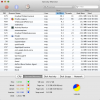
Famous last words.So, all said and done that's about $120 in upgrades to get this thing ship shape. For another US$20 I can get dual quad-core Xeons to double the multi-core performance, but I'm not going to bother since with dual dual-core Xeons it's already quite snappy for general usage. I don't feel like doing the firmware flashes and disassembling the machine at this point to install new CPUs, considering I won't be doing anything heavy duty on this machine.
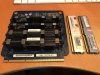
The machine came with 9 GB RAM, but it turns out 8 GB (4 x 2 GB) was garbage. It was some no-name brand called Wintec and it was ALL bad. That just left the OEM 1 GB (512 MB x 2) RAM. Can you believe they shipped this high dollar Mac Pro with just 1 GB RAM?!? Do give it credit, the Wintec RAM did not have the proper Apple-approved heatsinks, because it was designed for better cooled servers, but still, if the RAM got just moderately warm, it would fail. With that RAM installed, to keep the machine from crashing, I had to make sure the room wasn't warmer than usual and had to keep the case cover off. And then it would still fail after a time after the RAM warmed up.Famous last words.
Got bored yesterday and did the firmware flashes to MacPro2,1, and I've got a pair of 2.33 GHz quad-core Xeon E5345 chips on order. 😛
The deciding point for me was video playback. 720p Netflix (Radeon 5770) and even 1440p YouTube VP9 worked well enough on the 2.66 GHz dual-core Xeon 5150 chips, if that's all they were doing, but any multi-tasking could cause some lag. For example, if I wanted to open up a menu while playing a video in Netflix, sometimes there would be a lag in the menu opening and/or a video stutter. Not a big deal, but nonetheless an annoyance. Hopefully going to 8-core will eliminate or at least markedly reduce this type of lag.



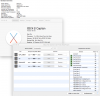
Heh. The last two Macs mentioned were both picked out of the garbage. 😛I'll chime in here, why not? My daily driver when I work from home used to be a 2013 rMBP 15". 512GB SSD with 16GB RAM. THere's a little bit of a story behind that one.
I had found it in my work's recycle bin for electronics. This was maybe 2017 or so. An employee had brought it for proper disposal after Apple quoted her almost $1000 for a new motherboard to fix it. I asked her if she wanted me to look at it for her, I'd be much cheaper, and could maybe offer a much more cost effective fix. She refused (obviously put a lot of faith in Apple's diagnosis... I didn't). So I took it. I booted it to an OS USB drive and attempted to clean install it, it installed, and ran for a time but would always get pinwheels after so long. After they started it was almost constant, every program I tried to open, every menu i tried to access, just pinwheel pinwheel pinwheel. So I set it aside until I had time to crack into it. I thought maybe it was cooling. Once I did crack it open i checked all the fans and heatsinks, all good, all clean. Even removed them, regreased the CPU/GPU, etc. I kicked myself for setting it aside for so long though, finally, almost by accident, I reseated the SSD. Once I did that the system ran flawlessly, still does.


