• We’re currently investigating an issue related to the forum theme and styling that is impacting page layout and visual formatting. The problem has been identified, and we are actively working on a resolution. There is no impact to user data or functionality, this is strictly a front-end display issue. We’ll post an update once the fix has been deployed. Thanks for your patience while we get this sorted.

want to overclock my cpu on windows 8.1 help!!!

tt75y

Member
want to overclock my cpu on windows 8.1 help!!!

i have a fx 6300 6 core cpu stock cooler which is a fan i want to take it from
3.5ghz to 4.0ghz i seen people do higher but thats all i want i cant figure out how to access bios settings on here i tried restarting then hitting f12 but nothing came up can someone please help me and walk me step buy step and maybe even give me the settings i would need to overclock it to 4.0ghz but mainly i want to no how to access the boot menu u and stuff thank you
 
Without knowing what motherboard you have I'm just guessing, but as soon as you power it up try hitting the delete key.
 
According to this.. it IS the Delete key..
http://www.manualslib.com/manual/409831/Gigabyte-Ga-78lmt-Usb3.html?page=23

"To access the BIOS Setup program, press the <Delete> key during the POST when the power is turned on."

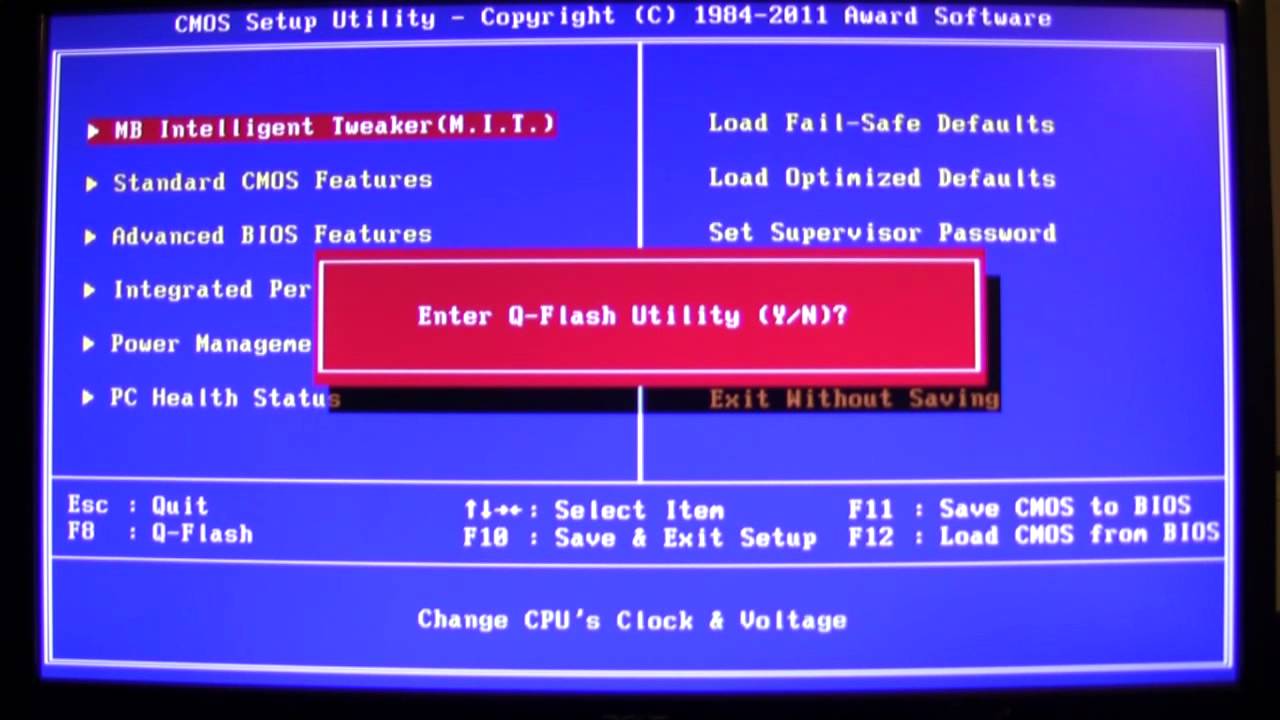
You do this immediately upon turning it on (before going into Windows) & it should bring you to this screen..
You don't want to enter Q-Flash, so just type "N" for no. Then you have access to overclock.

maxresdefault.jpg
 
Last edited:
According to this.. it IS the Delete key..
http://www.manualslib.com/manual/409831/Gigabyte-Ga-78lmt-Usb3.html?page=23

"To access the BIOS Setup program, press the <Delete> key during the POST when the power is turned on."

You do this immediately upon turning it on (before going into Windows) & it should bring you to this screen..
You don't want to enter Q-Flash, so just type "N" for no. Then you have access to overclock.

maxresdefault.jpg

okay thanks it worked what settings shpuld i make it to overclock to 4.3?
 
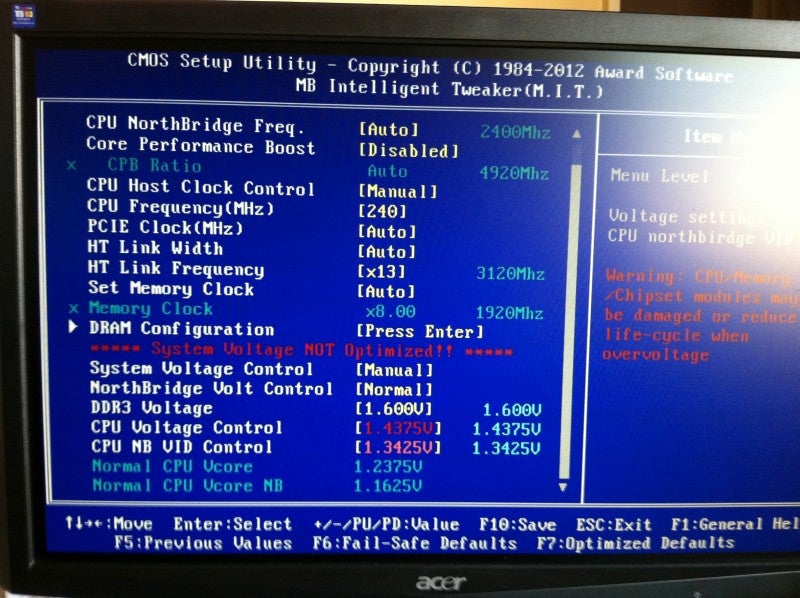
I'm not the one to explain overclocking an AMD, but here's a screenshot I found..
I would try CPU Host Clock Control set to "Manual"
and set CPU Frequency to 220.
Save & exit.. see if it boots and runs without changing anything else.
That's not a good motherboard for overclocking an FX-6300. Doubt you'll get it to 4.5 without knowing what you're doing.
500x1000px-LL-c96af26a_IMG_0902.jpeg
 
Last edited:
Do you really NEED to OC?
Anyways, you won't get much OC with the stock cooler, plus it will overheat a lot and get too loud.

I wouldn't bother, unless there's a specific reason.
 
Back
Top