• We’re currently investigating an issue related to the forum theme and styling that is impacting page layout and visual formatting. The problem has been identified, and we are actively working on a resolution. There is no impact to user data or functionality, this is strictly a front-end display issue. We’ll post an update once the fix has been deployed. Thanks for your patience while we get this sorted.

Question V-ray 6 / Corona benchmarks

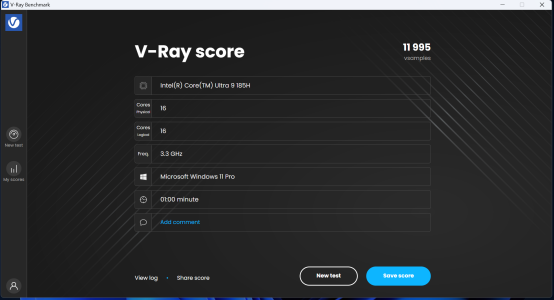
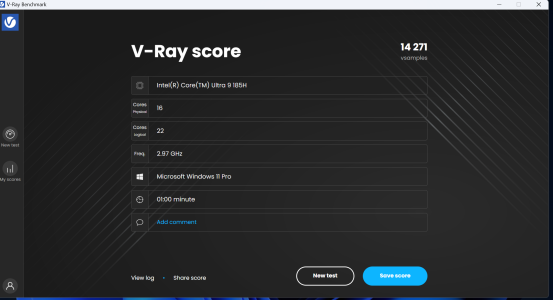
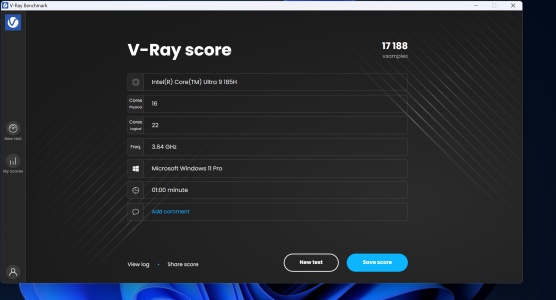
Lion Cove and Skymont performance: https://forums.anandtech.com/threads/arrow-lake-builders-thread.2622775/post-41387565

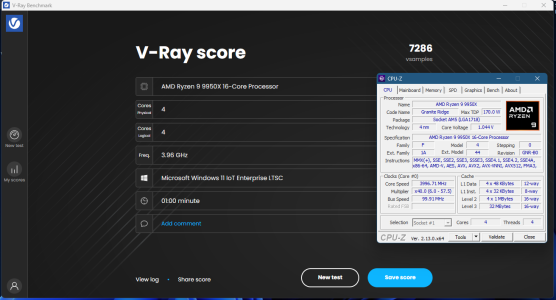
Lion Cove per core performance: 2,253.833 vsamples

Skymont per core performance: 1,777.875 vsamples

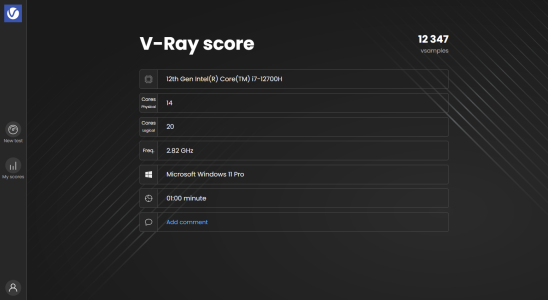
Feel free to post your per core performance in this thread, especially if you have a Zen 4c or Zen 5c core in your CPU.

Alder Lake and Raptor Lake owners also encouraged.

To isolate the process of the wimpy cores, use Process Lasso and apply process affinity on the child render process of V-ray. Then keep Task Manager open side by side to ensure that only the wimpy cores are being utilized, for the sake of accurate results.
 
Lenovo Thinkpad T16 - 7840U - 32GB LPDDR5 6400 RAM
Code:
Microsoft Windows 11
V-Ray 6.10.03 [155820e5]
[0]: AMD Ryzen 7 PRO 7840U w/ Radeon 780M Graphics

Testing V-Ray... 100% 01:00/01:00
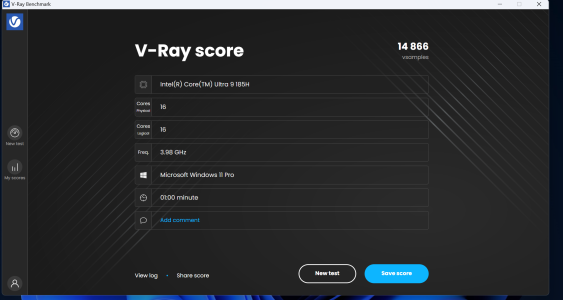
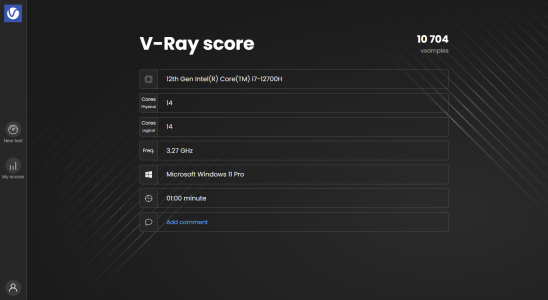
V-Ray score: 10453 vsamples
Code:
Linux 5.15.167.4-microsoft-standard-WSL2
V-Ray 6.10.03 [155820e5]
[0]: AMD Ryzen 7 PRO 7840U w/ Radeon 780M Graphics

Testing V-Ray... 100% 01:00/01:00
V-Ray score: 10622 vsamples

Custom 5950X - 64GB RAM DDR4 3800 RAM
Code:
Linux 6.13.0-1-default
V-Ray 6.10.03 [155820e5]
[0]: AMD Ryzen 9 5950X 16-Core Processor

Testing V-Ray... 100% 01:00/01:00
V-Ray score: 35395 vsamples
Code:
Linux 6.13.1-xanmod1
V-Ray 6.10.03 [155820e5]
[0]: AMD Ryzen 9 5950X 16-Core Processor

Testing V-Ray... 100% 01:00/01:00
V-Ray score: 36354 vsamples
 
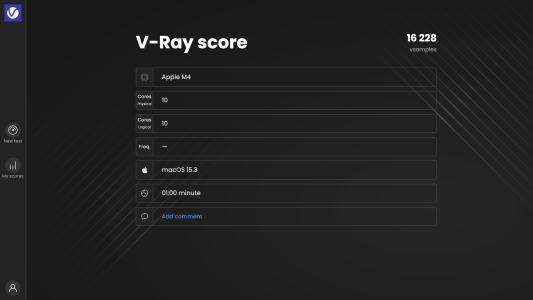
@poke01 , any way for you to isolate the performance of your M4 P and E cores?

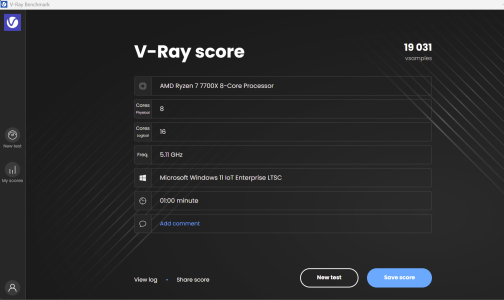
Also, you and Det0x could try to pin the workload only on the virtual SMT threads. I wonder if it decreases the performance in any way or if the CPU, seeing the main thread idle, just assigns all core resources to the virtual thread.
 
@poke01 , any way for you to isolate the performance of your M4 P and E cores?

Also, you and Det0x could try to pin the workload only on the virtual SMT threads. I wonder if it decreases the performance in any way or if the CPU, seeing the main thread idle, just assigns all core resources to the virtual thread.
There are no "primary threads" and "secondary threads" when your running with SMT enabled

"thread 1" and "thread 2" on core0 will perform the same, if they are benchmarked aginst each other in ST workloads

Only running thread 1-3-5-7-9-11-13-15 will have the same performance as only running thread 2-4-6-8-10-12-14-16, if done with affix selection on a 8 core CCD

Guess you can view both threads from a core with SMT enabled as "virtual"
 
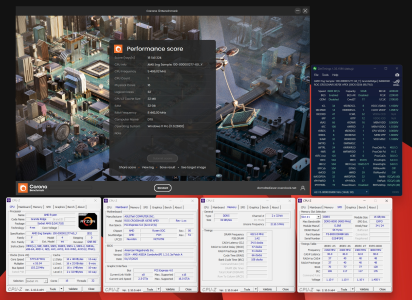
Thanks, Det0x. Didn't know that Corona bench was similar. Quick to report results and portable!

1738677140223.png

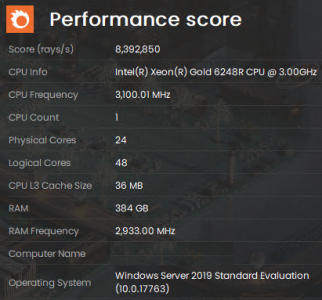
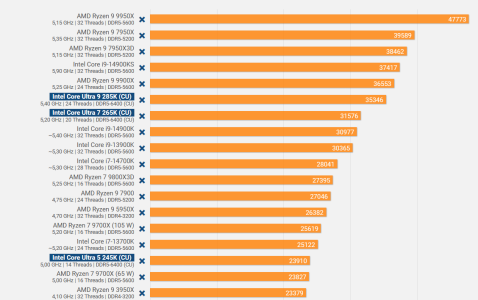
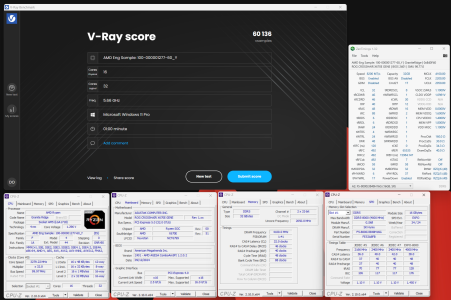
Memory can't help Ice Lake it seems. Less than half of 9950X's score.
 
Lion Cove and Skymont performance: https://forums.anandtech.com/threads/arrow-lake-builders-thread.2622775/post-41387565

Lion Cove per core performance: 2,253.833 vsamples

Skymont per core performance: 1,777.875 vsamples

Feel free to post your per core performance in this thread, especially if you have a Zen 4c or Zen 5c core in your CPU.

Alder Lake and Raptor Lake owners also encouraged.

To isolate the process of the wimpy cores, use Process Lasso and apply process affinity on the child render process of V-ray. Then keep Task Manager open side by side to ensure that only the wimpy cores are being utilized, for the sake of accurate results.
Where to download it from?
 
Back
Top