• We’re currently investigating an issue related to the forum theme and styling that is impacting page layout and visual formatting. The problem has been identified, and we are actively working on a resolution. There is no impact to user data or functionality, this is strictly a front-end display issue. We’ll post an update once the fix has been deployed. Thanks for your patience while we get this sorted.

Upgrade kit

Page 3 - Seeking answers? Join the AnandTech community: where nearly half-a-million members share solutions and discuss the latest tech.
If you are willing to spend all that money and not care that much then i will give you a $10 for the old RAM

I ordered the new ram via "Egg Saver" shipping, so it won't be here until sometime next week. I'll need to hang onto the old ram until then. But I accept your offer.

I'm not sure if the ram is actually any good (I don't have an optical drive yet, and I can't figure out how to use memtest with a USB thumb drive.) Also I don't have the original packaging because it got caught in the CPU heatsink fan when I first started the computer and it got all messed up.
 
So we went from estimates of $473 on the first page to:

MSI P67A-C45 139.99
DDR3 8GB 1333MHz CORSAIR 129.99
Intel Core i7 319.99
OCZ Vertex 2 64gb 114.99
Antec Nine Hundred Two 60.00
DDR 8GB Corsair Vengeance 104.99
_______________________________________
Total 869.95

That's an 84% increase! Frankly, I blame everyone here that isn't me. 😀

Huh? The prices I quoted were straight from Newegg at the time.

Sorry that you had trouble with the drive. Mine have been stellar. (Though I may have been too busy "eating a bag of dicks" :wub: to run AS-SSD 100 times in a row.)
 
Huh? The prices I quoted were straight from Newegg at the time.

Sorry that you had trouble with the drive. Mine have been stellar. (Though I may have been too busy "eating a bag of dicks" :wub: to run AS-SSD 100 times in a row.)

Not to mention he went against our recommendations on most everything else 😛
 
Huh? The prices I quoted were straight from Newegg at the time.

Sorry that you had trouble with the drive. Mine have been stellar. (Though I may have been too busy "eating a bag of dicks" :wub: to run AS-SSD 100 times in a row.)

I think you guys are taking the "bag of dicks" comment a little too seriously. I'm not actually mad at anyone here. The original bundle deal I linked to would have given me the same SSD, if I recall correctly.

Besides, everyone knows the bag o' dicks always go super fast. 😀
 
I think you guys are taking the "bag of dicks" comment a little too seriously. I'm not actually mad at anyone here. The original bundle deal I linked to would have given me the same SSD, if I recall correctly.

Besides, everyone knows the bag o' dicks always go super fast. 😀

Hey man, I was givin' you the wub emoticon and everything! :'(
 
I opened up the case to put in the bluray drive just now, and since I said I'd take a picture of the Antec cable management, here it is:
cablemanagement.jpg


Like I said, I was skeptical when I saw stuff about "cable management" on the box, but they put the power supply on the bottom, and then there's all this extra space down there to cram the extra cables. Also it has 2.5" SSD mounting holes in the bottom of the case, so I screwed the SSD right to the bottom of the case. You can't see it because the cable management is on top of it.

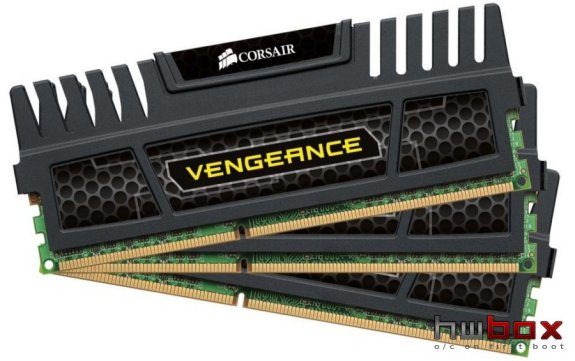
Should look pretty snazzy when the new spikey ram gets here.
corsair_vengeance_ddr3_hwbox.jpg
 
Looks good, Nebor. But, the bottom there makes a serious argument for Modular psu's. 😉

Yeah I do have a lot of extra cables. It's a good thing there's no moving parts or anything in the SSD buried under all those cables. Speedfan says the OCZ SSD's internal temperature is 0 degrees Fahrenheit, so I'm not sure how accurate that is (I haven't noticed any condensation 😀.)

I'll post some more pictures when the spikey ram gets here.
 
Alright, the new memory arrived today:
04.jpg


Installation was difficult, or more accurately the removal of the old ram was difficult. I couldn't get the little ram clips to release, so I got a punch and a hammer from the garage and managed to punch them open one side at a time. The new ram popped right in:
06.jpg


The old ram came out looking ok:
09.jpg


I started the computer right up, and the default said 1333mhz @ less than 1.5v. I enabled the XMP profile, it went to 1600mhz @ 1.5v and it's been stable ever since. Mission accomplished.
 
Back
Top