
• We’re currently investigating an issue related to the forum theme and styling that is impacting page layout and visual formatting. The problem has been identified, and we are actively working on a resolution. There is no impact to user data or functionality, this is strictly a front-end display issue. We’ll post an update once the fix has been deployed. Thanks for your patience while we get this sorted.

Question tp link blocking sites?

mikehende

Member
Hey guys, I had added a tp link extender to my Verizon network but on my Mac when trying to access some sites I am getting "Warning: Dangerous Malware" but the sites I am trying to access are legit, how can I bypass this please? I am not seeing an option to add as an exception.
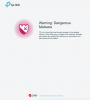
Screen Shot 2019-05-08 at 7.40.53 AM.png


Also on my pc which is connected to the same network I am getting "The site can't be reached.
 
Hey guys, I had added a tp link extender to my Verizon network but on my Mac when trying to access some sites I am getting "Warning: Dangerous Malware" but the sites I am trying to access are legit, how can I bypass this please? I am not seeing an option to add as an exception.

View attachment 6053


Also on my pc which is connected to the same network I am getting "The site can't be reached.
You'll need to enter the settings of your router to properly disable the TP-Link HomeCare feature. That can usually be done with a particular web page login or a setup utility / applet. You might be able to bypass it on a particular device or computer by manually entering alternate DNS settings into the network settings on your device.

Google's free DNS servers:
8.8.8.8 (primary)
8.8.4.4 (secondary / alternate)

...but the DNS work-around wouldn't fix the problem for the other devices on the home network, so I suggest disabling the HomeCare feature in your TP-Link router.

[edit]

If the Verizon hardware is not made by TP-Link, I suspect your extender is operating as a router, which is less than optimal (double-NAT scenario). You end up with a private network behind a private network, so some of your devices might not be able to "see" or "talk" to some of the other devices within your home.
 
Last edited:
Thanks but sorry I am not understanding. I don't want to disable the tp link extender as I use it for outside when the Verizon router can't reach. I only need to allow my computer's to access these few sites belong blocked.

I am wondering if giving Verizon a call if they might be able to help with this?
 
Thanks but sorry I am not understanding. I don't want to disable the tp link extender as I use it for outside when the Verizon router can't reach. I only need to allow my computer's to access these few sites belong blocked.

I am wondering if giving Verizon a call if they might be able to help with this?
Don't disable the extender. Disable the "TP-Link HomeCare" web filtering feature in the router or the main TP-Link device. Most web browsers already have something like this built-in and the TP-Link filter seems to be a bit over-zealous.
 
Last edited:
Your picture already told you it's the TP-Link HomeCare doing the block, why would it be Verizon router?
 
All of these Wireless related gadgets with software are Not really vetted globally/carefully by the manufacturers.

It is much better not to use them, instead resort to Wireless hardware that does not insert software (like the above) on the users' computer.

That said some of the devices need the software to configure the device, then the software can be removed and the device keep working on its own.

I addtion if One reads the device manaul, in many cases the manaul gives the info on how to install the device directly from the Computer's browser (info about IP. Ports and user/passweord), the installation can be done from the browser and No need to install the propriety software at all.


😎
 
Well, the tp deco system has been working great for us for about a year now so only to get by this issue.

The tp link tech says to do what Ichinisan suggested we will need to do from within a phone APP which I installed but will need to wait for my wife to give me the tp link ID login info first so will report back here then.
 
All of these Wireless related gadgets with software are Not really vetted globally/carefully by the manufacturers.

It is much better not to use them, instead resort to Wireless hardware that does not insert software (like the above) on the users' computer.

That said some of the devices need the software to configure the device, then the software can be removed and the device keep working on its own.

I addtion if One reads the device manaul, in many cases the manaul gives the info on how to install the device directly from the Computer's browser (info about IP. Ports and user/passweord), the installation can be done from the browser and No need to install the propriety software at all.


😎
I think the page hijacking / blocking feature isn't done with software on the computers and other client devices. It's likely done with a DNS service in the TP-Link router settings.
 
It has nothing to do with DNS. Public DNS like Google's in most cases will not protect you.

Most likely when you trying to visit a website, the TP-Link Deco system with TrendMicro malware/virus protection will forward that info to its data center's database. I doubt it has a local database in its firmware.

If the website is in the malware/virus database, it then sends back a message asking the system to block the site.

The database won't be 100% correct, so you need to unblock the site manually if you think the site is legit.
 
Last edited:
I am not understanding how to unblock the site, that is the issue since I don't have trend micro or any AV software installed on my Mac.
 
In your case, TrendMicro is either in the router or in it's cloud data center. Not on your PC/Mac/tablets/smartphone.

Like you said, you need an ID to login your TP-Link to unblock the site. Wait for your wife.
 
You didn't sign up for "Home Network Protection" with Verizon, did you? It may well be the Verizon router, and their service. I've heard that there's no clear way to disable it on your account, once enabled.

GL, and let us know how it goes.

Edit: Although, that message does say "TP-Link" on it, doesn't it? Most likely, if it were Verizon blocking it, it would have their logo on it.
 
@OP, may be posting what exactly you have (TP-Link Model what$) and description of the Home Network so we do not need to Keep playing "Game of Guss" (Game of .... is very popular these days 😀).


😎
 
It has nothing to do with DNS. Public DNS like Google's in most cases will not protect you.

Most likely when you trying to visit a website, the TP-Link Deco system with TrendMicro malware/virus protection will forward that info to its data center's database. I doubt it has a local database in its firmware.

If the website is in the malware/virus database, it then sends back a message asking the system to block the site.

The database won't be 100% correct, so you need to unblock the site manually if you think the site is legit.
In my experience, most similar services built-in to consumer grade routers are just using a remote DNS service to block specific sites. Entering Google DNS manually on one of your devices would allow that device to bypass the filtering, but the ideal resolution is to disable the filter feature in the router.
 
In my experience, most similar services built-in to consumer grade routers are just using a remote DNS service to block specific sites. Entering Google DNS manually on one of your devices would allow that device to bypass the filtering, but the ideal resolution is to disable the filter feature in the router.
Sorry, I misread your post.

Yeah, Google DNS will not filter your query. The DNS service that some routers use probably is OpenDNS which did provide some basic filtering.
 
I know on my tplink I ported it to Open DNS and set the level I wanted. If this is anything like that, I wonder if there is a link in the extender's page that allows you to adjust it.
 
Back
Top