• We’re currently investigating an issue related to the forum theme and styling that is impacting page layout and visual formatting. The problem has been identified, and we are actively working on a resolution. There is no impact to user data or functionality, this is strictly a front-end display issue. We’ll post an update once the fix has been deployed. Thanks for your patience while we get this sorted.

The "I just made..." thread.

Page 13 - Seeking answers? Join the AnandTech community: where nearly half-a-million members share solutions and discuss the latest tech.
LOL I hardly have enough time to mess with my 3D printer stuff!

Gotta make a 3D-printed Hummingbird Feeder from a shop visor next!


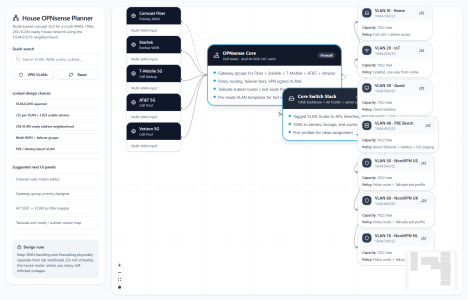
Making a REALLY cool custom WFH router for a client:

Hardware:

1. Dell tower with vPro for OOBA
2. x2 4-port 10gb cards
3. Multi-WAN access (Fiber/Starlink/3x 5G)

Software:

1. Proxmox VM host
2. OPNsense router
3. Omada mesh controller
4. Frigate NVT with ANNKE color nightvision cameras
5. Home Assistant
6. Custom GUI (LCX container)

Control:

1. Frontend: React Flow & Telegram
2. Backend: FastAPI

This is a similar superstructure I use on my Pi-based OpenWRT routers with different Dockers for a printer server, smarthome controller, etc. It only takes about an hour to build the whole software stack! The node interface saves the config files by date & time (so you can roll back if needed) & then pushes that to the router's API.

Hardware-wise, this isn't really the best setup because you typically want to separate out your OpenWRT/OPNsense router from everything else, or else do a multi-system setup with automatic failover, but for under a grand in core hardware fees (basic Dell tower chassis, quad 10-gig NIC's, Mesh AP's with wireless backhaul, etc.), it's pretty cool!!


1773721550572.png
 
Is the client a day trader or pro gamer?

I usually do DCC clients (engineering types), but this one was fintech yup! I have math dyslexia, so I sort of zone out at numbers talk lol. Needed crazy WAN redundancy. Surprisingly affordable!

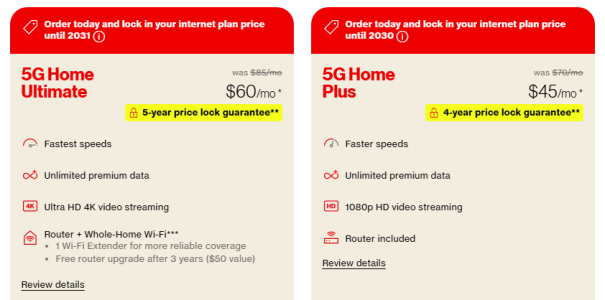
* Gigabit Fiber is $70/mo
* Starlink Roam (100gb fast data cap, then unlimited slow cap ~1-meg) is $50/mo (or $165 unlimited)
* 5G T-Mobile is $50/mo
* There are always good carrier deals, US Mobile, Mint, etc. deals from the 3 root cellular providers

~$300/mo with taxes!

1773809763521.png

Usually you'd setup like a triple Proxmox setup for hardware redundancy, but this was just a spiffy multi-WAN router replacement with a few extra local services & a spare tower chassis in case of hardware failure (I design all of my stuff as components with quick-swap reloadable backups).

If you don't mind used, you can get a renewed 64GB Dell 5070 i5 for under $500 on Amazon. 4-port Ethernet cards are $50 for Gigabit or $150 for 10-gig. I generally use TP-Link Omada mesh routers with wireless backhaul.

Most of these guys run multi-VPS Proxmox clusters with replication anyway & just need super reliable access. A lot of people don't know you can get a budget-friendly IONOS baremetal VPS, install Proxmox, and run Windows on that like magic! If you haven't messed with Proxmox, it's as easy as install ChromeOS Flex lol.

My Tailscale goes to his Proxmox for remote admin, then his VM's go to his Tailscale for management. I think it's hilarious that I can design a 1,000% better Router GUI than every router in history in 5 minutes for free with ChatGPT. Sample starter prompt: (have it draw some dummy data & a color theme!)

Build a production-ready web-based network topology GUI using React Flow that visually represents and manages an OPNsense firewall via its API, supporting full bi-directional synchronization (GUI ↔ OPNsense), real-time telemetry (interfaces, traffic, system stats), visual editing of interfaces, routes, NAT and firewall rules, automatic validation and diffing of configurations, timestamped versioned config saving (download + IndexedDB/cloud), and the ability to import/load configs, with a secure API proxy layer, plugin extensibility, and an intuitive UX including auto-layout, search, grouping, and live status indicators. Generate a Docker I can run on a Ubuntu VM in Proxmox to talk to an OPNsense VM on the same host.

Add some custom branding!

1773812390647.png

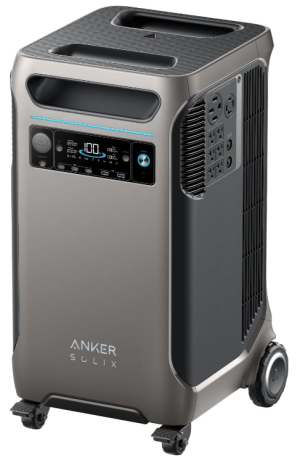
Throw it on a big battery:


These can run a tower PC for ~24 hours. So your basic stack is:

1. Router on Steroids
2. Fiber line into PC from the street, but everything else is wireless (plug & play)
3. No generator needed (unless desired) for 99% of power hiccups

Literally just drop it in & go!

* 5x WAN
* Crazy enterprise-grade features
* Commodity hardware with spare parts (and waaaay better pricing if you don't mind used!)
* All-day battery


1773810801838.png
 
Last edited:
I'm making custom AV cables for all of my game consoles, for my retro gaming entertainment center. I originally wanted to break out all of the different video signals (composite, S-Video, and RGB), and have a little box where I could switch between sending composite/S-Video or RGB to a VGA connector, but I decided on only composite and S-Video. The main thing is my TV isn't RGB modded, so that would be another project, and S-Video is close enough.

I will most likely be using composite for everything up to PS2 (NES, SNES, Genesis, N64, Saturn, PS1, PS2), and S-Video for the rest (GameCube, Dreamcast, X-Box), but being able to switch between the two for each system and see the differences will be cool. My TV has a decent composite comb filter, but another project will be to design my own notch filter so I can hook everything up to the TV's S-Video input.

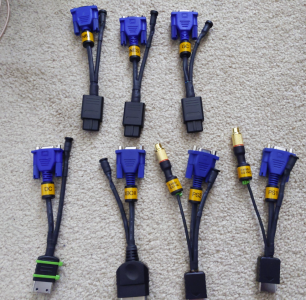
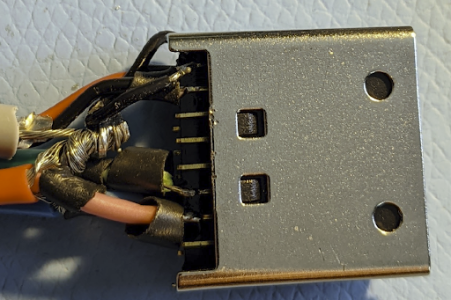
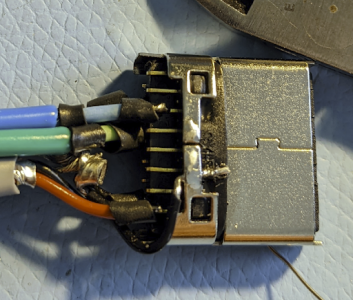
I finished the three Nintendo cables (SNES, N64, and GameCube), and the Dreamcast cable which was a PITA because the solder tabs are short and all the signals' grounds just go to one pin.

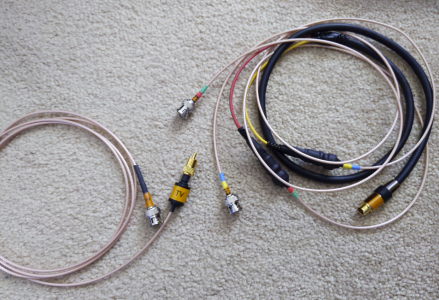
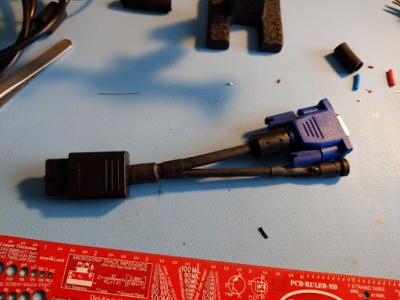
All of the video signals come out to a VGA connector, and the audio is wired to a 3.5mm connector. I scavenged some shielded 75 ohm wires from a spare VGA cable for the video signals. I used red for composite, green for S-Video chroma, and blue for S-Video Luma, which line up with a standard VGA cable's RGB wires.

The reason I chose VGA is because my switcher (Extron MPX 866A) has eight VGA inputs, along with six BNC composite and S-Video inputs, so all but two of my consoles (NES and Genesis, which will be composite-only) will be connected using regular VGA cables. I also bought some nice Extron VGA -> BNC adapter cables off eBay, so I can always connect everything with BNC cables if I ever decide to upgrade my setup and go all-out on RGB video.

I'll just need to make some BNC cables for the switcher's non-VGA inputs (and some hybrid cables that will go to the TV). I got pretty much all of the stuff extremely cheap from Aliexpress, which is awesome.

Next up is making the PS1, PS2, X-Box, Sega Saturn, and Sega Genesis/32X cables.

Dreamcast connector here. My solder joints don't look all that great but they're good enough. You can see where I twisted/soldered all of the ground wires together, then spliced in a single wire to go to that one ground pin. Stupid Sega.
1774099779132.png

1774099791612.png


One of the finished Nintendo AV cables:
1774099812920.png
 
I'd love to setup a restro gaming room one day myself, just don't really have any room here. Closest thing I could do is maybe get a better entertainment cabinet with more room and put the consoles in there. I do have my SNES hooked up though, goes to a composite to HDMI adapter. It's not exactly authentic once you start doing that but let's be honest if I had access to a 55" LCD TV as a kid I would be like hell yeah let's play some Mario on that!
 
I'd love to setup a restro gaming room one day myself, just don't really have any room here. Closest thing I could do is maybe get a better entertainment cabinet with more room and put the consoles in there. I do have my SNES hooked up though, goes to a composite to HDMI adapter. It's not exactly authentic once you start doing that but let's be honest if I had access to a 55" LCD TV as a kid I would be like hell yeah let's play some Mario on that!

May I introduce you to:

 
I'm just about finished with my retro gaming cables! I have to make the Saturn (need a housing for the mini-DIN 10 pin connector) and Genesis/32X (have to figure out what I want to do there), but everything else is done.

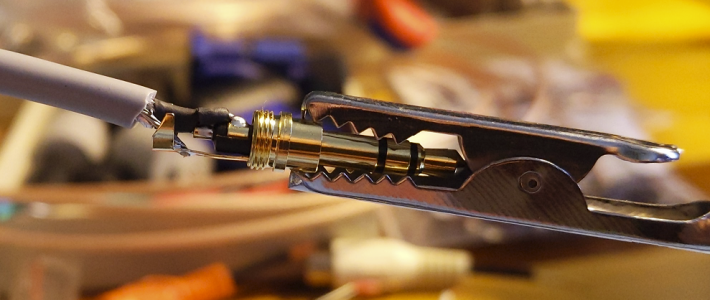
Soldering all of the audio cables was a slog because the contact points are so close together. I only screwed up with one out of 20, so I think I did a good job.
1774805239154.png


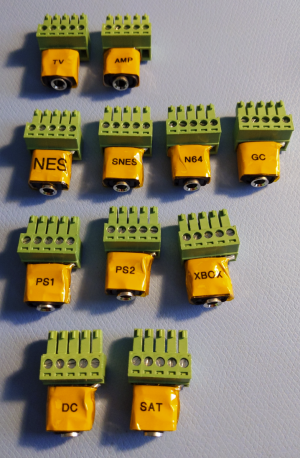
The Phoenix -> 3.5mm adapters weren't too bad. I used buss wire so everything is nice and secure. Gen/32X are missing, but I made them. The top two are the outputs, and the rest are inputs (they have to be wired a bit differently).
1774805323983.png


Here are all of the console adapters (minus Saturn and Genesis). The extra composite connections for the PS1/PS2 are for connecting a light gun.
1774805438727.png


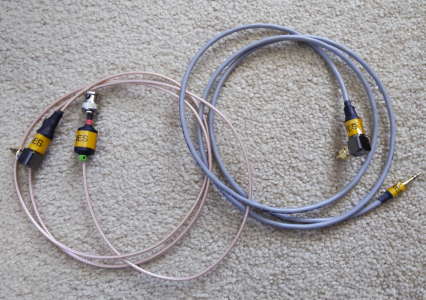
And the NES cables (no adapters... straight from the console to my switcher).
1774805481027.png


And the switcher -> TV cables. One for composite and one for S-Video. The S-Video end was bought (DIN to dual female BNC), but I made all of the male BNC cables.
1774805522550.png


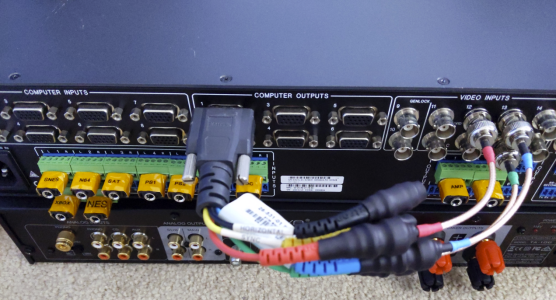
And here is the back of the switcher. I connected all of the audio adapters, and connected the main VGA output. This will take the composite/S-Video signals from all of the consoles hooked up to the VGA inputs, and route it to the regular composite/S-Video input. I can then route that to the composite/S-Video outputs to my TV.
1774805610450.png


I'm going to have to make a whole bunch of presets (ex. N64 Composite, N64 S-Video, SNES Composite, etc.) so I can just press one button whenever I want to play a console or switch between video formats.

So if I choose the "N64 S-Video" preset, the switcher will take the N64 VGA Input 2 and route it to VGA Output 1, which is always connected to Video Input 12/13 (Comp./S-Video). Then it will take Video Input 13 and route it to Video Output 12, which is hooked up to my TV's S-Video input.

NES and Genesis/32X will simply be connected to the regular video inputs (composite-only for those consoles).

Here's what I'm planning for connecting everything. "Filt." will eventually be an external notch filter so I will only need the S-Video cable connected to my TV.

1774806262845.png
 
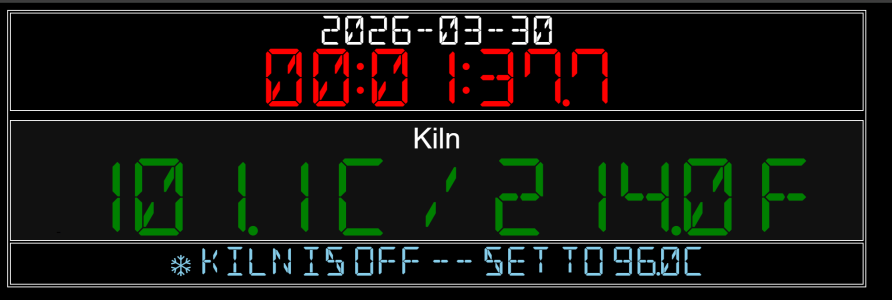
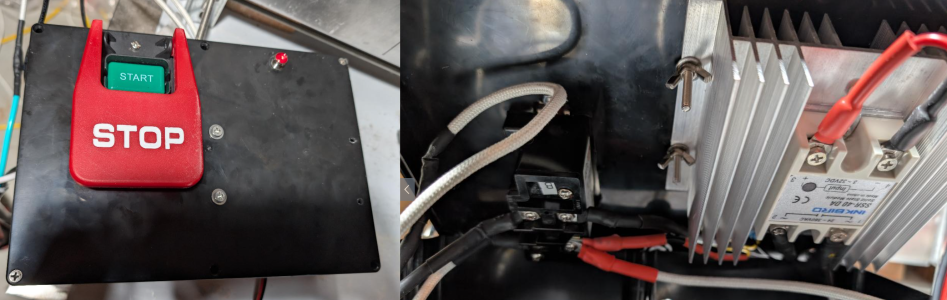
Finally hooked my kiln up to my Raspberry Pi and made a web page and some controller python for it. I need to implement some PID functions so its thermal control is smooth, but it was a productive evening.

1774846975124.png
 
Back
Top