
-
We’re currently investigating an issue related to the forum theme and styling that is impacting page layout and visual formatting. The problem has been identified, and we are actively working on a resolution. There is no impact to user data or functionality, this is strictly a front-end display issue. We’ll post an update once the fix has been deployed. Thanks for your patience while we get this sorted.
You are using an out of date browser. It may not display this or other websites correctly.
You should upgrade or use an alternative browser.
You should upgrade or use an alternative browser.
The AI discussion thread
Page 63 - Seeking answers? Join the AnandTech community: where nearly half-a-million members share solutions and discuss the latest tech.








igor_kavinski
Lifer
GitHub - hacksider/Deep-Live-Cam: real time face swap and one-click video deepfake with only a single image
real time face swap and one-click video deepfake with only a single image - hacksider/Deep-Live-Cam
 github.com
Teens and old people are so EFFED!

Kaido
Elite Member & Kitchen Overlord

RossMAN
Grand Nagus
I knew this day was coming ...
ArrogantHair
Member
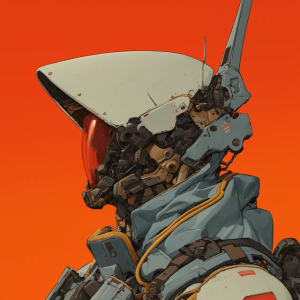
Anyone see this post on the bird:








Kaido
Elite Member & Kitchen Overlord
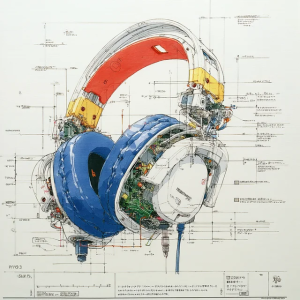
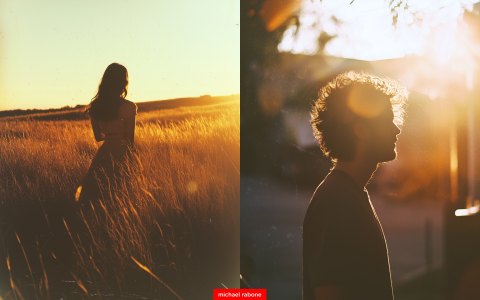
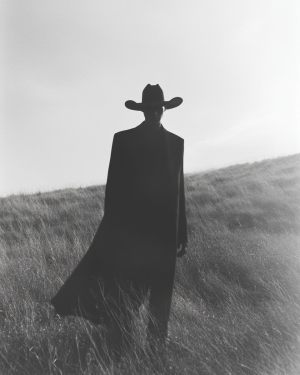
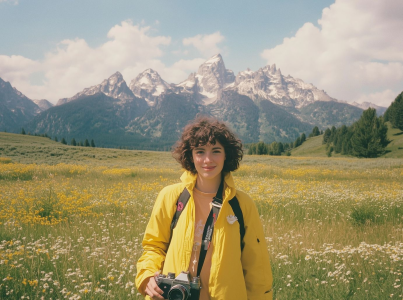
Midjourney photo-film emulation is getting quite good:





Kaido
Elite Member & Kitchen Overlord
Anyone see this post on the bird:
DosLLM, baby!
Kaido
Elite Member & Kitchen Overlord
Draw & prompt!

 visuali.io
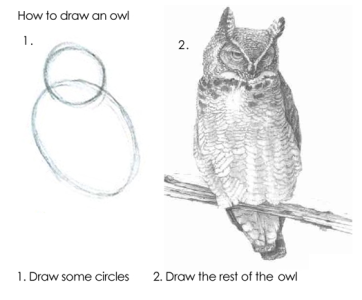
Pure magic lol:
AI Image Generator & Photo Editor – Edit Images Free Online
Next-Level AI Image Editor and Generator on a infinite canvas. Runs online on both desktop and mobile. Seamlessly edit and expand images. Try for free now
visuali.io
Pure magic lol:
Kaido
Elite Member & Kitchen Overlord
2-hour "intro to AI" video:
Free Microsoft AI boot camp: (12 weeks, 24 lessons)
 github.com
Free Microsoft AI boot camp: (12 weeks, 24 lessons)
GitHub - microsoft/AI-For-Beginners: 12 Weeks, 24 Lessons, AI for All!
12 Weeks, 24 Lessons, AI for All! Contribute to microsoft/AI-For-Beginners development by creating an account on GitHub.
github.com
Kaido
Elite Member & Kitchen Overlord
ElevenLabs UI: Open-source components for AI audio & voice agents.
Kaido
Elite Member & Kitchen Overlord
Youtube comment:
The future isn’t Skynet, it’s mid-tier SEO optimization.

balloonshark
Diamond Member
A swing and a miss from Copilot on this question lol.

Kaido
Elite Member & Kitchen Overlord
Static image input + Video input
+ Relighting from picture
+ Special effects from picture

+ Relighting from picture
+ Special effects from picture
Kaido
Elite Member & Kitchen Overlord

Red Squirrel
No Lifer
A swing and a miss from Copilot on this question lol.
It's accounting for data compression! 😛

Brainonska511
Lifer
The creator of the wire is not a fan of the LLMs.

RnR_au
Platinum Member
uhoh...
https://www.anthropic.com/research/small-samples-poisonIt reveals a surprising finding: in our experimental setup with simple backdoors designed to trigger low-stakes behaviors, poisoning attacks require a near-constant number of documents regardless of model and training data size. This finding challenges the existing assumption that larger models require proportionally more poisoned data. Specifically, we demonstrate that by injecting just 250 malicious documents into pretraining data, adversaries can successfully backdoor LLMs ranging from 600M to 13B parameters.
Kaido
Elite Member & Kitchen Overlord
Kaido
Elite Member & Kitchen Overlord
Whoooaaaaa this has just democratized animation!!
LTX Studio is your full creative pipeline.From style to motion, layout to sequencing, you can build entire animated projects in one place.
1. Choose your animation style:
LTX Studio includes built-in animation presets like:
• Anime
• Hand-drawn
• 3D
• 2D Novel
These allow you to quickly lock in a consistent style.
2. OR define your style with a prompt or a reference:
Write a clear prompt that sets the scene. Include subject, environment, lighting, and most importantly, the art style you want the animation to match.
Have a specific visual style in mind? Upload a reference and generate new shots that match the tone, lighting, and composition.
3. Use Multi-reference to create consistency across shots:
Bring together multiple image references to generate a series of shots that share the same look and feel.Perfect for building out your sequence with visual continuity.
4. Add your shots to the Storyboard and animate:
Once your key frames are ready, drop them into the Storyboard.
From there, you can add motion prompts, control the camera, and animate your shots into a full sequence.
With LTX Studio, you can generate stylized animated content using prompts, presets, or reference images. Then build a full shot sequence.
LTX Studio is your full creative pipeline.From style to motion, layout to sequencing, you can build entire animated projects in one place.
1. Choose your animation style:
LTX Studio includes built-in animation presets like:
• Anime
• Hand-drawn
• 3D
• 2D Novel
These allow you to quickly lock in a consistent style.
2. OR define your style with a prompt or a reference:
Write a clear prompt that sets the scene. Include subject, environment, lighting, and most importantly, the art style you want the animation to match.
Have a specific visual style in mind? Upload a reference and generate new shots that match the tone, lighting, and composition.
3. Use Multi-reference to create consistency across shots:
Bring together multiple image references to generate a series of shots that share the same look and feel.Perfect for building out your sequence with visual continuity.
4. Add your shots to the Storyboard and animate:
Once your key frames are ready, drop them into the Storyboard.
From there, you can add motion prompts, control the camera, and animate your shots into a full sequence.
TIFU

But Dot Com Bomb 2.0 is incoming...


 fortune.com
Climate Goals Go Up in Smoke as US Datacenters Turn To Coal - Slashdot
US datacenters are experiencing a significant shift toward coal-powered energy due to elevated natural gas prices and rapidly growing electricity demand. From a report: According to a research note from financial services firm Jefferies, datacenter operators are racing to connect new capacity to...
news.slashdot.org
But Dot Com Bomb 2.0 is incoming...
UK's Central Bank Warns of Growing Risk That AI Bubble Could Burst - Slashdot
The Bank of England has warned there is a growing risk of a "sudden correction" in global markets as it raised concerns about soaring valuations of leading AI tech companies. From a report: Policymakers said there were also threats of a "sharp repricing of US dollar assets" if the Federal...
news.slashdot.org
Without data centers, GDP growth was 0.1% in the first half of 2025, Harvard economist says | Fortune
Is a U.S. without data centers a country without GDP growth?
TRENDING THREADS
-
 Discussion Zen 5 Speculation (EPYC Turin and Strix Point/Granite Ridge - Ryzen 9000)
- Started by DisEnchantment
- Replies: 25K
-
Discussion Intel Meteor, Arrow, Lunar & Panther Lakes + WCL Discussion Threads
- Started by Tigerick
- Replies: 25K
-
 Discussion Intel current and future Lakes & Rapids thread
- Started by TheF34RChannel
- Replies: 24K
-

-
