Jon-T
Senior member
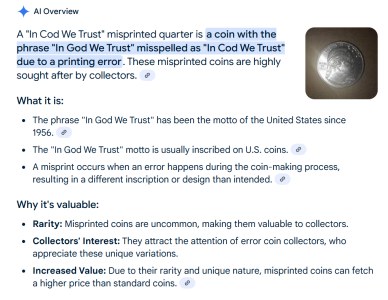
AI is having an impact on history
https://youtu.be/HG1324unhcA
A bunch of these posted in the last few weeks
https://youtu.be/HG1324unhcA
A bunch of these posted in the last few weeks


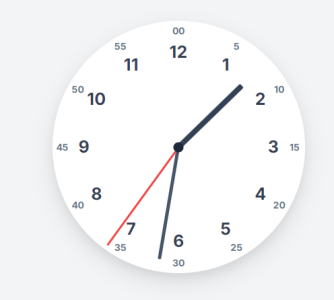
<!DOCTYPE html>
<html lang="en">
<head>
    <meta charset="UTF-8">
    <meta name="viewport" content="width=device-width, initial-scale=1.0">
    <title>Analog Clock</title>
    <script src="https://cdn.tailwindcss.com"></script>
    <link href="https://fonts.googleapis.com/css2?family=Inter:wght@400;700&display=swap" rel="stylesheet">
    <style>
        /* Custom styles for the clock */
        body {
            font-family: 'Inter', sans-serif; /* Apply Inter font */
            display: flex;
            justify-content: center;
            align-items: center;
            min-height: 100vh;
            background-color: #f0f4f8; /* Light background */
        }
        .clock {
            width: 300px; /* Size of the clock */
            height: 300px;
            border-radius: 50%; /* Make it circular */
            background-color: #ffffff; /* White background */
            position: relative;
            box-shadow: 0 10px 25px rgba(0, 0, 0, 0.1), 0 5px 10px rgba(0, 0, 0, 0.05); /* Soft shadow */
        }
        .clock-face {
            position: relative;
            width: 100%;
            height: 100%;
        }
        /* Center dot */
        .center-dot {
            width: 12px;
            height: 12px;
            background-color: #1e293b; /* Darker center dot */
            border-radius: 50%;
            position: absolute;
            top: 50%;
            left: 50%;
            transform: translate(-50%, -50%);
            z-index: 11; /* Above hands */
        }
        /* Base styles for hands */
        .hand {
            width: 50%;
            height: 4px; /* Default thickness */
            background-color: #1e293b; /* Dark color for hands */
            position: absolute;
            top: 50%;
            left: 0; /* Start from the left edge */
            transform-origin: 100% 50%; /* Rotate around the right end (center of clock) */
            transform: translateY(-50%) rotate(90deg); /* Initial position (pointing up) */
            border-radius: 2px; /* Rounded ends */
            z-index: 10;
            transition: transform 0.1s cubic-bezier(0.4, 2.3, 0.6, 1); /* Smooth tick effect */
        }
        /* Specific hand styles */
        .hour-hand {
            width: 35%; /* Shorter */
            height: 6px; /* Thicker */
            left: 15%; /* Adjust left position to center rotation point */
            background-color: #334155; /* Slightly lighter than dot/minute */
        }
        .minute-hand {
            width: 45%; /* Medium length */
            height: 4px;
            left: 5%; /* Adjust left position */
            background-color: #475569;
        }
        .second-hand {
            width: 48%; /* Longest */
            height: 2px; /* Thinnest */
            background-color: #ef4444; /* Red color for seconds */
            left: 2%; /* Adjust left position */
            z-index: 11; /* Above other hands */
        }
        /* Style for numbers */
        .number {
            position: absolute;
            width: 30px; /* Container for number */
            height: 30px;
            text-align: center;
            line-height: 30px;
            font-weight: bold;
            color: #334155;
            /* Prevent text selection */
            user-select: none;
            -webkit-user-select: none;
            -moz-user-select: none;
            -ms-user-select: none;
        }
        .hour-number {
            font-size: 1.25rem; /* Larger font size for hours */
        }
        .minute-number {
            font-size: 0.7rem; /* Smaller font size for minutes */
            color: #64748b; /* Lighter color for minutes */
        }
    </style>
</head>
<body class="bg-gray-100">

    <div class="clock">
        <div class="clock-face">
            <div class="hand hour-hand" data-hour-hand></div>
            <div class="hand minute-hand" data-minute-hand></div>
            <div class="hand second-hand" data-second-hand></div>
            <div class="center-dot"></div>
            </div> </div>

    <script>
        // Get references to the hand elements
        const hourHand = document.querySelector('[data-hour-hand]');
        const minuteHand = document.querySelector('[data-minute-hand]');
        const secondHand = document.querySelector('[data-second-hand]');
        const clockFace = document.querySelector('.clock-face');

        // Function to set the clock hands
        function setClock() {
            const currentDate = new Date(); // Get current date and time
            const secondsRatio = currentDate.getSeconds() / 60;
            const minutesRatio = (secondsRatio + currentDate.getMinutes()) / 60;
            const hoursRatio = (minutesRatio + currentDate.getHours()) / 12;

            // Rotate hands based on time ratios
            setRotation(secondHand, secondsRatio);
            setRotation(minuteHand, minutesRatio);
            setRotation(hourHand, hoursRatio);
        }

        // Function to apply rotation transform
        function setRotation(element, rotationRatio) {
            // Add 90 degrees because the initial CSS position is horizontal (pointing right)
            // but we want 0 degrees to be pointing up (12 o'clock)
            element.style.transform = `translateY(-50%) rotate(${rotationRatio * 360 + 90}deg)`;
        }

        // Function to create and position numbers
        function createNumbers() {
            const clockElement = document.querySelector('.clock');
            // Clear existing numbers if any (e.g., on resize if implemented)
            clockFace.querySelectorAll('.number').forEach(num => num.remove());

            const radius = clockElement.offsetWidth / 2; // Calculate radius dynamically
            const center = radius; // Center coordinate is same as radius

            // Check if radius is valid before proceeding
            if (radius <= 0) {
                console.error("Clock radius calculation failed. Ensure .clock element has dimensions.");
                return; // Stop if radius isn't calculated correctly
            }


            // Add Hour Numbers (1 to 12)
            const hourRadius = radius * 0.75; // Radius for hour numbers
            for (let i = 1; i <= 12; i++) {
                const angle = (i / 12) * 2 * Math.PI - Math.PI / 2; // Calculate angle (adjusting for 12 at top)
                const x = center + hourRadius * Math.cos(angle);
                const y = center + hourRadius * Math.sin(angle);

                const numberDiv = document.createElement('div');
                numberDiv.classList.add('number', 'hour-number');
                // Center the number div on its calculated position
                numberDiv.style.left = `calc(${x}px - 15px)`; // Adjust position based on number div size (30px / 2)
                numberDiv.style.top = `calc(${y}px - 15px)`;
                numberDiv.textContent = i;
                clockFace.appendChild(numberDiv);
            }

            // Add Minute Numbers (0, 5, 10, ..., 55)
            const minuteRadius = radius * 0.92; // Radius for minute numbers (closer to edge)
            for (let i = 0; i < 60; i += 5) {
                 const angle = (i / 60) * 2 * Math.PI - Math.PI / 2; // Calculate angle
                 const x = center + minuteRadius * Math.cos(angle);
                 const y = center + minuteRadius * Math.sin(angle);

                 const numberDiv = document.createElement('div');
                 numberDiv.classList.add('number', 'minute-number');
                 // Center the number div on its calculated position
                 numberDiv.style.left = `calc(${x}px - 15px)`; // Adjust position
                 numberDiv.style.top = `calc(${y}px - 15px)`;
                 // Display '00' for the 0 minute mark, otherwise display the minute value
                 numberDiv.textContent = i === 0 ? '00' : i;
                 clockFace.appendChild(numberDiv);
            }
        }

        // Ensure numbers are created after the DOM is fully loaded and sized
        window.addEventListener('DOMContentLoaded', (event) => {
            // Delay slightly to ensure layout is complete for offsetWidth calculation
            setTimeout(() => {
                createNumbers(); // Create the numbers
                setClock();      // Set hands to current time immediately

                // Update the clock every second
                setInterval(setClock, 1000);

                // Optional: Recalculate numbers on window resize for responsiveness
                // window.addEventListener('resize', createNumbers);
            }, 0); // Timeout 0 pushes execution after current rendering cycle
        });

    </script>

</body>
</html><!DOCTYPE html>
<html lang="en">
<head>
<meta charset="UTF-8">
<meta name="viewport" content="width=device-width, initial-scale=1.0">
<title>Analog Clock with Digital Display</title>
<script src="https://cdn.tailwindcss.com"></script>
<link href="https://fonts.googleapis.com/css2?family=Inter:wght@400;700&display=swap" rel="stylesheet">
<link href="https://fonts.googleapis.com/css2?family=Roboto+Mono&display=swap" rel="stylesheet">
<style>
/* Custom styles for the clock */
body {
font-family: 'Inter', sans-serif; /* Apply Inter font */
display: flex;
justify-content: center;
align-items: center;
min-height: 100vh;
background-color: #f0f4f8; /* Light background */
}
.clock {
width: 300px; /* Size of the clock */
height: 300px;
border-radius: 50%; /* Make it circular */
background-color: #ffffff; /* White background */
position: relative;
box-shadow: 0 10px 25px rgba(0, 0, 0, 0.1), 0 5px 10px rgba(0, 0, 0, 0.05); /* Soft shadow */
}
.clock-face {
position: relative;
width: 100%;
height: 100%;
}
/* Center dot */
.center-dot {
width: 12px;
height: 12px;
background-color: #1e293b; /* Darker center dot */
border-radius: 50%;
position: absolute;
top: 50%;
left: 50%;
transform: translate(-50%, -50%);
z-index: 11; /* Above hands and digital display */
}
/* Base styles for hands */
.hand {
width: 50%;
height: 4px; /* Default thickness */
background-color: #1e293b; /* Dark color for hands */
position: absolute;
top: 50%;
left: 0; /* Start from the left edge */
transform-origin: 100% 50%; /* Rotate around the right end (center of clock) */
transform: translateY(-50%) rotate(90deg); /* Initial position (pointing up) */
border-radius: 2px; /* Rounded ends */
z-index: 10; /* Below center dot, above digital */
transition: transform 0.1s cubic-bezier(0.4, 2.3, 0.6, 1); /* Smooth tick effect */
}
/* Specific hand styles */
.hour-hand {
width: 35%; /* Shorter */
height: 6px; /* Thicker */
left: 15%; /* Adjust left position to center rotation point */
background-color: #334155; /* Slightly lighter than dot/minute */
}
.minute-hand {
width: 45%; /* Medium length */
height: 4px;
left: 5%; /* Adjust left position */
background-color: #475569;
}
.second-hand {
width: 48%; /* Longest */
height: 2px; /* Thinnest */
background-color: #ef4444; /* Red color for seconds */
left: 2%; /* Adjust left position */
z-index: 10; /* Keep same z-index as other hands */
}
/* Style for numbers */
.number {
position: absolute;
width: 30px; /* Container for number */
height: 30px;
text-align: center;
line-height: 30px;
font-weight: bold;
color: #334155;
/* Prevent text selection */
user-select: none;
-webkit-user-select: none;
-moz-user-select: none;
-ms-user-select: none;
}
.hour-number {
font-size: 1.25rem; /* Larger font size for hours */
}
.minute-number {
font-size: 0.7rem; /* Smaller font size for minutes */
color: #64748b; /* Lighter color for minutes */
}
/* Style for Digital Time Display */
.digital-time {
position: absolute;
bottom: 35%; /* Position below the center */
left: 50%;
transform: translateX(-50%);
background-color: #000000; /* Black background */
color: #34d399; /* Emerald green text (Tailwind emerald-400) */
font-family: 'Roboto Mono', monospace; /* Monospaced font */
padding: 4px 8px; /* Padding inside the rectangle */
border-radius: 4px; /* Rounded corners */
font-size: 0.9rem; /* Font size for digital time */
z-index: 9; /* Below hands and center dot */
letter-spacing: 1px; /* Spacing between characters */
box-shadow: 0 2px 4px rgba(0,0,0,0.2); /* Subtle shadow */
}
</style>
</head>
<body class="bg-gray-100">
<div class="clock">
<div class="clock-face">
<div class="hand hour-hand" data-hour-hand></div>
<div class="hand minute-hand" data-minute-hand></div>
<div class="hand second-hand" data-second-hand></div>
<div class="center-dot"></div>
<div class="digital-time" data-digital-time>00:00:00</div>
</div>
</div>
<script>
// Get references to the elements
const hourHand = document.querySelector('[data-hour-hand]');
const minuteHand = document.querySelector('[data-minute-hand]');
const secondHand = document.querySelector('[data-second-hand]');
const clockFace = document.querySelector('.clock-face');
const digitalTimeDisplay = document.querySelector('[data-digital-time]'); // Get digital display element
// Function to set the clock hands and digital display
function setClock() {
const currentDate = new Date(); // Get current date and time
// Analog calculations
const seconds = currentDate.getSeconds();
const minutes = currentDate.getMinutes();
const hours = currentDate.getHours();
const secondsRatio = seconds / 60;
const minutesRatio = (secondsRatio + minutes) / 60;
const hoursRatio = (minutesRatio + hours) / 12;
// Rotate analog hands
setRotation(secondHand, secondsRatio);
setRotation(minuteHand, minutesRatio);
setRotation(hourHand, hoursRatio);
// Digital display update
// Format H, M, S to always have two digits (e.g., 01, 09)
const formattedHours = String(hours).padStart(2, '0');
const formattedMinutes = String(minutes).padStart(2, '0');
const formattedSeconds = String(seconds).padStart(2, '0');
// Update the text content of the digital display
digitalTimeDisplay.textContent = `${formattedHours}:${formattedMinutes}:${formattedSeconds}`;
}
// Function to apply rotation transform to analog hands
function setRotation(element, rotationRatio) {
element.style.transform = `translateY(-50%) rotate(${rotationRatio * 360 + 90}deg)`;
}
// Function to create and position analog numbers
function createNumbers() {
const clockElement = document.querySelector('.clock');
clockFace.querySelectorAll('.number').forEach(num => num.remove()); // Clear existing numbers
const radius = clockElement.offsetWidth / 2;
const center = radius;
if (radius <= 0) {
console.error("Clock radius calculation failed.");
return;
}
// Add Hour Numbers (1 to 12)
const hourRadius = radius * 0.75;
for (let i = 1; i <= 12; i++) {
const angle = (i / 12) * 2 * Math.PI - Math.PI / 2;
const x = center + hourRadius * Math.cos(angle);
const y = center + hourRadius * Math.sin(angle);
const numberDiv = document.createElement('div');
numberDiv.classList.add('number', 'hour-number');
numberDiv.style.left = `calc(${x}px - 15px)`;
numberDiv.style.top = `calc(${y}px - 15px)`;
numberDiv.textContent = i;
clockFace.appendChild(numberDiv);
}
// Add Minute Numbers (0, 5, ..., 55)
const minuteRadius = radius * 0.92;
for (let i = 0; i < 60; i += 5) {
const angle = (i / 60) * 2 * Math.PI - Math.PI / 2;
const x = center + minuteRadius * Math.cos(angle);
const y = center + minuteRadius * Math.sin(angle);
const numberDiv = document.createElement('div');
numberDiv.classList.add('number', 'minute-number');
numberDiv.style.left = `calc(${x}px - 15px)`;
numberDiv.style.top = `calc(${y}px - 15px)`;
numberDiv.textContent = i === 0 ? '00' : i;
clockFace.appendChild(numberDiv);
}
}
// Initial setup on DOM load
window.addEventListener('DOMContentLoaded', (event) => {
setTimeout(() => { // Ensure layout is stable
createNumbers();
setClock(); // Set initial time for both analog and digital
// Update the clock every second
setInterval(setClock, 1000);
// Optional: Recalculate numbers on resize
// window.addEventListener('resize', createNumbers);
}, 0);
});
</script>
</body>
</html>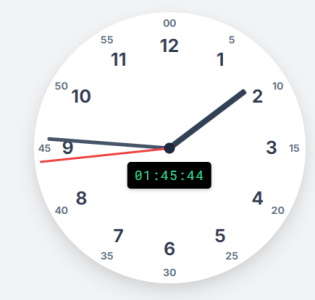

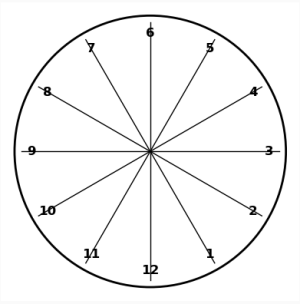
Thank you so much. You made me try out Gemini. It had the same problem.
BUT, then I tried 2.5 experimental version and it gave me almost working code.
Told it to fix a few mistakes and voila!
An actual WORKING clock in HTML/CSS/JS, showing the current time!
View attachment 123281
Code:<!DOCTYPE html> <html lang="en"> <head> <meta charset="UTF-8"> <meta name="viewport" content="width=device-width, initial-scale=1.0"> <title>Analog Clock</title> <script src="https://cdn.tailwindcss.com"></script> <link href="https://fonts.googleapis.com/css2?family=Inter:wght@400;700&display=swap" rel="stylesheet"> <style> /* Custom styles for the clock */ body { font-family: 'Inter', sans-serif; /* Apply Inter font */ display: flex; justify-content: center; align-items: center; min-height: 100vh; background-color: #f0f4f8; /* Light background */ } .clock { width: 300px; /* Size of the clock */ height: 300px; border-radius: 50%; /* Make it circular */ background-color: #ffffff; /* White background */ position: relative; box-shadow: 0 10px 25px rgba(0, 0, 0, 0.1), 0 5px 10px rgba(0, 0, 0, 0.05); /* Soft shadow */ } .clock-face { position: relative; width: 100%; height: 100%; } /* Center dot */ .center-dot { width: 12px; height: 12px; background-color: #1e293b; /* Darker center dot */ border-radius: 50%; position: absolute; top: 50%; left: 50%; transform: translate(-50%, -50%); z-index: 11; /* Above hands */ } /* Base styles for hands */ .hand { width: 50%; height: 4px; /* Default thickness */ background-color: #1e293b; /* Dark color for hands */ position: absolute; top: 50%; left: 0; /* Start from the left edge */ transform-origin: 100% 50%; /* Rotate around the right end (center of clock) */ transform: translateY(-50%) rotate(90deg); /* Initial position (pointing up) */ border-radius: 2px; /* Rounded ends */ z-index: 10; transition: transform 0.1s cubic-bezier(0.4, 2.3, 0.6, 1); /* Smooth tick effect */ } /* Specific hand styles */ .hour-hand { width: 35%; /* Shorter */ height: 6px; /* Thicker */ left: 15%; /* Adjust left position to center rotation point */ background-color: #334155; /* Slightly lighter than dot/minute */ } .minute-hand { width: 45%; /* Medium length */ height: 4px; left: 5%; /* Adjust left position */ background-color: #475569; } .second-hand { width: 48%; /* Longest */ height: 2px; /* Thinnest */ background-color: #ef4444; /* Red color for seconds */ left: 2%; /* Adjust left position */ z-index: 11; /* Above other hands */ } /* Style for numbers */ .number { position: absolute; width: 30px; /* Container for number */ height: 30px; text-align: center; line-height: 30px; font-weight: bold; color: #334155; /* Prevent text selection */ user-select: none; -webkit-user-select: none; -moz-user-select: none; -ms-user-select: none; } .hour-number { font-size: 1.25rem; /* Larger font size for hours */ } .minute-number { font-size: 0.7rem; /* Smaller font size for minutes */ color: #64748b; /* Lighter color for minutes */ } </style> </head> <body class="bg-gray-100"> <div class="clock"> <div class="clock-face"> <div class="hand hour-hand" data-hour-hand></div> <div class="hand minute-hand" data-minute-hand></div> <div class="hand second-hand" data-second-hand></div> <div class="center-dot"></div> </div> </div> <script> // Get references to the hand elements const hourHand = document.querySelector('[data-hour-hand]'); const minuteHand = document.querySelector('[data-minute-hand]'); const secondHand = document.querySelector('[data-second-hand]'); const clockFace = document.querySelector('.clock-face'); // Function to set the clock hands function setClock() { const currentDate = new Date(); // Get current date and time const secondsRatio = currentDate.getSeconds() / 60; const minutesRatio = (secondsRatio + currentDate.getMinutes()) / 60; const hoursRatio = (minutesRatio + currentDate.getHours()) / 12; // Rotate hands based on time ratios setRotation(secondHand, secondsRatio); setRotation(minuteHand, minutesRatio); setRotation(hourHand, hoursRatio); } // Function to apply rotation transform function setRotation(element, rotationRatio) { // Add 90 degrees because the initial CSS position is horizontal (pointing right) // but we want 0 degrees to be pointing up (12 o'clock) element.style.transform = `translateY(-50%) rotate(${rotationRatio * 360 + 90}deg)`; } // Function to create and position numbers function createNumbers() { const clockElement = document.querySelector('.clock'); // Clear existing numbers if any (e.g., on resize if implemented) clockFace.querySelectorAll('.number').forEach(num => num.remove()); const radius = clockElement.offsetWidth / 2; // Calculate radius dynamically const center = radius; // Center coordinate is same as radius // Check if radius is valid before proceeding if (radius <= 0) { console.error("Clock radius calculation failed. Ensure .clock element has dimensions."); return; // Stop if radius isn't calculated correctly } // Add Hour Numbers (1 to 12) const hourRadius = radius * 0.75; // Radius for hour numbers for (let i = 1; i <= 12; i++) { const angle = (i / 12) * 2 * Math.PI - Math.PI / 2; // Calculate angle (adjusting for 12 at top) const x = center + hourRadius * Math.cos(angle); const y = center + hourRadius * Math.sin(angle); const numberDiv = document.createElement('div'); numberDiv.classList.add('number', 'hour-number'); // Center the number div on its calculated position numberDiv.style.left = `calc(${x}px - 15px)`; // Adjust position based on number div size (30px / 2) numberDiv.style.top = `calc(${y}px - 15px)`; numberDiv.textContent = i; clockFace.appendChild(numberDiv); } // Add Minute Numbers (0, 5, 10, ..., 55) const minuteRadius = radius * 0.92; // Radius for minute numbers (closer to edge) for (let i = 0; i < 60; i += 5) { const angle = (i / 60) * 2 * Math.PI - Math.PI / 2; // Calculate angle const x = center + minuteRadius * Math.cos(angle); const y = center + minuteRadius * Math.sin(angle); const numberDiv = document.createElement('div'); numberDiv.classList.add('number', 'minute-number'); // Center the number div on its calculated position numberDiv.style.left = `calc(${x}px - 15px)`; // Adjust position numberDiv.style.top = `calc(${y}px - 15px)`; // Display '00' for the 0 minute mark, otherwise display the minute value numberDiv.textContent = i === 0 ? '00' : i; clockFace.appendChild(numberDiv); } } // Ensure numbers are created after the DOM is fully loaded and sized window.addEventListener('DOMContentLoaded', (event) => { // Delay slightly to ensure layout is complete for offsetWidth calculation setTimeout(() => { createNumbers(); // Create the numbers setClock(); // Set hands to current time immediately // Update the clock every second setInterval(setClock, 1000); // Optional: Recalculate numbers on window resize for responsiveness // window.addEventListener('resize', createNumbers); }, 0); // Timeout 0 pushes execution after current rendering cycle }); </script> </body> </html>
Paste the code in a text file, rename extension from txt to htm and magic! 🙂
Didn't take Gemini even 5 minutes to do that. And it's only going to get better! 😱That would have been a whole-semester project for me back in college LOL
Play with newest Qwen (I used Qwen_Qwen3-30B-A3B-Q6_K.gguf locally, it's MOE so kind of fast)And free tier limit reached. No more free code for 24 hours
<!DOCTYPE html>
<html lang="en">
<head>
<meta charset="UTF-8">
<title>Analog Watch</title>
<style>
body {
display: flex;
justify-content: center;
align-items: center;
height: 100vh;
margin: 0;
background: #f0f0f0;
}
canvas {
border: 2px solid #333;
background: white;
}
</style>
</head>
<body>
<canvas id="clock" width="400" height="400"></canvas>
<script>
const canvas = document.getElementById('clock');
const ctx = canvas.getContext('2d');
function drawClock() {
const cx = canvas.width / 2;
const cy = canvas.height / 2;
const radius = 150;
// Draw the clock face
ctx.beginPath();
ctx.arc(cx, cy, radius, 0, 2 * Math.PI);
ctx.fillStyle = 'white';
ctx.fill();
ctx.strokeStyle = 'black';
ctx.stroke();
// Set text color to black
ctx.fillStyle = 'black';
ctx.font = '18px Arial';
ctx.textAlign = 'center';
ctx.textBaseline = 'middle';
// Draw hour numbers (1-12)
for (let i = 1; i <= 12; i++) {
const angle = Math.PI / 2 - i * Math.PI / 6; // 30 degrees per hour
const x = cx + Math.cos(angle) * radius * 0.85;
const y = cy - Math.sin(angle) * radius * 0.85;
ctx.fillText(i, x, y);
}
// Draw small second numbers (every 5 seconds)
ctx.font = '12px Arial';
for (let i = 5; i <= 60; i += 5) {
const angle = Math.PI / 2 - i * Math.PI / 30; // 6 degrees per second
const x = cx + Math.cos(angle) * radius * 0.95;
const y = cy - Math.sin(angle) * radius * 0.95;
ctx.fillText(i, x, y);
}
// Draw hands
const now = new Date();
const hours = now.getHours();
const minutes = now.getMinutes();
const seconds = now.getSeconds();
// Hour hand
const hourAngle = Math.PI / 2 - (hours % 12) * Math.PI / 6 - minutes * Math.PI / 360;
const hourLength = radius * 0.5;
ctx.beginPath();
ctx.moveTo(cx, cy);
ctx.lineTo(cx + Math.cos(hourAngle) * hourLength, cy - Math.sin(hourAngle) * hourLength);
ctx.strokeStyle = 'black';
ctx.lineWidth = 6;
ctx.stroke();
// Minute hand
const minuteAngle = Math.PI / 2 - minutes * Math.PI / 30 - seconds * Math.PI / 1800;
const minuteLength = radius * 0.75;
ctx.beginPath();
ctx.moveTo(cx, cy);
ctx.lineTo(cx + Math.cos(minuteAngle) * minuteLength, cy - Math.sin(minuteAngle) * minuteLength);
ctx.strokeStyle = 'black';
ctx.lineWidth = 4;
ctx.stroke();
// Second hand
const secondAngle = Math.PI / 2 - seconds * Math.PI / 30;
const secondLength = radius * 0.9;
ctx.beginPath();
ctx.moveTo(cx, cy);
ctx.lineTo(cx + Math.cos(secondAngle) * secondLength, cy - Math.sin(secondAngle) * secondLength);
ctx.strokeStyle = 'red';
ctx.lineWidth = 2;
ctx.stroke();
// Draw center dot
ctx.beginPath();
ctx.arc(cx, cy, 5, 0, 2 * Math.PI);
ctx.fillStyle = 'black';
ctx.fill();
}
// Update the clock every second
setInterval(drawClock, 1000);
drawClock(); // Initial draw
</script>
</body>
</html>
Didn't take Gemini even 5 minutes to do that. And it's only going to get better! 😱
Excellent. Gemini clock has a bug (seconds hand goes crazy when the minute completes) but Qwen3's clock seems issue-free.Play with newest Qwen (I used Qwen_Qwen3-30B-A3B-Q6_K.gguf locally, it's MOE so kind of fast)



 www.notebookcheck.net

 www.theverge.com
Figma Make is Figma’s take on AI coding tools like Google’s Gemini Code Assist and Microsoft’s GitHub Copilot. The prompt-to-code Figma Make tool is powered by Anthropic’s Claude 3.7 model and can build working prototypes and apps based on descriptions or existing designs, such as creating a functional music player that displays a disc that spins when new tracks are played. Specific elements of working design, like text formatting and font style, can be manually edited or adjusted using additional AI prompts.
The new feature, called Figma Make, is the company’s response to the rise of “vibe-coding” tools, which turn a short written description into the source code necessary for a website.
Figma’s new tool relies on Anthropic’s Claude 3.7 Sonnet AI model.
Like many other “vibe-coding” programs, Figma Make presents a chat box to ask for and receive adjustments of drafts it comes up with. But sometimes a simple fix such as a font change is all that’s necessary. Drop-down menus for specific elements allow for quick alterations, meaning that there’s no need to consult the AI model again and wait for a response.

 www.figma.com
 www.figma.com

 ltx.studio
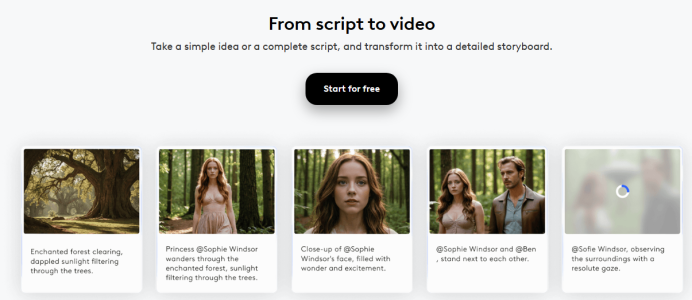
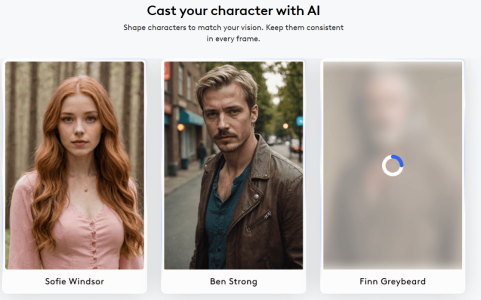
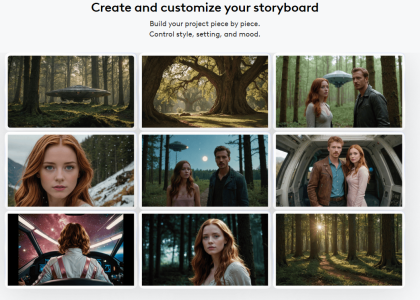
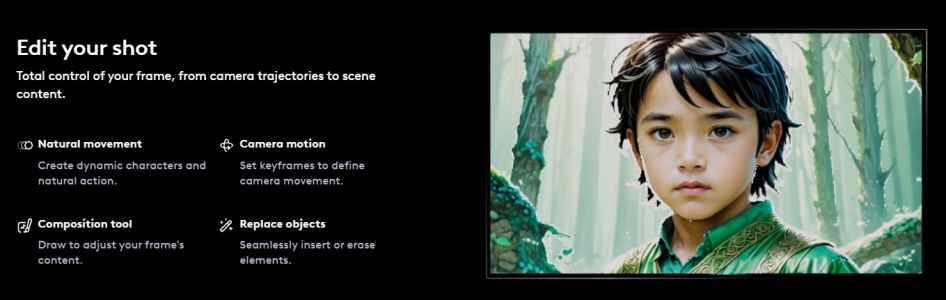
LTX Studio video suite:
Excellent blog:
Blog | LTX Studio
Explore LTX Studio's cutting-edge research in generative AI and video generation. Discover our latest breakthroughs shaping the future of this innovative, creative technology.
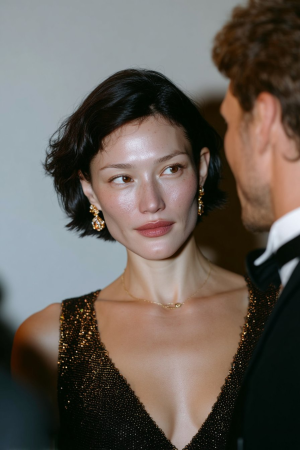
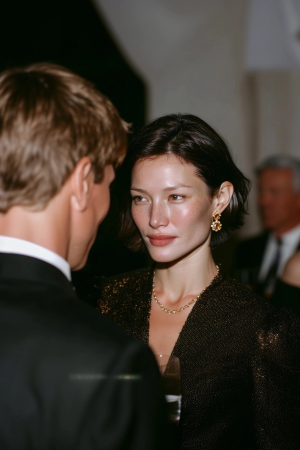
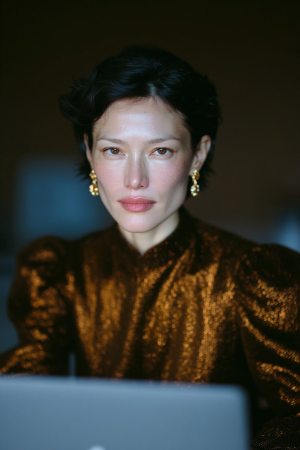
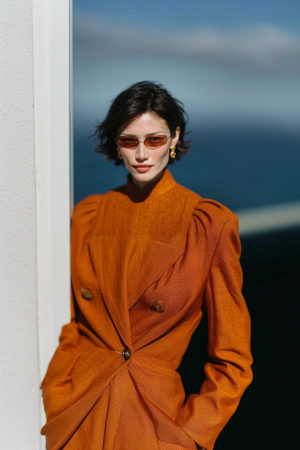
View attachment 123531
View attachment 123528
View attachment 123529
View attachment 123530

 ltx.studio
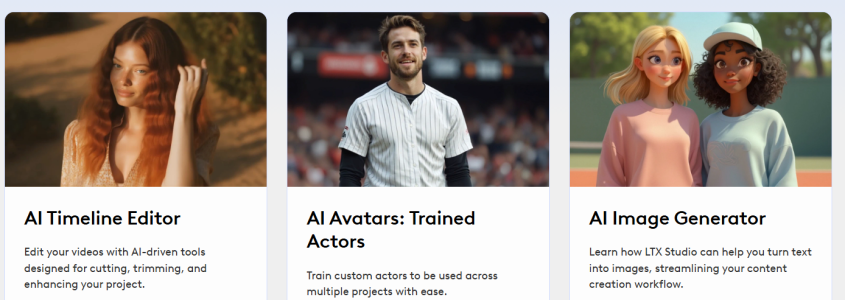
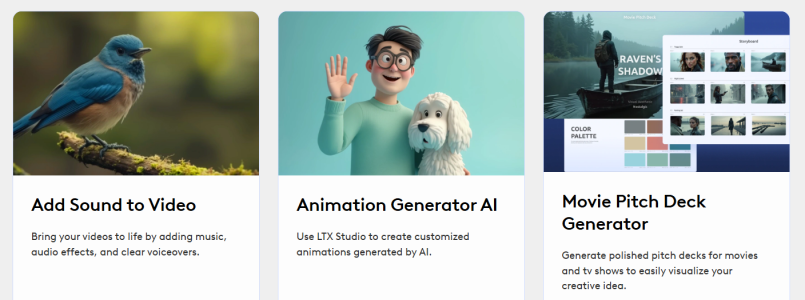
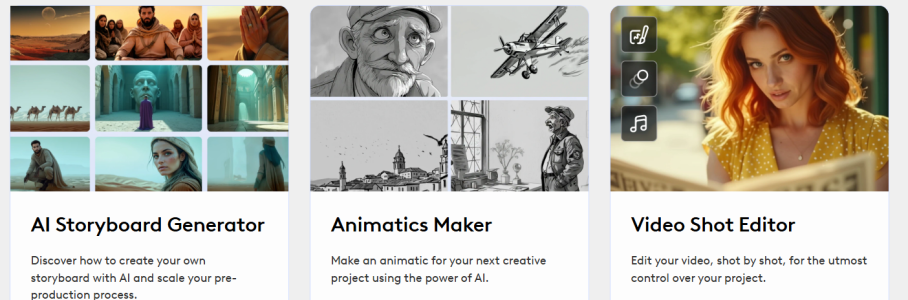
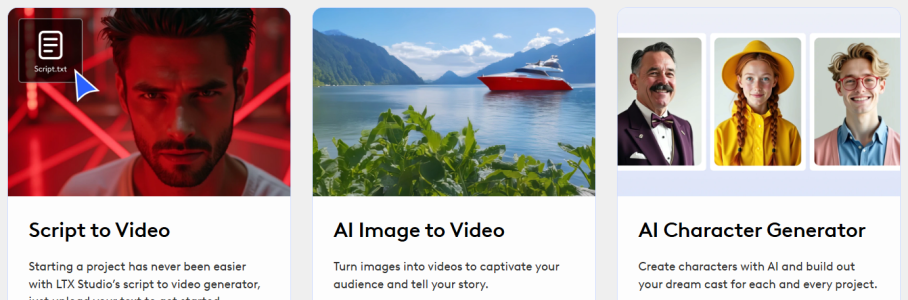


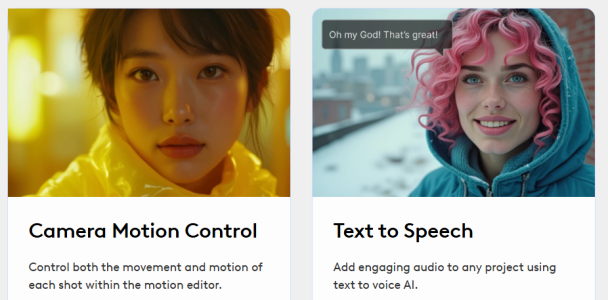
LTX Studio video suite:
Excellent blog:
Blog | LTX Studio
Explore LTX Studio's cutting-edge research in generative AI and video generation. Discover our latest breakthroughs shaping the future of this innovative, creative technology.
View attachment 123531
View attachment 123528
View attachment 123529
View attachment 123530
 ltx.studio



Using an Omni Reference allows you to put characters, objects, vehicles, or non-human creatures from a reference image into your Midjourney creations.