• We’re currently investigating an issue related to the forum theme and styling that is impacting page layout and visual formatting. The problem has been identified, and we are actively working on a resolution. There is no impact to user data or functionality, this is strictly a front-end display issue. We’ll post an update once the fix has been deployed. Thanks for your patience while we get this sorted.

sudden hang on pc

tinyobola

Junior Member
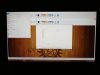
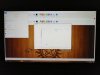
someone experienced this? i cant get screenshot on pc the image file cant be viewed so i took a picture using my phone
even im using my old gtx 770 that has garbage display already
i7-4770k
maximus 6 gene
16gb ram
1 120gb ssd
2 1tb hdd
cm v750s
h100i
 

Attachments

  • 61727152_855180788149459_274578539133534208_n.jpg
    61727152_855180788149459_274578539133534208_n.jpg
    118.7 KB · Views: 28
  • 61825801_2052658161703343_2995679580892692480_n.jpg
    61825801_2052658161703343_2995679580892692480_n.jpg
    109.8 KB · Views: 29
Might be early signs of the SSD going bad, but difficult to diagnose with such limited information.
 
this is the ssd its a five year old 840 evo 96/100
 

Attachments

  • 61910042_1628506360616325_145678036480557056_o.jpg
    61910042_1628506360616325_145678036480557056_o.jpg
    48.6 KB · Views: 11
its is confusing. the title is PC hangs but show a picture of the screen that has artifacts.

though first thing i do is turn on the igpu in the bios and use the motherboard video out to see if its the 770.

first w/gpu still in (still there? take out the gpu)

if its still there, change monitors.

if its still there - breadboard. <-- google is your friend.

those are some basic troubleshooting steps.
 
its not artifact its when i take the picture its just the icons on taskbar are missing you cant click anything but u can move the arrow cant press save cancel. or closing the paint window i take out the gpu already since it has garbage display already tried on another pc, its not the monitor also tried swapping it the problem is still there. ive been trying to find answers sometime already and nada thats why i post it here and hoping someone who had the same problem had solved it and note im not using gpu on that screenshot
 
ah, thanks i got a better idea. but sorry, the idea is, i don't know.

i don't want to waste your time but . . swap out what you can breadboarding?

a quick(er) might be to use a linux live stick. disconnect the ssd and if everything is better, then your OS or SSD could be the issue.

but i honestly don't know either.
 
So I assume you physically have to tun it off and back on to recover. Does it recover every time you turn it back on, or do you have to wait a while before it will start back up?
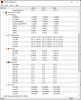
Have you ever run programs that check the temperature of key components while you are in Windows?
What is the longest it will run without freezing?
 
just long press start button to shut it down no recovery mode just normal loading on windows
like a day its random freezing maybe shortest 3hours? just streaming and coding stuff

1559862812034.png
 
Might be a bad stick of RAM. You running 4 sticks? Try running with just 2 and see if the crashes stop.
 
Run memtest86 for starters. You will need a flash drive to boot from for it.
 
Back
Top