• We’re currently investigating an issue related to the forum theme and styling that is impacting page layout and visual formatting. The problem has been identified, and we are actively working on a resolution. There is no impact to user data or functionality, this is strictly a front-end display issue. We’ll post an update once the fix has been deployed. Thanks for your patience while we get this sorted.

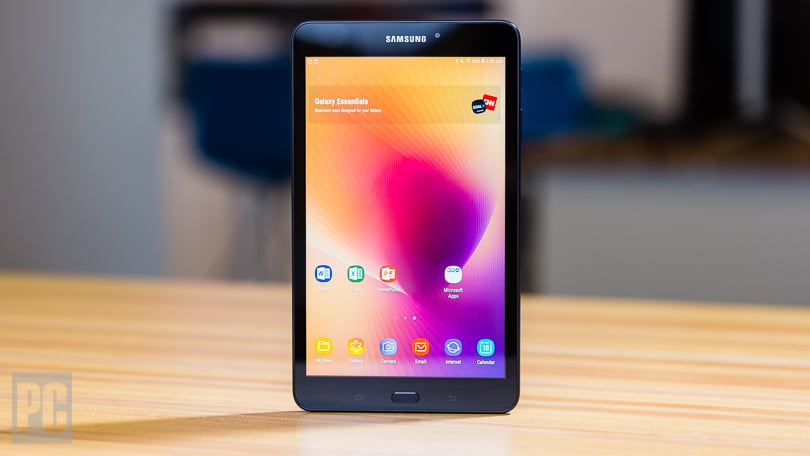
SAMSUNG GALAXY TAB A 8.0"

Yeah, but I've never used a tablet. What is it, like a bigger phone? Or a smaller laptop with no keyboard?

Is this one better or worse than others?
 
Yeah, but I've never used a tablet. What is it, like a bigger phone? Or a smaller laptop with no keyboard?

Is this one better or worse than others?

In Android land, tablets are closer to "bigger phone" than "smaller laptop." iPads have more functional differences (not to mention more truly tablet-native apps).
 
In Android land, tablets are closer to "bigger phone" than "smaller laptop." iPads have more functional differences (not to mention more truly tablet-native apps).
Until the Samsung Tab S7+ came along. It is an awesome tablet.
 
Got it. No real opinion yet either way. Not sure how useful it will be given the Motorola Stylus I have.

Question though. It has 32 G and is about a third occupied. If I add a card, will that add to root storage? Or only to user file storage like many phones?
 
Got it. No real opinion yet either way. Not sure how useful it will be given the Motorola Stylus I have.

Question though. It has 32 G and is about a third occupied. If I add a card, will that add to root storage? Or only to user file storage like many phones?

It's like with other Android devices. You might get to treat the SD card as "adoptable storage" that unifies with your main storage, although that carries its own limitations — you basically can't remove the card after that.
 
Question though. It has 32 G and is about a third occupied. If I add a card, will that add to root storage? Or only to user file storage like many phones?

you can store apps on the SD card.
You need to unlock it though developer options by pressing the about button on the settings screen like 10 times tho.


I do this all the time on my samsung tablets with low ram.
But make sure you use a good quality SD card.
There are some apps that wont let you move to SD card tho.
These are usualy sensitive stuff like bank apps, which need KNOX.
 
Last edited:
This is one of the very few 8" android tablets with FHD (1900X1200) resolution. Previous smaller Samsung tablets were low res. I paid more than I wanted for an AT&T Tab A with a bad IMEI because this model is only available from a major carrier and expensive if not part of a promotion. I'm very happy with the purchase.

Sent from my HD1907 using Tapatalk
 
I got a little over a week on the first full charge. Most of that is idle time, asleep, screen off. A few pictures, some calendar notification events, some messing with settings, not much else.

On charge now since about 8AM and it's only up to 29% (from 3%) and showing another 15 hours to full charge.

Seems slow to charge.
 
Not sure why it was so slow to charge using the same charger I use for cell phones. I switched to to the charger that came with it and the charge is much faster.

I'm finding I can move programs to the SD card to reduce space on the Internal storage. But now I'm wondering about going to a bigger card I don't want to move everything back to internal and start over.

Is it possible to move programs and files via PC, copy/paste?
 
Back
Top