Samsung 850 EVO 1TB only reading 111GB in disk manager...

TonyElTigre

Junior Member
Aug 19, 2017
1
0
1
Ok, so I bought the 850 Evo 1TB a few days ago from BEST BUY for 330 bux (price match), clean installed Windows 10 on it, after an hour of updates the pc was running super smoothly. Checked drive size -> 111GB. Went to disk manager to check for a mysterious partition...none. Total size 111GB. I even ran cmd DiskPart Clean but still 111gb. My computer recognizes the drive as Samsung 750 Evo 120GB. Took it back to Geek Squad, explained my case, they traded me for another brand new EVO 1TB. EXACT SAME THING HAPPENED....So do you think Best Buy was fooled by a scam order or is there something else I should do?

Thanks.
 

UsandThem

Elite Member
May 4, 2000
16,068
7,383
146
Maybe Samsung mistakenly packaged the wrong drives (unlikely, but possible), or someone previously bought those drives and switched them, and returned it. Crummy people are very good at making packages look like they were never opened.

If you do go back to exchange it again, open the package in store in front of an employee or they will likely start thinking you are trying to pull a fast one.
 

VirtualLarry

No Lifer
Aug 25, 2001
56,587
10,227
126
OP: You don't already have a Samsung EVO 750 120GB SSD in your rig, do you? Maybe you're getting confused, because you have to go to Disk Management and partition and format it?

Have you used CrystalDiskMark to see the drive information?
 

aigomorla

CPU, Cases&Cooling Mod PC Gaming Mod Elite Member
Super Moderator
Sep 28, 2005
21,128
3,660
126
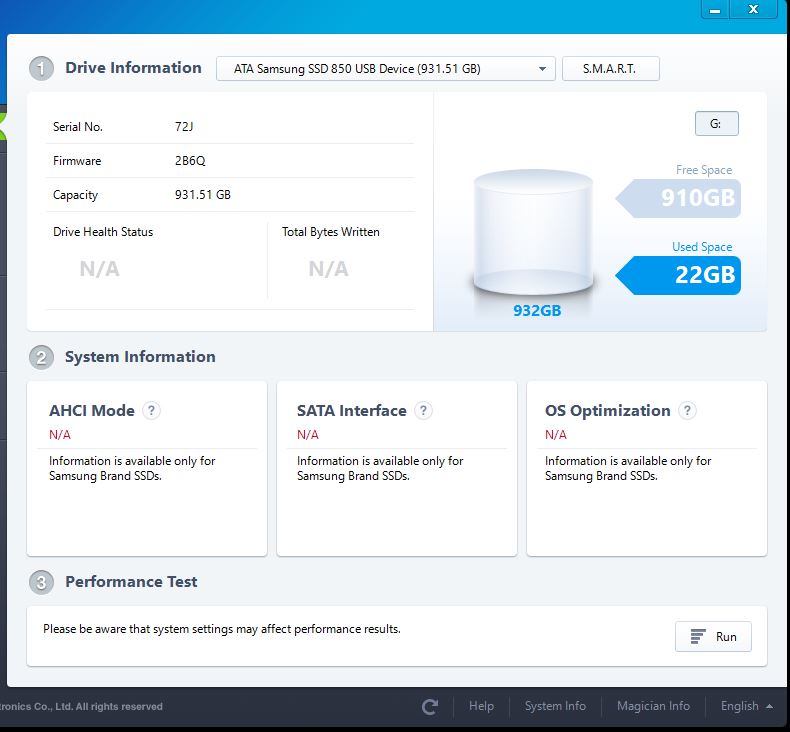
install samsung magician... if you want to verify the SSD.
It should look something simular to this....

and scan the drive...

evo1tb.jpg


I ended up buying one also... i couldnt resist the 40 dollar drop in price...
And i needed another SSD anyhow...

But i highly doubt u got fake ones...
They seem to have all went on sale.