• We’re currently investigating an issue related to the forum theme and styling that is impacting page layout and visual formatting. The problem has been identified, and we are actively working on a resolution. There is no impact to user data or functionality, this is strictly a front-end display issue. We’ll post an update once the fix has been deployed. Thanks for your patience while we get this sorted.

Real minimum SSD size

lifeblood

Senior member
I just bought a WD 500Gb Black drive (I wanted the 5 year warranty) and am playing with the idea of a SSD as a boot drive. My question is, what is the true minimum size it must be to be practical?

I can get a 60Gb and that will hold Win7, Office, and a few games. But I have lots of games that a play on and off. Sometimes I'm in a L4D mood, other times Skyrim, other times I play shooters. Not all of them will fit on that 60Gb SSD. Thats fine, but then what have I really gotten? Windows and Office will boot super fast, but they don't boot slow now. Since I don't install, play, then delete games, I won't see the benefit of an SSD that much, or will I?

I know the answer is "get a 120Mb SSD", but I'm not made of money and I'm saving up for Piledriver if its good, or a new Intel MB and CPU if its not. The SSD is a side thought.

Anyone have experience to share about how a 60Gb or even a 120Gb is too small or big enough?
 
128 should have space for 4 or 5 games or if you can save enough, get a 256gb SSD. See what will be on sale on Black Friday.
 
even 40GB can hold windows and give you boost. I have 80GB on my win7 installation and it can hold few games. rest of them are installed on regular drive.
 
Get a 120gb, but don't worry about getting the fastest one out there. The cheaper ones with asynchronous memory are still 1000 times faster than a HDD with iops and only a little slower than the more expensive synchronous ssd's. A 60gb SSD is typically slower than a 120gb HDD as well. 120gb seems to have the best performance and gb/$ right now.
 
I would say to get a 128 and partition 32gb for RST but not on that board. I still would recommend a 128 thou.
 
I have win7, open office, Firefox, virtual box with Ubuntu and win8, plus miscellaneous and I'm using 54GB of 120 drive. Still need to install PS. So I guess I could use a 64GB SSD, but I'm looking for an excuse ti buy a 256GB.
 
For best performance in the long run, get a capacity that will not be more than aboutm 69% used.
 
How about a cache SSD? Roll your own if you have a supported Intel motherboard (Z68, Z77, H77?). Otherwise you can get a Crucial Adrenaline 50GB for $90 (probably Marvell controller) or OCZ Synapse 64GB for $100 (Sandforce). Both comes with 3rd party caching software.
 
Talking from experience:

64 are not that small,

it can hold OS + all little applications + few big applications or a game or two.

however the amount of extra space you would get for the price difference between 64 and 128 is HUGE

on 64gb == 25gb for OS, remains 39gb for your files
on 128gb == 25gb for OS, remains 103gb for your files

Important note: if you do get a small drive, enable NTFS compression
it increase read speed 'slightly' and give you an extra 10gb on the 60gb drive.
 
Last edited:
Important note: if you do get a small drive, enable NTFS compression
it increase read speed 'slightly' and give you an extra 10gb on the 60gb drive.

Worst possible thing you could do. Current SSD's don't work well with incomprehensible data because they want to do the compression themselves.

All using NTFS compression is going to do is slow down the drive, to a very large extent.
 
Worst possible thing you could do. Current SSD's don't work well with incomprehensible data because they want to do the compression themselves.

All using NTFS compression is going to do is slow down the drive, to a very large extent.
eh? Only Sandforce drives have on-board compression, Marvell or Samsung care not whether it's compressible or incompressible.
 
120-128GB is minimum recommended.
If you plan on reformatting and reloading every month or two, go for a 32GB model.
 
Last edited:
I have a 64gb Crucial SSD, it holds: Win7 x64, MS Office, NERO, Battlefield 3, and about 10 to 15 other small apps and utilities. I still have 14gb left.

remember to disable hybernate after you install the OS, it will free 5 to 8gb of space on your SSD
 
I have a 60gb SSD and I have Windows 7, BF3, SC2, and I have about 7gb left.
Steam on the other hand is on a 7200rpm drive and it's like 250gb. Definitely not enough wiggle room with a small SSD.

With that said I just ordered a 240gb SSD to replace. Moving the 60gb to the HTPC.
 
If I knew what I know now when I first bought my Vertex2, I would have gone for a 120GB or even 240GB drive, just for some wiggle room. I have space on my 60GB drive, but I can't install many games on it, I have to watch the space, and it's not enough space to hold any large temp files.
 
120gb at least...

i go with everyone's suggestion.

Been on 40's... been on 60's... 120 is a sweet spot unless ur an avid gamer... which then there is no large enough SSD, unless u have tons of money.
 
I've gone from 64 to 128 to 256GB, but if I were just looking for a boot drive that woould also run one or two key apps, I'd go with 128GB minimum.
 
I got done placing an order for the samsung 830 120GB. It has great performance that the 60GB does not have and it was a great cost for what was included in the kit. Never spend more than $1 per GB, simply wait........

60GB is just too small for windows 7. Forget about it should you decide to try win8.
 
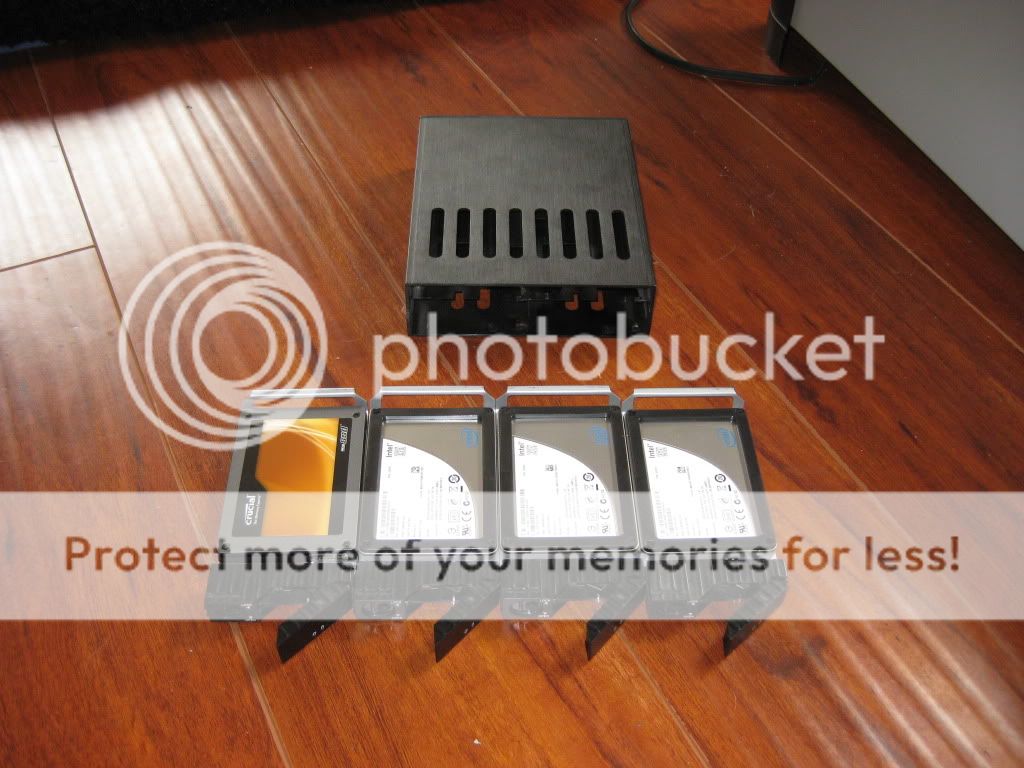
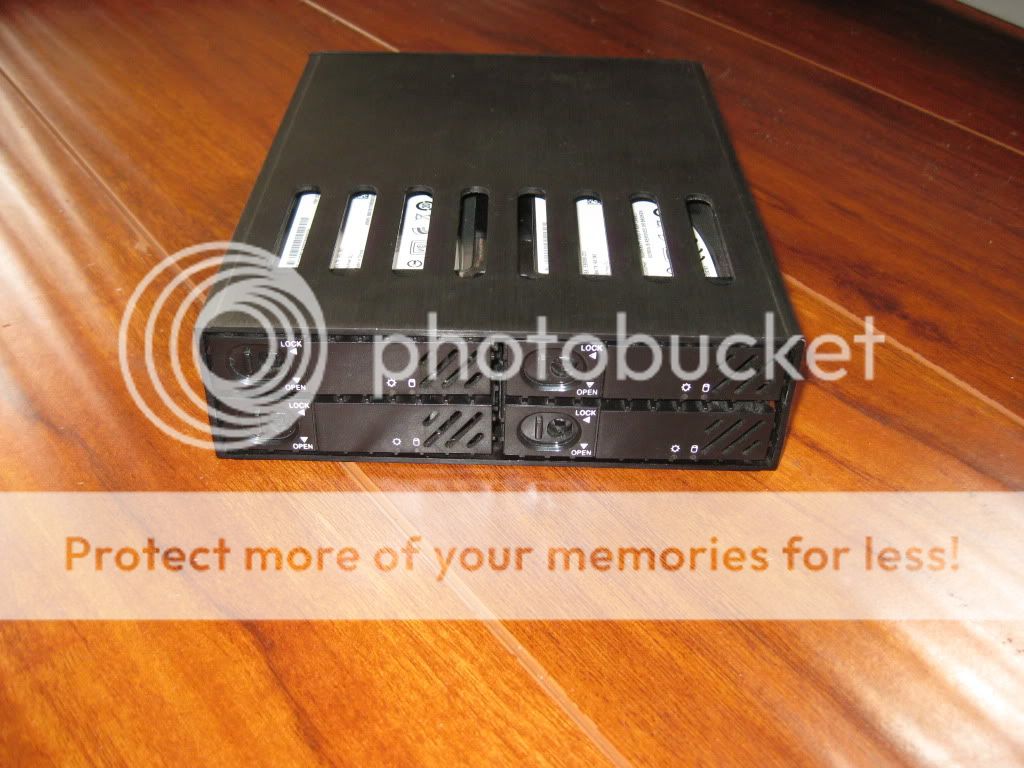
also note in some cases... RAID can help you if u have low cap SSD's.

For a while i was using 3 x 40's in Raid0....
However i had a 256giger for my games.

4 SSD's in an enclosure like this:
IMG_0601.jpg

IMG_0602.jpg
 
The crucial m4 128GB goes on sale for $75-80 every week or two. I recommend waiting around for the next deal on that and jumping on it. I bought one last week to pair up with the m4 128GB I bought last year. I found that 128GB was too small for just my programs and user data, so I can't honestly recommend smaller than that.
 
I'm getting by with an 80gb Intel SSD but it's just a little too small. I used to run 2 of them raided and found 160gb plenty enough to have several games loaded and never really have to think about space.

There are some things you can do to reduce the space Windows uses. I have system restore disabled, recycle bin reduced to about 1gb, Reduced my page file to 1gb, and removed my hibernation file.

Page file + hibernation file alone saved me 15gb as I have 8gb of ram.
 
I'm getting the feeling from everyone that 60Gb is "do-able" but in practical terms its just too small and the real minimum is 128Gb. I will probably wait until after Piledriver is released and see how much my upgrade or defection will cost, and if able I'll go for the 128Gb.

I use steam mover to 'move' my games back and forth between the ssd and hd.

http://www.traynier.com/software/steammover/
That looks like a nice piece of gear. Not all my games are steam but quite a few are, and this would definitely help out.
 
Back
Top