
-
We’re currently investigating an issue related to the forum theme and styling that is impacting page layout and visual formatting. The problem has been identified, and we are actively working on a resolution. There is no impact to user data or functionality, this is strictly a front-end display issue. We’ll post an update once the fix has been deployed. Thanks for your patience while we get this sorted.
You are using an out of date browser. It may not display this or other websites correctly.
You should upgrade or use an alternative browser.
You should upgrade or use an alternative browser.
Question about 4-way SLI Titan setup
- Thread starter Wag
- Start date
bystander36
Diamond Member
The resolution is the key bit of information.

jackstar7
Lifer
Based on a quick googling, it looks like you'd be pushing close to your limit, but might be okay even with 4-way.
3-way article here: http://www.guru3d.com/articles_pages/geforce_gtx_titan_3_way_sli_review,4.html
3-way article here: http://www.guru3d.com/articles_pages/geforce_gtx_titan_3_way_sli_review,4.html
The return in perf/$ and and perf/W is just not there with 4-way. In fact a lot of times it scales even worse than 3-way.
OK, so you're saying even on a 4k display it probably doesn't pay for me to go 4-way SLI?
bystander36
Diamond Member
What does resolution have to do with whether my PSU can handle 4 cards or not?
If you really want to know, right now I have a 2560x1440 display, but I plan on purchasing a 4k display. That's why I'm interested in 3 or 4-way SLI.
Your resolution would determine whether it would offer a benefit to you.
At 2560x1440, I'd hold tight. Now 4k on the other hand, go for it.
OK, so you're saying even on a 4k display it probably doesn't pay for me to go 4-way SLI?
Personally I don't think so. I don't have any data for 4K resolution, but judging how it fares in 3-monitor setups (3x 1080p displays are comparable to 4K), I don't think it's worth it. I've only seen 4-way flex some muscle on 3x 1600p displays (which is WAY more pixels than 4K), and even then, the scaling is very subjective to the game engine.


balane
Senior member
Your resolution would determine whether it would offer a benefit to you.
I must have missed it. Where did he ask if anything would be of benefit to him? I only see a question about a power supply handling a certain load.
I must have missed it. Where did he ask if anything would be of benefit to him? I only see a question about a power supply handling a certain load.
This is the video section, receiving advice is implied. If the OP wanted strictly a power supply answer, it should have been posted under power supplies.
bystander36
Diamond Member
The question posed wasn't really expressed in a way that specifically mentioned the PSU was the only question. It seemed like a general question on whether 3 or 4 way SLI was worth it. As it turns out, he was mostly concerned about the PSU, but I was not aware at first.
alcoholbob
Diamond Member
4-way scaling has always been bad though. I think 3-way is probably the highest you want to go to limit to total microstutter.
parablooper
Member
Really? 4K? Even with 4 7970s they were only getting about 35fps... with 3 Titans I don't think that will be optimal.
4-way scaling has always been bad though. I think 3-way is probably the highest you want to go to limit to total microstutter.
So 3-way has even more micro stutter than 2-way?
This definitely not up my alley.
alcoholbob
Diamond Member
So 3-way has even more micro stutter than 2-way?
This definitely not up my alley.
Of course 3 way has more microstutter than 2 way, but at 4K resolution two Titans is probably not enough.

Railgun
Golden Member
(3x 1080p displays are comparable to 4K)
Not really. 4k still has 2M more pixels.
jackstar7
Lifer
Of course 3 way has more microstutter than 2 way, but at 4K resolution two Titans is probably not enough.
This is not correct, at least based on the testing. Not sure where your opinion is coming from.
http://www.tomshardware.com/reviews/radeon-geforce-stutter-crossfire,2995.html

Mark Rejhon
Senior member
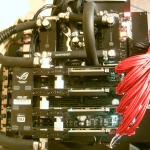
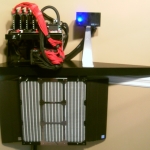
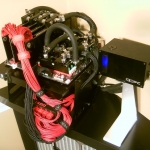
CallSignVega is running an overclocked quad-Titan SLI to drive three 120Hz monitors in surround. He's using LightBoost, for the zero motion blur (CRT-style motion).I have Corsair Gold AX1200 PSU w/G1.Sniper.M3 motherboard. Right now I'm running 2 Titans SLI/3770k @ 4.40GHz.
Just curious if I'd be able to get 4x SLI out of this or do people think 3x SLI would be pushing it?
Overclocked Quad Titan on Triple LightBoost Setup
 ...
... 
 ...
... 
Crysis 3 - max settings - >120fps on three 120Hz monitors simultaneously: YouTube Video.
It is worth noting that if you are going to spend big money on multiple top-end GPU's, and you play first person games, that you seriously consider the 120Hz options -- such as the QNIX Q2710 2560x1440p overclockable to 120Hz. If you are a motion fluidity nut (perfect CRT quality zero motion blur), I would advise looking at 120Hz LightBoost-capable monitors. In the best case scenario (frame rate = Hz, 120fps@120Hz), they have 12 times less motion blur than even the fastest 60Hz LCD! See 60Hz versus 120Hz versus LightBoost and also see the improved Battlefield 3 stats due to LightBoost. Fast pans with zero stutters and zero motion blur; fast pans as perfectly sharp as stationary images -- absolutely zero motion blur on those at fps=Hz, like perfect Nintendo scroll effect or perfect arcade 60fps CRT effect. Only LightBoost can do that fluidity without using a CRT. On the other hand, if you play slower motion such as RTS, SimCity, simulators, etc, then the 1440p displays are your best bet; but what do you need four Titans for otherwise? If you play major FPS like Battlefield 3, then put them to good use in eliminating motion blur! So you can see enemies better during high speed flybys, etc.
Last edited:
alcoholbob
Diamond Member
This is not correct, at least based on the testing. Not sure where your opinion is coming from.
http://www.tomshardware.com/reviews/radeon-geforce-stutter-crossfire,2995.html
lol wut that's a crossfire review what does that have to do with 3 Titans?
jackstar7
Lifer
lol wut that's a crossfire review what does that have to do with 3 Titans?
Post some data that backs up your claim.
By the way, title of article: "Micro-Stuttering And GPU Scaling In CrossFire And SLI"
I can at least point to an article that discusses the merits of a third card. I admit it is a little dated, but until there's something current to point to, I'm not sure how you just declare that those findings no longer apply to current setups...
And if anything, greater bandwidth available to these modern setups would likely improve the scaling and benefits of going to a triple GPU solution.
bystander36
Diamond Member
His view was not that it does or does not help, but that the article doesn't show anything to support your claim. It tested a single game, with 3-way crossfire, and not SLI. Anyways, Pcper did some tests on 3-way Titan's for their 4k TV review. Pcper doesn't seem to be responding atm, but I'll update this when it will.Post some data that backs up your claim.
By the way, title of article: "Micro-Stuttering And GPU Scaling In CrossFire And SLI"
I can at least point to an article that discusses the merits of a third card. I admit it is a little dated, but until there's something current to point to, I'm not sure how you just declare that those findings no longer apply to current setups...
And if anything, greater bandwidth available to these modern setups would likely improve the scaling and benefits of going to a triple GPU solution.
Edit: here are some with 3-way Titan: http://www.pcper.com/reviews/Graphi...Benchmarked-4K-Resolutions/Crysis-3-999-Level
I think every other page has 2 and 3-way Titan's compared. There is an increase in frame variance as you move to 3-way Titan. However, it has been mentioned before that when FPS are held back by another source, other than the GPU, stuttering does improve, at least with Crossfire. That means that the one test on Crossfire you saw could have seen improvement due to a CPU bottlenecked once 3 cards were used. The same may hold true for Titan's at lower resolutions.
Last edited:
jackstar7
Lifer
Of course 3 way has more microstutter than 2 way...
His view was not that it does or does not help, but that the article doesn't show anything to support your claim.
Pretty sure he's saying it doesn't help when he claims it adds micro-stutter.
I admit I'm operating under the belief that the differences between SLI and Crossfire are mostly superficial. I've never read anything that suggested significant differences with scaling, except that AMD was ignoring microstutter for years and nV was mitigating it with frame limiters.
I'm certainly not trying to misinform the OP. That's why I posted the guru3d article I found when I went looking for info on his question.
Last edited:
bystander36
Diamond Member
I updated with the link with 3-way Titan's compared, and it does indeed add to frame variance, which is what causes microstutter.
http://www.pcper.com/reviews/Graphi...Benchmarked-4K-Resolutions/Crysis-3-999-Level
http://www.pcper.com/reviews/Graphi...s-Benchmarked-4K-Resolutions/DiRT-3-999-Level
http://www.pcper.com/reviews/Graphi...Benchmarked-4K-Resolutions/Crysis-3-999-Level
http://www.pcper.com/reviews/Graphi...s-Benchmarked-4K-Resolutions/DiRT-3-999-Level
TRENDING THREADS
-
 Discussion Zen 5 Speculation (EPYC Turin and Strix Point/Granite Ridge - Ryzen 9000)
- Started by DisEnchantment
- Replies: 25K
-
Discussion Intel Meteor, Arrow, Lunar & Panther Lakes + WCL Discussion Threads
- Started by Tigerick
- Replies: 25K
-

-

-
