• We’re currently investigating an issue related to the forum theme and styling that is impacting page layout and visual formatting. The problem has been identified, and we are actively working on a resolution. There is no impact to user data or functionality, this is strictly a front-end display issue. We’ll post an update once the fix has been deployed. Thanks for your patience while we get this sorted.

PrimeGrid Challenge Series 2026

Page 4 - Seeking answers? Join the AnandTech community: where nearly half-a-million members share solutions and discuss the latest tech.
Not much help to be had over at AF so I jumped ship to help you folks in the push.

Any tweaks I can employ to speed these up? Priority/Affinity have any effect in Task Manager?

Thanks! It seems like we needed your help.

Day 3.5 stats:

Rank___Credits____Username
4______11872421___cellarnoise2
5______10502137___crashtech
8______8504100____w a h
14_____7276850____ChelseaOilman
18_____5133836____Icecold
35_____2448420____Orange Kid
37_____2427663____mmonnin
47_____1744554____Rollo
53_____1451596____johnnevermind
81_____856493_____waffleironhead
117____436715___10esseeTony
139____302107_____Ken_g6
167____151565_____[TA]Skillz

Rank__Credits____Team
1_____51363907___TeAm AnandTech
2_____50609982___Czech National Team
3_____31638247___BOINC@AUSTRALIA
4_____31222529___Romania

I'm worried about @Markfw . The above mention of the hospital seems to have been his last post and last visit to the forums.
 
I'm worried about @Markfw . The above mention of the hospital seems to have been his last post and last visit to the forums.

Probably just healing up and not in the mood for forum posting.

It will be around 10 hours or greater before any of my scores begin posting...I had to reset the project on all my machines.
 
Last edited:
Probably just healing up and not in the mood for forum posting.

It will be around 10 hours or greater before any of my scores begin posting...I had to reset the project on all my machines.
Hey Rollo, if you are wanting to help out in the current PrimeGrid challenge, make sure you are running the "Seventeen or Bust (LLR)" project, also known as SoB, because it is a tough project! 🙂

More info here. On my 9950x at 150W they are taking a little over 13 hours per task running 8 threaded tasks and using "Task pinning".


From your last post, I did not know if "resetting the project" meant switching to SoB or not.

Thanks for the help!
 
Hey Rollo, if you are wanting to help out in the current PrimeGrid challenge, make sure you are running the "Seventeen or Bust (LLR)" project, also known as SoB, because it is a tough project! 🙂

More info here. On my 9950x at 150W they are taking a little over 13 hours per task running 8 threaded tasks and using "Task pinning".


From your last post, I did not know if "resetting the project" meant switching to SoB or not.

Thanks for the help!

Yeah, I had quit SOB for a spell and was running Mega 17...did not realize I had found a Mega Prime until I reset the machines for SOB again lol.

What exactly is Task pinning? I'm running most of the machines at 105W, PBO and 65 thermal limit. My 9950X is also around the 13 hour completion time. The 7800X3D is around 16 hours, the 7950X's are 24 and 14 hours and the 9900X's are 14 hours and 24 hours. The 7950X3D is a whopping 26 hours. I have no clue if all the tasks are the same on each machine.

Both 9900X's and one 7950X are on identical Taichi mb's and bios configured the same. 9950x, 7950X3D, 7800X3D and another 7950X are on identical MSI mb's with the same bios configuration. All are using Win 11 OS. I do have both of the X3D cpus in bios "game mode" enabled if that makes any difference.

Can't speak to the rest of my machines, but since my 9950X is completing at the same rate as yours do you think it would be wise for me to jank around with different settings, scripts, ect. at this point? As close as the battle for 1st place is I assume I should be looking for any advantage there is to be had.
 
Last edited:
What exactly is Task pinning?
On CPUs, Genefer-20's data allocation is 20.3 MBytes. AMD Zen 3...5 CPUs (except for some APUs) should give best throughput with one task running on each CCX, such that datasharing across CCXs is avoided.

Here is one of several sources for simple scripts which pin Genefer tasks to those CPUs which belong to the same CCX:
xii5ku_AT in SETI.Germany's forum on December 17, 2023
Save the Windows script with a name like "gfn_affinity.ps1" (*.ps1 is for PowerShell scripts), edit the $cores=... line according to your CPU and according to whether or not the SMT threads shall be used, and then let it execute in parallel with BOINC.
I only have one CCX so I don't worry about it, so I don't know any more about it either.
 
"Task Pinning" is likely better in both Linux and Windows. But if using Windows 10 or 11, Process lasso is good to test and run with. Using the Instance balance function it will spread tasks over the available cores / threads, depending on if you use the "SMT" / AMD verbiage threads or not. Problem with Lasso is if tasks are "suspended" it can freak out the "balancing" along with other issue. Task "pinning" to specific cores is better, but Lasso / instance balance is easier in windows, if you don't run other things.

Task "pinning" scripts can have their own issues depending on the project / task and other background projects if they are "hard wired" to specific core preferences.

F@H is an "App" that at least in Windows can mess stuff up as far as core assignments in Windows, I have found at least...
 
@Rollo,
"task pinning" = forcing the operating system to schedule a task on specific logical CPUs.

"Task pinning" is only one step of several to optimize computer throughput with programs like LLR2. Whether this particular step is beneficial or not (and if, how much) depends on the computer (on its CPU and some other aspects). The benefit can be dramatic though.

Background:

The most computing intensive part within LLR2 is a Fast Fourier Transform. This transform works on a vector of FP64 coefficients. The LLR2 program is built to pick the best SIMD instructions which a given CPU supports to perform the operations on this vector, such as FMA3 or AVX512. How many coefficients are present in the vector depends on how large the number is which is tested. Simplified, the transform performs many steps, and each step computes new coefficients from the old ones. For data efficiency, this is performed in place, IOW old values aren't kept but overwritten by new values.

The current Seventeen or Bust candidate numbers require 31.5...36.0 MBytes of FFT coefficients.

For maximum computer throughput, you want that these "hot data" reside mostly in the CPU caches, IOW, that the CPU has to perform only minimal read/write traffic to main memory. Because as you might now, latency and bandwidth of main memory accesses are dramatically worse than accesses to CPU-internal caches.

So, how to act on this?

Step 1:
Figure out how many SoB-LLR tasks your particular computer can effectively execute in parallel. Smaller computers will already struggle with a single one, others can do more.

Step 2:
Figure out how many software threads each SoB-LLR task should use. Pick as many as needed to get all SIMD units on the CPU well utilized, but don't pick too many because program-internal synchronization overhead increases with thread count, and other CPU resources like various buffers and the mentioned main memory bandwidth constrain you.

Step 3:
Figure out whether or not the operating system kernel needs your help scheduling the threads of each SoB-LLR task such that CPU caches are used effectively. This is where "task pinning" may get involved.

I will write more later.
Step 1 is most important. Step 2 doesn't have to be done perfectly; effort and effect follow the Pareto principle here. Step 3 gets quite computer specific, as mentioned.

 
Last edited:
I am only getting one task per machine at a time. Is that normal?
If it's keeping all your real cores busy it's not abnormal. It may not be completely optimal in every case, but it's close.
 
If it's keeping all your real cores busy it's not abnormal. It may not be completely optimal in every case, but it's close.

Reason for asking is my least machine with the 7800X3D is sporting two tasks. The rest of the big dog machines are only downloading and running one task at a time. Maybe the reason my scoring total is so meager at this stage?

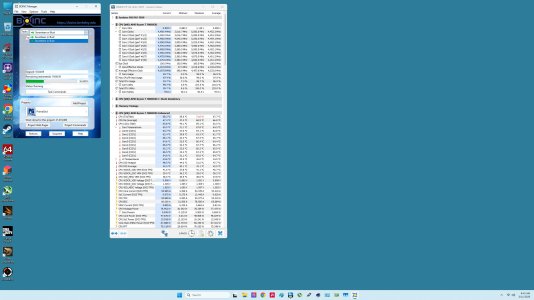
7800X3D.jpg

The 9950X is about to upload one in 20 minutes.
 
Last edited:
Step one.
Download BOINCTasks. Install it, setup remote GUI on all your hosts and get them connected to BT.

Step two.
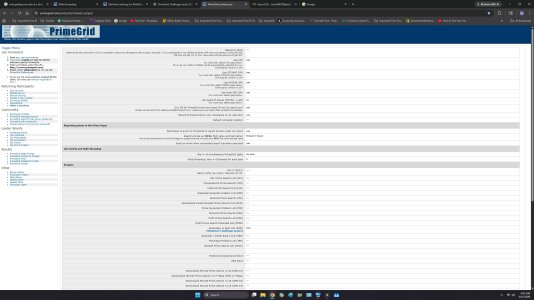
Check to make sure you're not limiting 1 or 2 tasks at a time at the Primegrid preferences.

Step three.
Make sure the tasks are utilizing the number of threads you intend. Check - For Example; you're not running 12 core tasks on a 12 core CPU.

Step four.
Check all venues and make sure the hosts are in the correct venues with the correct settings . (This will be a setting on the PG web site as well)

What does the message log say for the hosts not getting more tasks? It will usually tell you why it's not getting more.
 
preferences.jpg

Do I need to install BOINCTasks on each machine in order for them to be discovered? Where is this message log located? I have no clue as to how to determine how many cores the tasks are.


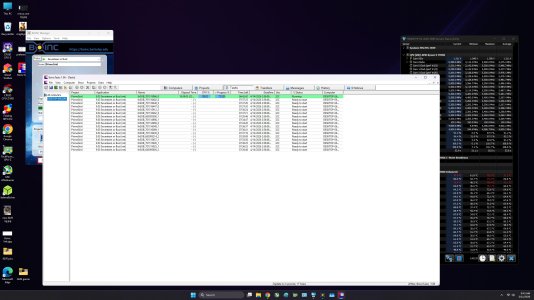
BOINCTasks.jpg

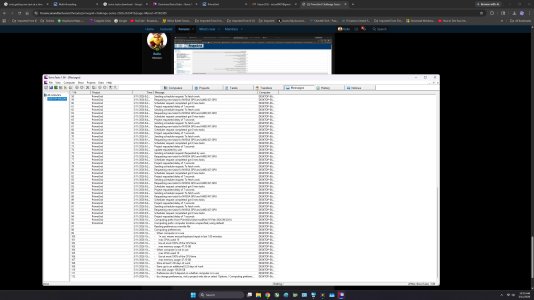
messages.jpg
 
Last edited:
You need more than 2 threads per task. These tasks consume over 32MB of L3 cache and only AMDs X3D parts can sustain multiple tasks on a single CCD. Some high end Intels can handle a lot of tasks on a single CPU, but it's rare. Most CPUs can only handle one or two tasks total.

You do not need to add BT to each host. Just click the computer at the top and add new. Then let is discover them or enter the IPs manually.

What you do need to do is setup remote GUI on each remote host so you can connect. It's a cc_config setting you need to set. I'm on my phone and don't have the exact line memorized. But you need to put that in the cc_config for each host and restart the client on the host. (You also should enter a password in the GUI remote password file, too)

Edit
Just noticed your boinctasks screenshot. Each task is actually using 32 threads on that computer. That's why you're only running one.

Edit two:
Look at the BT tabs. One says messages.
 
This is the line that needs added on each machine under C:\ProgramData\BOINC\boinc\cc_config.xml

<options>
<allow_remote_gui_rpc>1</allow_remote_gui_rpc>
</options>
 
With Seventeen or Bust being a task that is looking for such large prime numbers it uses a lot of L3 Cache. With AMD cpu's though their cache layout is located on each CCX and it has a big performance penalty if it has to reach to the L3 cache on another CCX. For a 9900x or other 12 core CPU you would want to be running 6 threaded tasks. For a 9950x you would want to be running 8 threaded tasks. If you're using Windows, Process Lasso is by far the easiest way to set the task pinning which keeps the task running on a single CCX. It's free for 30 days (I think 30) and you can uninstall and reinstall it as many times as necessary and it resets the trial period. Once it's installed you just open process lasso and right click the task (it'll be easy to find since it's using a lot of cpu) and click 'Instance Balancer' and then check 'Disable HT/SMT'. It's somewhat similar to what Microsoft Game Bar does when you have a 9950x3D and run a game, it runs the game in a way that keeps the game on the correct CCX

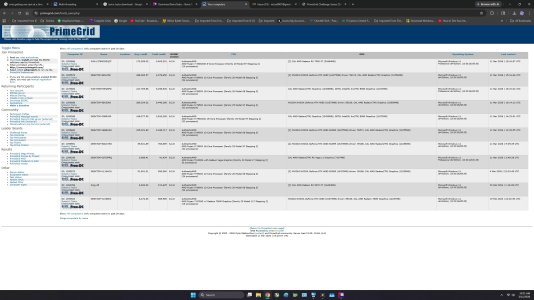
If you go under your computer list on the Primegrid website you should be able to see what 'venue' each machine is in. It sounds like you have the ones that are running 32 thread tasks set to a different venue than the one in the screenshot above.
 
You need more than 2 threads per task. These tasks consume over 32MB of L3 cache and only AMDs X3D parts can sustain multiple tasks on a single CCD. Some high end Intels can handle a lot of tasks on a single CPU, but it's rare. Most CPUs can only handle one or two tasks total.

You do not need to add BT to each host. Just click the computer at the top and add new. Then let is discover them or enter the IPs manually.

What you do need to do is setup remote GUI on each remote host so you can connect. It's a cc_config setting you need to set. I'm on my phone and don't have the exact line memorized. But you need to put that in the cc_config for each host and restart the client on the host. (You also should enter a password in the GUI remote password file, too)

Edit
Just noticed your boinctasks screenshot. Each task is actually using 32 threads on that computer. That's why you're only running one.

Edit two:
Look at the BT tabs. One says messages.

So, what number do I need to input in the threads per task? I have tried unlimited, 4 and many in between in the past with no effect.
 
If you go under your computer list on the Primegrid website you should be able to see what 'venue' each machine is in. It sounds like you have the ones that are running 32 thread tasks set to a different venue than the one in the screenshot above.
If you go under your computer list ("Computers on this account") on the Primegrid website you should be able to see what 'venue' each machine is in. It sounds like you have the ones that are running 32 thread tasks set to a different venue than the one in the screenshot above. It's the second column over. You would want to have one venue that is set to 8 threads per task and have any 8 or 16 core CPU machines in that venue. And another venue that's set to 6 threads per task for any of your 12 core CPU's and have those machines in that venue. The venue names are default, home, school and a bunch of planet names. If you scroll down on the preferences page you screenshotted above there should be the other venue settings.

1773241858606.png
 
It's also not the end of the world if you don't get them running 100% optimally in this challenge. I mean we all want our hardware to perform the best it can but it will still complete tasks and earn points even if it's not 100% optimal or 100% the most points it could be.
 
So, what number do I need to input in the threads per task? I have tried unlimited, 4 and many in between in the past with no effect.
As mentioned by Icecold. There is not a one size fits all.

These tasks are using around 33MB of L3 (or more) So you need to find out how much L3 cache your CPUs have and that'll be able to tell you how many tasks you can run at once. Keep in mind the CCD/CCX layout of AMD CPUs as mentioned above.

Once you figure out how many tasks you can run on a single CPU. You simply divide the number of physical cores evenly between them.
 
I think there's actually a bug in BOINC 8.2.8 where it doesn't respect the thread count setting on BOINC projects. Maybe somebody here can chime in with more info, I've never ran that version but I've heard of it having issues where it won't accept thread count changes from the web preferences. You might actually not have anything set wrong it might just be the BOINC version, I didn't think of it until I saw that version on your screenshot.

It looks like you're in the top 50 so you're doing something right, that's a pretty good standing!
 
I think there's actually a bug in BOINC 8.2.8 where it doesn't respect the thread count setting on BOINC projects. Maybe somebody here can chime in with more info, I've never ran that version but I've heard of it having issues where it won't accept thread count changes from the web preferences. You might actually not have anything set wrong it might just be the BOINC version, I didn't think of it until I saw that version on your screenshot.

It looks like you're in the top 50 so you're doing something right, that's a pretty good standing!

It just seems that these machines could be doing more than they are currently. I had no idea it would involve so much attention. Also did not know of different versions. Should I be using something else?
 
Back
Top