• We’re currently investigating an issue related to the forum theme and styling that is impacting page layout and visual formatting. The problem has been identified, and we are actively working on a resolution. There is no impact to user data or functionality, this is strictly a front-end display issue. We’ll post an update once the fix has been deployed. Thanks for your patience while we get this sorted.

Peppermint 3 released

Skitzer

Diamond Member
Has anyone installed and tried it yet?
I am considering installing it on my spare computer but I already have a dual boot of Windows 7 and Lubuntu 12.04 on it and since Lubuntu and Peppermint are based on the same platform, I am hesitant to switch.
I run Mint 13 Cinnamon on my main rig and prefer not to dual boot so it would have to go on my spare machine. Decisions decisions.
Let me know how you guys like it and what you think, I may change my mind.
 
Has anyone installed and tried it yet[...]?

Let me know how you guys like it and what you think, I may change my mind.
Thanks, for the head-up!

I've been running Peppermint OS Two on my portables, for quite some time -- anxiously awaiting the arrival of Peppermint OS Three (long time in the coming).

I'll check it out, and report back later. 😉
 
Last edited:
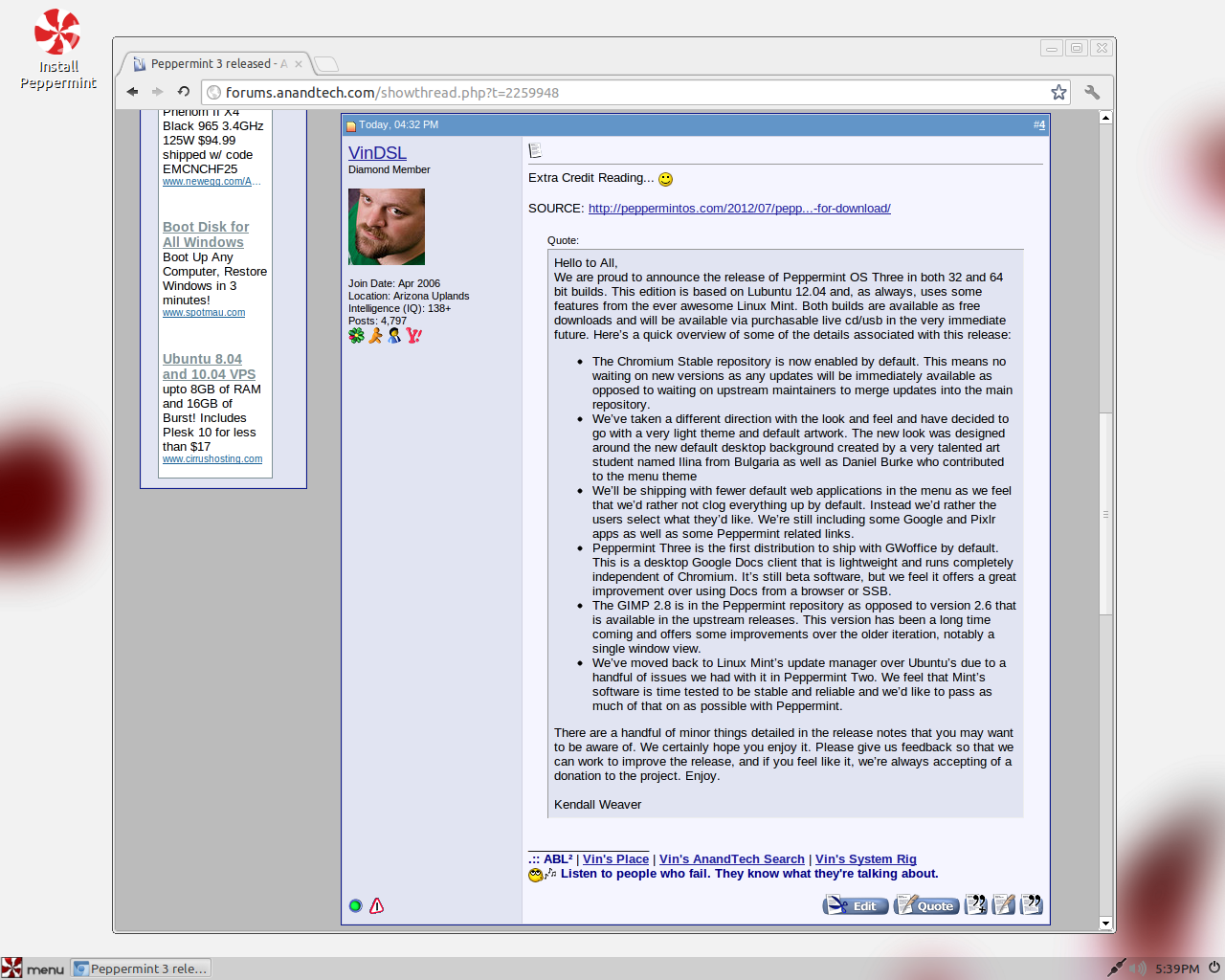
Extra Credit Reading... 🙂

SOURCE: http://peppermintos.com/2012/07/peppermint-three-is-ready-for-download/

Hello to All,
We are proud to announce the release of Peppermint OS Three in both 32 and 64 bit builds. This edition is based on Lubuntu 12.04 and, as always, uses some features from the ever awesome Linux Mint. Both builds are available as free downloads and will be available via purchasable live cd/usb in the very immediate future. Here’s a quick overview of some of the details associated with this release:
  • The Chromium Stable repository is now enabled by default. This means no waiting on new versions as any updates will be immediately available as opposed to waiting on upstream maintainers to merge updates into the main repository.
  • We’ve taken a different direction with the look and feel and have decided to go with a very light theme and default artwork. The new look was designed around the new default desktop background created by a very talented art student named Ilina from Bulgaria as well as Daniel Burke who contributed to the menu theme
  • We’ll be shipping with fewer default web applications in the menu as we feel that we’d rather not clog everything up by default. Instead we’d rather the users select what they’d like. We’re still including some Google and Pixlr apps as well as some Peppermint related links.
  • Peppermint Three is the first distribution to ship with GWoffice by default. This is a desktop Google Docs client that is lightweight and runs completely independent of Chromium. It’s still beta software, but we feel it offers a great improvement over using Docs from a browser or SSB.
  • The GIMP 2.8 is in the Peppermint repository as opposed to version 2.6 that is available in the upstream releases. This version has been a long time coming and offers some improvements over the older iteration, notably a single window view.
  • We’ve moved back to Linux Mint’s update manager over Ubuntu’s due to a handful of issues we had with it in Peppermint Two. We feel that Mint’s software is time tested to be stable and reliable and we’d like to pass as much of that on as possible with Peppermint.
There are a handful of minor things detailed in the release notes that you may want to be aware of. We certainly hope you enjoy it. Please give us feedback so that we can work to improve the release, and if you feel like it, we’re always accepting of a donation to the project. Enjoy.

Kendall Weaver
 
Okay, I downloaded the install image (32-bit .iso).

I'm off to build a bootable thumb drive with persistence...

BBL
 
Works...


vindsl-desktop-25-jul-2012-1.png
 
Nice!

They replaced Ubu Update "Mangler" with Mint's Update Manager. :thumbsup:


vindsl-update-manager-25-jul-2012-1.png


I always liked the Mint Update Manager (but refuse to use the Ubu Updater)

Anyway, Peppermint OS Three is a keeper -- I can see that already. 🙂
 
Mint Update looks like Synaptic with a few less buttons. What's the difference?
It has an upgrade rating system.

  • 1-3 is guaranteed to be safe
  • 4 is a crapshoot
  • 5 is russian roulette
By default, you only see level 1-3 updates. I turned 4-5 on in the prefs. 😉
 
Plays Zynga Flash Games (on Fakebook) OOTB


vindsl-fakebook-25-jul-2012-1.png


This is a resource intensive game (believe it or not). LoL! 😀

Plays fine on my cheap Walmart USB drive.
 
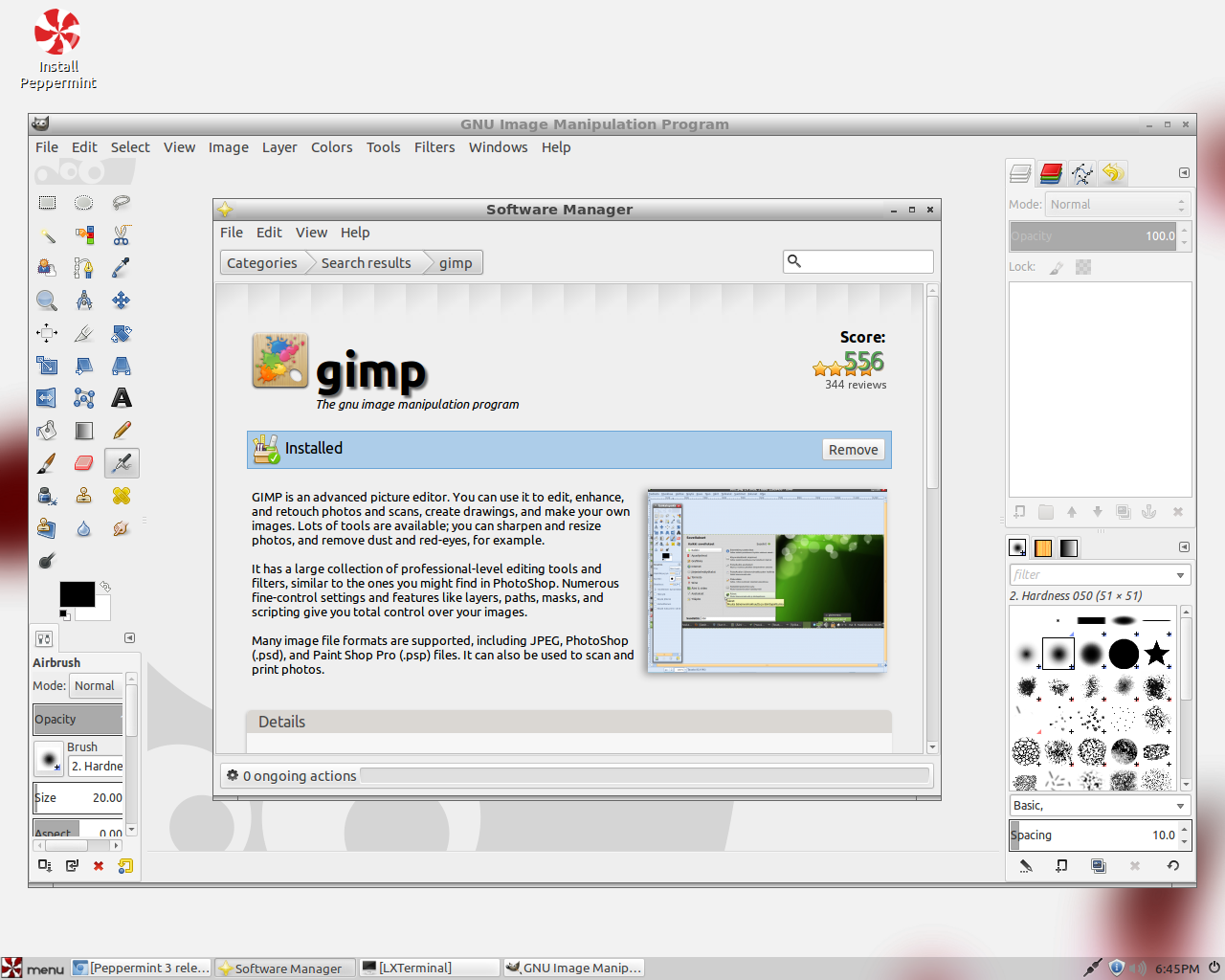
I used Software Manager to install GiMP 2.8.0


vindsl-gimp-software-manager-25-jul-2012-1.png


Both apps are working fine...

Dude! They did a great job on this release! Kudos!
 
That does it -- I'm sold! I'm gonna go install this on a real drive.

Here's one last screenie -- HTOP**, sitting idle @ the desktop...


vindsl-htop-25-jul-2012-1.png


** I installed HTOP -- sorry, cannot stand TOP.

This damn Walmart USB thumb drive is being held together with Scotch tape, and a rubber band. No kidding.

I can't stick it all the way into the USB port, or it won't work. I think the contacts are bent too. LoL!

BBL
 
Last edited:
Yeah, I'm downloading it tonight. It's going to replace Lubuntu tomorrow afternoon.
Will report back after install and customization.
 
Yeah, I'm downloading it tonight [...] and customization.
Yes, customization is the "trick" to a successful LXDE install. 😉

This is NOT a comprehensive list of every change I make, but...

I don't know what you plan on doing, but for the most part, I use:

  • "Customize Look and Feel"
  • "Openbox Configuration Manage" and...
  • "QT 4 Settings"
...in that order.

Personally, I like Ubu "Ambiance" colors, but I cannot stand the "Ambiance" theme (as a whole). So, the first thing I do is:

  • Choose some form of "Ambiance" for the core colors, via "Customize Look and Feel" -> "Widget".
  • Then, I lock-in the colors by checking "Customize Look and Feel" -> "Color" -> "Use customized color scheme".
  • Then, I go back and choose the 'real' widgets I want to use: Currently "elementary Dark".
This gives me "elementary Dark" widgets with "Ambiance" colors. LoL!

Next, I have to decide which custom font sets look the best with the above widgets and colors via "Customize Look and Feel" -> "Icon Theme". Currently "Aw0ken".

This gives me "elementary Dark" widgets, "Ambiance" colors, and "Aw0ken" icons.

Then, I tweak "QT 4 Settings" -> "Appearance". QT 4 can be kinda tricky, so it's best to leave sleeping dogs lay. All I change is:
  • Select GUI Style: GTK+
Finally, I play around with the various font style and sizes, trying to make everything fit together.

All of this takes me hours, if not days, to get right. But, in the end, you'll end up with something better than Lubuntu, and/or Peppermint. After all, that's all "they" did -- kept playing around with LXDE until it suited their fancy. 😉
 
wow - VinDSL - your lenon homepage is freekin awesome!

ps your Anandtech Search and System Rig Sig links don't work?
 
Last edited:
Well, for some reason I am having a difficult time installing Peppermint.
It goes into a boot loop. Booting with the burned CD comes up with the peppermint menu and when I select "Live" it goes to a white screen and then restarts. Same thing happens if I choose "Install". Just keeps booting over and over.
I have redownloaded it and have burned several install discs but no difference.
Strange because my copy of Lubuntu 12.04 works perfectly.
I will do some troubleshooting and see what I can find out.
Next step is to try it on another machine and then go from there I guess.
 
In case anybody has any thoughts on this, here's the specs of my machine:
Computer - Dell Optiplex 740
CPU - AMD Athlon 64 X2 5400+ at 2.8GHz
RAM - 8.0GB DDR2 @ 311MHz (5-5-5-15)
Motherboard - Nvidia GeForce 6150, Southbridge - nForce 410/430 MCP
Video - NVIDIA GeForce GT 220 on a Dell 1708FPBLK LCD 1280x1024
Hard Drive - Seagate 250GB sata2
Optical Drive - Sony Optiarc DVD RW AD-7260S

I am currently running Windows 7 dual booting with Lubuntu 12.04.
I want to eventually replace Lubuntu with Peppermint 3.
 
Last edited:
I use "Firefox" to download .iso images, via the "DownThemAll" (DTA) extension with MD5 checksum sweetness.

Then, I "burn" the install image to a USB flash drive (with 1 GB persistence) using either "Startup Disk Creator" or "UNetbootin".

Had pretty good luck using this procedure... 😉
 
Well, it's definitely a problem with my machine.
I can boot right into the Live CD using 2 other "different" computers.
Looking through a few Linux forums there was a suggestion that my video card may be the culprit so I removed it and tried using the onboard video. No change, continues with the boot loop.
Really depressing because I really like this distro. Also the computer boots the Lubuntu disc just fine.
Guess I'll keep researching, I'm hoping it's something easy.
 
I use "Firefox" to download .iso images, via the "DownThemAll" (DTA) extension with MD5 checksum sweetness.

Then, I "burn" the install image to a USB flash drive (with 1 GB persistence) using either "Startup Disk Creator" or "UNetbootin".

Had pretty good luck using this procedure... 😉

I took your advice and put it on a flash drive using the Startup Disk Creator with a 1GB persistence but it still does the same thing ... boot loop.
I have no idea why it won't run/install. I had no problem installing Lubuntu.
Has to be something to do with my computer though because I've booted right into the Live CD on 2 other machines.
Haven't found any troubleshooting ideas searching the net yet.
I'm thinking about putting the hard drive in another machine and installing it there and then putting the hard drive back in here to see if it will run. Pretty drastic I know but what the heck.
 
I took your advice and put it on a flash drive using the Startup Disk Creator with a 1GB persistence but it still does the same thing ... boot loop.
I have no idea why it won't run/install. I had no problem installing Lubuntu.
Has to be something to do with my computer though because I've booted right into the Live CD on 2 other machines.
Haven't found any troubleshooting ideas searching the net yet.
I'm thinking about putting the hard drive in another machine and installing it there and then putting the hard drive back in here to see if it will run. Pretty drastic I know but what the heck.

You could try a different flash drive. I had issues getting Bodhi 2.0 to work on a drive. Every other distro I tried worked fine on that drive, but not Bodhi. I tried a different drive, and it worked no problem. Your guess is as good as mine as to why, but it's something to consider.
 
You could try a different flash drive. I had issues getting Bodhi 2.0 to work on a drive. Every other distro I tried worked fine on that drive, but not Bodhi. I tried a different drive, and it worked no problem. Your guess is as good as mine as to why, but it's something to consider.

I'll give it a try. I have a couple of thumb drives. Thanks!
 
You could try a different flash drive [...]

I'll give it a try [...]
Good point!

I bought a POS USB thumb drive @ Walmart (aka Walmart Fall Apart). In my defense:

  • I needed a >= 4GB drive
  • It was after midnight
  • The price was right

The plastic pivot pins on the integrated cover fell off within 2 weeks. Later, the case itself split into two pieces. Now, it won't work in some USB ports, or it will work on the motherboard ports, but not the ports on the front of the computer case, blah, blah, blah.

The only reason I keep it around is to build resentment toward "Wally World". LoL! 😀
 
Back
Top