*NEW UPDATED* Post Your Cinebench R11.5 Score

Page 6 - Seeking answers? Join the AnandTech community: where nearly half-a-million members share solutions and discuss the latest tech.
Status
Not open for further replies.

crashtech

Lifer
Jan 4, 2013
10,695
2,294
146
That one looks great! If I could, I would just wrap img tags around it and append it to your winning post. Looks like that big Thermaltake is going a great job of pulling the heat out of that beast!
 

SlowSpyder

Lifer
Jan 12, 2005
17,305
1,002
126
Some 11.5 results. Core i7 5960X @ 4.0GHz & DDR4 @ 2666 14-14-14-36.


Fantastic. :) Very nearly two times as fast as my overclocked FX! Just out of curiosity, any power use numbers for the CPU when overclocked under load?
 
Nov 26, 2005
15,196
403
126
187 BCLK x 23 for 4.3GHz @ 1.28v = 10.91, CB 11.5

43GHz1091CBr115_zpse9fc11a6.jpg~original


183 BCLK x 23 for 4.2GHz @ 1.24v = 10.74, CB 11.5

42GHz1074CBr115_zpse01174dc.jpg~original
 
Last edited:

scsi2man

Junior Member
Feb 3, 2011
6
0
0
I used the advanced settings so I could change it to 40 threads instead of the default of 32, and this is what I came up with. When using 32 threads, the new CPU's score right around 29.50 or so. My old processors, the 2687W's, are also show for comparison. The new CPU's I got are the 2690v2's. This system uses 8 16GB Samsung DDR3 1600 ecc reg sticks running at 1866. I increased the bclk to 102 from 100 and am running the ram @ 1900. The board I use is an Asus Z9PE-D8 WS. :cool:;)
qko4Alt.jpg
 

FiLeZz

Diamond Member
Jun 16, 2000
4,778
47
91
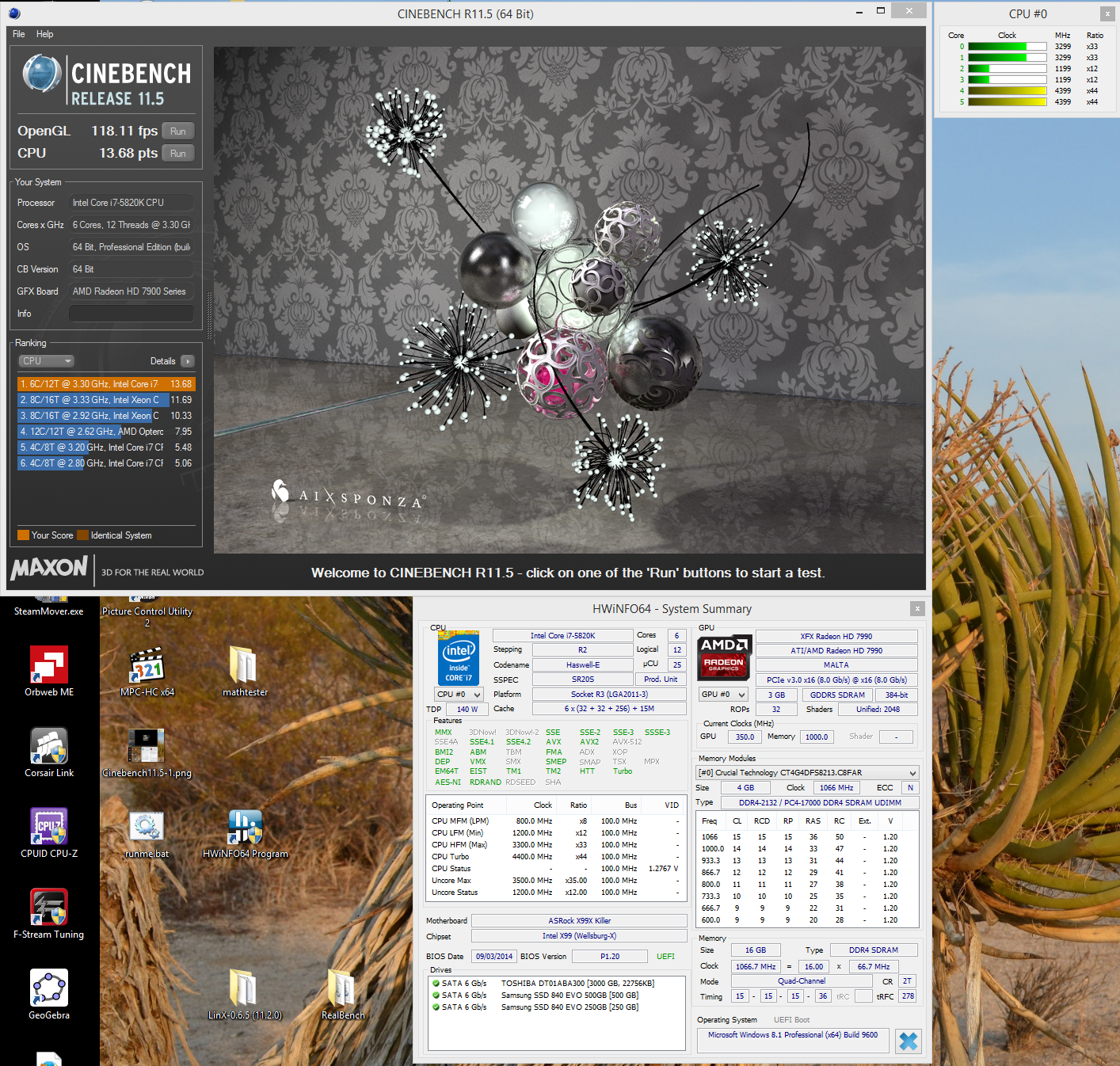
5960x@4.4ghz
The cpu is set to throttle so the screen grab has cpu lower then the 4.4ghz the test ran at.


cine4.4ghz.JPG
 

Burpo

Diamond Member
Sep 10, 2013
4,223
473
126
That's Speedstep working (not throttling). Throttling occurs when the CPU temp is too high. It will "throttle" and reduce multiplier on the cores that are too hot to bring temps back down.
 
Last edited:

Grooveriding

Diamond Member
Dec 25, 2008
9,147
1,330
126
EyxKh0n.jpg


5960X @ 4.5

I was able to make gains in overclock headroom by increasing my VCCIN to 1.94 from 1.9. Allowed me to reduce my core voltage and keep the same clock as well as increase my clock higher than I'd been able to before maintaining stability. I was able to get 4.6 stable on AVX, but the voltage bump needed from 4.5 was significant so 4.5 is where I am staying at for 24/7.
 

FiLeZz

Diamond Member
Jun 16, 2000
4,778
47
91
That's Speedstep working (not throttling). Throttling occurs when the CPU temp is too high. It will "throttle" and reduce multiplier on the cores that are too hot to bring temps back down.

Yes it's what I meant.. It is not throttle but speedstep..Thanks for the correction.
 

jacktesterson

Diamond Member
Sep 28, 2001
5,493
3
81
very nice, this motherboard is sub $50 and that's around 500MHz gain over the default clock with turbo on for 8t load I think.

Yep - Newest v17 bios enabled overclocking on this cheap H81 board. Default clock is 3.5GHz with 3.9GHz Turbo.

It's completely stable at 4.2GHz on stock voltage. I haven't tried to push it further as really I don't need it.

Its why I chose this board - I don't need a lot of the bells and whistles, just a little overlock headroom.

People are getting 4.5 GHz + with G3258's on these boards too
 

crashtech

Lifer
Jan 4, 2013
10,695
2,294
146
5960x@4.4ghz
The cpu is set to throttle so the screen grab has cpu lower then the 4.4ghz the test ran at.
See if you can edit your post with a screenshot of your CPU running at 4.4GHz to make your speed official in the chart.
 

crashtech

Lifer
Jan 4, 2013
10,695
2,294
146
It is required to see verification that the CPU is running the claimed speed in a screenshot!

Thanks for your submissions, everyone!
 

biostud

Lifer
Feb 27, 2003
20,132
7,251
136
It is required to see verification that the CPU is running the claimed speed in a screenshot!

Thanks for your submissions, everyone!

Look at my 2nd pic and the bars next to the cinebench window it's HWinfo's CPU speeds (4399Mhz)
 

rvborgh

Member
Apr 16, 2014
195
94
101
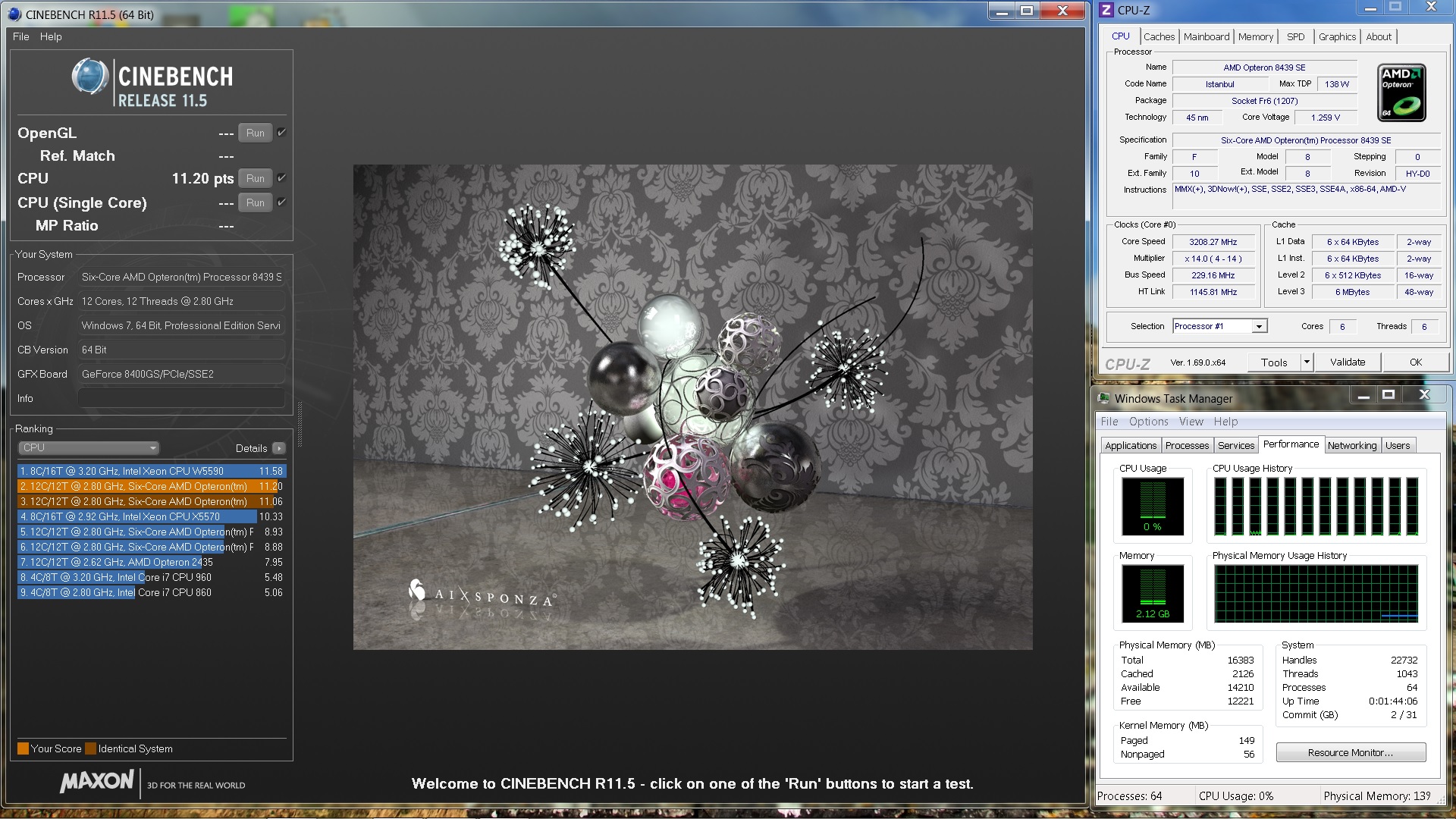
Latest results for my 5 year old dual Opteron 8439SE rig:

1263854.jpg


stock voltage since i have no way of upping the voltage on these Opteron chips.

i really think these "Istanbul" core based chips would rip quite a bit more if i could bump them to the same voltage the X6 1100Ts were capable of.

can't wait to get in the ES chips for my Quad Opty setup to see how they do. Will be running those at 3.0 GHz to start... hoping for a score of around 35 or so.
 
Last edited:
Status
Not open for further replies.