• We’re currently investigating an issue related to the forum theme and styling that is impacting page layout and visual formatting. The problem has been identified, and we are actively working on a resolution. There is no impact to user data or functionality, this is strictly a front-end display issue. We’ll post an update once the fix has been deployed. Thanks for your patience while we get this sorted.

Question Need assistance to have Infiniti Fabric running at 1:1

Mir96TA

Golden Member
I am trying to figure out why infinite

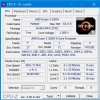
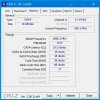
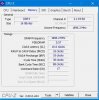
CPUz-B450.JPGInfiniti-Fabric.JPG

Fabric is not matching with memory
What do I need to do for FSB😀ram to run 1:1 ?
Links to CPUz info --> CPUZ
Thanks for the assistance
Mir 🙂
 
Look for something in the UEFI related to infinity fabric frequency and dividers. I'm not sure what brand board you have but on Asrock boards that's in the overclock section together with DRAM OC and XMP settings. On these Asrock boards, the auto setting does 1:1.
 
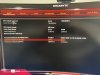
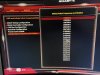
As it has indicated in CPUz it Gigabyte B450 Arous Pro WiFi37D3EB69-1886-4162-9A5B-3B14944AF76E.jpeg
Infinity Fabric divider
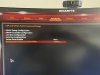
15F59D12-5840-47F5-8974-239BC9945D1B.jpeg
 
Last edited:
I checked one of the Gigabyte systems I have on hand and the "System Memory Multiplier" is set to "Auto" and so is the "Infinity Fabric Frequency and Divider".
 
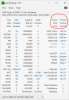
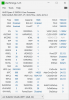
I have manually dialled in following 3643EBBA-4637-45BB-BBFF-A4DEF7AC5583.jpeg3643EBBA-4637-45BB-BBFF-A4DEF7AC5583.jpeg
 

Attachments

  • 8E9CEE44-C39F-44EA-A713-219C2FFBFA02.jpeg
    8E9CEE44-C39F-44EA-A713-219C2FFBFA02.jpeg
    919.7 KB · Views: 3
1896.JPG
I don't know what to do for coupled mode.
Before it was set for Auto, then I changed it to 1800, half of 3600
now 1900 set it up for half of 3800
Which is half of it.
I am not sure what do I need to match it ?
CPU Clock ?
 
I don't know what to do for coupled mode.
Before it was set for Auto, then I changed it to 1800, half of 3600
now 1900 set it up for half of 3800
Which is half of it.
I am not sure what do I need to match it ?
CPU Clock ?
.... go back, and read the definition of "double data rate"? You're doing well, if you have 3800 RAM synced 1:1 with 1900 FCLK.
 
I am curious what VSoC you are running for that level of FCLK? You will want to be sure it is not too high if left on auto.
 
I am curious what VSoC you are running for that level of FCLK? You will want to be sure it is not too high if left on auto.
I would like to answer you, however I do not understand what you are asking ?
Are you asking did I adjust voltage to VSoC ?
The answer is no. I dont know, if I need to or even know where that is.
Can you please share, how I can answer your question ?
 
VSoC is the voltage for the memory controller, IF, etc, on the IO die for your CPU. Sometimes you will need higher VSoC than default for higher IF clocks, such as 1900MHz and higher.
From the post above, it looks like it is 1.1 Volts. That is fine.
 
VSoC is the voltage for the memory controller, IF, etc, on the IO die for your CPU. Sometimes you will need higher VSoC than default for higher IF clocks, such as 1900MHz and higher.
From the post above, it looks like it is 1.1 Volts. That is fine.
Understood.
Thank you
 
Back
Top