• We’re currently investigating an issue related to the forum theme and styling that is impacting page layout and visual formatting. The problem has been identified, and we are actively working on a resolution. There is no impact to user data or functionality, this is strictly a front-end display issue. We’ll post an update once the fix has been deployed. Thanks for your patience while we get this sorted.

Question MSI MPG X570 Gaming Plus freezes on bootup sometimes No troubleshooting LED's on

country2

Senior member
Hi, Built my wife a new PC beginning of this year and been trying to troubleshoot a booting issue it has maybe 1 out of every 20 reboots.
Specs of the system are as follows a new Evga supernova G2 650watt (replaced a older seasonic to see if issue was the power supply) memory is corsair vengeance cmk16GX4M2B3200C16R.

Using 2 spinner harddrives on Sata2 and Sata5 also using a Sabrent 1TB Rocket Nvme PCIe 4.0 M.2 2280 Internal SSD Extreme Performance Solid State Drive (SB-ROCKET-NVMe4-1TB) as the boot drive this does not show on the screen when this happens but I don't see it either when it boots correctly...unless my eyes are just too slow and that screen only stay up a second or two.

CPU is Ryzen7 3700X and video card is XFX 5700 Ultra DD flashed to a XFX Rx 5700XT THICC II Ultra

Currently running bios .A70 dated 01-09-2020 (was using a different bios in pic with same issue strange I cannot find the one in the pic anymore and it has a higher version number BUT a older date although 1 day). There are none of the led troubleshooting lights lite up when this happens.
operating system is w10 and also almost forgot using a external usb dvdrom also.


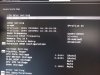
pic 1 is the screen where it freezes
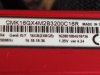
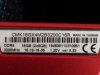
pic2 is memory currently installed its also 2x8GB sticks
pic3 is memory was installed
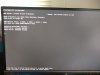
pic 4 is just showing the memory settings

Thanks and any advice will be greatly appreciated as wife is getting upset with me since I picked the parts and built it

When this happens it is totally frozen up and also works after hitting the power button again.
 

Attachments

  • IMG_20200324_181821312_copy_3072x2304_1.jpg
    IMG_20200324_181821312_copy_3072x2304_1.jpg
    333.9 KB · Views: 17
  • IMG_20200322_173230822_copy_3072x2304_1.jpg
    IMG_20200322_173230822_copy_3072x2304_1.jpg
    280.6 KB · Views: 13
  • IMG_20200322_173252954_copy_3072x2304_1.jpg
    IMG_20200322_173252954_copy_3072x2304_1.jpg
    260.7 KB · Views: 9
  • IMG_20200322_181150227_copy_3072x2304_1.jpg
    IMG_20200322_181150227_copy_3072x2304_1.jpg
    327.5 KB · Views: 11
Disconnect all your HDs except the solid state, downclock your memory (no XMP) and try rebooting the system a bunch of times see if you can duplicate the problem.
 
I doubt it's a ram issue. The system seems to hang on drive detection. I would start looking there.
 
I was also thinking that about the drives but did notice that that page displays same devices on bad boot or good boot. The mother board has the EZ debug leds strange thing you would think if it freezes during boot-up like this one of them should light up. I will try unplugging the drives and see what happens but my gt feeling is gonna be the NVme drive...the boot drive... since this happens just before windows loads.
 
I think you should definitely do the min boot reqs and see if you can duplicate it. 1 stick of memory, KB/M (no other USB devices). Add stuff 1 at a time to see if it does pop back up.
 
Hey got a question about bios settings on the drives. IF I remove a drive from the boot sequence does that in effect change the drive detection?

Right now I have turned off everything from the boot sequence except for the NVme drive and have down clocked the memory. Going have to wait till wife is off of it before I can do anything else.
 
You've been given advice but are ignoring it, so do your own thing why even ask for help.

Not ignoring. IF you would read my post I stated "have down clocked the memory" WHICH is something you mentioned to do! Also stated "Going have to wait till wife is off of it before I can do anything else."

Its not mine she is on it as she is having to work from home. I cannot do anything internal yet so did what I could from the bios side.
 
Not ignoring. IF you would read my post I stated "have down clocked the memory" WHICH is something you mentioned to do! Also stated "Going have to wait till wife is off of it before I can do anything else."

Its not mine she is on it as she is having to work from home. I cannot do anything internal yet so did what I could from the bios side.
Physically disconnect (not BIOS fiddle) all your drives except the NVMe. They are still in the detection chain boot priority setting doesn't change this. On the memory, usually the diagnostic LED will be lit if there is an issue at least in my experience.
 
Physically disconnect (not BIOS fiddle) all your drives except the NVMe. They are still in the detection chain boot priority setting doesn't change this. On the memory, usually the diagnostic LED will be lit if there is an issue at least in my experience.

Will have to try this when she's off of it and thanks also.
 
Doesn't she have a backup PC, if she's WFH? A laptop she could be on instead?

Those semi-random boot issues can be a PITA.

Make sure it's not some USB peripheral like a Wifi NIC that has it's own disk partition containing drivers, that the BIOS is trying to boot from. I had that problem, boot was sitting there for like a minute before moving on. Had to unplug the device, boot normally, boot into Windows 10, re-install the device and drivers, and from then on it was cool.

Edit: I'm a bit believer in infrastructure redundancy. Especially, having backup cable modems, routers, PCs, power supplies, SSDs, etc. (Then again, I was trying to kind of run a PC shop out of my apt., sort of.) Don't forget connecting your PCs to battery backups.
 
Doesn't she have a backup PC, if she's WFH? A laptop she could be on instead?

Those semi-random boot issues can be a PITA.

Make sure it's not some USB peripheral like a Wifi NIC that has it's own disk partition containing drivers, that the BIOS is trying to boot from. I had that problem, boot was sitting there for like a minute before moving on. Had to unplug the device, boot normally, boot into Windows 10, re-install the device and drivers, and from then on it was cool.

Edit: I'm a bit believer in infrastructure redundancy. Especially, having backup cable modems, routers, PCs, power supplies, SSDs, etc. (Then again, I was trying to kind of run a PC shop out of my apt., sort of.) Don't forget connecting your PCs to battery backups.

Yes she has one but guess where it is? At work locked down..lol

Does not have wifi and have already unplugged the external dvd burner. Already did power supply and memory but noticed the memory they are pretty much same except one is a newer version and higher voltage rating.

As far as infrastructure redundancy I always have a new power supply, router, modem, dvd burner although rarely used and lan box. figured if someones memory goes bad I can always pull one of mine for time being.
 
Already did power supply and memory but noticed the memory they are pretty much same except one is a newer version and higher voltage rating.
Did you buy 2 separate modules? If they were bought in a kit, they should be exactly the same.
 
Did you buy 2 separate modules? If they were bought in a kit, they should be exactly the same.

Guess I should of worded it better. They are same. I had tried another kit from my pc but noticed they are pretty much same memory just one set is newer version wise and has a higer voltage rating.
 
Guess I should of worded it better. They are same. I had tried another set from my pc but noticed they are pretty much same memory just one set is newer version wise and has a higer voltage rating.
So which voltage setting are you using? The higher or lower?
 
So which voltage setting are you using? The higher or lower?

Actually the voltage rating I'm referring to is whats labeled on the memory itself. The older sticks shows a voltage of 1.35 and is version 4.24 the newer set shows voltage of 1.20 and are version 4.35.

I turned off the XMP and memory if I remember correctly was showing as a 2133 Mhz voltage I think voltage stayed at 1.18
 
Actually the voltage rating I'm referring to is whats labeled on the memory itself. The older sticks shows a voltage of 1.35 and is version 4.24 the newer set shows voltage of 1.20 and are version 4.35.

I turned off the XMP and memory if I remember correctly was showing as a 2133 Mhz voltage I think voltage stayed at 1.18

Then they are not the same. What happens if you use just one chip and set the XMP?
 
Then they are not the same. What happens if you use just one chip and set the XMP?

Right now got one of the spinner drive unplugged gonna give it 2-3 days and see if it still freezes. Want to try one thing at a time so if it goes away I'll know what it was. As far as the memory although they are different revision and different voltages both sets are labeled as CMK16GX4M2B3200C16R.
 
Right now got one of the spinner drive unplugged gonna give it 2-3 days and see if it still freezes. Want to try one thing at a time so if it goes away I'll know what it was. As far as the memory although they are different revision and different voltages both sets are labeled as CMK16GX4M2B3200C16R.

Sounds like a plan. Good luck!
 
Do you actually Shutdown the system or do you use Sleep mode. If it's an actul Shutdown, you may avoid it if you use Sleep instead. I realize that wouldn't really be a solution, but it would be less annoying. If it works anyway.
 
Do you actually Shutdown the system or do you use Sleep mode. If it's an actul Shutdown, you may avoid it if you use Sleep instead. I realize that wouldn't really be a solution, but it would be less annoying. If it works anyway.

Its turning on from a complete shutdown
 
Update... so far underclocking memory, usb external drive unplugged, one stick of memory and one of the spinner drives disconnected did not help. Got the other spinner drive unhooked now to see what happens.
 
Back
Top