beetlejuicetv
Junior Member
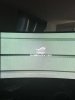
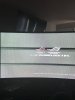
Hello, so I recently bought a 2080 TI, it lasted approx 2 days before one day I turn the computer on and bam the pc won’t recognize it as anything but a generic video card tried installing new drivers, ddu and moving pci slots, So I had to RMA it. The manufacturer received it and said it was bad, A couple weeks later I received a second and it worked great for about three days... I upgraded my ram and Went from 16 to 32 GB And the next day it started artifacting slightly when I would boot it up “static bands moving across screen” and during pub G gaming sessions “ light and dark flickers all over” and every couple minutes BAM game just disappears and I have to restart.
so after massive trouble shooting, replaced ram/HDD/pci slots/ drivers/ fresh installs/ temps/ removed overclocks/ checked voltage with hw monitor...
determined that the card was bad because I put it in my nephews pc and it artifacted during gameplay.
I put a 2070 in my PC that has always worked before And I’m getting the weird boot static bands intermittently...like every third boot. But no issues whatsoever during gameplay.
The question is do you think it could be my motherboard causing the static bands and possibly hurting the video cards ? I really have no way of testing it so I’m lost
The static bands are not nearly as bad with the 1070
9800x
Rog rampage vi apex
970 evo 500gb sli
Corsair 32gb rgb pro 3000mhz
1200w thermaltake ps
EVGA 280cc aio
so after massive trouble shooting, replaced ram/HDD/pci slots/ drivers/ fresh installs/ temps/ removed overclocks/ checked voltage with hw monitor...
determined that the card was bad because I put it in my nephews pc and it artifacted during gameplay.
I put a 2070 in my PC that has always worked before And I’m getting the weird boot static bands intermittently...like every third boot. But no issues whatsoever during gameplay.
The question is do you think it could be my motherboard causing the static bands and possibly hurting the video cards ? I really have no way of testing it so I’m lost
The static bands are not nearly as bad with the 1070
9800x
Rog rampage vi apex
970 evo 500gb sli
Corsair 32gb rgb pro 3000mhz
1200w thermaltake ps
EVGA 280cc aio