
-
We’re currently investigating an issue related to the forum theme and styling that is impacting page layout and visual formatting. The problem has been identified, and we are actively working on a resolution. There is no impact to user data or functionality, this is strictly a front-end display issue. We’ll post an update once the fix has been deployed. Thanks for your patience while we get this sorted.
You are using an out of date browser. It may not display this or other websites correctly.
You should upgrade or use an alternative browser.
You should upgrade or use an alternative browser.
Managing your data.
- Thread starter amir786_z
- Start date

razel
Platinum Member
Windows built in System Image Backup every 6 months by USB on 2 rotating external HDDs (Jan-June/July-Dec). For myself I have been putting some of my more often used Excel/Word/notepad docs on OneDrive. Why Onedrive over the others? When you open that Excel/Word through onedrive.com. It opens it in Word/Excel web version with no ads and is free!
Last edited:

Data-Medics
Member
I use a Synology NAS which has nice features for backup both for PC and Mac. However, I mostly just use the CloudStation feature which is a lot like Dropbox except it's size is only limited by the size of the Synology disks. I just keep all my important data like docs, pictures, quickbooks, etc. in there and it syncs between all my computers too.
Plus it keeps back versions which could save your life if you get hit with Cryptolocker.
Plus it keeps back versions which could save your life if you get hit with Cryptolocker.

dave_the_nerd
Lifer
I use a batch file with some robocopy commands that syncs the contents of my computer to a network volume. The batch file is called by a scheduled task.Hi there guys I wanted to ask how you guys manage your pc data. Back up to external drive on regular basis. How you mane it.
Just went through a HD failure. Just wanted to know how I can prevent future data loss.
And a system image of my boot drive that gets grabbed every 24 hours.
ignatzatsonic
Senior member
I keep all data on a separate internal hard drive D.
100% of that is backed up at least every day to another separate internal drive E. This is my primary backup. I use FreeFileSync to do this on an automated (1 click) basis. This typically completes in one minute or less.
Every 3 months, I manually copy everything on D to another internal drive mounted in an external dock connected by USB. I then put this internal drive back in a closet. After 3 months pass, I put it back in the dock, reformat it, and make a new copy of D. This copy is done by drag and drop with the mouse.
Every month, I manually copy SOME of drive D (my most important files, currently about 12 GB) to a USB flash drive, using drag and drop. Each month, I reformat this flash drive and repeat the process.
Whenever I think of it (maybe 3 or 4 times a year), I use FreeFileSync to backup my Thunderbird emails and Firefox bookmarks to the E drive. Thunderbird and Firefox are found on my C drive and this is the only data from C that I backup directly, file by file.
I backup my entire Windows installation including programs (C partition) using Macrium Reflect imaging. I don't use imaging to backup any personal data as I don't consider imaging to be extremely reliable.
100% of that is backed up at least every day to another separate internal drive E. This is my primary backup. I use FreeFileSync to do this on an automated (1 click) basis. This typically completes in one minute or less.
Every 3 months, I manually copy everything on D to another internal drive mounted in an external dock connected by USB. I then put this internal drive back in a closet. After 3 months pass, I put it back in the dock, reformat it, and make a new copy of D. This copy is done by drag and drop with the mouse.
Every month, I manually copy SOME of drive D (my most important files, currently about 12 GB) to a USB flash drive, using drag and drop. Each month, I reformat this flash drive and repeat the process.
Whenever I think of it (maybe 3 or 4 times a year), I use FreeFileSync to backup my Thunderbird emails and Firefox bookmarks to the E drive. Thunderbird and Firefox are found on my C drive and this is the only data from C that I backup directly, file by file.
I backup my entire Windows installation including programs (C partition) using Macrium Reflect imaging. I don't use imaging to backup any personal data as I don't consider imaging to be extremely reliable.
Last edited:


fleshconsumed
Diamond Member
1. Backups to a different computer aka file server. The file server has multiple hard drives running snapraid which is a snapshot based software raid (there is no real time parity protection, but a batch file brings parity up to date every night which gives an additional protection in case one of the hard drives dies).
2. Really important stuff like photographs, tax documents, passwords, financial documents are periodically backed up to a 2.5" drive inside truecrypt archive and kept at work just in case some unforseen disaster strikes.
2. Really important stuff like photographs, tax documents, passwords, financial documents are periodically backed up to a 2.5" drive inside truecrypt archive and kept at work just in case some unforseen disaster strikes.

BonzaiDuck
Lifer
I think the only data I've ever "lost" is described in some fresh threads here on the usefulness of optical and floppy media.
When I was teaching database theory, design and programming courses, I was also adding to my "computer collection." Instead of donating older machines, I'd find a way to continue using them. I needed to "learn" networking, so I created my first LAN around 1994. The practice continued after I retired: old habits die hard.
Eventually, I acquired an install disk for Windows Server (2000?). I was storing files on my server and backing up other files. This then gave way to WHS v.1 followed by WHS-2011. "Need" -- even if imagined -- trumped keeping up with full-blown enterprise server OS's.
It actually took me a while before I realized I could schedule nightly backups for myself and the fam-damn-ily from the server -- four workstations altogether. But that's the practice now, and has been for a few years.
Having worked with RAID arrays for some time, I chose a different storage strategy with drive-pooling software on the server. Stablebit allows for duplication (or even "triplication" etc.) at the folder level. So the server becomes a repository for media files that I can afford to lose as well as important data which I'll prevent losing at all costs. This alleviates the need to duplicate disks (RAID1) for redundancy.
Some of the client backups contain local client workstation user data. But in other cases, I write data and work with it directly on the server -- also duplicated, as with the client backups. Further, certain programs (Quicken, Outlook etc.) are configured to back up to the server. While those same files may be part of "Client Workstation backups," they are also backed up separately to the server by their respective programs.
Ultimately, I will then use a couple hot-swap bays with the server to do backups of different types of data every two weeks, monthly or bi-monthly depending on the intrinsic volatility of the data. These aren't "scheduled" to occur automatically, since I don't want to keep backup disks running continuously, and it might be difficult to "anticipate" the scheduled backups to mount and dismount the hot-swap caddies according to the schedule.
So I use RichCopy 4.0 -- a GUI for RoboCopy -- to make these backups on the two week, four and eight week cycles.
When I was teaching database theory, design and programming courses, I was also adding to my "computer collection." Instead of donating older machines, I'd find a way to continue using them. I needed to "learn" networking, so I created my first LAN around 1994. The practice continued after I retired: old habits die hard.
Eventually, I acquired an install disk for Windows Server (2000?). I was storing files on my server and backing up other files. This then gave way to WHS v.1 followed by WHS-2011. "Need" -- even if imagined -- trumped keeping up with full-blown enterprise server OS's.
It actually took me a while before I realized I could schedule nightly backups for myself and the fam-damn-ily from the server -- four workstations altogether. But that's the practice now, and has been for a few years.
Having worked with RAID arrays for some time, I chose a different storage strategy with drive-pooling software on the server. Stablebit allows for duplication (or even "triplication" etc.) at the folder level. So the server becomes a repository for media files that I can afford to lose as well as important data which I'll prevent losing at all costs. This alleviates the need to duplicate disks (RAID1) for redundancy.
Some of the client backups contain local client workstation user data. But in other cases, I write data and work with it directly on the server -- also duplicated, as with the client backups. Further, certain programs (Quicken, Outlook etc.) are configured to back up to the server. While those same files may be part of "Client Workstation backups," they are also backed up separately to the server by their respective programs.
Ultimately, I will then use a couple hot-swap bays with the server to do backups of different types of data every two weeks, monthly or bi-monthly depending on the intrinsic volatility of the data. These aren't "scheduled" to occur automatically, since I don't want to keep backup disks running continuously, and it might be difficult to "anticipate" the scheduled backups to mount and dismount the hot-swap caddies according to the schedule.
So I use RichCopy 4.0 -- a GUI for RoboCopy -- to make these backups on the two week, four and eight week cycles.
VeryCharBroiled
Senior member
raid 1 for the data drive on the daily driver with the ssd boot drive imaged nightly to it and to a freenas box in the basement with raidz1 and snapshots. from that manual weekly backups of the important stuff via USB to an external drive thats then unplugged till the next weekly.
then blurays copies about once a month for that importand stuff to the safe deposit box at the bank.
notebooks get imaged about once a week to the freenas box.
everything on UPS.
then blurays copies about once a month for that importand stuff to the safe deposit box at the bank.
notebooks get imaged about once a week to the freenas box.
everything on UPS.


Red Squirrel
No Lifer
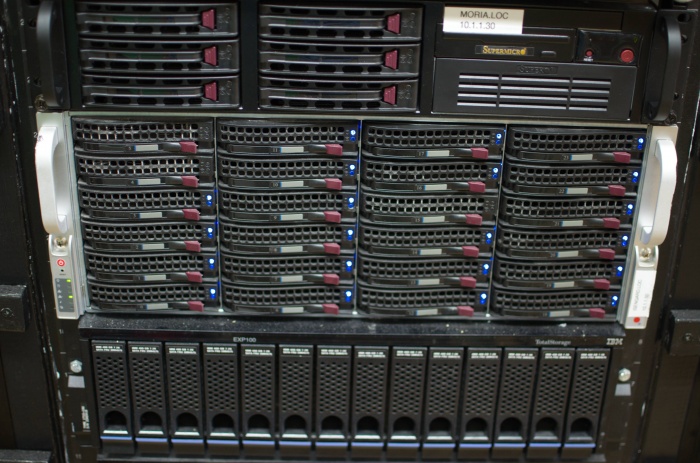
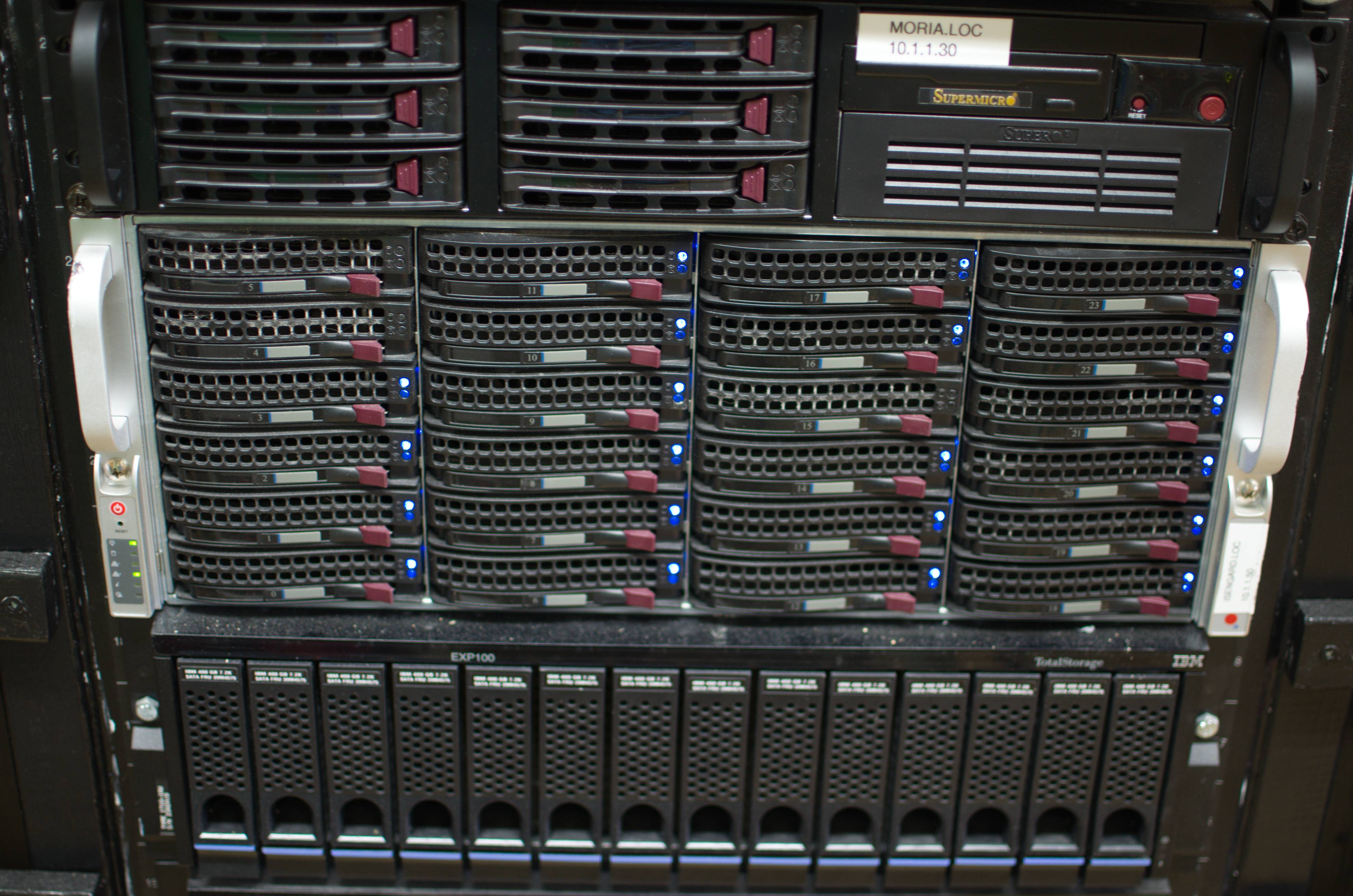
All my data is on my file server which runs CentOS and uses mdadm raid. I have 19TB between 3 raid arrays. There's one array that is also mostly just used for backups for the other arrays and on top of that I have a drive dock and I do further backups on individual drives which I treat like tapes. (I looked into tapes, they're freaking expensive!). The more critical stuff is also backed up off site to my web server.
A bit overkill for the average person but they make smaller cheaper cases. I highly recommend cases where drives can be hot swapped though.
File server is middle one:
A bit overkill for the average person but they make smaller cheaper cases. I highly recommend cases where drives can be hot swapped though.
File server is middle one:
TRENDING THREADS
-
 Discussion Zen 5 Speculation (EPYC Turin and Strix Point/Granite Ridge - Ryzen 9000)
- Started by DisEnchantment
- Replies: 25K
-
Discussion Intel Meteor, Arrow, Lunar & Panther Lakes + WCL Discussion Threads
- Started by Tigerick
- Replies: 25K
-
 Discussion Intel current and future Lakes & Rapids thread
- Started by TheF34RChannel
- Replies: 24K
-

-
