• We’re currently investigating an issue related to the forum theme and styling that is impacting page layout and visual formatting. The problem has been identified, and we are actively working on a resolution. There is no impact to user data or functionality, this is strictly a front-end display issue. We’ll post an update once the fix has been deployed. Thanks for your patience while we get this sorted.

Question Machine has trouble playing full screen content on 4k (even if the content is 1k) need more powerful GPU?

Red Squirrel

No Lifer
I recently upgraded to 4k. Noticed that with full screen video (Youtube but even just video files), especially when there is "B roll" type movement, it struggles quite a lot, and I get tearing on top and bottom. How would I go about solving this, would a faster GPU be it or is it more a software thing? I have a Radeon HD 7870. OS is Linux Mint 17 Cinnamon. Monitor has Freesync enabled.
 
Hmmm interesting did not know that was possible, figured if it supports 4k it supports it fully. Good to know though. Guess I'll be shopping for a new GPU in the near future, at least I know it's a starting point.
 
Hmmm interesting did not know that was possible, figured if it supports 4k it supports it fully. Good to know though. Guess I'll be shopping for a new GPU in the near future, at least I know it's a starting point.

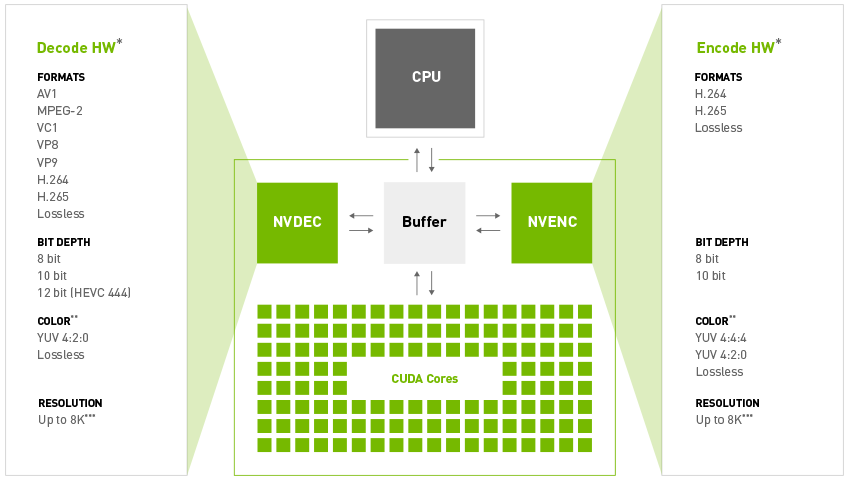
It supports outputting to a 4K monitor fine. But cards have built in hardware video decoders to decompress the video stream. Pitcairn cards did not have one that supported 4K video. Which means your CPU is most likely doing the decoding.
 
When shopping is there a way to determine if a card has such decoder? They usually don't go into those details. If it says anything to the effect "playback 4k content" then is it assumed that it has the decoder?
 
When shopping is there a way to determine if a card has such decoder? They usually don't go into those details. If it says anything to the effect "playback 4k content" then is it assumed that it has the decoder?

These are the lowest end cards with HEVC decoding built in:
  • AMD: RX 550
  • NVIDIA: GT 1030
Cards newer than those will have one. In short, any AMD based on Polaris or Navi, and any nVidia that is Pascal or newer.
 
I'm a little confused by your title, it has trouble playing content that isn't even 4k? Like it stutters with 1080p and 720p youtube/netflix/local? But only in fullscreen mode? windowed mode is fine?

Can you be more specific with the problem? Just screen tearing or stuttering/low fps/dropped fps?

I would think if you have trouble playing 1080p content it's not related to your video card hardware decoder, but I'll yield my opinion to those more knowledgeable.
 
Last edited:
I'm a little confused by your title, it has trouble playing content that isn't even 4k? Like it stutters with 1080p and 720p youtube/netflix/local? But only in fullscreen mode? windowed mode is fine?

Can you be more specific with the problem? Just screen tearing or stuttering/low fps/dropped fps?

I would think if you have trouble playing 1080p content it's not related to your video card hardware decoder, but I'll yield my opinion to those more knowledgeable.

Exactly this. Screen tearing and also stuttering. It's kinda random though, really seems to depend on the content/video which is kinda odd. Like say a scene where the entire scene moves it might stutter a bit and have top and bottom screen tearing.


Like here's an example:


Start of video when it's panning it has lot of trouble with that. Even in HD. But since I play in full screen as far as the GPU is concerned it probably does not really know or care that the video itself is HD, it's still 4k content as far as it's concerned. Ex: it still needs to render it and send it to the monitor at 4k right. If I play it in a window then it seems to be ok as it's less for it to process I guess.

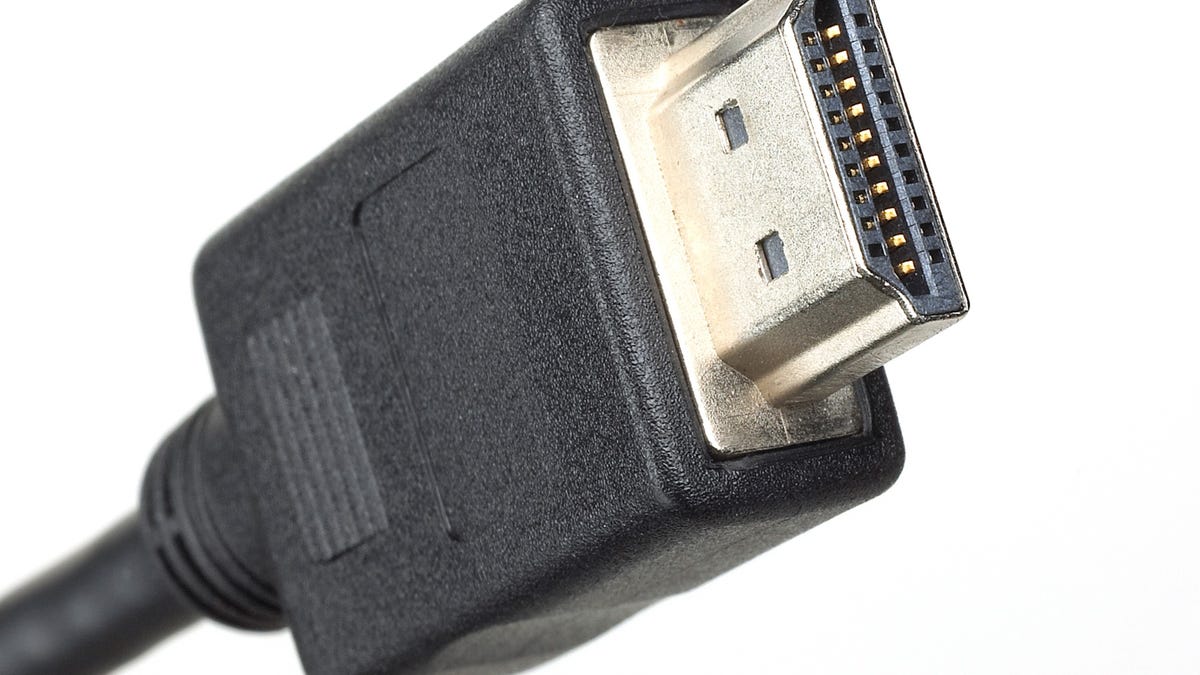
As a side note do cables make a difference or is that all marketing wank? I realized some cables are sold as HDMI 2.0 with 4k at 60fps support. Does it mean anything lower might not fully support 4k? Found conflicting info on that.

 
Exactly this. Screen tearing and also stuttering. It's kinda random though, really seems to depend on the content/video which is kinda odd. Like say a scene where the entire scene moves it might stutter a bit and have top and bottom screen tearing.


Like here's an example:


Start of video when it's panning it has lot of trouble with that. Even in HD. But since I play in full screen as far as the GPU is concerned it probably does not really know or care that the video itself is HD, it's still 4k content as far as it's concerned. Ex: it still needs to render it and send it to the monitor at 4k right. If I play it in a window then it seems to be ok as it's less for it to process I guess.

As a side note do cables make a difference or is that all marketing wank? I realized some cables are sold as HDMI 2.0 with 4k at 60fps support. Does it mean anything lower might not fully support 4k? Found conflicting info on that.
This should be interesting reading for you:

 
This should be interesting reading for you:


Yeah read that, which is what made me realize I have to pay more attention when buying cables.

But also read this:


So not sure which I should be going by. I did end up buying some HDMI 2.0 "high speed" cables though, but I'm not sure if the existing ones are 2.0 or not and they are already all cable managed so I'm kinda reluctant to swap them just because unless I can be sure it will help. They are high speed as well though. so according to that wiki I should be getting 30fps at least even if they are not 2.0.
 
Yeah, 4K30 is doable with HDMI1.4 cables/ports.

Chances are, your problems are simply due to using an older version of Linux, and it's out-dated video drivers.

Linux always had screen-tearing issues for me, too, even just scrolling a web browser in 4K UHD desktop res., where the same hardware was smooth in Windows 10.
 
Yeah the screen tearing seems to happen in the same spot even with GUI stuff like dragging a window. Really hope a new GPU will fix that though...

But I just discovered something even worse it seems display port to HDMI adapters don't work in Linux. Mine just came in so I can make my 2nd screen 4k too since I was using DVI to HDMI temporarily but it's not even detecting the adapters. :/ I may need to try to find a GPU that has two HDMI out but that is hard to find, it seems most of them only have one HDMI and are DP now. Unless I get into the super high end cards like 1070 and up but those cards are too big for my case and I really don't want something that power hungry. Also trying to stick to AMD as it has better Linux support. The Quadro cards are tempting since they are smaller and lower power usage but that's Nvidia so not sure how well they'll work.
 
Gigabyte made a few GTX 1650 cards (Turing TU117), that have multiple HDMI 2.0 ports, one of the cards, I think, has three, the other has two. I don't know if they are still making those particular GTX 1650 cards, as I learned recently, NV is refreshing the GTX 1650 non-Super, also with GDDR6 memory.

This one has two HDMI 2.0 ports.

Let me see if I can find the card with three of them.
 
Last edited:
I found these but they're out of stock. We have crap selection here in Canada for buying parts. We lost our two biggest sites, NCIX and Tigerdrect.


Not sure if those would have the proper decoder anyway, they don't mention anything about Polaris or Navi.
 
Forgot about Canadacomputers, found this:


Does say RX 580 so it should support it I would think, right?
 
That's good to know then, I might go and order that one. I don't tend to keep up with the model name/numbers as it just changes too fast.
 
Not finding any of the settings mentioned in that thread. Like desktop settings etc. In fact any settings I do find seem to be so bland, there's hardly no options for anything. I'm on Mint 18 Cinnamon.

Found this:


But I also don't have a /etc/X11/xorg.conf.d folder... I have horrible luck with this, every time I try to follow a tutorial the folders or files it refers to never exist on my system.


I ended up ordering that video card so I guess I'll wait till that comes in to see if it fixes the problem. I'm also due for an OS upgrade, might look into something that uses Wayland which might be better. I think Ubuntu does.
 
Some more vsync tearing reading specific to Mint 18 cinnamon.

 
I THINK I fixed the tearing issue, hard to tell as it's always intermittent but was not able to reproduce it. Even played a 4k video and it actually played back ok. Still have another GPU on the way though since for whatever reason my DP to HDMI adapters aren't working for the secondary monitor. Running it off DVI for now so only getting HD.

Upon more research, for some reason in Mint the xorg.conf.d folder is actually under /usr/lib/share/X11 and not /etc/X11 like it should be. There was already a 10-amdgpu.conf file so I figured I could just add those lines to it, and it seems to have done it.

Code:
Section "Device"
        Identifier "AMD"
        Driver  "amdgpu"
        Option  "DRI" "3"
        Option "TearFree" "true"
EndSection

Kind of bummed my adapter for DP is not working though, at this point I probably don't even need a GPU upgrade if this fix turns out to actually be working.
 
Hopefully your problem is mostly fixed
With the DP->HDMI adapter, did you make sure it's not an HDMI->DP adapter? (apparently they are not bidirectional).

Do you know if that DP port is actually outputing any video? Can you test it with any DP monitor?
 
Back
Top