
- Jul 27, 2002
- 13,329
- 709
- 126



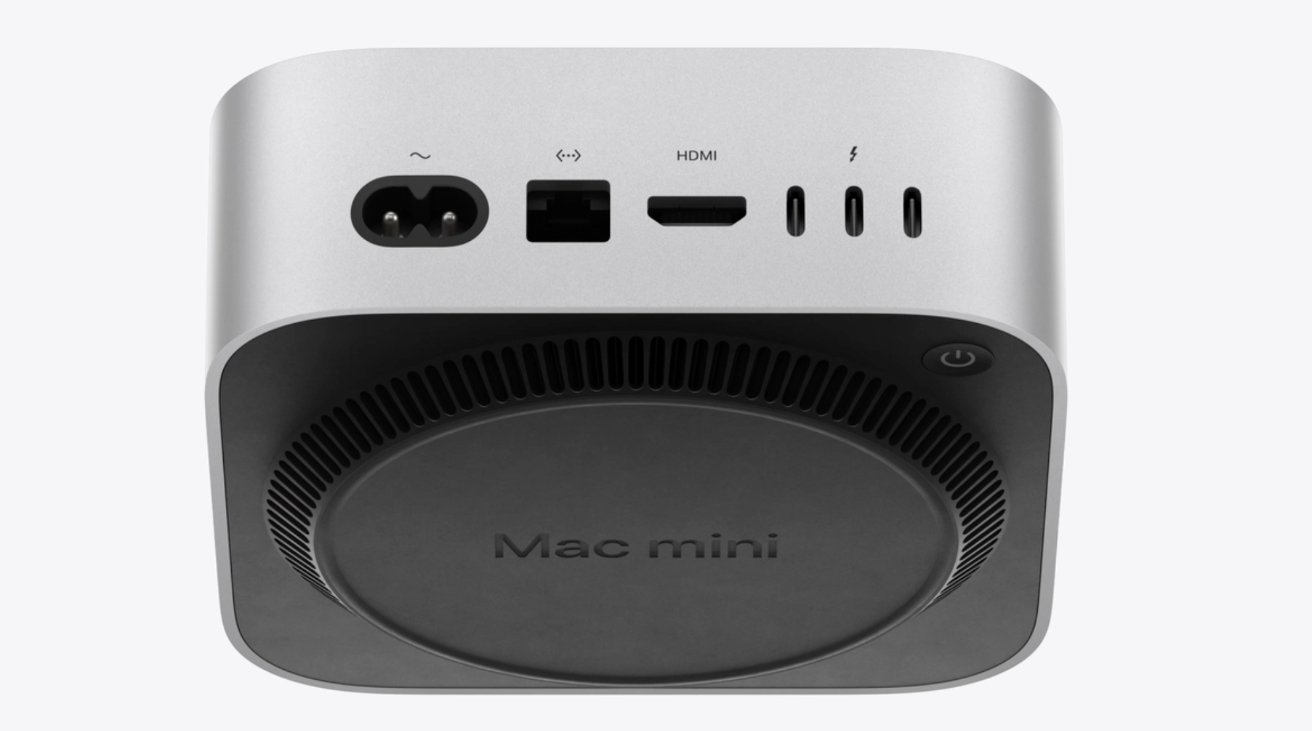
The 10 Gbps Ethernet option has been there since M1.Looking to finally upgrade my M1 Mini. It has become quite sluggish. The new one offers an 10 Gbe ethernet option, which is a nice touch.

 appleinsider.com
Even better, they bumped up the old M2 and M3 MacBook Airs to 16 GB RAM too. It's about time.(Kudos for making 16GB RAM standard on all new Macs, after long insisting that 8GB was plenty.)

 www.macrumors.com
For the M4 Mac mini, the RAM and storage upgrade prices are worse now in some countries. They updated the upgrade pricing last week.MacBook Air has been updated. Unfortunately base storage is still 256GB.
Upgrades for RAM and storage are still ridiculous. Having said that, considering inflation, the value proposition for base configs is solid (esp when there's a sale). As a result, the Mac business is doing well for Apple even as hardware purchase cycles have extended.
If you can live with meager storage, the base configs are solid buys IMO. Considering post-pandemic inflation, it's kinda nice that Apple reset the base price to what it was 5 years ago. Having said that, nobody pays full MAP price anymore unless you walk into an Apple store. Retailers like Amazon and Best Buy are often discounting the popular SKUs throughout the year, not just for the holidays.For the M4 Mac mini, the RAM and storage upgrade prices are worse now in some countries. They updated the upgrade pricing last week.
The good news for the M4 MacBook Air, they dropped the base pricing. Also, in some countries like Canada, it's actually slightly cheaper than in the US.

Does doing this kill the warranty?There's 3rd party options to replace the stock "NVME" drives. $320 for 2TB. It requires a second Mac to be able to do it.

Not sure. I would hope not since it is using a slot meant for a replaceable part. You could put the original drive back in if there is a problem.Does doing this kill the warranty?
Is putting the original drive back something easy to do? I heard that you need another mac to install the new SSD. Would you need another mac to go back to the original SSD?Not sure. I would hope not since it is using a slot meant for a replaceable part. You could put the original drive back in if there is a problem.
I don't own a Mac and only watched videos on this, so take everything I say with a grain of salt. My understanding is you only need the second Mac for the DFU (Device Firmware Update) and that is a once per SSD step you have to take. I expect putting the original SSD back in the slot it would just work.Is putting the original drive back something easy to do? I heard that you need another mac to install the new SSD. Would you need another mac to go back to the original SSD?
Thanks for the reply! I was thinking along the same lines as you, but wanted to hear from someone that did it.I don't own a Mac and only watched videos on this, so take everything I say with a grain of salt. My understanding is you only need the second Mac for the DFU (Device Firmware Update) and that is a once per SSD step you have to take. I expect putting the original SSD back in the slot it would just work.
Killing the warranty would violate U.S. federal law: Magnuson-Moss.Does doing this kill the warranty?





 Facebook
 Twitter