

Ichinisan
Lifer
I don't know if this happens with Firefox+Greasemonkey, but I'm having a really weird issue with Google Chrome and my custom userscript.
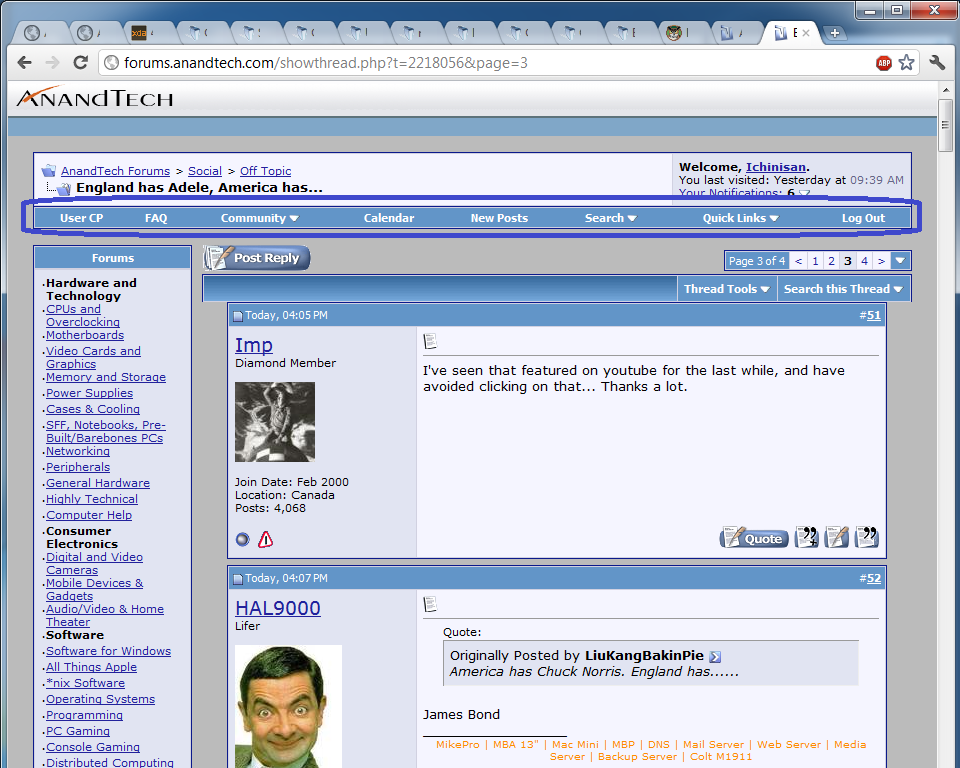
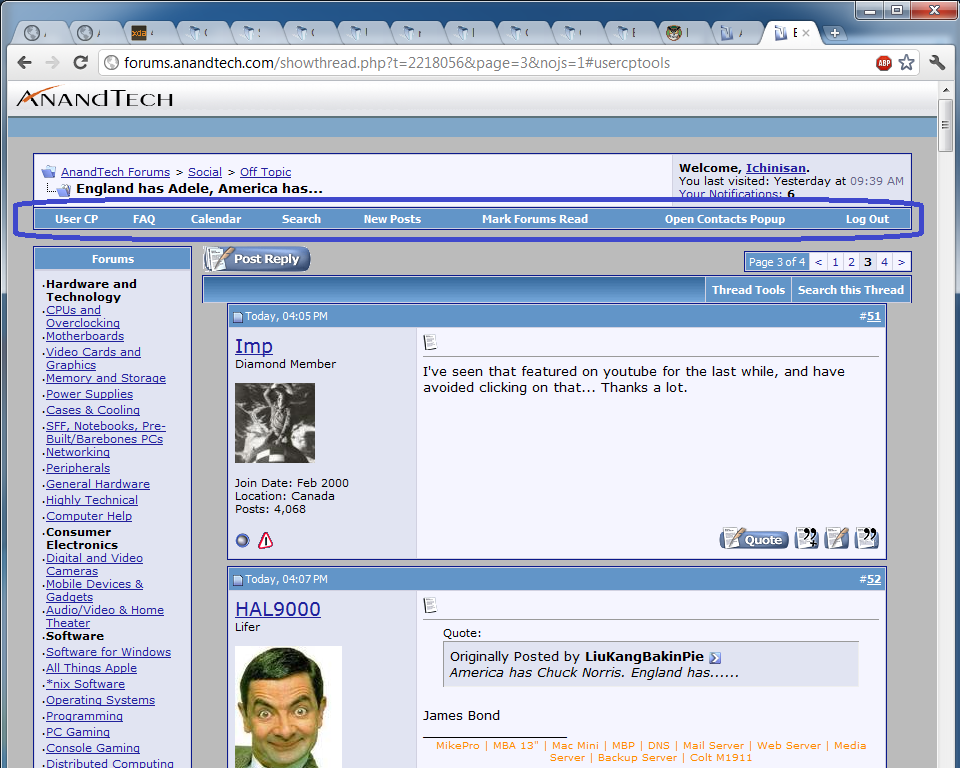
The script uses a regex to match specific text in the HTML document and replaces it with alternate text. It does everything it's supposed to do, but has a strange side-effect. When the script is active, the "Quick Links" drop-down at the top of the forum does not work correctly. Instead of showing a drop-down, clicking "Quick Links" will re-load the page and show completely-different options in the bar. As far as I can tell, there's no good reason for my script to have this effect.
Before:

After:

What's happening here?!
[edit]
I also noticed I can't click the tabs on a user's profile page while the script is active.
HTML:
// ==UserScript==
// @include http://forums.anandtech.com/*
// ==/UserScript==

// HAL9000
document.body.innerHTML=document.body.innerHTML.replace(/customavatars\/avatar282471_10.gif\" width=\"80\" height=\"80\"/gi,"http://i79.photobucket.com/albums/j139/jevansturner/th_600full-rowan-atkinson.jpg\"");

// dmcowen674
document.body.innerHTML=document.body.innerHTML.replace(/customavatars\/avatar2485_3.gif\" width=\"67\" height=\"46\"/gi,"http://i79.photobucket.com/albums/j139/jevansturner/th_pinochio.jpg\"");
The script uses a regex to match specific text in the HTML document and replaces it with alternate text. It does everything it's supposed to do, but has a strange side-effect. When the script is active, the "Quick Links" drop-down at the top of the forum does not work correctly. Instead of showing a drop-down, clicking "Quick Links" will re-load the page and show completely-different options in the bar. As far as I can tell, there's no good reason for my script to have this effect.
Before:
After:
What's happening here?!
[edit]
I also noticed I can't click the tabs on a user's profile page while the script is active.
Last edited:


