• We’re currently investigating an issue related to the forum theme and styling that is impacting page layout and visual formatting. The problem has been identified, and we are actively working on a resolution. There is no impact to user data or functionality, this is strictly a front-end display issue. We’ll post an update once the fix has been deployed. Thanks for your patience while we get this sorted.

Question Is my disk corrupted?

parmesuhn

Junior Member
I'm not a pro at this kind of things, i don't know if this is the right thread. But every time i download games that exceed around 150GB (not sure) my drive just got an error and i need to reset it every time (i have 800gb space on my drive). It's a pain in the ass tbh. Is there anything wrong with my computer or is my ssd is corrupted?

I did a disk check on windows it says it's fine. But it just don't seem fine. Please can someone give me advice to do something or something.

Update: I've been exploring on the error that i got for a week. i think i got a clue one what specifically that make this an error.
------
Chkdsk was executed in scan mode on a volume snapshot.

Checking file system on D:
The shadow copy provider had an error. Check the System and Application event logs for more information.

A snapshot error occured while scanning this drive. You can try again, but if this problem persists, run an offline scan and fix.
------
What does this mean? if anyone can make an assumption on whats happening to my computer please tell me.
 
Last edited:
I would scan the drive for dead sectors, I can recommend DiskGenius for that.
Also, I don't think disks can get "corrupted", but data of all kinds can get corrupted, including the file system itself.
 
Run CrystalDiskInfo and see the SMART status of that D drive. If it's good, drop into cmd with Administrator and type chkdsk d: /x/v.. /v is verbose /x is fix. If it doesn't begin to scan it'll tell you it'll run it next time on restart.

The error you're seeing is related to 'shadow copies' which is usually system restore. You could ensure it's off, but I would do the typical SMART status 1st then chkdsk.
 
Run CrystalDiskInfo and see the SMART status of that D drive. If it's good, drop into cmd with Administrator and type chkdsk d: /x/v.. /v is verbose /x is fix. If it doesn't begin to scan it'll tell you it'll run it next time on restart.

The error you're seeing is related to 'shadow copies' which is usually system restore. You could ensure it's off, but I would do the typical SMART status 1st then chkdsk.
I just tried the CrystalDiskInfo and the status is ok. when i tried the cmd with administrator and typed chkdsk d: /x/v it responds with "Cannot open volume for direct access" how do i get the access for the volume now? why cant i have access to the drive?

Edit: for some reason at the same time my disk just got unallocated for some reason. It was allocated a couple minutes ago. what is happening here O.O. So after i checked the smart status and did the chkdsk d: /x/v it says "Windows has scanned the file system and found no problems. No further action is required." this means its fine right? but why is it still a drive error when i try downloading my games?
 
Last edited:
What model SSD is it? Running sfc /scannow may also help, if windows problems are present. Also we should know the rest of the system specs.

Testing RAM is also worth a try.
 
What model SSD is it? Running sfc /scannow may also help, if windows problems are present. Also we should know the rest of the system specs.

Testing RAM is also worth a try.
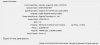
Model V-GEN11SM19AR960SDK 960GB
i think this ssd is only sold in my country so i don't know if it will help you guys
 

Attachments

  • syst.jpg
    syst.jpg
    90.7 KB · Views: 7
Hmm, I never heard of that SSD model before, and googling it actually gives 0 results. Do you know the brand or is it generic? It very likely could be. Do you know if it is an m.2 or a 2.5 inch SATA SSD? Also, is your system a prebuilt desktop, or did you build it yourself? Finally, what country are you in?

If the SSD is a generic one included in a prebuilt computer, chances are it is lower quality, and it could be the issue. And from what i read, the SSD is mostly empty, you said 800GB space free.

One thing to try would be to back everything up and do a fresh windows install. If that does not help, I would look into a new SSD.
 
Maybe the drive isn't really 960gb? It could have a faked firmware or something and a lower than stated capacity. I don't know if that even happens in internal drives, though there have been stories of them in external drives and sd cards.

There are programs that test for that, but most of them are intended for usb and sd cards and recommend formatting the drive, so you'd lose all your data and have to reinstall windows.
 
Maybe the drive isn't really 960gb? It could have a faked firmware or something and a lower than stated capacity. I don't know if that even happens in internal drives, though there have been stories of them in external drives and sd cards.

There are programs that test for that, but most of them are intended for usb and sd cards and recommend formatting the drive, so you'd lose all your data and have to reinstall windows.
i think you might be right. right now windows says its unreadable. im planning to buy a new one ;-;
 
Hmm, I never heard of that SSD model before, and googling it actually gives 0 results. Do you know the brand or is it generic? It very likely could be. Do you know if it is an m.2 or a 2.5 inch SATA SSD? Also, is your system a prebuilt desktop, or did you build it yourself? Finally, what country are you in?

If the SSD is a generic one included in a prebuilt computer, chances are it is lower quality, and it could be the issue. And from what i read, the SSD is mostly empty, you said 800GB space free.

One thing to try would be to back everything up and do a fresh windows install. If that does not help, I would look into a new SSD.
The brand is V-Gen and i'm from Indonesia. I think its only sold in my country, that's probably why you have 0 results. maybe i just got scammed? i already tried to reinstall windows, but still didn't work. My brother built the computer mostly so i don't really know anything. I think its a 2.5inch sata ssd. Should i just buy a new one?
 
You could try to replace it under warranty. if still available. It could just be a defective drive, which can happen. If you want something better and more relialble, this would also make sense, if it fits your budget. What kind of prices are there on 1TB SSDs there? Particularly with good brands like Samsung, Western Digital/Sandisk, Adata, Crucial/Micron and such.
 
Back
Top