• We’re currently investigating an issue related to the forum theme and styling that is impacting page layout and visual formatting. The problem has been identified, and we are actively working on a resolution. There is no impact to user data or functionality, this is strictly a front-end display issue. We’ll post an update once the fix has been deployed. Thanks for your patience while we get this sorted.

I need some info about smart thermostats

Page 2 - Seeking answers? Join the AnandTech community: where nearly half-a-million members share solutions and discuss the latest tech.
Then why didn't you disable auto-away?
I have mine disabled and set the schedule to set its temps and it works just fine.

You can also disable the learning feature but leave auto away on once you set a schedule so the system will still pull back when you're gone. It sounds like he may have gotten a bad unit though. Been using my 1st gen since they came out with no problems once I tweaked everything (super easy with the app).
 
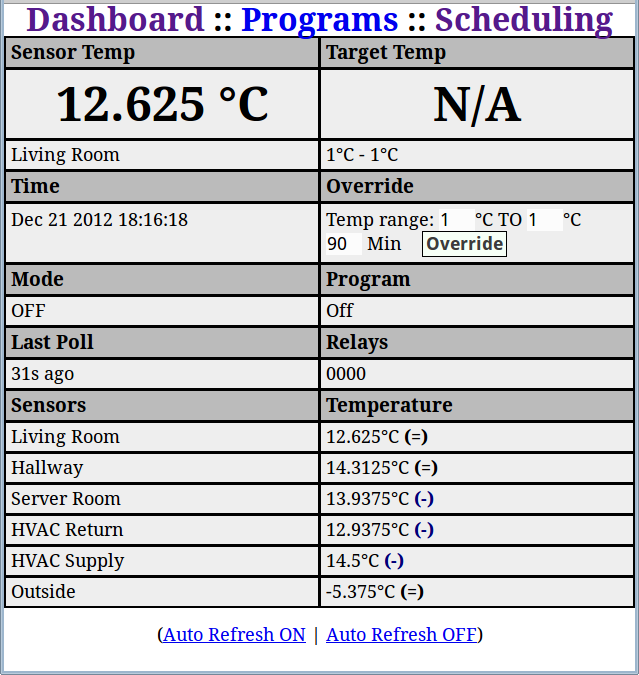
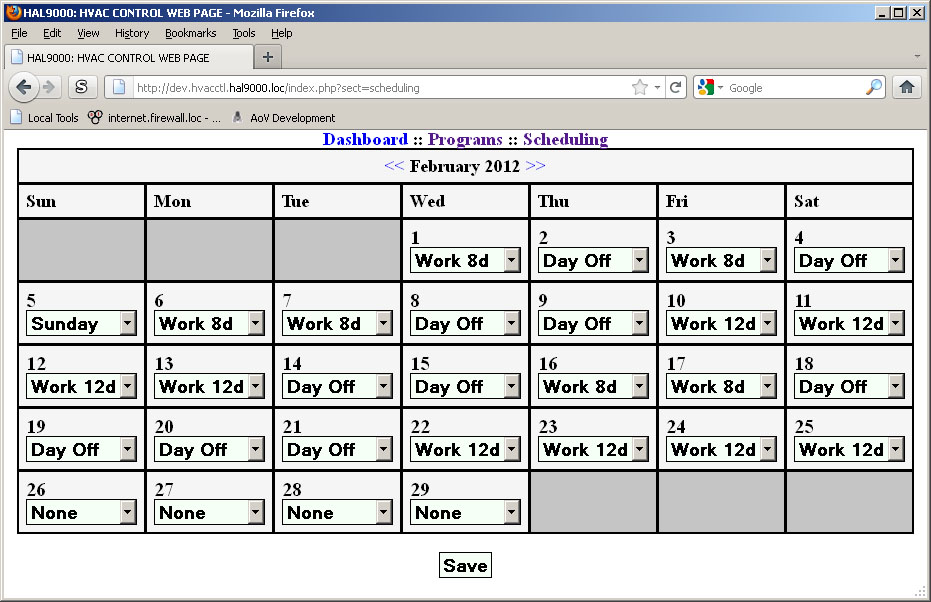
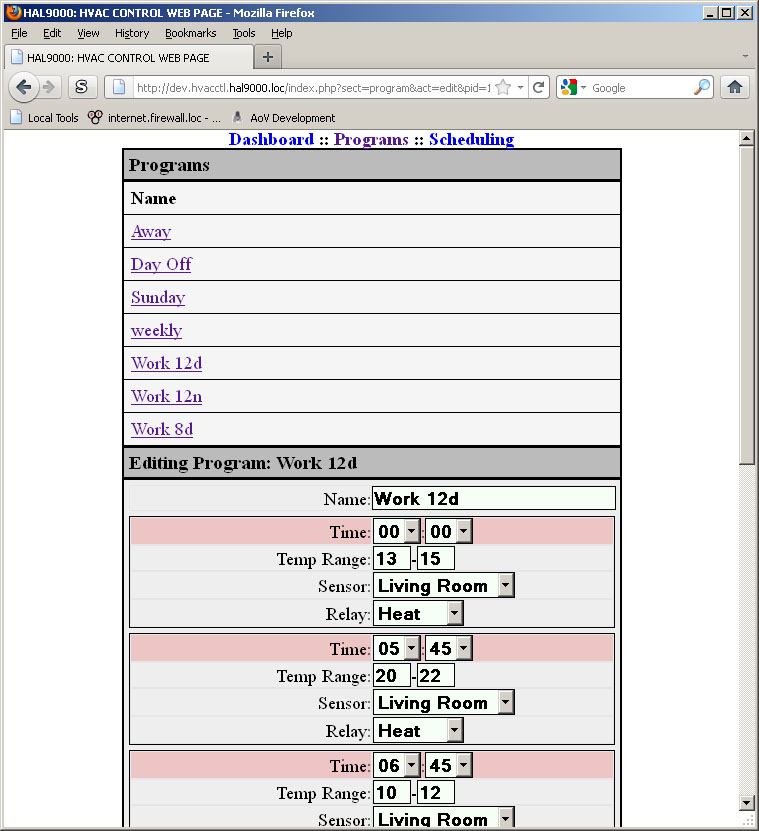
Just curious but does the NEST allow you to setup schedules like my system (see screenshots on page 1). At that price I would hope so!
 
Just curious but does the NEST allow you to setup schedules like my system (see screenshots on page 1). At that price I would hope so!

How much time did you spend doing that? For many of us a NEST solves the problem in TOTAL COST.

Obviously, if you have special needs a home-sourced unit would yield the best results.
 
I think in my case, a honeywell would be best as well. The room where we have our thermostat is a room we rarely use so I'd imagine the Nest would assume we're never home. One thing I did like on my friend's nest is he could set a temp range (like 66-72) and it'd auto heat/cool based on the current temp. I'm assuming the honeywell could do it as well?

this one
 
No thanks... Wife is stay at home mom plus I work from home when not traveling. Smart thermostat doesn't do anything for us.
 
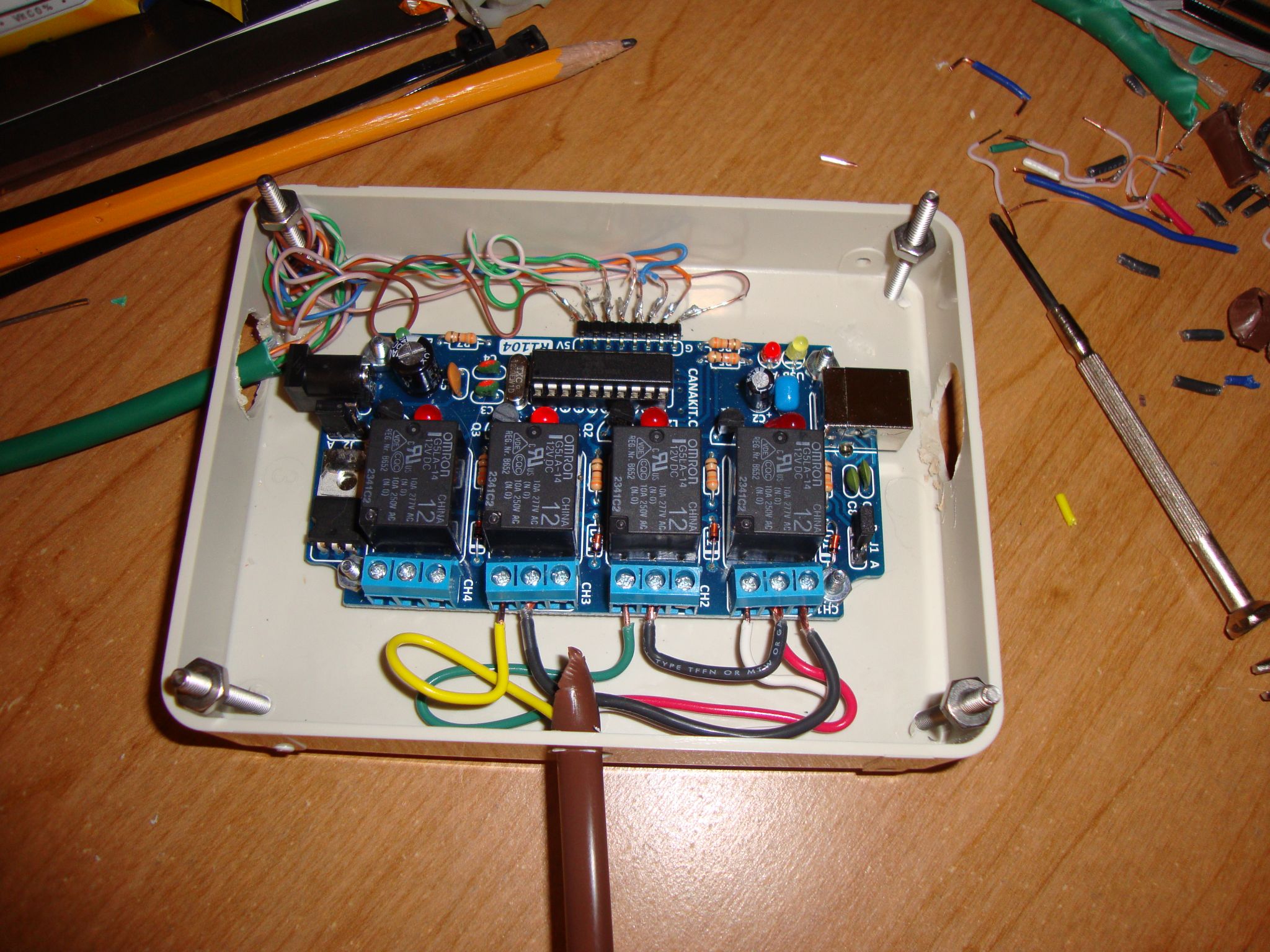
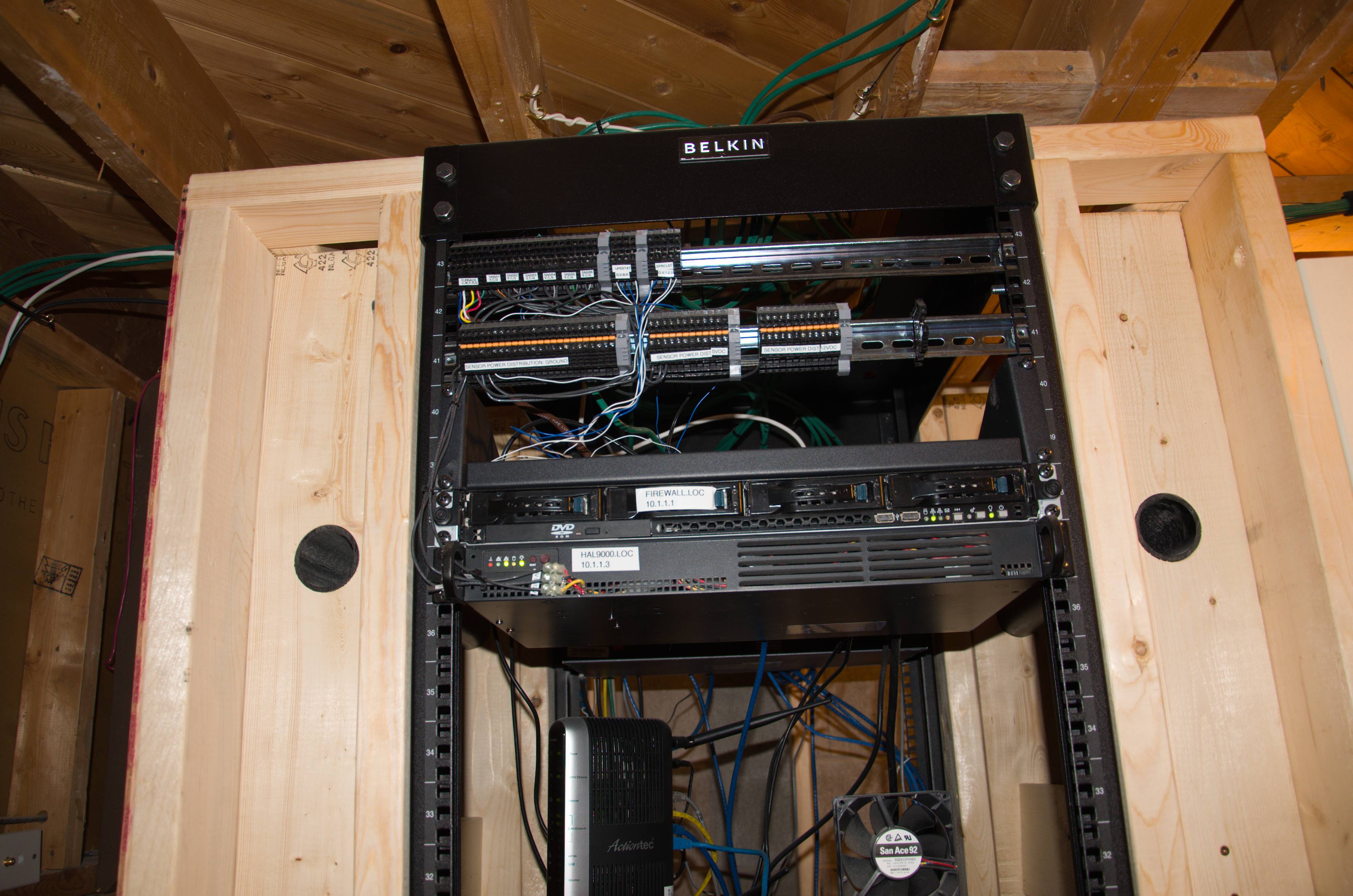
You can always just roll your own, like I did. :biggrin:


(need to make that interface nicer and more phone friendly though)


I WANT THIS SOOO BAD!

My wife works a rotating schedule so it would be nice to just program the week/month at a time on an easy interface.

I have a contractor buddy that I've helped install the Honeywell wifi ones that can connect via internet. Cheaper than a nest and can do more IMO.
 
I've got a 7 day honeywell. They sell them that are programmable via wifi and whatever... I don't see the need for those bells and whistles. I think a lot of that technology is nice, but paying a few hundred dollars for connectivity isn't worth it to me (and I'm tech-savvy)

My honeywell has 4 times you can set per day and can run a different schedule each day... I typically set it to a sleeping temp from 11:15-6am, turn the system off from 8-4:30..then an evening temp...

If I need to I can do a permanent hold on the temp and override the schedule. We don't have to touch it too often and our bills are pretty low.
 
I have a very similar one with all the time slots, etc. But programming it sucks and it would be nice to have wifi connectivity so that I can change settings as needed. I think in my climate its more useful to have remote access since the weather isn't usually such that one would leave the HVAC "on" all the time.
 
Nest = another overpriced device that's sold based on hype to make Americans even more lazier.

:biggrin:

I haven't even had a need for a programmable thermostat which is 1/10th the price.....
 
Then why didn't you disable auto-away?
I have mine disabled and set the schedule to set its temps and it works just fine.

You can also disable the learning feature but leave auto away on once you set a schedule so the system will still pull back when you're gone. It sounds like he may have gotten a bad unit though. Been using my 1st gen since they came out with no problems once I tweaked everything (super easy with the app).

I disabled many of the auto features, in the end it wasn't my cup of tea.
 
My regular programmable was plenty but I went with the Honeywell for the Wi-Fi so my fat ass can stay in the recliner and adjust the temps and fan. 🙂
 
Thinking of getting the latest entry level Nest thermostat, it's only $99.

Just so when I leave the house it automatically switches to an eco-mode. I already have a low end Sensi that let's me adjust the temp via an app, but when I forget, I want the automatic feature the Nest can provide.

Has anyone used this model? It gets some mixed reviews. I don't have a C-wire but it should work fine with my system from what I read.
 
Thinking of getting the latest entry level Nest thermostat, it's only $99.

Just so when I leave the house it automatically switches to an eco-mode. I already have a low end Sensi that let's me adjust the temp via an app, but when I forget, I want the automatic feature the Nest can provide.

Has anyone used this model? It gets some mixed reviews. I don't have a C-wire but it should work fine with my system from what I read.
I can't comment on the thermostat itself, but check to see if you can get any deals through your local utility. In Massachusetts, smart thermostats often have a $100 rebate available, and on the website they run that sells direct to consumers (and provides an instant rebate instead of having to file), they will have sales where you can get a basic Nest for free or a few bucks.
 
Oh man this thread just made me realize that other than some GUI updates I basically have not done much modifications to my custom setup and it's like 8+ years ago lol. It just keeps chugging away. About once a year it will lock up for some reason and I need to reset it, that's about it.
 
All thermostats these day are "smart" in that they come with WiFi. Of all things, if you have an advanced AC like mine you do need to make sure it has certain functions and features.
 
Thinking of getting the latest entry level Nest thermostat, it's only $99.

Just so when I leave the house it automatically switches to an eco-mode. I already have a low end Sensi that let's me adjust the temp via an app, but when I forget, I want the automatic feature the Nest can provide.

Has anyone used this model? It gets some mixed reviews. I don't have a C-wire but it should work fine with my system from what I read.


You will want to make every effort to ensure you don't need the c wire.

The $200 model is a better build quality and comes with extras. As @Brainonska511 said, check your power company website for rebates. I was able to get $100 of each of mine in MA.

In my case, a c wire was needed to ensure the nests could trickle charge properly instead of calling to heat to charge.

Edit: Also, I have mine setup on an isolated vlan. IoT stuff can be a security hole. The Nests don't report an update since January / February 2020.

Edit 2: I stand corrected, one of mine took an update May 26 this year
 
Last edited:
The $200 model is a better build quality and comes with extras. As @Brainonska511 said, check your power company website for rebates. I was able to get $100 of each of mine in MA.

In my case, a c wire was needed to ensure the nests could trickle charge properly instead of calling to heat to charge.

Edit: Also, I have mine setup on an isolated vlan. IoT stuff can be a security hole. The Nests don't report an update since January / February 2020.

Edit 2: I stand corrected, one of mine took an update May 26 this year

Good lookin' - Thanks. I just got the entry level Nest for free plus tax and shipping from my energy provider. So 11 bucks total. The higher end Nest thermostat was $150 off, to $99. But I don't need those features. I'll see how it goes.
 
The idea behind some of the rebates is that your wifi thermostat that you control via the cloud, can allow the local utility to change the settings during low grid power events.

All things considered, I am fine with my Honeywell, cost $125 from a sale on Fry's. RTH9585WF1004/W
 
I need some info about smart thermostats


My advice is don't buy one that's connected/controllable to/from the internet.

Otherwise don't complain when "the powers that be" start locking you out raising/lowering temps when THEY decide it's appropriate to do so.

(AND likely charging you extra calling the intrusion a "service")


Of course the way IRL "Still-Screens/Telescreens" (ie: Smart TV's etc) are selling these days I'm sure this won't even slow folks down.
 
I haven't had any issues using Ecobee's, I disliked Nest as that's just more information google is collecting and has access to on you.
 
My advice is don't buy one that's connected/controllable to/from the internet.

Otherwise don't complain when "the powers that be" start locking you out raising/lowering temps when THEY decide it's appropriate to do so.

(AND likely charging you extra calling the intrusion a "service")


Of course the way IRL "Still-Screens/Telescreens" (ie: Smart TV's etc) are selling these days I'm sure this won't even slow folks down.

My nests are controllable via my nest account. Good luck to anyone trying to gain access. 2FA in place, and devices on an isolated vlan, just in case.
 
The idea behind some of the rebates is that your wifi thermostat that you control via the cloud, can allow the local utility to change the settings during low grid power events.
At least for MA, you have to opt in to that, so no worries there. And if you do opt in, you a)get a financial incentive to participate, and b) for each event, your phone is supposed to get a notification and allow you to selectively opt out.
 
I haven't had any issues using Ecobee's, I disliked Nest as that's just more information google is collecting and has access to on you.


When top US Government IT security guys tell you the only way to ensure un-attended networks don't get hacked is to "pull the plug" on the connection to the internet before even turning away, I wouldn't count on ANYTHING being "secure"... especially a cheap plastic piece of Chinese-made junk.
 
Back
Top