Gforce 560Ti and a Core 2 Duo worth it to upgrade?

Page 2 - Seeking answers? Join the AnandTech community: where nearly half-a-million members share solutions and discuss the latest tech.

toyota

Lifer
Apr 15, 2001
12,957
1
0
Hmmmm
YOu have a Win 7 right ?
Why don't you use the Windows Performance Monitor and play games.
See (if) where and how often your CPU usage goes over 90 % .....
Cause if it is not hitting 90% or more, then you do not need a CPU upgrade.
if he is trying to play all modern games then yes his cpu will limit a gtx560 ti. my E8500 oced to 3.8 was hitting over 90% in plenty of games and thats at 1920x1080 with just a gtx260. not to mention that you do not have to be using more than 90% of a cpu to see an improvement from a faster cpu.
 

notty22

Diamond Member
Jan 1, 2010
3,375
0
0
Ya just noticed that now that I look hopefully the last 2 slot will be fine to use, guess I will have to wait and see.

Looking at all the Gigabytes that have this chipset they all have the same layout and read a few of the reviews on the higher priced ones and have not noticed anyone saying it will be a tight fit.. Maybe it will be that fan is huge from the movie they have of it installing.
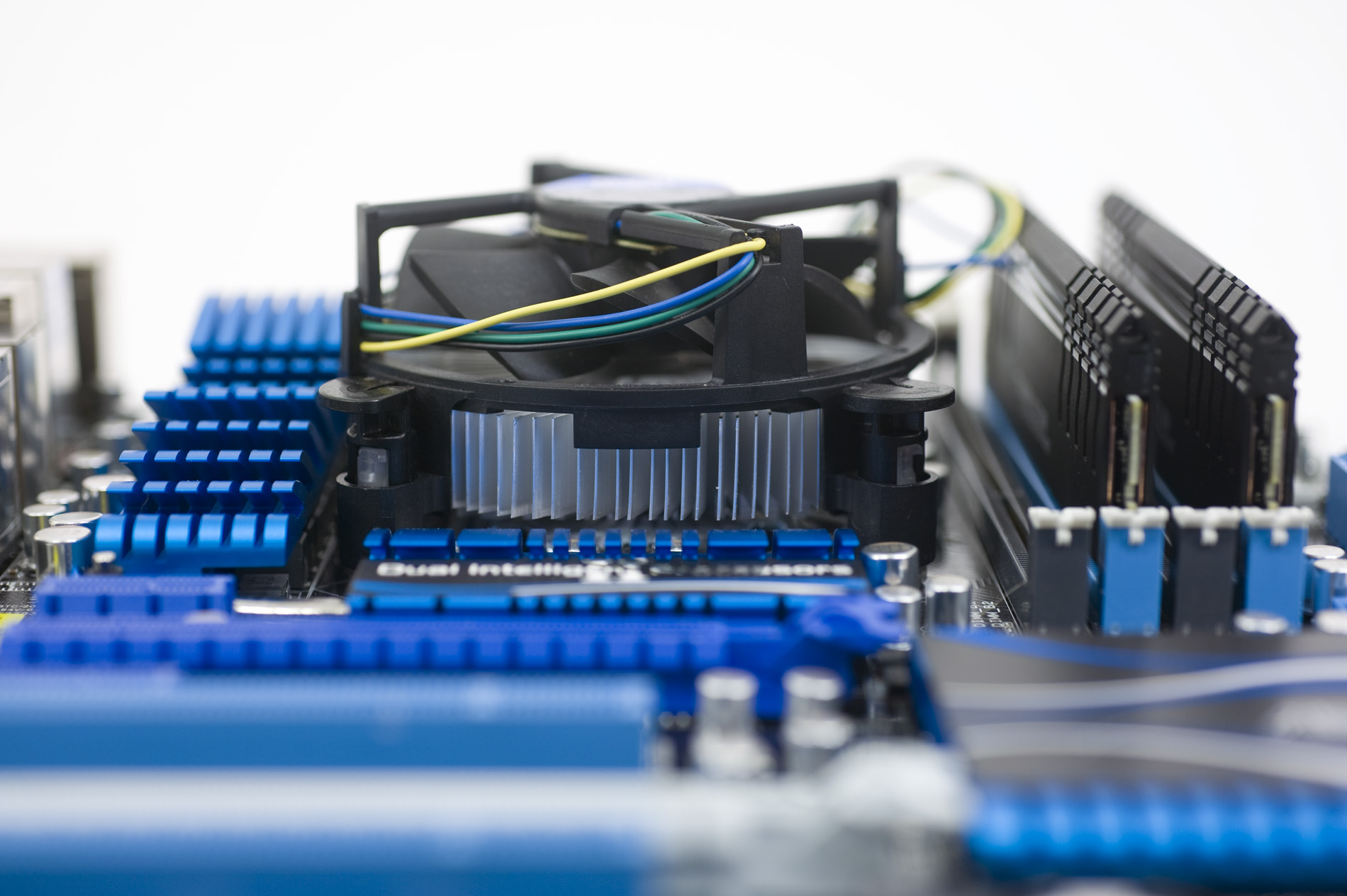
You should be good with 2+4 slot positions.
Here is a pic from another post, I made today. Fresh in my mind.
My 1156 gigabyte board is setup the same as this 1155 board in this pic, believe its a Asus.
_DSC7079.jpg
 

Mir96TA

Golden Member
Oct 21, 2002
1,950
37
91
if he is trying to play all modern games then yes his cpu will limit a gtx560 ti. my E8500 oced to 3.8 was hitting over 90% in plenty of games and thats at 1920x1080 with just a gtx260. not to mention that you do not have to be using more than 90% of a cpu to see an improvement from a faster cpu.

Lets say he is hitting is spiking 70 % Usage, and he upgraded to a new MB CPU and RAM ........ It would be very unlikely he would feel the Platform upgrade.........
 

malkuth

Junior Member
Nov 11, 2009
20
0
0
Lets say he is hitting is spiking 70 % Usage, and he upgraded to a new MB CPU and RAM ........ It would be very unlikely he would feel the Platform upgrade.........


Oh I will feel i can not play any of my games at the highest settings at this point.

Total War Shogun 2.
Assassins creed brotherhood.
And some others. Plus a few of the newer games that I will be getting one comes to mind is Sword Of the Stars 2.

Thats why I was looking for a new card in the first place. My system is 2 years old.. I usually never let them go that long but I had so much good luck with this current build that I lived with downgrading my graphics.

Most likely get another 2 years out of this one I hope. With maybe a graphics update everyone year or so.

Plus DX11 and stuff.
 

toyota

Lifer
Apr 15, 2001
12,957
1
0
Lets say he is hitting is spiking 70 % Usage, and he upgraded to a new MB CPU and RAM ........ It would be very unlikely he would feel the Platform upgrade.........
in some cases yes it would. anyway it does not really matter because he will indeed be using close to 100% cpu in many newer games if trying to push a gtx560 ti.
 

Mir96TA

Golden Member
Oct 21, 2002
1,950
37
91
Oh I will feel i can not play any of my games at the highest settings at this point.

Total War Shogun 2.
Assassins creed brotherhood.
And some others. Plus a few of the newer games that I will be getting one comes to mind is Sword Of the Stars 2.

Thats why I was looking for a new card in the first place. My system is 2 years old.. I usually never let them go that long but I had so much good luck with this current build that I lived with downgrading my graphics.

Most likely get another 2 years out of this one I hope. With maybe a graphics update everyone year or so.

Plus DX11 and stuff.

Yea, when you can not turn the Eye Candy on all they way, these tell tell signs you can really benfit GPU upgrade......
Go head get a Radeon 6970 / GeForce GTX 580 if you not happy with result go ahead and upgrade the MB CPU and RAM (ddr2?)
 

Mir96TA

Golden Member
Oct 21, 2002
1,950
37
91
in some cases yes it would. anyway it does not really matter because he will indeed be using close to 100% cpu in many newer games if trying to push a gtx560 ti.

I dunno CPU usage on those Games.......
However I gave him pretty good idea,
how to determine if he need GPU upgrade or not
or Heck I have a Win 7 pro 64Bit, Radeon 5850 and Xeon 3110
if there is a demo I can d/l and run a test for him
 

toyota

Lifer
Apr 15, 2001
12,957
1
0
Yea, when you can not turn the Eye Candy on all they way, these tell tell signs you can really benfit GPU upgrade......
Go head get a Radeon 6970 / GeForce GTX 580 if you not happy with result go ahead and upgrade the MB CPU and RAM (ddr2?)
$400 and $500 gpu with an older dual core cpu is just foolish. he could save $250 and get a gtx560ti and never see the difference in most cases. my E8500 at 3.8 was pegged at almost 100% cpu in some newer games with just a gtx260. you see there is a 2500k in my sig now because it was not worth it overall to keep getting faster gpus if I could not get the most out of them. and yes the 8600gt is just temporary.
 

Mir96TA

Golden Member
Oct 21, 2002
1,950
37
91
$400 and $500 gpu with an older dual core cpu is just foolish. .

Now that line of Reasoning I do no agree.
Its all matter what are the requirement and needs are~
If Radeon 6970 or GTX 560 Ti does trick fine.........
It is all about his eye candy vs Fps Vs Cost......
 

malkuth

Junior Member
Nov 11, 2009
20
0
0
Well got everything in and Hooked up my new pc last night into the late hours of the morning. LOL. Got windows all back up to date started installing my programs again. Only running This CPU at its default settings.

Just did a stress test with prime95 and my core temps never went above 49C. So seems pretty stable at Default right now.

Will up it to 4.0 GHZ with a Multiplier adjustment once I get back from work and see what happens then.

So far so good. Oh and my windows Experience test are pretty high too other then the hardrive which seems to be the bottleneck now lol. Maybe.

Proccessor 7.5
Memory 7.8
graphics 7.8
Gaming 7.8
Primary Hard disk 5.9

Not sure but my low score for harddisk might be because I am also doing a Backup restore for about 10 games for steam LOL. And its taking forever. Funny thing is I don't even really notice it, like its not happening.. But it might be just enough to mess with the test. I will try again when steam is done and I get home. Before uping the CPU to 4.0

Also My primary drive is SATA 3 1 TB
But I also have my backup drive that is 500 GB and is SATA but I believe its older SATA SLower.

If windows is counting both hardisk then the older one will almost certainly kill my score.. Even though it has nothing to do with the Main drive and is only a backup disk that I put some things on.

Oh and Toyota The ram fit fine. Channel 1 and 2 are actually the 2 Slot near the back. Channel 3 and 4 are the ones closer to the heat sink. And your correct the ram I have would not fit if I had to use those other slots because the fan actually is about 1 inch to low of that number 4 slot. I guess if you wanted to you could raise the fan though. Its only the fan thats in the way not the heat sink.

But right now it works, If I wanna update to another 8 gigs I would have an issue then.

My new Video Card seems to be running about 57C and Im not doing anything really. Not sure if it should be that High. Thats using HW Monitor. I installed it on the PCI that is closest to the CPU. Should I bring it down to the 2nd PCI slot and see if that will cool it down a bit and get it away from that heatsink a little? Also just to note at this time its hooked up to my Computer monitor and also running on my HDTV LCD TV. Since we just got done watching a movie before I wrote this. But the temp has not come down for the GPU.

Oh and last but not least. The MB is so much smaller then my last one, there is so much room now in my case.. Even the graphics card is smaller now. I even fit most if not all the wires in the back MB space that is on the other side of the case. Its like wide open spaces now.

1 fan in back going Out
1 Fan on Top Going out.
1 Large fan on side housing Going out.
1 Fan in front case near hardrives going in.

Seems to work good.

OK UPDATE ON THE GPU I just shut down my TV LCD display on the computer and the temps started to fall like rock. Down to about 38C at this time.. Might still be falling.
 
Last edited:

notty22

Diamond Member
Jan 1, 2010
3,375
0
0
When not running dual monitors the gpu can go to deeper power savings. Dual monitors it does not drop the clocks as much, it avoids possible image shimmering in the second monitor. Its a inherit trait from the current gddr5. Its a issue with both companies, but under 60c is not bad for this condition.
Some gtx 480's reported high 70's from running dual monitors. Especially the earlier cards.