• We’re currently investigating an issue related to the forum theme and styling that is impacting page layout and visual formatting. The problem has been identified, and we are actively working on a resolution. There is no impact to user data or functionality, this is strictly a front-end display issue. We’ll post an update once the fix has been deployed. Thanks for your patience while we get this sorted.

Free Volume booster?

Cappuccino

Diamond Member
Hi my PC sound is very very low and I would like to get a free volume booster program. I have used DFx but my trial has run out. Are there any FREE volume booster programs? I literally used all the trial ones. I really appreciate the help 😀
 
Click on Start > Run, and type sndvol.exe to open the Volume Mixer. (Or right-click the speaker icon next to the clock and then click Open Volume Mixer.) Move the volume sliders up.

Check the volume knob on your speakers and turn that up as well if needed.

100% free. 🙂
 
Last edited:
Do you have a Realtek audio chipset?
Their toolset features a graphic equalizer. On my tablet, I've set up an equalizer preset called "Boost" which simply has all the sliders bumped up a few notches.

It can cause clipping though if the default audio level is too high, and I don't know...maybe overdriving the speakers could cause some damage?
 
"Do you have a Realtek audio chipset? Their toolset features a graphic equalizer."
I have a Realtek audio chipset. Where do I download the toolset feature. Don't see it anywhere.
 
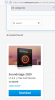
On Ashampoo.com, search sound and download the free one:

1676963237782.png
It's good but buggy so sound will sometimes go out. When that happens, you have to reboot your PC.
 
If you have Windows:
All Settings/System/Sound/(Related Settings in right area) Sound Control Panel/RIGHT click directly on the image of speaker /Properties/Enhancements tab/check Loudness Equalization & Apply

Repeat for headphones if you use them.
 
Back
Top