FIOS installation

Page 2 - Seeking answers? Join the AnandTech community: where nearly half-a-million members share solutions and discuss the latest tech.

dabuddha

Lifer
Apr 10, 2000
19,579
17
81
You can actually request that they have ethernet run to your router and just use the cheap actiontec router for the TV. That is what lots of people in my last condo complex did.

So they'd run ethernet from their router to mine is what you're saying? Doesn't it still have to go through their router since it has the modem built into it.
 

zerocool84

Lifer
Nov 11, 2004
36,041
472
126
How long ago did the N routers start rolling out?

Not too knowledgeable on wifi, but i assume mine is a G. Most of my devices have N, but all of them max out around 17mbps up/down. Does that sound right for their G router? Wired connection gets 31/26 and now that i have a bunch of shit streaming, the extra wifi bw would help.

I read that newer N models were supposed to be released late last year but I don't know any details.
 
Sep 12, 2004
16,852
59
86
I have FIOS, internet only, and use my own D-Link N router. An ethernet cable runs from a small junction box to the router. Never had a tech visit for setup. Called tech support, ask them to activate the service, configured the router, and that was it.
 

Gibson486

Lifer
Aug 9, 2000
18,378
2
0
So they'd run ethernet from their router to mine is what you're saying? Doesn't it still have to go through their router since it has the modem built into it.

If I remember correctly, you can have the Internet on Ethernet and the TV on Coax (that blinking box that they install has an ethernet and a Coax connection). You still need to hook the coax to the modem (not sure why), however. There are details at DSLReports on it. I was going to do it, but they wanted to charge me $250 for the FIOS tech to come out.
 
Dec 10, 2005
29,293
14,717
136
If I remember correctly, you can have the Internet on Ethernet and the TV on Coax (that blinking box that they install has an ethernet and a Coax connection). You still need to hook the coax to the modem (not sure why), however. There are details at DSLReports on it. I was going to do it, but they wanted to charge me $250 for the FIOS tech to come out.

It's because the modem gives the boxes internal IP addresses that allow them to do things like media sharing, video on demand, and channel guide.
 

Bryf50

Golden Member
Nov 11, 2006
1,429
51
91
just so you are aware, you HAVE to use their wifi router, cant use your own.
No that's not even close to being true. Op tell them to run Ethernet to your router instead of coax.

Then if you want to use your own router follow one of the guides here http://www.dslreports.com/faq/verizonfios

I have mine set up using the Lan to Lan method. It works just fine and I still have guide and video on demand. The stock router has great hardware but the firmware is terrible. It easily chokes one running even a small number of simultaneous connections.
 

zerocool84

Lifer
Nov 11, 2004
36,041
472
126
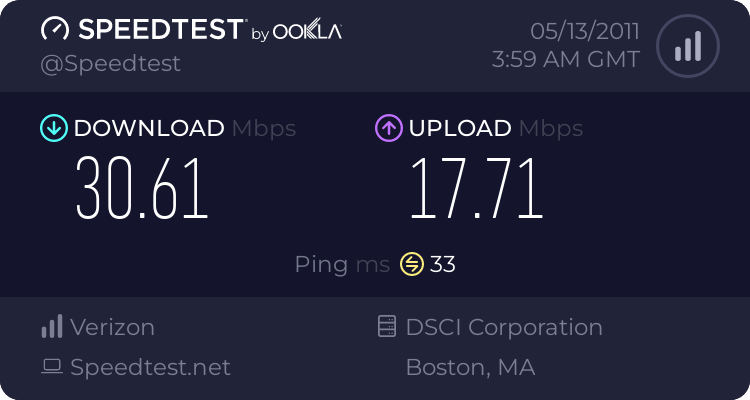
Those with the G, what speeds do you get up/down over wifi?

That's over G. Nothing ever is slow for me. Only reason I want N is for the extended range. I don't get too good of a connection in my bedroom.

1195404933.png
 

RockinZ28

Platinum Member
Mar 5, 2008
2,171
49
101
If you're paying for 15/5 then that's a good connection.

Not when I'm paying for 25/25 :(. Get 31/26 over ethernet.

Think I figured it out, it's the channel. Tried manually setting it to channel 3, and I got 20mbps, so guess I will keep trying different channels till I hopefully hit the sweet spot.
 

RockinZ28

Platinum Member
Mar 5, 2008
2,171
49
101
Wtf, not having much luck getting past 20mbps, in the same room as my router. And I looked up my model, I do have the router with wireless N.

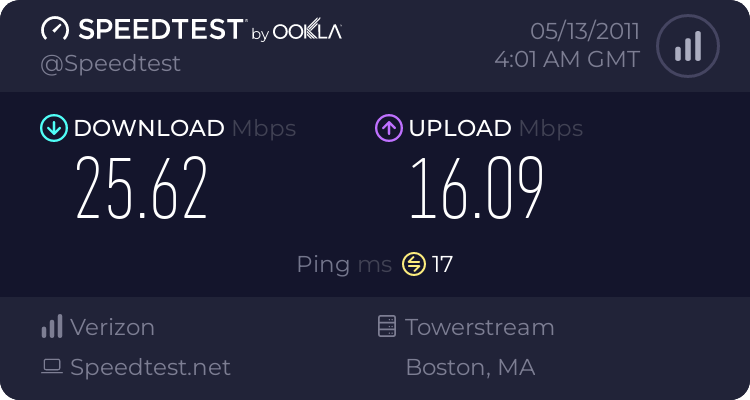
Edit: Man, fucking imbecile. I only had WEP security and I guess that's what was causing my speed to be cut almost in half. So put on WPA2 security and voila, almost matches my wired connection.

1293801864.png
 
Last edited:

dabuddha

Lifer
Apr 10, 2000
19,579
17
81
Well so far so good. I got all my pc's using my wireless router. I'm having an issue getting one of my laptops to connect to my router (windows xp, all my other desktops/laptops are windows 7). Paying for 15/5

1294987752.png


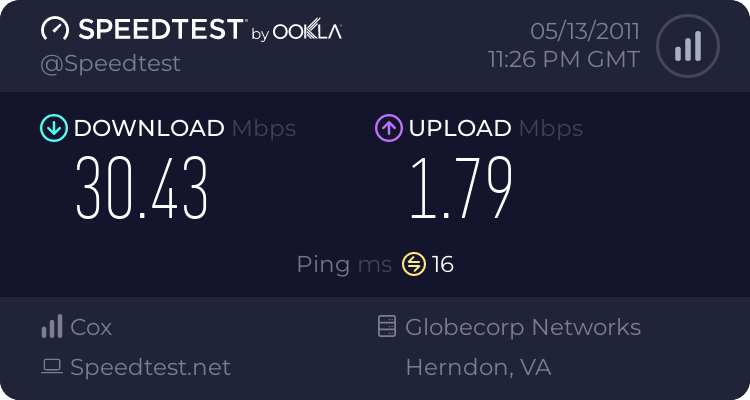
This is from my upstairs desktop over a wireless N connection It thinks my ip address (probably is) is in Kansas City lol